



The easiest way to split group expenses
The easiest way to split group expenses
HippoSplit is a chat-first expense tracker that makes splitting bills as easy as sending a message.
Tired of spreadsheets, receipt chasing, and awkward "who owes what"?
Send messages, snap receipts, or drop photos in the group chat, HippoSplit automatically tracks everything, converts currencies, and splits fairly.
9:41
Track and share expenses with whoever you're with
TripsCouplesFriendsFamily

Track as you go, never miss a beat
Log expenses, attach receipts, and mix currencies freely as you travel. 150+ currencies with live exchange rates, from street food in Bangkok to ski passes in Chamonix.
How it works
☀️ Trip to Tokyo
3 members
Dinner at Ichiran
¥2,800
$18.67
Auto-parsed
ラーメン × 2(Ramen × 2)
¥2,160$14.40
たまご × 2(Half-Boiled Egg × 2)
¥320$2.13
のり × 2(Dried Seaweed × 2)
¥320$2.13
Total
¥2,800$18.67
M
A
M
Split equally · ¥933($6.22) each
Summary
$28.53 USD
Food & drinks(2 txns)
100%
Member Balances
M
Mike
Paid$17.58
Owed$14.27
Net+$3.31
A
Alex
Paid$10.95
Owed$14.27
Net\-$3.31
Settlement
AlexMike
$3.31 USD
Message...
1
Create a group chat
Start a shared space in HippoSplit and invite friends with a link. They join instantly, even as guests.
2
Add expenses as you go
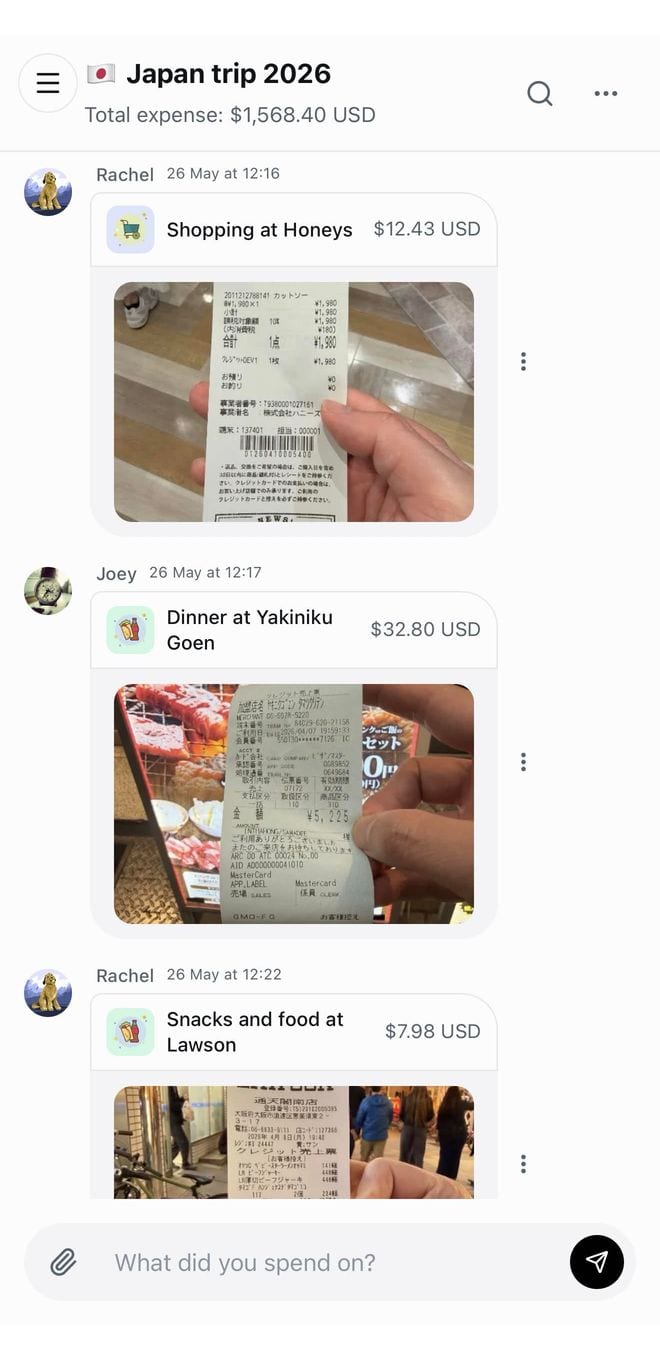
Type it out, snap a receipt, or drop a bunch of photos.
We pull out the items, amounts, and currencies for you.
3
Control every split
Split equally, by items, custom amounts, or percentages.
Adjust every detail so the final split matches exactly how your group wants it.
4
Settle with clear reports
Use simplified payments to settle faster.
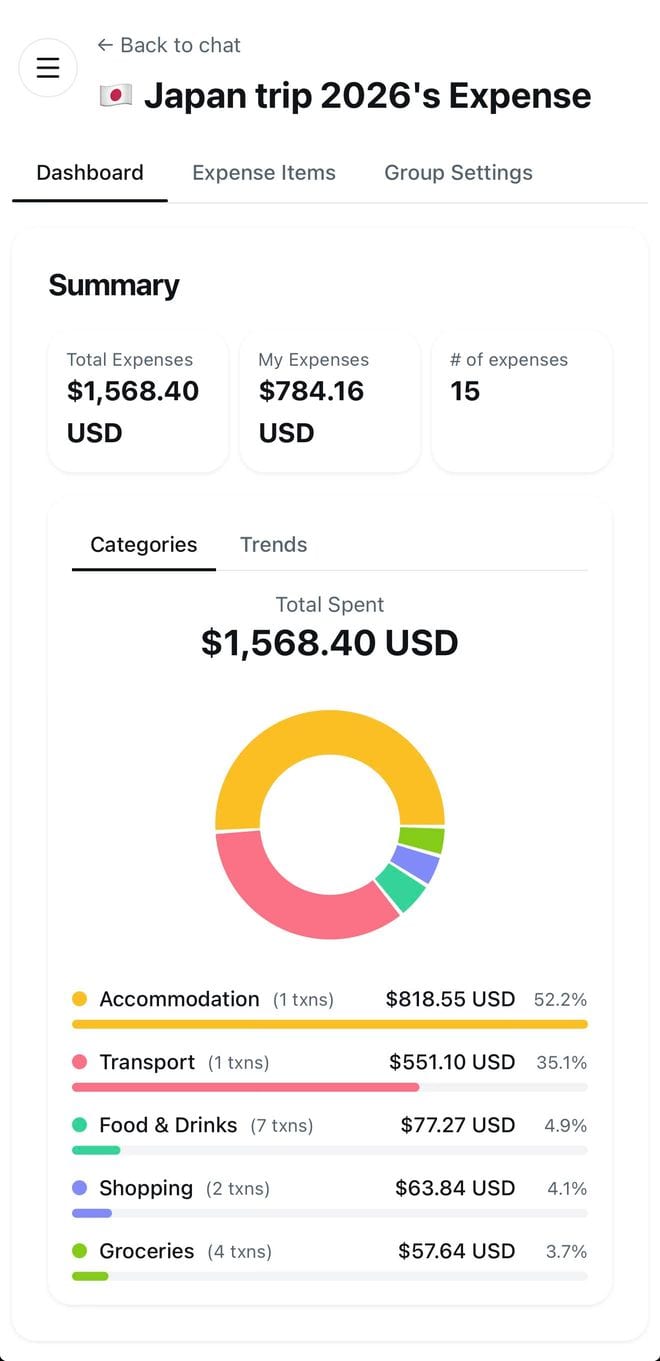
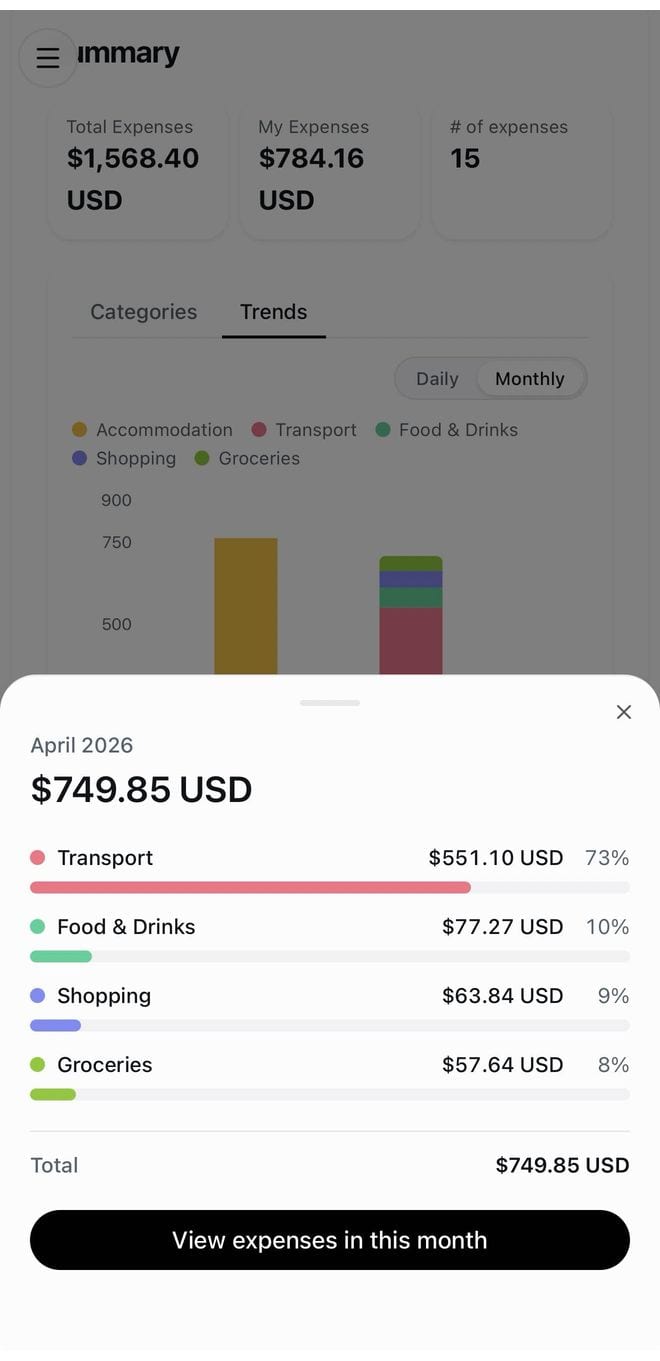
Explore beautiful charts, filters, and reports to see where the money went.
Expense tracking everyone can keep up with
Easy to start, easy to keep using
Add a receipt, photo, or quick note while the day is still happening.
HippoSplit turns it into a clear expense record with totals, categories, and who paid.
Everyone follows the same timeline without learning a finance tool.
- ✓Receipts and photos become itemized expenses
- ✓Live rates for 150+ currencies
- ✓Updates sync instantly for the whole group
- ✓Feels like chat, so friends know what to do right away
- ✓Encrypted at rest and in transit
- ✓No ads, no tracking, no data sales
- ✓You own your data, export or delete anytime
- ✓Unlimited expense entries
- ✓Real-time chat & instant sync across devices
- ✓All split methods (equal, shares, percentages, by items)
- ✓150+ currencies with live conversion
- ✓Guest access, no signup required for your friends
- ✓Recurring expenses
- ✓7 AI scans per week (receipts or chat messages)
- ✓Everything in Free
- ✓Only the group creator needs Premium
- ✓Unlimited AI scans, receipts, screenshots & chat messages
- ✓Advanced search, reports, and spending insights
- ✓Priority support
As easy as sending a message
No forms. No hassle. Just chat.
Join from one link
Guests can open the shared group without setup.
Advanced charts and reports
Spot trends and drill into every category.
Your data stays private. Always.
All your financial data is encrypted and accessible only to you and your group.
We don't sell your data, run ads against it, or share it with third parties.
Free to start. Premium when it matters.
Start with the essentials for light groups. Upgrade for unlimited AI scanning when your expense tracking gets real.
MonthlyYearlySave 30%
Free
Perfect for casual groups & one-off trips
$0forever
Best Value
Premium
Serious expense tracking, made effortless
$4.17/ month
$49.99 billed yearly
Save 30% with yearly billing
Cancel anytime. We're actively adding more features to both plans.
Loved by groups everywhere
"My roommates and I split groceries, rent extras, everything, and nobody has to keep a spreadsheet anymore. The chat UI just makes sense."
James L.
Shared apartment
"I travel solo a lot and use it to track personal expenses too. The multi-currency support is super convenient, no more mental math in Bangkok."
Mia T.
Solo traveler
"Used Splitwise for years but this is so much faster. Just drop the receipt photo and it figures out everything, who had what, tax, tip, all of it."
Priya S.
Dinner with friends
"I track my own daily spending here too. It's like having a personal finance journal that actually does the math for you. The reports are surprisingly detailed."
Nina F.
Personal expenses
"The guest access is a game changer. Half my friends refuse to download another app, but they happily use the link I send them. Everyone stays updated."
Tom H.
Casual group hangouts
Frequently asked questions
Still wondering about something? Send us a note and we'll get back to you as soon as we can.
Is there a free plan?
Yes. HippoSplit is completely free for unlimited expense entries, group balances, splitting, and settlements. Premium unlocks powerful AI features, like smart receipt scanning and intelligent reports, plus advanced tools such as custom instructions, multi-format exports, and more.
If I have Premium, can my friends use the AI features too?
Yes! Only the person who creates the group needs Premium. Once enabled, everyone in the group can use AI scanning and other premium features at no extra cost.
How can I invite friends?
Share the group link with them. Each group also has a QR code, so it is easy to share in person.
Can I add an expense manually instead of using AI?
Yes. There is a button at the end of the chat for adding an expense manually with a form.
What split methods does HippoSplit support?
Equal splits, custom amounts, percentages, shares, and itemized splits. You can also describe the split in chat or with your photos.
Does HippoSplit support recurring expenses?
Yes. You can use recurring expenses for repeated costs like rent, subscriptions, utilities, or shared monthly bills.
Can I trust the calculations?
Yes. AI helps read chats, notes, and receipt photos, but the actual totals, split amounts, balances, and settlement calculations are handled and verified by HippoSplit's backend algorithms.
Can I edit an expense after AI parses my photo or chat?
Yes, absolutely. You stay in control of every detail. AI only helps you save time by filling things in faster.
Can I delete a group or all of my data?
Yes. You may delete your data at any time you please. You stay in control of what remains in HippoSplit.
Do you have an iOS or Android app?
Not yet. We are working on mobile apps for later. For now, open HippoSplit on your phone and add it to your Home Screen so it feels like an app. It works well and is the most convenient way to access your groups on mobile.
Want something we do not support yet?
We are actively adding practical features and would love to hear what would help you most.