



Create motion graphics with AI



Loved by 5000+ creators
Create motion graphics
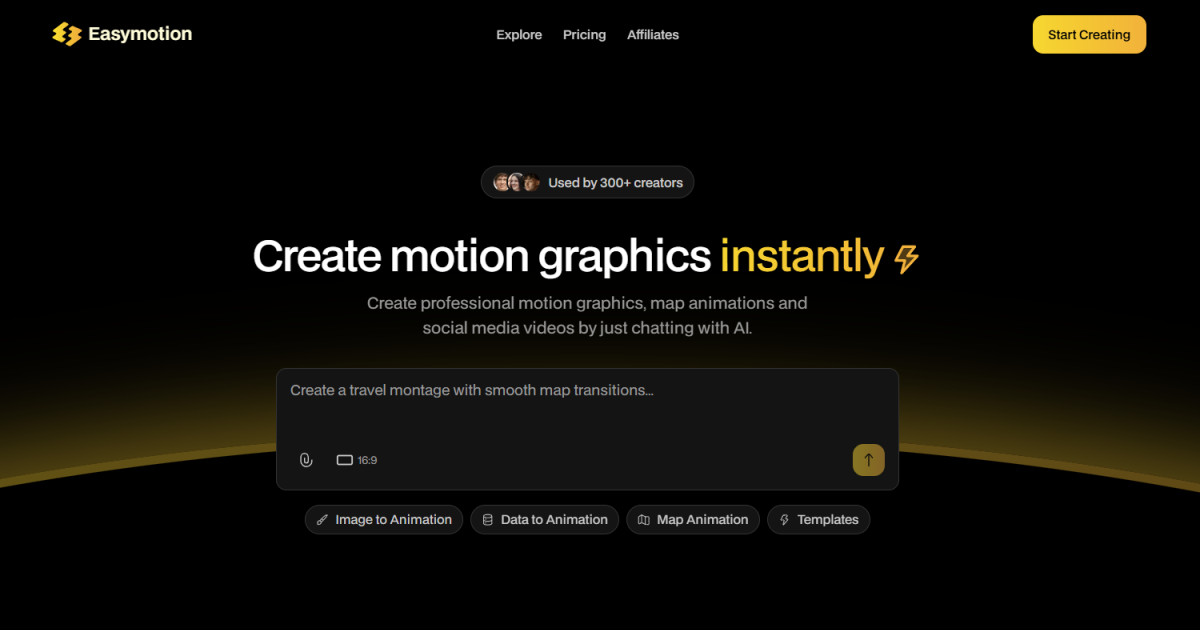
with AICreate professional motion graphics, map animations and social media videos by just chatting with AI.
Create a map animation showing flight routes from NYC to Tokyo...
16:9
Image to AnimationData to AnimationMap AnimationTemplates
Bring your ideas to life
AllMapsChartsInterfaceSocial Media
Remix
Create a globe flythrough animation
Remix
Create a flight route animation
Remix
Animate sales graphs from CSV data
Remix
Create a workflow automation chart
Remix
Create a Youtube subscribe button animation
Remix
Create a travel reel for Berlin
Remix
Create a Whatsapp chat animation
Remix
Create a Youtube 1000 subscribers milestone
Remix
Create a global flight route visualization
Capabilities
Turn hours of work into minutes
- ### Static Design into Animation Upload an image and let AI bring it to life with stunning motion.
- ### Map Animations made Easy Create map animations effortlessly and faster than ever.
- ### Boring Sheets into Visuals Upload a CSV or XLSX file and let our AI create beautiful visuals.
- ### Perfect for Any Platform Create videos in 16:9, 9:16, 4:5, or 1:1 - ready to post everywhere.
- ### Customize Everything Edit text, logos, and assets to make every video yours.
- ### Transparent Export
See Easymotion in Action
easymotion.io
Join the creators who move fast
< 5 minper video
YouTubers & Creators
Most creators spend hours in After Effects for a single video. Now you can create more, post more, grow faster.
Creators are racking up views with map animations.
3xmore projects
Video Editors
Motion graphics can eat your entire day. Templates never quite work. Create exactly what you need in minutes and move on.
Editors are skipping After Effects and using Easymotion to work 3x faster.
Same daycampaigns
Marketers
No more waiting on designers. No more back and forth emails. Create and iterate on videos yourself, keep them on brand.
Marketing teams are shipping campaigns the same day.
DIYpro videos
Founders & Startups
Freelancers are expensive and editing software has a steep learning curve. Create videos yourself in minutes and actually build your social presence.
Startups are growing their social presence without hiring freelancers.
5xmore engagement
Data Storytellers
Your insights deserve better than static charts. Turn your data into animated videos that actually stop the scroll.
Video posts get 5x more engagement than static images.
Start Creating Now
Free to start · No credit card required
Easymotion is an AI-powered motion graphics generator for creators, marketers and businesses. Create animated maps, social media videos, data visualizations and more — no After Effects or design skills needed. Export as MP4 or transparent video for YouTube, TikTok and Instagram.
From the blog
Step-by-step tutorials
Frequently asked questions
Everything you need to know about creating AI motion graphics.
What is Easymotion?
Easymotion is an AI-powered motion graphics generator that lets you create professional videos simply by chatting. You can instantly generate map animations, animate static images, turn spreadsheets into data visualizations, and create social media videos without needing complex software like After Effects.
How does AI motion graphics generation work?
It works in three simple steps. First, describe the animation you want in plain English. Second, refine the result using chat commands to adjust colors, timing, map styles, or assets. Finally, export your completed video as an MP4 or with transparent background. The AI handles all the keyframes and animation curves.
What types of videos can I create?
You can create a wide variety of motion graphics including 3D globe flythroughs, map flight routes, animated charts from CSV files, kinetic typography, user interface animations, and social media promo templates. All animations support multiple aspect ratios (16:9, 9:16, 1:1, 4:5).
Is Easymotion free to use?
Yes, you can start using Easymotion for free, with no credit card required, to explore the platform and preview animations. For regular exports and advanced features, our paid subscriptions start at an affordable $10 per month, which includes up to 40 watermark-free video exports.
Do I need design or video editing experience?
No technical or design experience is required. Because Easymotion uses a conversational AI interface, if you can type a text message, you can create professional motion graphics. There are no timelines to manage or keyframes to adjust manually.
What export formats and aspect ratios are supported?
Easymotion exports high-quality MP4 video files optimized for YouTube, TikTok, Instagram Reels, and web use. We also support transparent video exports with an alpha channel, allowing you to drag and drop your AI animations directly into Premiere Pro, Final Cut, or DaVinci Resolve.
How is Easymotion different from After Effects or Canva?
Unlike After Effects, which requires months to learn and hours to animate a simple sequence, Easymotion generates complex animations in seconds using AI. Unlike Canva, which mostly moves static elements on a timeline, Easymotion creates dynamic, broadcast-quality motion graphics and 3D map animations.
Can I use my own brand colors, logos and images?
Absolutely. You can upload custom images, logos, and assets to use in your animations. You can also specify exact HEX codes for colors or instruct the AI to match your specific brand guidelines during the generation process.