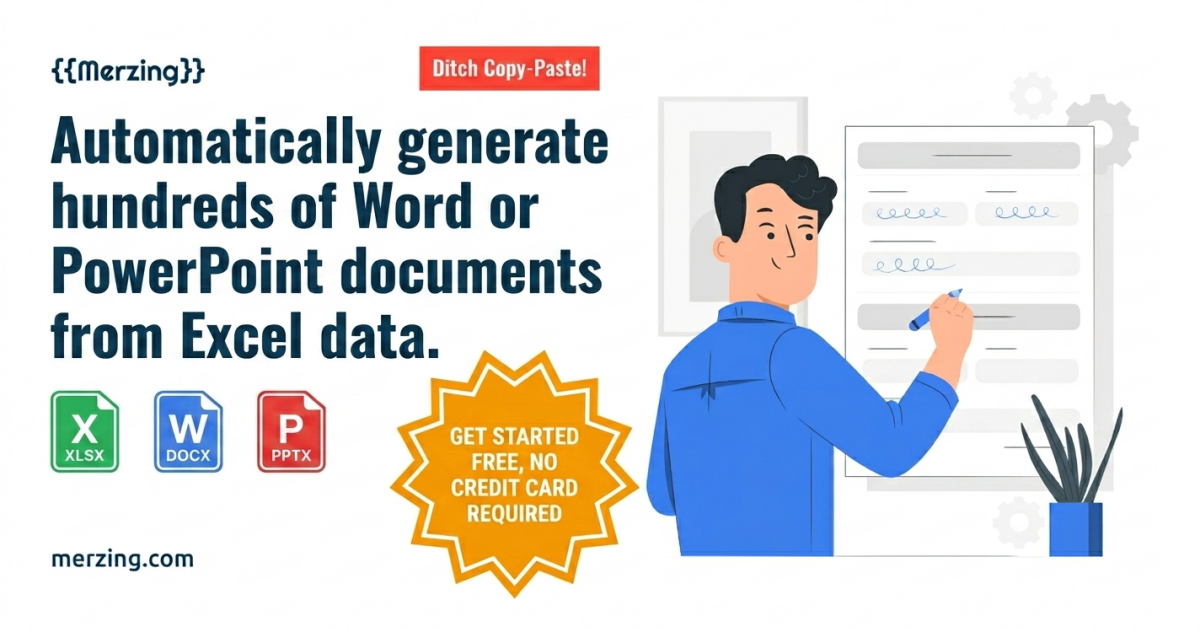

Generate hundreds of documentsfrom Excel data automatically.
Generate hundreds of documents
from Excel data automatically.Set variables in your Word or PowerPoint template, map to Excel data, and generate documents in bulk.Turn repetitive document work into an automated workflow.
Start for Free

Key Features
Just one {variable} is all it takes.
The rest is automatic.Multiple file formats supported
Use Hangul (hwpx), Word (docx), and PowerPoint (pptx) files as templates, and Excel (xls, xlsx) files as datasets.
Automatic variable mapping
If the variable names in your template match the column names in Excel, they map automatically. If not, you can map them manually.
Variable mapping status at a glance
The variable mapping status UI lets you verify at a glance that all variables are correctly mapped.
Variable mapping saved per project
Define variable mappings once per project and reuse them without reconfiguring each time.


BEFORE
AFTER


BEFORE
AFTER
Advanced Data Mapping
Even complex template documents
with tables work seamlessly.Table data converted perfectly
Supports joining data from multiple Excel files
Tables in your document expand automatically to match the number of rows in your Excel data.
When processing a single template file, you can combine data from multiple Excel files. Just set the join key between the datasets.
Data Security
Sensitive data stays secure.
Excel data that may contain personal information or corporate secrets is never uploaded to external servers. Only the template file and mapping rules are stored on the server.
All document generation processes run entirely within your local browser's memory, eliminating any risk of data leakage at the source.
Data Filtering
Filename Automation
Workspace
Generate documents from only the data you need,
with the flexibility of selective filtering and the power of workspace-based collaboration.Filter only the data you need
Pick only the rows you need from large Excel datasets and generate exactly the documents you want.
Automate document filenames too
Define filename rules using column values from your Excel data to automatically name each generated document.
Collaborate with your team
Share templates and variable mapping rules with your team in a dedicated workspace environment.
How It Works
From template upload to document generation,
just 3 simple steps.No complicated coding or manual reading required. Build your automation system using the Word, PowerPoint, and Excel files you already work with.
1
Keep your existing document formats. Just add variables.
In the Word(docx) or PowerPoint(pptx) files you already use at work, simply write variable names like {Name} or {ContractAmount} where data should go.
Create a project and upload your template file — your automation setup is complete.
2
Select your dataset file, and the data falls into place.
Select the Excel(xls, xlsx) file containing your data. If the template variables match the column names in Excel, they are mapped automatically.
No need to worry if the names differ. The intuitive UI makes it easy to define the relationships.
3
Generate hundreds of documents with a single click.
Filter only the data that meets specific conditions, or create rules to automatically name each file using values from Excel.
Click the "Generate" button and documents are automatically created and saved to your download folder.
Use Cases
Many people are already creating documents
without repetitive manual work.Reduce the burden of recurring Word (docx) or PowerPoint (pptx) document tasks and focus on what matters most. Experience the flexibility of selecting only the data you need from Excel (xls, xlsx) to produce perfect documents. Explore a variety of use cases and discover how your workflow can be transformed.

HR & General Affairs
Automate Employment and Salary Contracts
See how company-wide salary tables and HR rosters are batch-written into standard employment and salary agreement formats without external data leakage.
Automate Employment and Salary Contracts - View Details

Insurance Agent
Automate Integrated Customer Guidance Documents
See how customer contract data scattered across multiple insurers is batch-converted into integrated coverage guide and proposal formats without external leakage.
Automate Integrated Customer Guidance Documents - View Details

Legal Scrivener
Automate Registration and Litigation Documents
See how client information and asset data are accurately linked to court submission forms to reduce the risk of registry correction orders.
Automate Registration and Litigation Documents - View Details

Certified Labor Attorney
Automate Labor Office Inspection Documents
See how client salary data and work schedules are batch-converted into labor forms without external data leakage.
Automate Labor Office Inspection Documents - View Details

Administrative Scrivener
Automate Group Visa and Permit Forms
See how extensive foreigner personal information and land registry data are batch-processed into official government-standard forms.
Automate Group Visa and Permit Forms - View Details

Real Estate Agent
Automate Contract Forms and Disclosure Statements
See how registry information and rights data for hundreds of properties are accurately linked to statutory disclosure statement formats for batch generation.
Automate Contract Forms and Disclosure Statements - View Details

Social Voucher Provider
Automate Voucher Supporting Documents
See how service provision data for hundreds of users is batch-written into program-specific service record and monitoring log formats.
Automate Voucher Supporting Documents - View Details

Construction & Public Works
Automate Employment Contracts and Labor Cost Claims
See how daily worker attendance records and equipment details are batch-written into standard employment contract and labor cost claim formats.
Automate Employment Contracts and Labor Cost Claims - View Details

Associations & Organizations
Automate Member Certificates and Notices
See how member roster Excel data is linked to organization-specific award, appointment, and completion certificate formats to generate event certificates in bulk.
Automate Member Certificates and Notices - View Details

Academy & Education
Automate Report Cards and Completion Certificates
See how grade data and instructor feedback collected in Excel are batch-generated into personalized report cards using existing formats.
Automate Report Cards and Completion Certificates - View Details
Automated Document Generation ✦ Even Complex Templates, No Problem ✦ Sensitive Data, Kept Secure ✦ Use Only the Data You Need ✦ Name Your Generated Files Your Way ✦ Collaborate with Your Team ✦ Automated Document Generation ✦ Even Complex Templates, No Problem ✦ Sensitive Data, Kept Secure ✦ Use Only the Data You Need ✦ Name Your Generated Files Your Way ✦ Collaborate with Your Team ✦ Automated Document Generation ✦ Even Complex Templates, No Problem ✦ Sensitive Data, Kept Secure ✦ Use Only the Data You Need ✦ Name Your Generated Files Your Way ✦ Collaborate with Your Team ✦ Automated Document Generation ✦ Even Complex Templates, No Problem ✦ Sensitive Data, Kept Secure ✦ Use Only the Data You Need ✦ Name Your Generated Files Your Way ✦ Collaborate with Your Team ✦
Pricing
Choose the right plan for your team size.
Use up to the maximum number of users allowed per plan at no extra cost.USD
※ Prices shown in USD. You will be charged in your local currency at checkout. Tax may apply.
14-Day Free Trial
Automate your repetitive document work.
Generate hundreds of documents automatically from Excel data and template files.Start for free — no credit card required.
FAQ
Frequently Asked Questions
Can I use documents saved in older file formats(doc, ppt) as templates?
Is the dataset (Excel) file uploaded to the server?
If the dataset file isn't stored, how are documents generated?
What format should variables in the template file follow?
Can it generate data with repeating structures like tables?
Can it be used on mobile devices?
How is the maximum number of users per plan calculated?
What happens if the number of users exceeds the plan limit?
Do I need to register a payment method when signing up?
Can I try it for free first?
Can I change my plan at any time?
How is the subscription fee charged?
How do I cancel my subscription (stop automatic payments)?
What happens to refunds and data when I cancel my account?
What counts as "using the service" for refund eligibility?
Can I receive a tax invoice?
Contact Us
Contact Us
Have a question?
Whether it's about product adoption, pricing, or enterprise inquiries, feel free to reach out anytime.We'll reply to your inquiry at the email address you provide. If you don't receive a response within 3 days, please check your spam folder.
Name\*
Email\*
Inquiry Type\*
\-- Select --
Inquiry Content\*
Submit