AI Live Wallpaper Generator
AI live wallpaper maker
AI Live Wallpaper
GeneratorCreate 4K MP4 live wallpapers from text or images, then export MP4/WebM.
Create live wallpaperBrowse the gallery
OutputMP4 · WebM
LoopUp to 15s
ResolutionUp to 4K MP4
PrivacyPrivate default
Today
09:41
Live preview
Vertical motion loop
Live
AI live wallpaper generator
Start with text, an image, or a reference video, then preview a short 9:16 MP4/WebM animated wallpaper before download.
Gallery
Live wallpaper gallery
MobileLiveDesktop
 LiveCinematic Brazil Green Wallpaper
 LiveFantasy Detailed Dark Queen Long Pale
 LiveSoft Vertical 916 Phone Wallpaper
 LiveNeon Vertical 916 Phone Wallpaper
 LiveDark Battlefield Vertical 916 Phone
 LiveCinematic Glowing Cyan Visor Sleek Black Tech
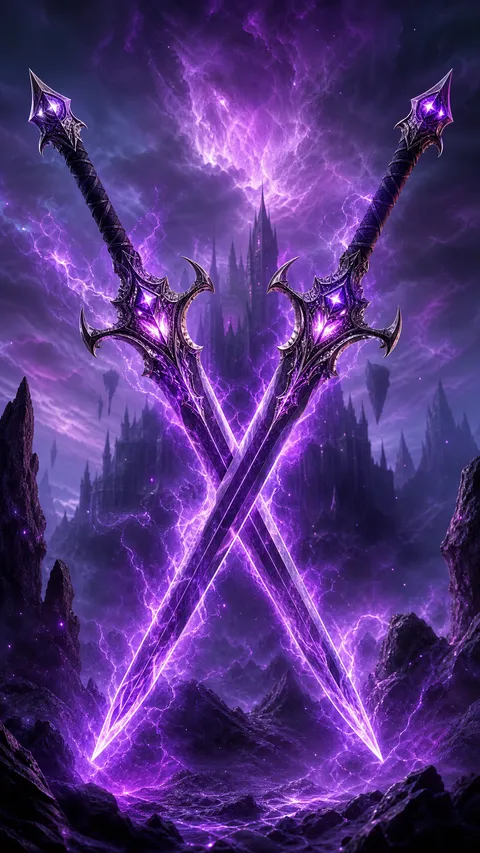 Fantasy Twin Crossed Swords with Electric Purple
 LiveCinematic Brazil Green WallpaperLiveFantasy Detailed Dark Queen Long PaleLiveSoft Vertical 916 Phone WallpaperLiveNeon Vertical 916 Phone WallpaperLiveDark Battlefield Vertical 916 PhoneLiveCinematic Glowing Cyan Visor Sleek Black TechFantasy Twin Crossed Swords with Electric Purple
 Cartoon Menacing Dark Monster Red Eyes
 Bold Vertical 916 Phone Wallpaper
 LiveChibi Cyberpunk Ninja with Glowing Purple Eyes
 LiveAnime Fate Grand Order Florence Nightingale
 LiveCartoon Vertical 916 Phone Wallpaper Pure
Style presets
93Live wallpaper styles
Pick a style preset, then generate from text, image, or video.
View all 93 stylesGenerator-ready presets
01CinematicStyle preset02Neon GlowStyle preset03CyberpunkStyle preset04MinimalistStyle preset05Art NouveauStyle preset06Art DecoStyle preset07Retro VintageStyle preset08Pop ArtStyle preset09Ukiyo-eStyle preset10ImpressionismStyle preset11AbstractStyle preset12AnimeStyle preset
Video guide
How to make a live wallpaper
A short guide for new users: create a vertical live wallpaper, preview the motion on a phone, then follow the right device setup path.
Video guide45 sec plan
Workflow preview
Live wallpaper walkthrough
No credits spent
01
Create
Start from text, an image, or video-guided motion.
02
Preview
Check the phone loop before downloading the MP4/WebM.
03
Set
Use Android, PC, or iPhone setup guides after download.
Wallpaper tools
Popular wallpaper tools
Jump into the existing generators for phone wallpaper, image-to-live motion, Android setup, and PC wallpaper workflows.
Phone stillsiPhone Wallpaper GeneratorCreate portrait wallpaper starts for iPhone screens.Open tool4K topiciPhone Wallpaper 4KBrowse the preview topic while real 4K samples are curated.Open toolImage to motionImage to Live Wallpaper AIAnimate an uploaded image into a phone-vertical live wallpaper.Open toolText to motionAI Animated Wallpaper GeneratorStart with text and generate a short wallpaper animation.Open toolAndroidAndroid Live Wallpaper GeneratorGenerate a file and follow Android setup guidance.Open tool
Device guides
Choose your device
Download MP4/WebM, then follow the setup path for iPhone, Android, or PC.
MP4 to Live Photo
iPhone
MP4/WebM needs a trusted Live Photo conversion step before iPhone setup.
Convert MP4 to iPhone Live PhotoSystem or app dependent
Android
Use Samsung video wallpaper, a supported launcher, or a trusted app.
Set a video wallpaper on Samsung GalaxyMP4/WebM desktop setup
PC
Open the file in Lively Wallpaper or Wallpaper Engine and choose the fill mode.
Use MP4 in Wallpaper EngineBrand support varies
Other Android phones
Check the system wallpaper picker first, then use trusted app-store options only.
Pick a safe Android video-wallpaper app
What this live wallpaper generator creates
Use initial free static credits to create still AI wallpapers, then animate them into vertical live wallpaper loops from ideas or uploaded visuals, with premium output up to 15 seconds and 4K MP4.
- Up to 15s and up to 4K MP4 animated wallpaper loops
- Text, image to live wallpaper, or video-guided motion
- Android, PC, and iPhone Live Photo setup paths
AI Live Wallpaper Generator FAQ
The basics before you generate, download, and set a live wallpaper.
What does the AI Live Wallpaper Generator create?
It creates short 9:16 MP4/WebM animated wallpapers from text, an uploaded image, or a reference video. The file is downloadable; setting it as a live wallpaper depends on your device.
Can I turn an image into a live wallpaper?
Yes. Use the Image tab to upload a still picture, then add camera movement, light motion, parallax, or another animated wallpaper direction before generating the MP4/WebM.
Can I set the MP4 directly as an iPhone Live Photo wallpaper?
No. An MP4/WebM download is not a native Apple Live Photo. iPhone setup needs a trusted converter, Shortcut, or app workflow before you can try it on the lock screen.
How do Android phones use the generated MP4?
Android setup depends on the phone, launcher, and wallpaper app. Some Samsung devices support lock-screen video wallpaper; other Android phones may need a trusted video-wallpaper app.
How do PC users apply a live wallpaper?
Import the MP4/WebM into desktop live-wallpaper software such as Lively Wallpaper or Wallpaper Engine. The main output is vertical 9:16, so choose the fill or crop mode carefully.
Does the homepage promise direct setup on every device?
No. The site creates the MP4/WebM file. Device setup is separate and depends on operating system support, the launcher, or a trusted third-party app.
Can I generate 4K live wallpapers?
Yes. When you generate a live wallpaper, choose the 4K MP4 Premium output tier next to 720p and 1080p MP4. 4K output is delivered as MP4. Live generation, including 4K, is billed by duration and output mode, so it uses paid credits rather than the free static credits.
Can I create a free static AI wallpaper?
Yes. Switch the generator to Static mode to make a still AI wallpaper. New accounts receive a small batch of initial free credits (after risk checks) that cover static generation only, and you can then animate a static result into a live wallpaper with paid credits.
Start the studio
Create your next live wallpaper.
Preview the motion, download MP4/WebM, and use the setup guide for your device.