

Hermes Agent
GuideIntegrationsAPI Reference
Hermes Agent is a self-improving AI agent built by Nous Research. It features automatic skill creation, cross-session memory, and 70+ skills that it ships with by default. 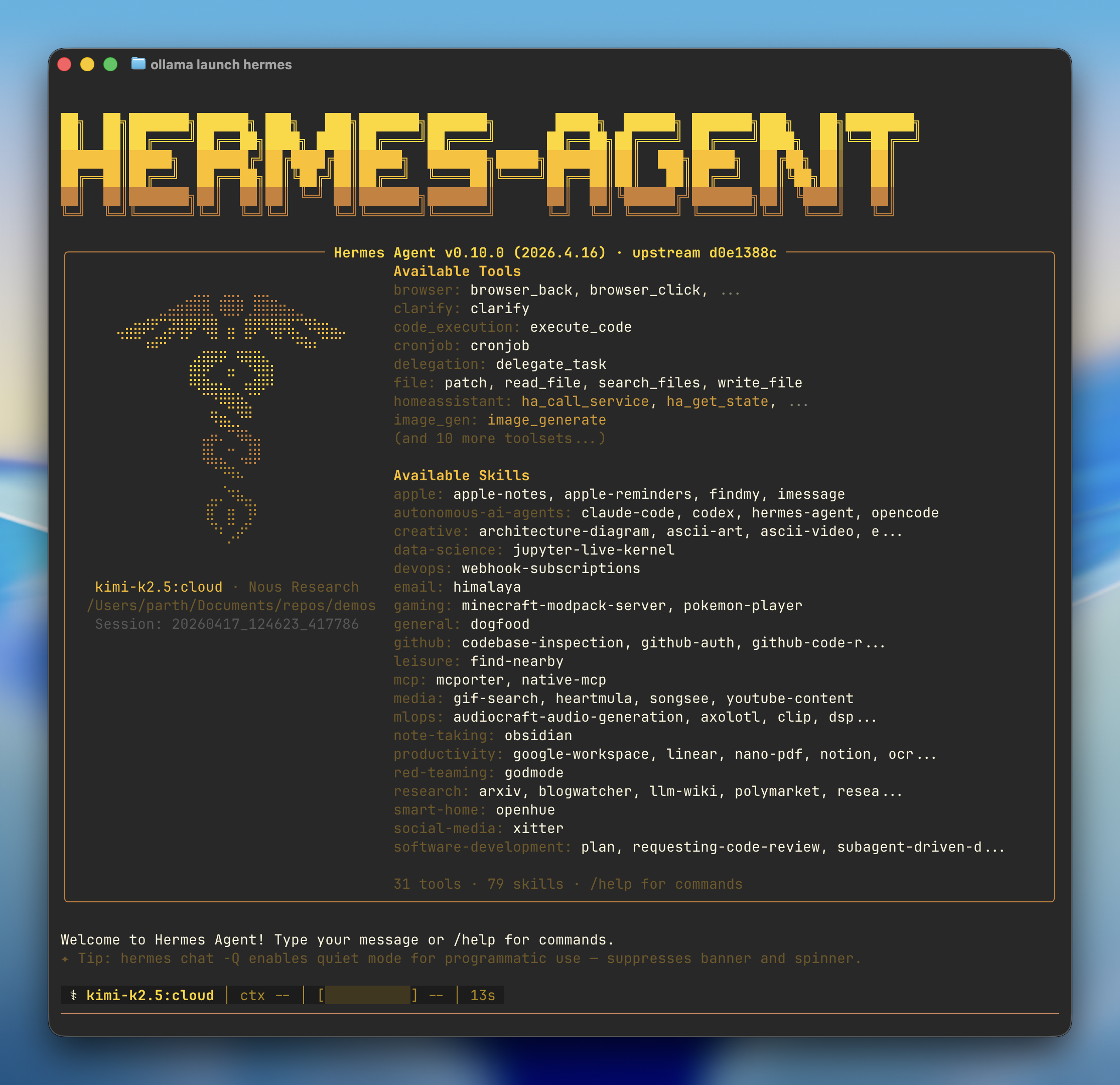
##
Quick start
ollama launch hermesOllama handles everything automatically: 1. Install — If Hermes isn’t installed, Ollama prompts to install it via the Nous Research install script 2. Model — Pick a model from the selector (local or cloud) 3. Onboarding — Ollama configures the Ollama provider, points Hermes at `http://127.0.0.1:11434/v1`, and sets your model as the primary 4. Gateway — Optionally connects a messaging platform (Telegram, Discord, Slack, WhatsApp, Signal, Email) and launches the Hermes chat
##
Recommended models
Cloud models:
- `kimi-k2.5:cloud` — Multimodal reasoning with subagents
- `glm-5.1:cloud` — Reasoning and code generation
- `qwen3.5:cloud` — Reasoning, coding, and agentic tool use with vision
- `minimax-m2.7:cloud` — Fast, efficient coding and real-world productivity Local models:
- `gemma4` — Reasoning and code generation locally (\~16 GB VRAM)
- `qwen3.6` — Reasoning, coding, and visual understanding locally (\~24 GB VRAM)
##
Connect messaging apps
Link Telegram, Discord, Slack, WhatsApp, Signal, or Email to chat with your models from anywhere:
hermes gateway setup##
Reconfigure
Re-run the full setup wizard at any time:
hermes setup##
Manual setup
If you’d rather drive Hermes’s own wizard instead of `ollama launch hermes`, install it directly:
curl -fsSL https://raw.githubusercontent.com/NousResearch/hermes-agent/main/scripts/install.sh | bashHermes launches the setup wizard automatically. Choose Quick setup:
How would you like to set up Hermes? →  Quick setup — provider, model & messaging (recommended)
    Full setup — configure everything
###
Connect to Ollama
1. Select More providers… 2. Select Custom endpoint (enter URL manually) 3. Set the API base URL to the Ollama OpenAI-compatible endpoint: ``` API base URL [e.g. https://api.example.com/v1]: http://127.0.0.1:11434/v1
4. Leave the API key blank (not required for local Ollama):5. Hermes auto-detects downloaded models, confirm the one you want:6. Leave context length blank to auto-detect:### Connect messaging
Optionally connect a messaging platform during setup:
→ Set up messaging now (recommended) Skip — set up later with 'hermes setup gateway'
### Launch
```
⌘I