

Compress videos images images losslessly on your Mac

Compress videos images images losslessly on your  Mac
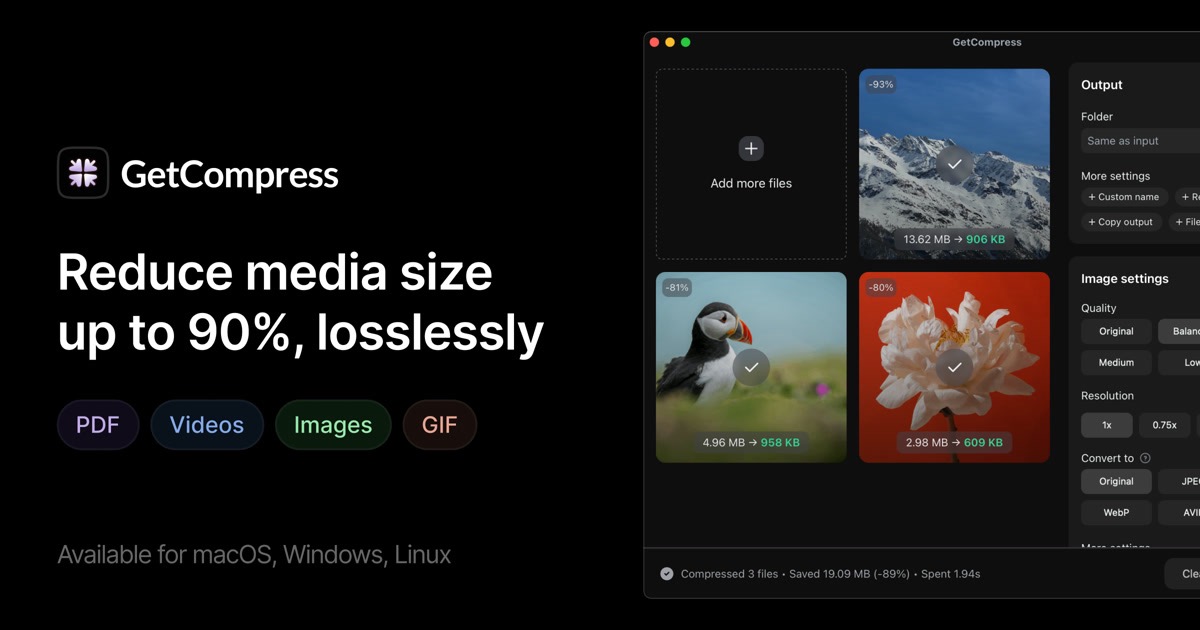
GetCompress is a lightweight macOS app that quickly compresses videos, images, GIFs, and PDFs in batches: get up to 90% smaller files with minimal quality loss, all offline and secure on your Mac
Universal DMG for Apple Silicon and Intel Mac • Intel Mac • Other platforms
- Blazing fast
- Lightweight and intuitive
- Offline and secure
- Mini drop zone Drop a file in, then drag the compressed version straight back
- Drag from anywhere Finder, browsers, Slack, CleanShot, system screen recordings: if it drags, it works
- Batch processing Drop many files at once and keep moving, let GetCompress do the rest
- Compress from clipboard Copy a media file, get it replaced with a lighter version right in your clipboard
- Folder monitoring Choose a folder once. Every new file that lands there gets compressed automatically
- Auto-copy output files Get output files copied to your clipboard after compression, ready to paste or attach
- MCP server Connect your AI assistants and integrate local compression to automated workflows
- Raycast extension, Siri Shortcuts Use your favorite launcher, shortcuts, or call deeplinks from your own workflows
- Open-source extensions Bring your own CLI tools, wrap with short JS snippets, and enjoy polished UI & UX
- Limited time promo price of just $19
- Batch compression for video, images, PDFs, GIFs using advanced compression algorithms
- Clipboard compression, Folder monitoring, and more automation
- MCP server for local AI-assisted workflows
- Open-source extensions for power users
- 1 active device at a time
- All future updates included
- 14-day money-back guarantee
One app for the files you send every day
Convert and compress dozens of formats the real teams pass around: HEIC, WebP, JPEG, PNG, AVIF, PSD, MP4, MOV, RAW ProRes, WebM, GIF, PDF, and a hundred more
Images Compress screenshots, photos, and design exports for web, email, and handoff Videos Compress video recordings and exports for faster uploads and delivery PDFs Shrink image-heavy PDFs, presentations, and scans to meet strict file size limits GIFs Optimize GIFs from screen captures, product demos, and social clips


Before: PNG 1.97 MB After: PNG 436 KB, -78%
Enhanced workflow
We care about quality of life features: compress from macOS Finder context menu, use customizable keyboard shortcuts, get completion notifications, prevent your device from sleeping, and a lot more
Drag and drop. No extra clicks
Video preview: GetCompress mini drop zone workflow
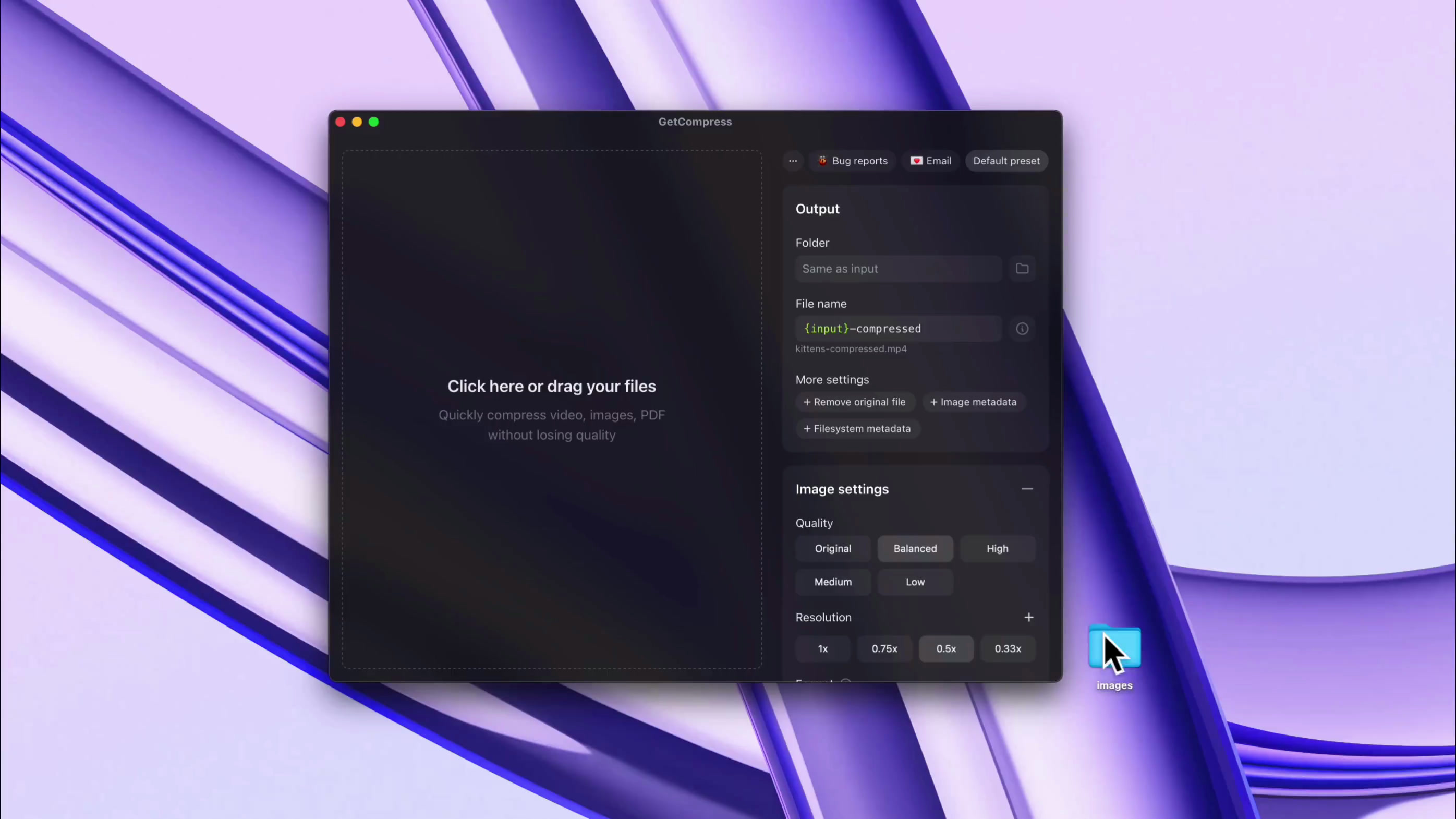
Video preview: GetCompress customizable compression presets and advanced settings
Reusable presets & full control
Save favorite presets and manage every detail, per preset or per file separately: quality, dimensions, target file size, and a lot more
Video preview: GetCompress media preview, video trimming, GIF trimming, and frame-by-frame GIF player
Trim, preview
Preview images, videos, GIFs, and PDFs fast. Trim videos and GIFs, and inspect animations frame by frame before export
Automate your routine
Hands-free compression
Video preview: GetCompress clipboard and folder monitoring automation workflow
Built for developers, creators, and power users too
Video preview: GetCompress local MCP and extension automation workflow
Supports 107+ distinct formats
PDF, GIF, dozens of video, audio, and image formats
Localised in 29 languages
English, Deutsch, Japanese, Korean, French, and 24 more
Works on your device
Supported on macOS 10.15 Catalina or newer, Windows 10 or 11, and on Linux
What people are saying
[](https://x.com/Keniisu/status/2062576323399139710)
This actually is one of the tools I needed so I don’t have to search every time I need to compress something 😭

[](https://www.reddit.com/r/macapps/comments/1tphgg0/comment/oppow58/)
Purchased, great app! Love that I can mass drop video files directly from Eagle.app into your app to compress and save. This is going to save me GB's of storage space.
So here's an example...had a library of 841 mp4 clips weighing in at 22GB. After compression (Balanced) 4GB. Great work!

[](https://x.com/Pauline%5FCx/status/2062104538031472643)
I bought GetCompress by @petersamokhin and I'm super happy with it.
I can compress all my videos before uploading them to my website, I just need to dragndrop.
And there are many customizations.
Well done 👏
(not affiliated btw, genuinely like his product)
[](https://alternativeto.net/software/getcompress/about/#post-172247)
Definitely worth a look. It's a lot more comprehensive than it first seems.

[](https://www.reddit.com/r/macapps/comments/1tphgg0/comment/oodawt2/)
It’s very apparent that you have put so much effort into this. Great job mate.
[](https://x.com/ThibaultHoudon/status/2065359781804618129)
I've been looking for a long time for a tool to compress videos and images that is more enjoyable to use than HandBrake or others that often overflow with too many options.
I found @GetCompress which does the job super well, I recommend it, I had a small bug, fixed in a few minutes by the creator. That's the advantage of these tools that are still young!
Pay once, use forever
Best if you want a lightweight and powerful tool. Serves power users and busy creators too, speeding up daily workflows and saving time with automations
Lifetime License
$19
$39
Taxes included where required. Secure payment via Polar. Local currency final price may vary due to exchange rates
Need an educational or volume discount? Contact us
Frequently Asked Questions
What is GetCompress?
GetCompress is a lightweight desktop app for compressing and converting images, videos, GIFs, and PDFs, offline on your computer. Compress and convert images, videos, GIFs, and PDFs locally, then speed up repeat work with automatic clipboard compression, folder monitoring, presets, MCP automation and other features.
My data is sensitive, will it be secure and safe?
We designed the app for offline-only processing, so your files are compressed and converted locally on your computer. No internet connection is required for processing files. It is a safer alternative to online file compressors for client work, private videos, confidential PDFs, product screenshots, and files from your clipboard.
What is the refund policy?
All purchases include 14-day no-questions-asked refunds. If you are unhappy, please contact us at support@getcompress.com
What files does GetCompress convert and compress?
GetCompress supports image, video, GIF, and PDF workflows across dozens of formats, and can convert as well as compress. Formats include, but are not limited to: PDF; GIF; SVG, PNG, JPEG, JPG, WebP, HEIC, HEIF, TIFF, BMP, AVIF, JPEG 2000, ICO, PSD, TGA; MP4, WebM, MOV, M4V, AVI, MKV, WMV, FLV, MPEG, MPG, 3GP; and audio exports such as MP3, AAC, WAV, FLAC, OGG, M4A; and many more formats
Does GetCompress make media quality worse? How much does it reduce file size?
You can fully control it: select High or Original presets for minimal quality loss, or try other presets, including Target File Size (for video), if you can accept worse quality and need smaller files. File size is often reduced by 50-90%, and larger files with higher resolution benefit from the most file size reduction.
Does GetCompress work on macOS, Windows, and Linux?
Yes, minimal requirements are: macOS 11 (Big Sur) for Apple Silicon Macs, macOS 10.15 (Catalina) for Intel Macs, Windows 10 for Windows devices, and Linux support depends on the distribution.