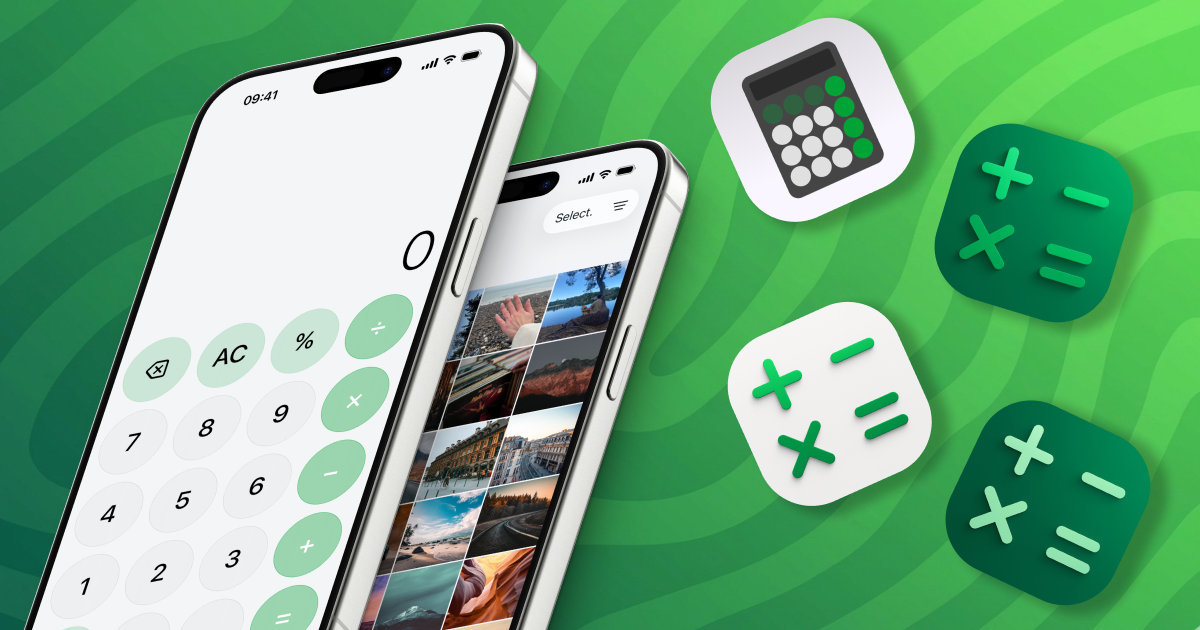

Your vault. Encrypted. Invisible.
Now on iOS · Vault 2.6
Your vault. Encrypted. Invisible.
Your photos, notes, and private searches — fully protected. If someone picks up your phone, there's nothing to find — because there's nothing to see.
Download on the App Store Discover
- End-to-end encrypted
- iCloud sync
- No tracking
- iOS 17+
- A real, fully functional calculator — nothing gives it away.
- Your code looks like simple math. To anyone watching, it's a calculation.
- Swap the home-screen icon — blend in with any look you choose.
Gallery
Your most personal photos and videos, moved into an encrypted album no one else can see. One tap to import, with no trace left in your Photos library.
Notes
A private journal, end-to-end encrypted. For passwords, for secrets, for everything you'd never dare write in Apple Notes.
Web browser
A full browser that keeps everything for you — and nothing for anyone else. Bookmarks encrypted, invisible to Safari, no history.
Signature feature
A calculator on the outside. A vault on the inside.
Vault transforms into a fully working calculator. To anyone holding your phone, it's just a calculator. To you, it's a whole private world — just one secret code away.
9:41
0
AC%÷789×456−123++/−0,=
Try the secret code: 1 2 3 4 =
Secondary profile
A second vault with its own code and its own content. Hand your phone over, open the decoy profile, let them see nothing important.
Emergency shortcuts
Flip your phone face-down, tap the screen four times or shake it — whatever gesture you pick, your vault locks or swaps to the decoy in an instant.
Intrusion alerts
Every failed code attempt triggers a silent front-camera photo, timestamped and saved for later review. You'll know exactly who tried.
Full iCloud sync
Every file, every note, every bookmark — end-to-end encrypted, synced across your Apple devices. Not even Apple itself can read a byte.
Calculator disguise
The full calculator-mode experience, plus alternate home-screen icons so Vault blends in with whatever you want it to look like.
Security first
Zero knowledge. Zero keys. Zero exceptions.
Vault builds on Apple’s native security. None of our servers can access your content. No key on our side could ever decipher it.
Encrypted before it leaves
Your files, notes and history are encrypted on your device. Only then can they leave it.
Sync stays yours
CloudKit carries your encrypted data between your Apple devices. The keys stay on your devices. Never ours.
No tracking. Ever.
No ads. No content analytics. Just your data, your devices, end of list.
Your lock, your rules
Face ID, Touch ID or a 4-digit passcode — pick one, combine them, change them whenever. Each profile can lock differently.
1. 01
Install
Grab Vault on the App Store. Free to try. No registration, no email — nothing required. 2. 02Set a code
Pick a 4-digit code. Add Face ID or Touch ID if you want it even faster. 3. 03Import
Import your photos, jot a note, save a bookmark. Everything is encrypted the moment it's added. 4. 04Invisible
Enable calculator mode. Your vault becomes invisible on your home screen. What's left on the outside looks exactly like a calculator.How does the calculator mode work?
Once enabled, Vault looks and behaves like a fully functional calculator. You type your secret code followed by the equals key, and the vault opens. To anyone looking, it's just a calculator.
Is my data really private?
Yes. Vault encrypts your photos, notes and browsing data on your device before anything leaves it. Sync happens via Apple CloudKit using keys that stay on your devices. We never see your content.
What is the secondary profile?
The secondary profile is a completely independent space inside Vault, with its own access code and its own content. It's designed as a decoy: if someone forces you to open Vault, you show the second profile and nothing of importance is revealed.
What happens if someone enters the wrong code?
Vault silently captures a front-camera photo and saves a timestamped access log. You can review intrusion attempts at any time from the settings.
Does Vault work without iCloud?
Yes. Your vault works fully offline on a single device. iCloud sync is optional, Premium, and entirely end-to-end encrypted.
Vault Premium
Go deeper than hidden.
Decoy profile, calculator disguise, intrusion camera and full-sync across your devices — all included.
US App Store pricing shown. Actual prices may vary by country and are managed by Apple.
from $3.99 /month
Take back your privacy.
One minute to install. A lifetime of peace of mind.
Contact
Contact us
Real people read every email. Bug, idea, or partnership — write to us. We answer within a day.
Website
Your nameEmail
SubjectMessage
Send message