

The task manager built around the Muslim day.

Coming first to Android, then iOS
The task manager built around the Muslim day.
Barakah Tasks plans your work, family, and ibadah around salah. Anchor any task to a prayer, and it moves as prayer times move: every day, all year, on its own.
Email address Notify me at launch
- Android · Launching first
- iOS · Coming next
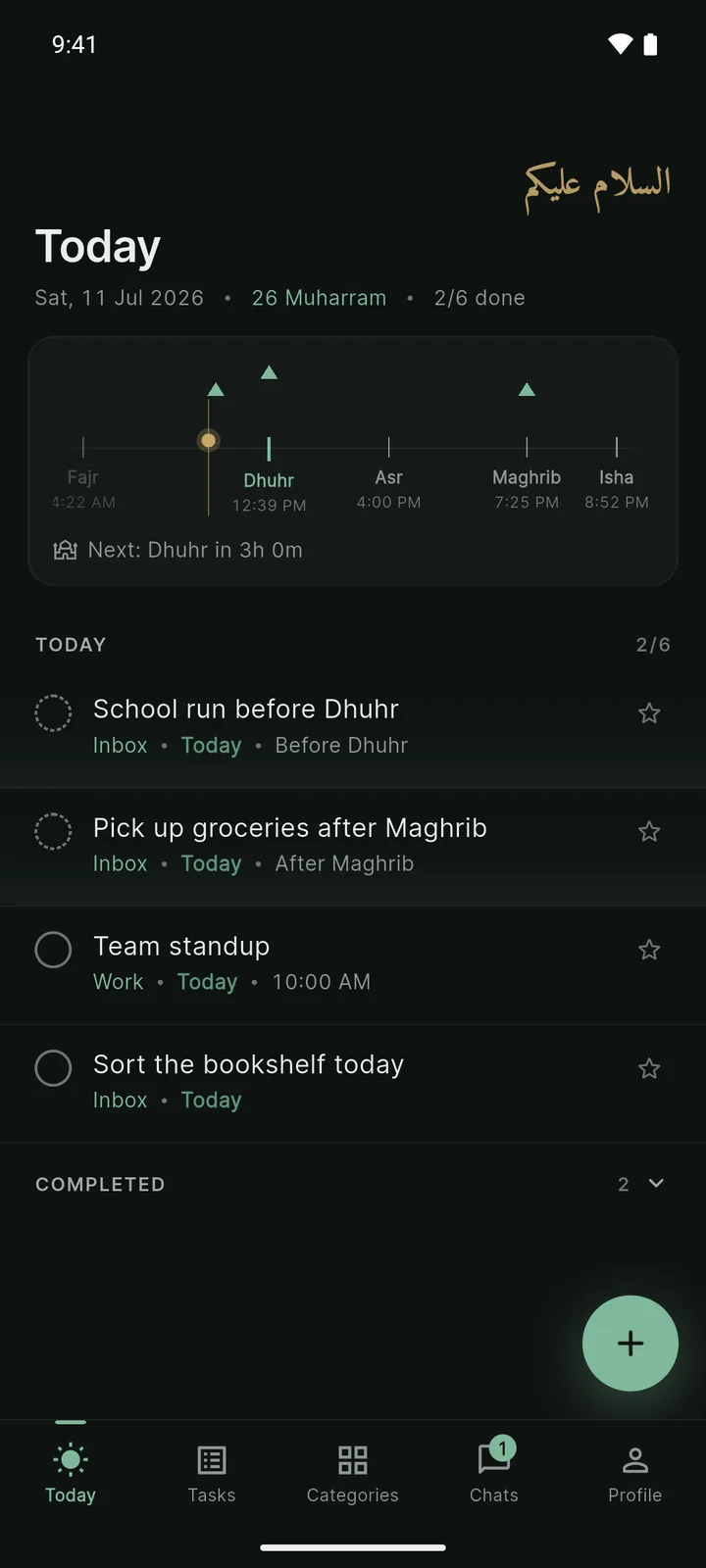
- Deep-clean the guest room FridayAfter Asr
- Plan the Eid menu SaturdayAfter Dhuhr
- Grocery run for Eid morning SundayAfter Maghrib
- Set out the kids' Eid clothes SundayAfter Isha
- Steps & subtasks
- Recurring tasks, Gregorian or Hijri
- Star what matters
- Tags & categories
- Reminders, clock or prayer-relative
- Photos, PDFs & files on any task
- 30-day Trash & undo
- Location reminders · arrive or leave
- Google Calendar
- Home-screen widgets
- Cloud sync across devices
- Works offline
- Unlimited tasks, anchored to prayer
- Natural-language quick add
- Categories, tags & subtasks
- Recurring tasks, Gregorian or Hijri
- Photos & files, stored on your device
- Hijri calendar & daily du'a
- Local-only, no account needed Get notified
- Everything in Free
- Cloud sync & backup across devices
- Attachment backup & sync (5 GB)
- Shared categories with chat
- Your tasks in Google Calendar
- Connect ChatGPT & Claude (MCP)
- Priority support Get notified
- Everything in Premium
- AI planning: describe the goal, review the tasks
- Prayer-aware task proposals
- Approve every proposal · nothing is added for you
- 10 GB attachment storage
- 300 AI generations / month
After Fajr · 30m
Quran · 30 min after Fajr
Fajr 3:29 AM →task 3:59 AM
Reminder · 20 min before · 3:39 AM
Jan Feb Mar Apr May Jun Jul Aug Sep Oct Nov Dec
Fajr in Istanbul, first of each month, 2026. The task follows it on its own.
Other apps say 4:30 PM. Barakah Tasks says after Asr.
To the minute
At, before, or after any prayer, offset by exactly the minutes you choose.
Reminders that follow
A reminder is set against the resolved time, so when the prayer moves, it moves.
Hijri, side by side
Every date in Hijri and Gregorian. Recur by the Hijri calendar when it matters, like the white days or Ramadan prep, for free.
Your vocabulary
It speaks your language.
Finish a task and Barakah Tasks says Alhamdulillah. Clear your whole day and it says Masha'Allah. A du'a greets you on the Categories screen, rotating daily: drawn from the Qur'an and hadith, chosen by hand, never generated. No badges, no streaks, no lectures. Just a tool that shares your vocabulary.
Groceries tomorrow after Maghrib
Detected After MaghribTomorrow
Groceries tomorrow after Maghrib Read Quran 30 min after Fajr Team meeting every Tuesday at 5pm
Goal everything we need before we host Eid
Add 4 tasks Yours to approve, edit, or skip.
everything we need before we host Eid plan a birthday party for my son first day of Hajj, what should I do this morning?
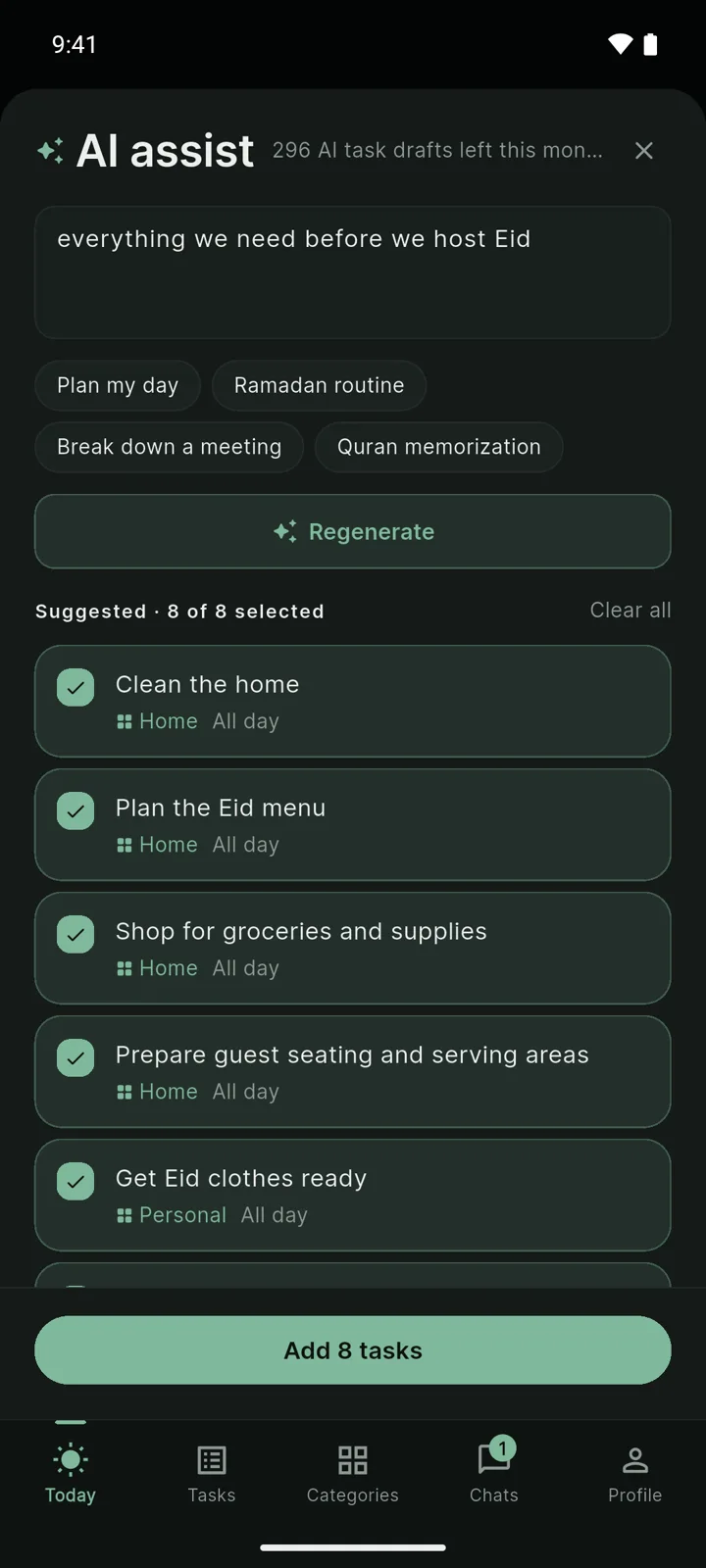
The review sheet, from a real generation.
Your meetings, beside your prayers.
Your device calendars appear alongside your day for free, so a meeting and a task never surprise each other. Premium projects your tasks into Google Calendar, and the rest of your world sees them too.
Where, not just when.
Anchor a task to a place: a reminder as you arrive at the masjid, or as you leave work. Barakah Tasks keeps the place and the trigger you set, never a history of where you've been.
Plan together.
Share a category with the people in it: groceries with your spouse, Eid prep with the whole family. Everyone in it sees its tasks, assigns, and talks in each task's thread. Members join free; everything you don't share stays yours.
What do I have after Asr today?
Two things: "Collect the dry cleaning" and "Call the plumber", both after Asr.
Add "Renew passport" for Monday after Dhuhr.
Added.
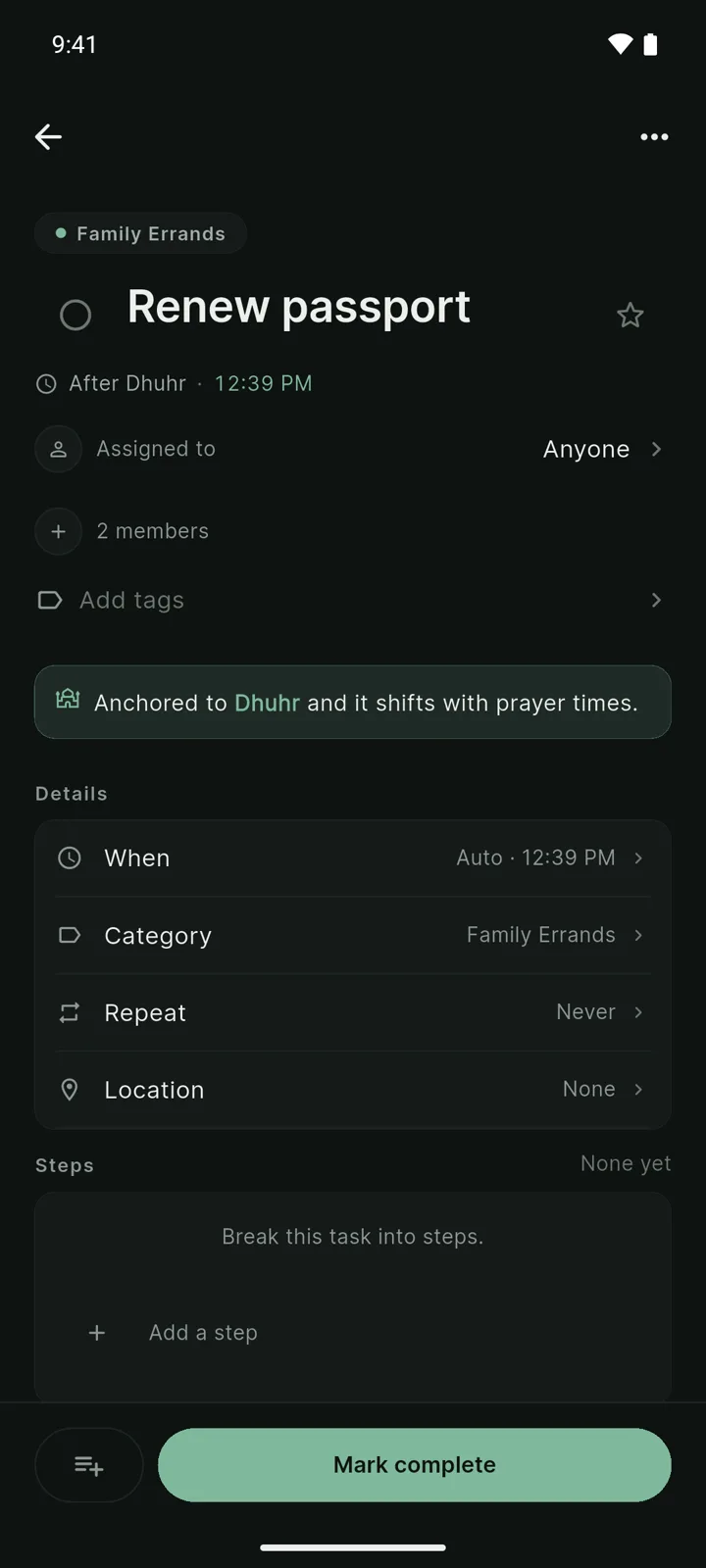
Asked in chat, anchored to Dhuhr.
Starts on your device
The free app needs no account. Tasks and files live on your phone.
You pay for hosting, not features
Everything on your phone is free. Premium covers the servers: sync, backup, sharing, AI.
Encrypted sync
Premium sync is encrypted in transit and at rest. Your data rides HTTPS end to end.
Nothing sold, ever
No ads. No data sales. And no tracking on this page, either.
Today
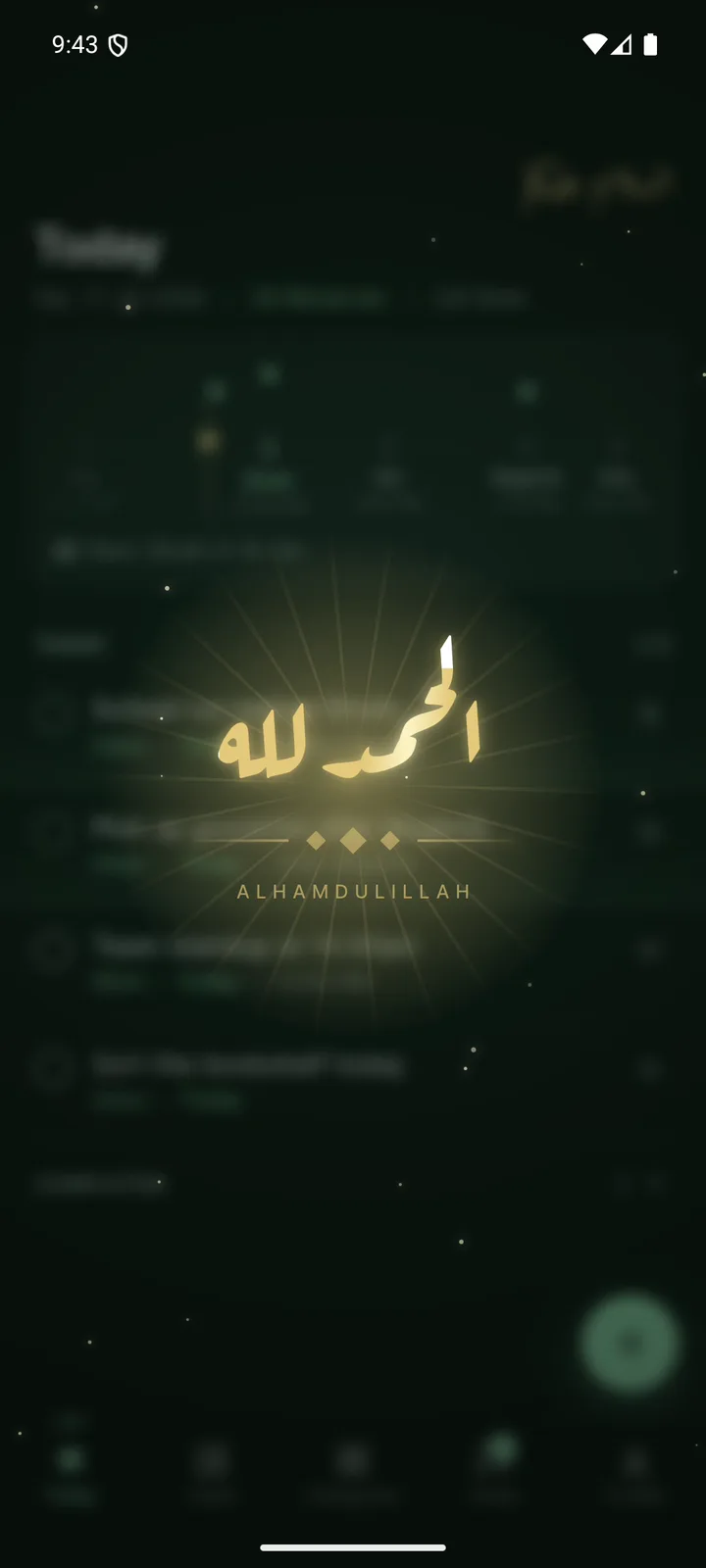
Alhamdulillah
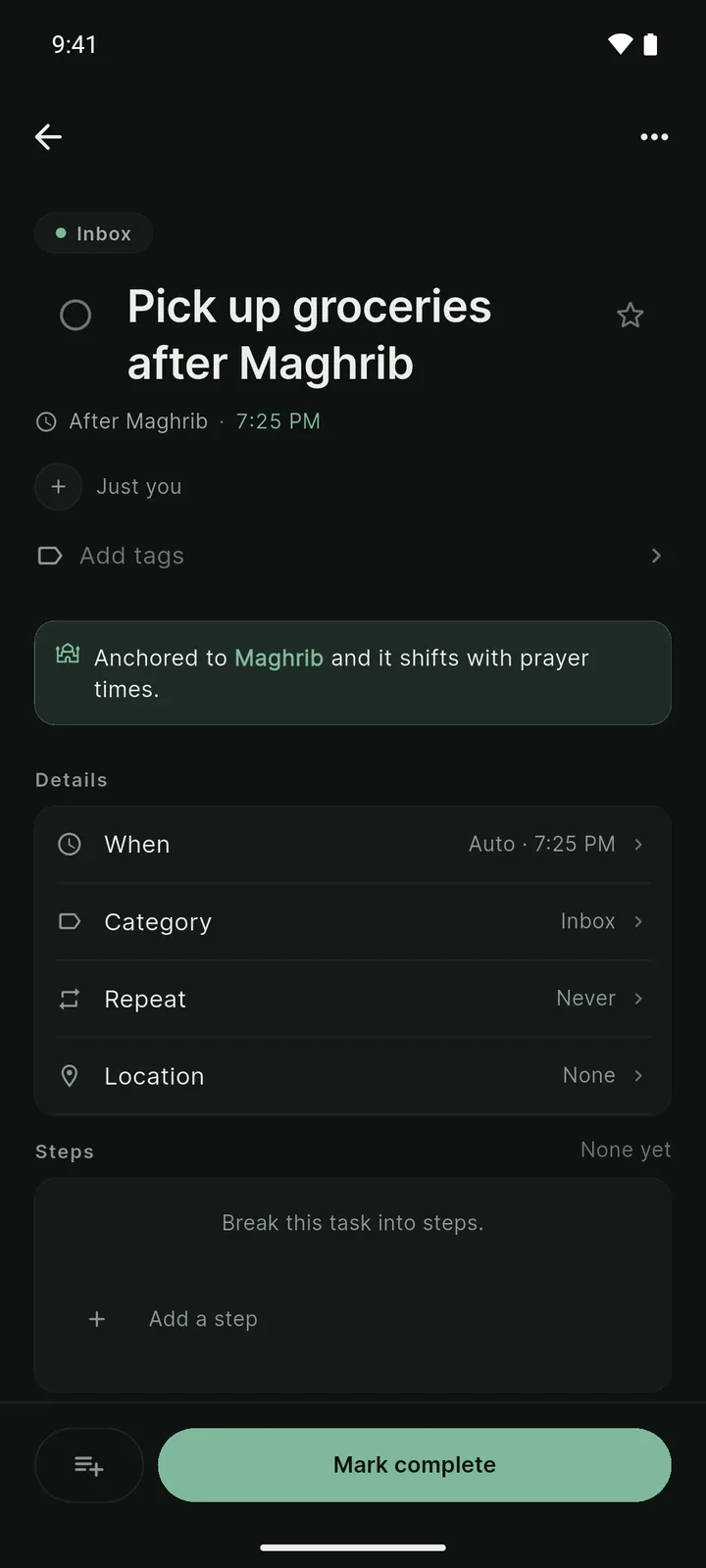
Task detail
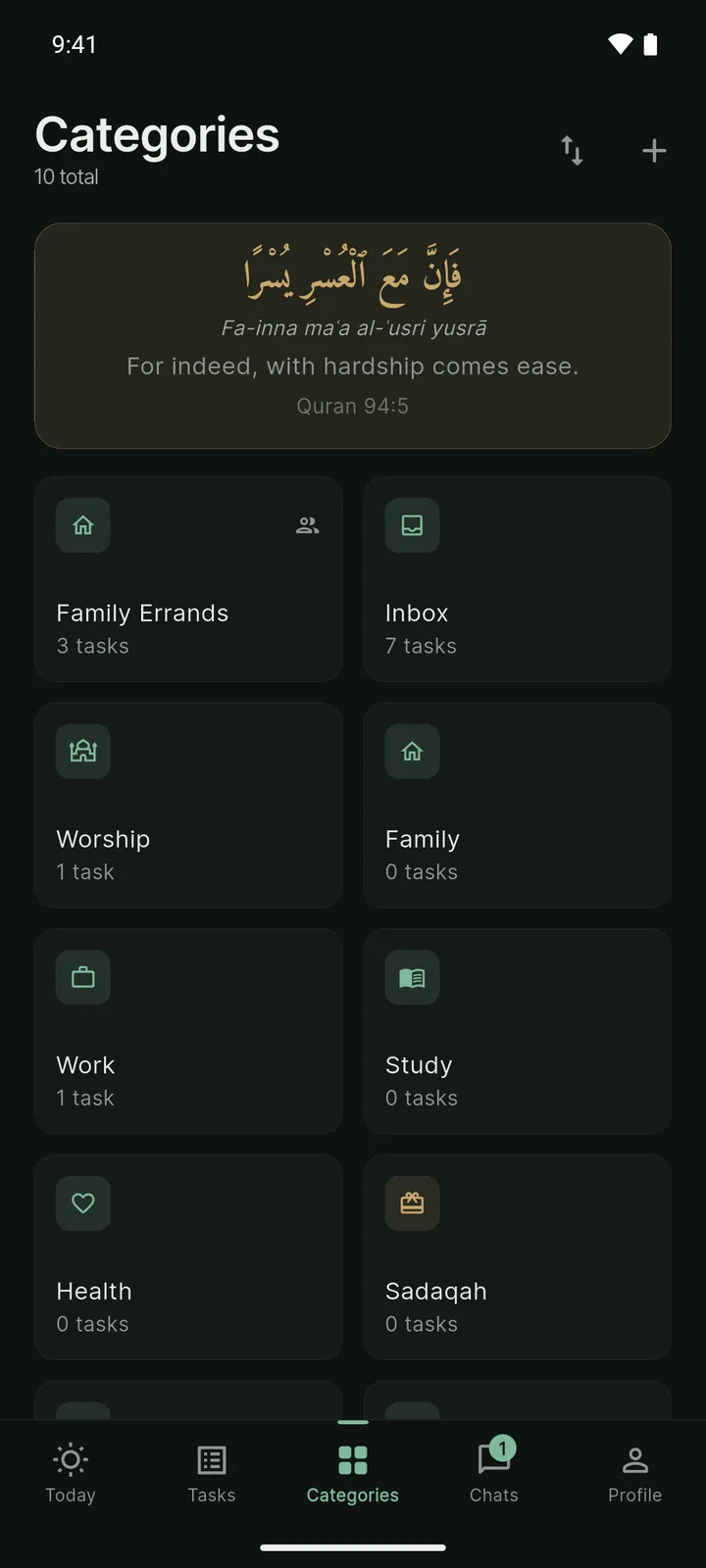
Categories
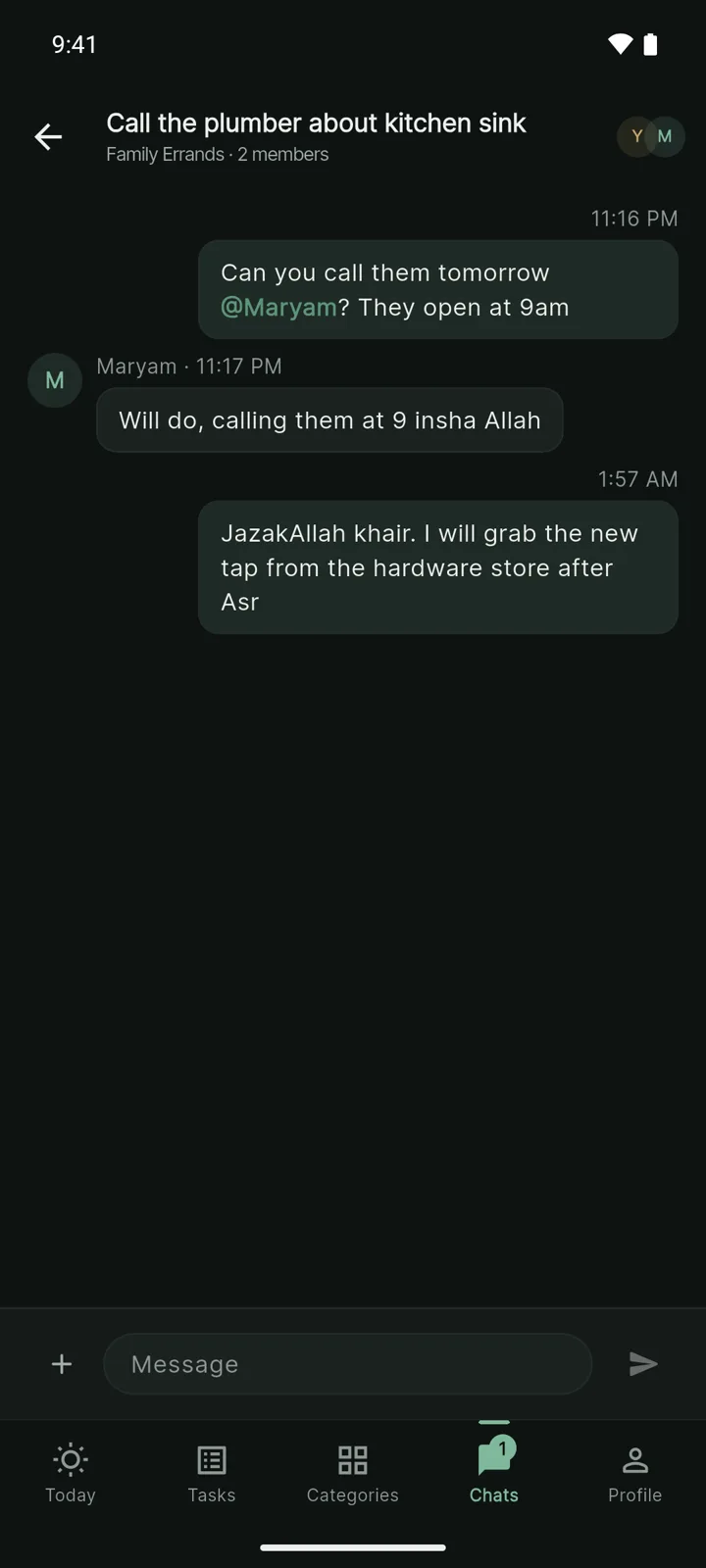
Planning together
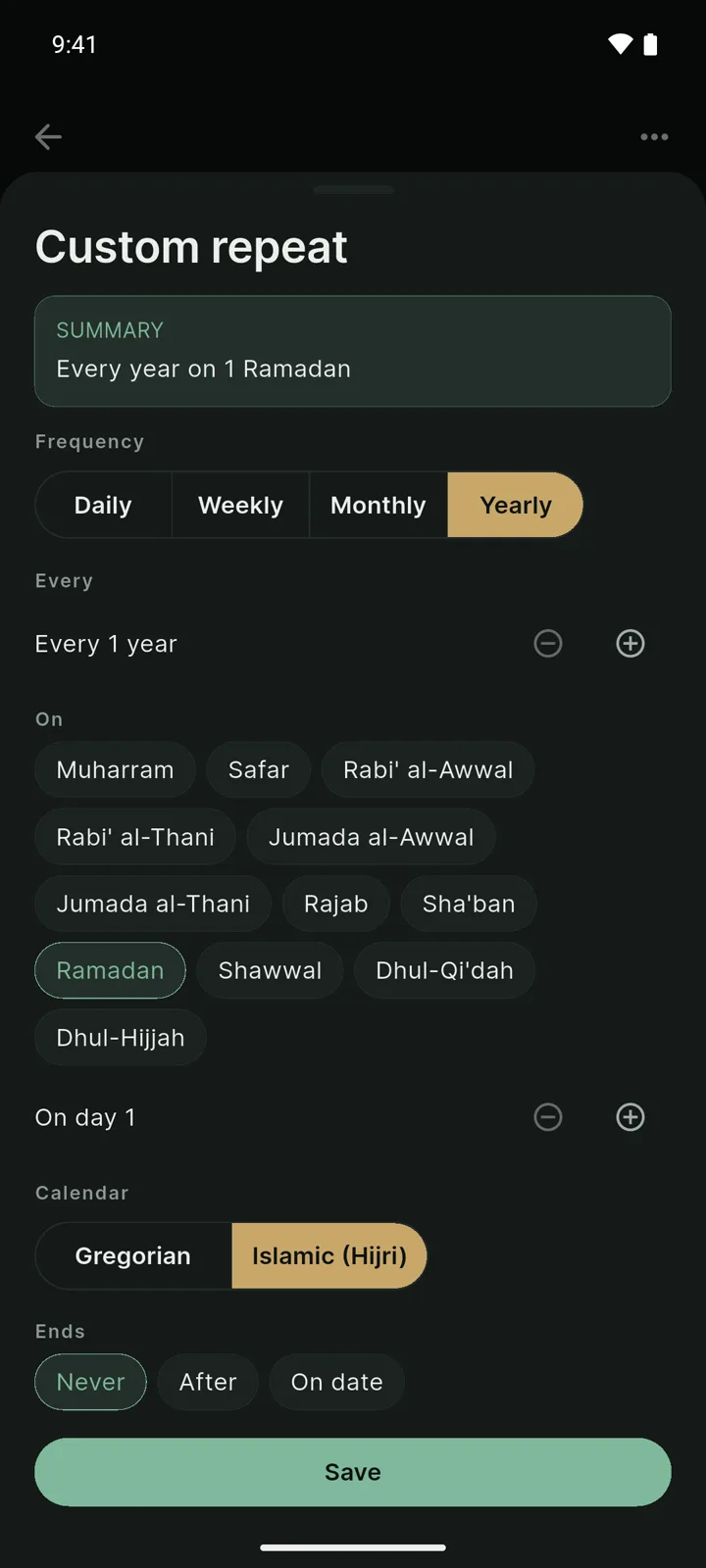
By the Hijri calendar
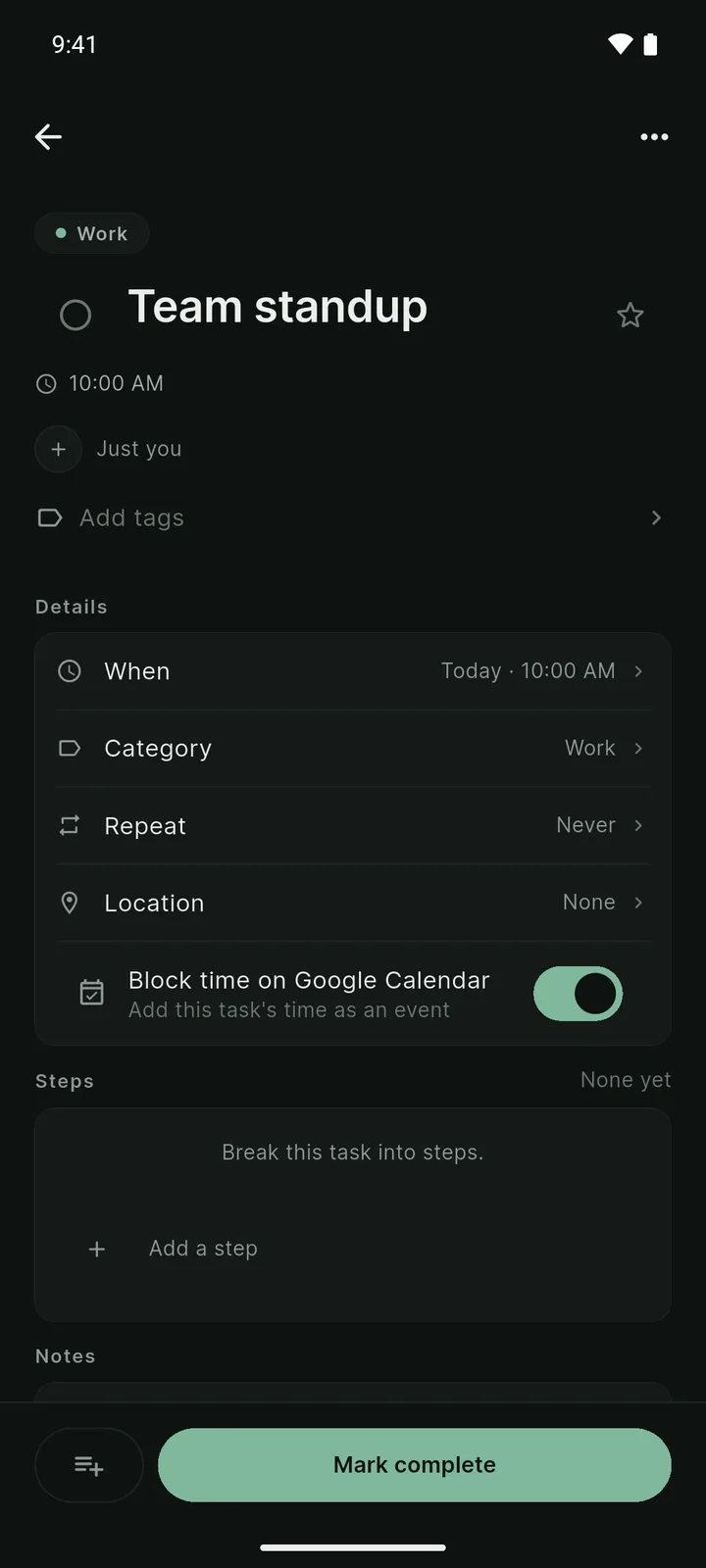
On Google Calendar
Free
$0forever
Most popular
Premium
$4.99 / month
Premium \+ AI
$9.99 / month
When is Barakah Tasks launching?
We launch soon on Android, with iOS to follow, in shaa Allah. Drop your email above and you'll be among the first to hear when beta invites and the store launch go out.
Is the app really free?
Yes. The Free tier is permanent and covers what most people need: unlimited tasks, prayer anchoring, natural-language quick add, your own categories, attachments on your device, and the Hijri calendar. Premium exists for the things that run on our servers: sync, backup, sharing, agent connections, AI.
How accurate are the prayer times?
They're calculated on your device with the same standard methods the major prayer apps use. Pick your calculation method (Muslim World League, Umm al-Qura, Karachi, ISNA, and more) and set your Asr convention. Your times are calculated on your phone, not on a server.
How do you handle my data?
The Free tier keeps your tasks on your device, and you don't need an account. Premium adds encrypted cloud sync so your data can move between your devices. We never sell your data, and the service providers who help us run sync, payments, and AI process it only to deliver those features. The full detail is in our Privacy Policy.
Can I use it with ChatGPT or Claude?
Yes. Premium includes a secure connection for AI assistants. You approve the connection once, choose exactly what it's allowed to do, and every change it makes is attributed to it in your activity history. Revoke access any time.
Is the AI optional?
Completely. The quick-add understanding is a small offline parser, not an AI. It never leaves your phone. The in-app AI planner lives only on Premium+AI, and even there it proposes and you approve. Premium's assistant connection is separate: nothing happens unless you connect an assistant yourself and choose what it's allowed to do.
How do I get early access?
Add your email to the form on this page. We'll send a Google Play invite as soon as beta slots open; TestFlight follows with the iOS release.
Why we're building this
Our worship, our families, and our work don't live in separate worlds, so the tool that organizes them shouldn't either. Barakah Tasks is our contribution to a more intentional, productive ummah, in shaa Allah.
A tool for your day, in your deen.
Email address Join the launch list
Just one email, when we launch. No spam, no tracking. Ever.