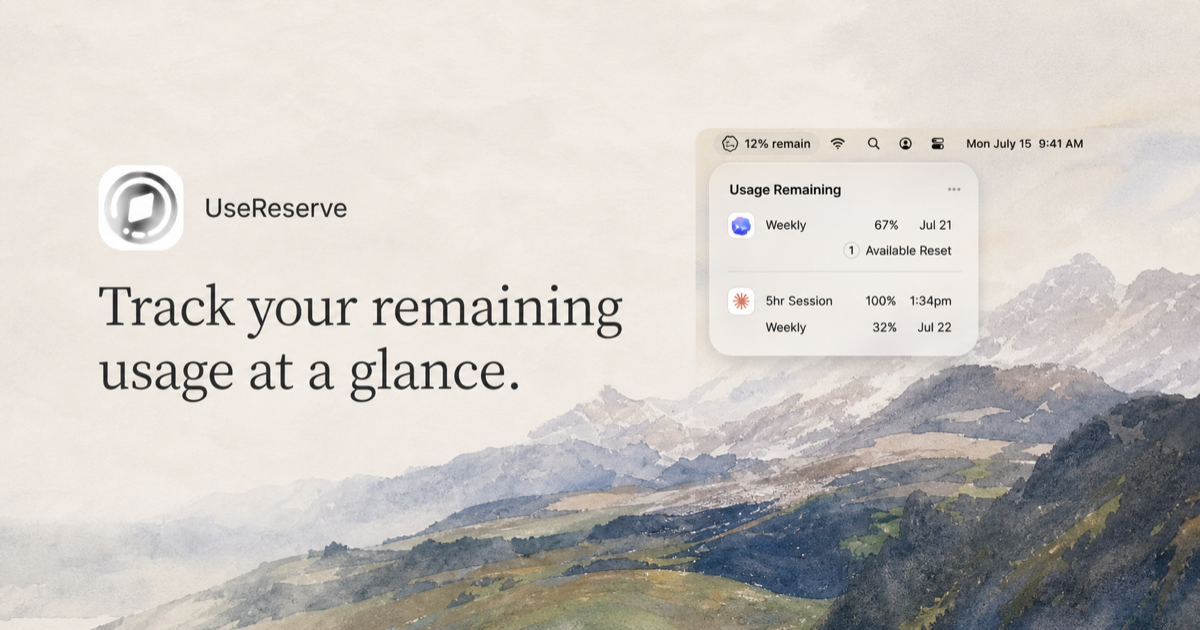


Track your remaining usage ata glance.

Track your remaining usage ata glance.
UseReserve is a lightweight macOS menu bar app that keeps your remaining Codex and Claude usage visible without interrupting your work.

 67% remain

Weekly67%Jul 21
1Available Reset

5hr Session100%1:34pm
Weekly32%Jul 22


Image owned by MET
Getting Started
Open Codex and Claude Desktop once, then launch UseReserve to see the limits available on your Mac. Claude may request one-time permission to read your local sign-in.
Your data
The UseReserve app is read-only and never stores credentials, cookies, or message content. This website uses privacy-first Cloudflare Web Analytics to count visits and page performance without cookies or personal profiles.
Troubleshooting
Menu barOpen UseReserve again if its icon is missing. If your menu bar is crowded, close an unused menu-bar app so macOS has room to show it.
Sign-inOpen Codex or Claude Desktop and confirm you are signed in, then return to UseReserve.
Claude permissionChoose Connect Claude in UseReserve and approve access to Claude Safe Storage when macOS asks.
Stale readingsUseReserve keeps the last available reading during a temporary outage and shows when it was last updated.
RefreshOpen the more menu and choose Refresh after reconnecting to the internet or signing in again.
Login ItemsIf UseReserve does not start automatically, open System Settings → General → Login Items and enable UseReserve.