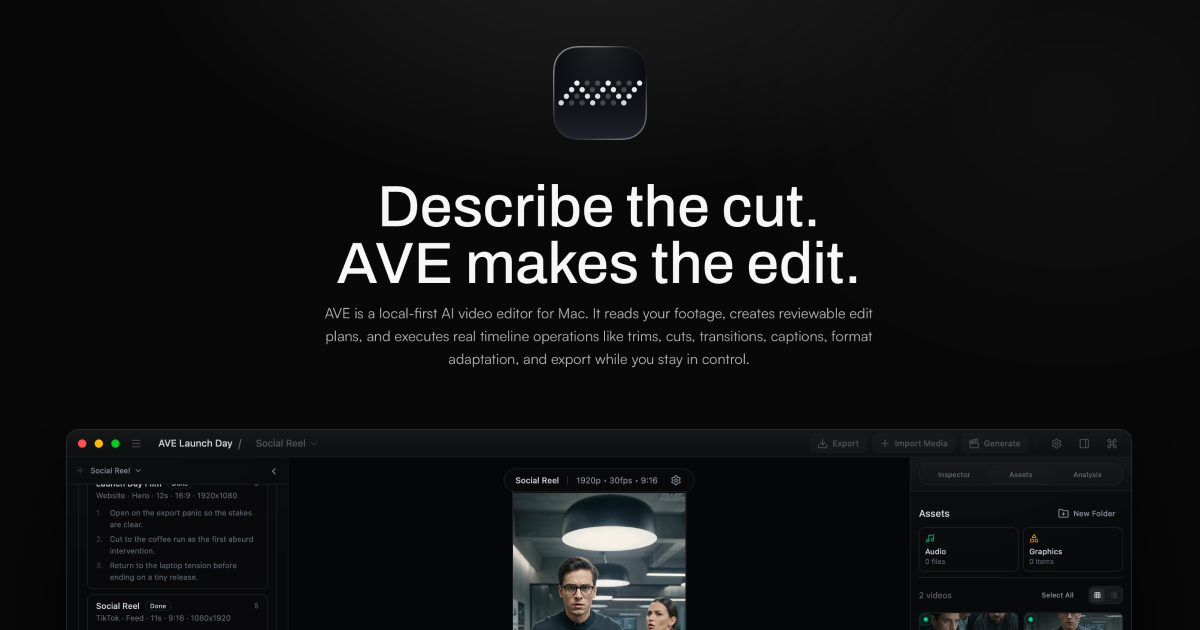


Describe the cut.AVE makes the edit.
Local-first AI video editor for Mac
Describe the cut.
AVE makes the edit.AVE is a local-first, Mac-native AI video editor. Your footage, project files, timeline edits, and exports stay on your Mac by default, with external AI only when the job calls for it.
Download AI Video Editor Buy AVE Pro
macOS 14.0 or later. Apple Silicon, M1 or later.
Local-first AI video editorAsk and Plan modesReviewable edit plansReal timeline editsTranscript searchVisual clip searchAI rough cutsMulti-format deliverablesShorts and ReelsNative Mac exportLocal project foldersExternal AI optionalBYO RunwayFlexible AI providersMac-native editingLocal-first AI video editorAsk and Plan modesReviewable edit plansReal timeline editsTranscript searchVisual clip searchAI rough cutsMulti-format deliverablesShorts and ReelsNative Mac exportLocal project foldersExternal AI optionalBYO RunwayFlexible AI providersMac-native editing
An editor with AI inside. Not an AI with an editor bolted on.
AVE is built on three convictions about how AI belongs in real editing work.

An editor first, AI second
The full non-linear editor stays useful with or without AI. Touch clips, tracks, trims, transitions, captions, and export settings by hand at any time.

AI plans, tools execute
AVE turns a rough brief into a structured plan. Approved work becomes visible timeline edits, so you can see what changed and keep control.

Local-first, private by default
Project files, imported media, local analysis, timeline execution, and exports stay on your Mac unless you explicitly connect an external assistant or API.
From raw footage to finished cut.
The same loop an editor runs, now with AI handling the mechanical passes while you keep the final call. See the full workflow.
01
Import and analyze
Bring in video, audio, or graphics. AVE builds useful project context from filenames, metadata, transcripts, visual notes, and timeline state.
02
Ask or Plan
Use Ask for direction, search, captions, and smaller edits. Use Plan when a project-aware edit should be previewed before execution.
03
Approve real edits
AVE can create sequences, select clips, trim, add transitions, build captions, style graphics, and close gaps after you approve the plan.
04
Export locally
Refine by hand, run export preflight, and render finished MP4 deliverables from the native Mac app.
Plan the edit. Review every change.
Plan mode previews a multi-step edit before anything touches your timeline. AVE drafts the steps, you approve the direction, and every change stays visible for review.
Social cut Find moments Tighten edit
AVE · Plan mode
Make a 30-second vertical TikTok cut from the launch footage. Keep it punchy and add captions.
Edit plan Running
- Analyze footage, transcript and shots
- Select the strongest 30 seconds
- Assemble a 9:16 vertical sequence
- Add fast cuts and captions
Result Social Reel ready to review
Ask anything… Plan
Your coding assistant can edit with AVE. Without leaving the local editing loop.
Connect Codex CLI or Claude Code once, then ask for video work from the assistant you already use. AVE provides the project context, editing tools, review frames, permissions, and local execution.
Explore AVE MCP Download AVE for Mac
Connections Local assistant access
Ready on this Mac
Codex Codex plans · asks before changes · 8/8 access
Connected
Claude Code Claude Code plans · asks before changes · 8/8 access
Connected
Tool surface20 AVE tools
Permission model8 access scopes
ConnectionLocal authenticated bridge
Everything you expect from an editor. Plus an AI that can drive it.
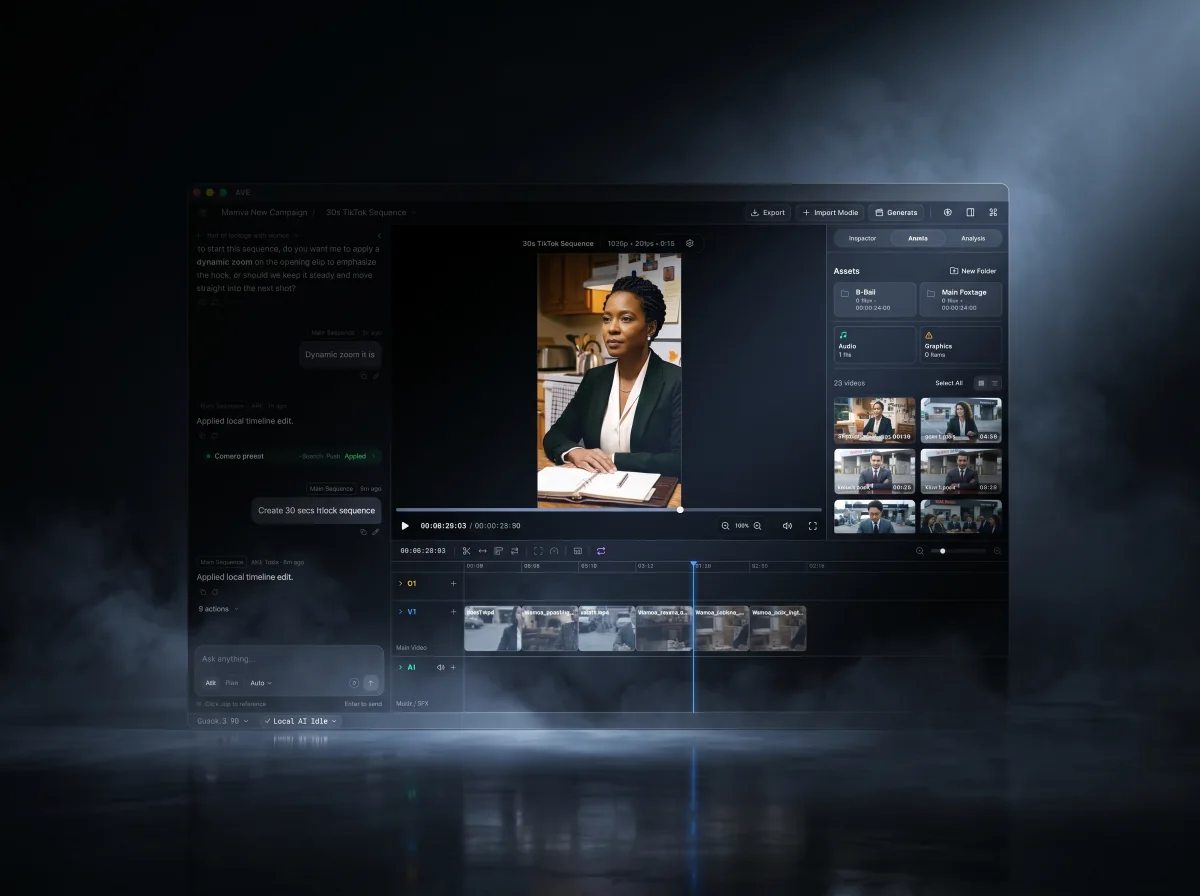
A modern non-linear editor at the core, with footage intelligence and AI-assisted timeline work you can review. Browse the full feature list or see real use cases.
Real timeline edits
Trim, split, ripple, move, duplicate, delete, retime, close gaps, add transitions, add captions, adjust volume, and apply motion on an editable timeline.
Timeline tools
Footage-aware planning
Plans can use imported assets, transcripts, visual notes, clip metadata, and current timeline context, so suggestions are grounded in the project.
Transcript + vision
Multi-format editing
Create deliverables for 16:9, 4:5, 1:1, 9:16, LinkedIn, Instagram, TikTok, Shorts, YouTube, websites, and custom formats.
Platform formats
Graphics and polish
Use titles, lower thirds, shapes, brand-aware styling, camera presets, color correction, opacity, masking, and motion actions when the edit needs finish.
Graphics layer
Local-first by default
Local project folders, local media analysis, local execution, native rendering, and encrypted storage for BYO provider keys in the desktop app.
Private by default
Ready for Apple Silicon Macs
Download AVE 1.0.21, drag it into Applications, import footage, and start editing on macOS 14 or later.
macOS 14+
Pro NLEs are powerful but entirely manual. Web editors are easy but shallow and template-driven. AVE is the editor in between: real timeline control, with an AI that can actually operate it.
The AVE thesis
Questions, answered.
The short version of what AVE is and how it works.
What is AVE?
AVE is a local-first AI video editor for Mac. It combines a real non-linear timeline with Ask and Plan modes that understand your footage, draft reviewable edit plans, and turn approved work into timeline changes.
Is AVE available to download?
Yes. AVE 1.0.21 is available for Apple Silicon Macs. Download the DMG from GitHub Releases and install it by dragging AVE into Applications.
What Mac do I need?
AVE 1.0.21 requires macOS 14.0 or later and Apple Silicon, M1 or later. The current release asset is AVE-1.0.21-mac-arm64.dmg.
Does AVE actually edit the timeline, or just add effects?
It performs real edits. AVE routes supported AI requests through validated tools for operations like trimming, cutting, moving, splitting, transitions, captions, search, rough cuts, sequence creation, and export preparation.
Can Codex or Claude Code work directly with AVE?
Yes. AVE MCP connects local Codex CLI or Claude Code installations to a controlled set of AVE project, search, edit, review, and export tools. Each assistant has its own access and approval settings.
Is AVE local-first and private?
Yes. Project files, imported media, local analysis, timeline execution, and exports stay on your Mac by default. External assistants, API providers, and BYO generation services are optional connections you choose.
What is AVE Pro?
AVE Pro Lifetime is a $79 lifetime purchase for the local Mac app. A 50% launch discount is available through August 15, 2026. Free lets you edit and try AI on small projects. Pro gives you more room for saved projects, analyzed assets, Ask, Plan, search, and multi-step AI edits.
Does Pro include hosted AI credits?
No. Pro unlocks the local app workflow. Hosted compute, managed generation credits, team infrastructure, and future cloud services may be separate if they are introduced later.
Download AVE for Mac. Upgrade when the work gets serious.
AVE 1.0.21 is ready for Apple Silicon Macs. Free is useful for small projects. AVE Pro Lifetime gives bigger projects more room, with 50% off through August 15.
Download AI Video Editor Buy AVE Pro
Related
Keep exploring AVE.
Download AVE Get the local-first AI video editor for Apple Silicon Macs. Features See what AVE can do on the timeline. AVE MCP Let Codex CLI or Claude Code understand, edit, review, and export AVE projects. How it works Follow the Ask, Plan, review, and export flow.