
The screenshot tool I wanted on my Mac.
Free native screenshot tool for macOS
The screenshot tool I wanted on my Mac.
Capture an area, window, or display. Mark it up, hide private details, then copy, save, print, share, or drag it where it needs to go.
Download on the App Store Read the launch post
- Free, at least for now
- No account
- No uploads or analytics
- Add multiple photos as editable layers.
- Use numbered markers that stay in order.
- Set shortcuts for area, window, display, and recent captures.

New in the latest update
Polished screenshots without a design app.
Wrap a capture in a clean browser frame, choose a Mac or Windows look, switch between light and dark, and set the address. The editor also has better controls for color, thickness, brush size, fonts, and text backgrounds.
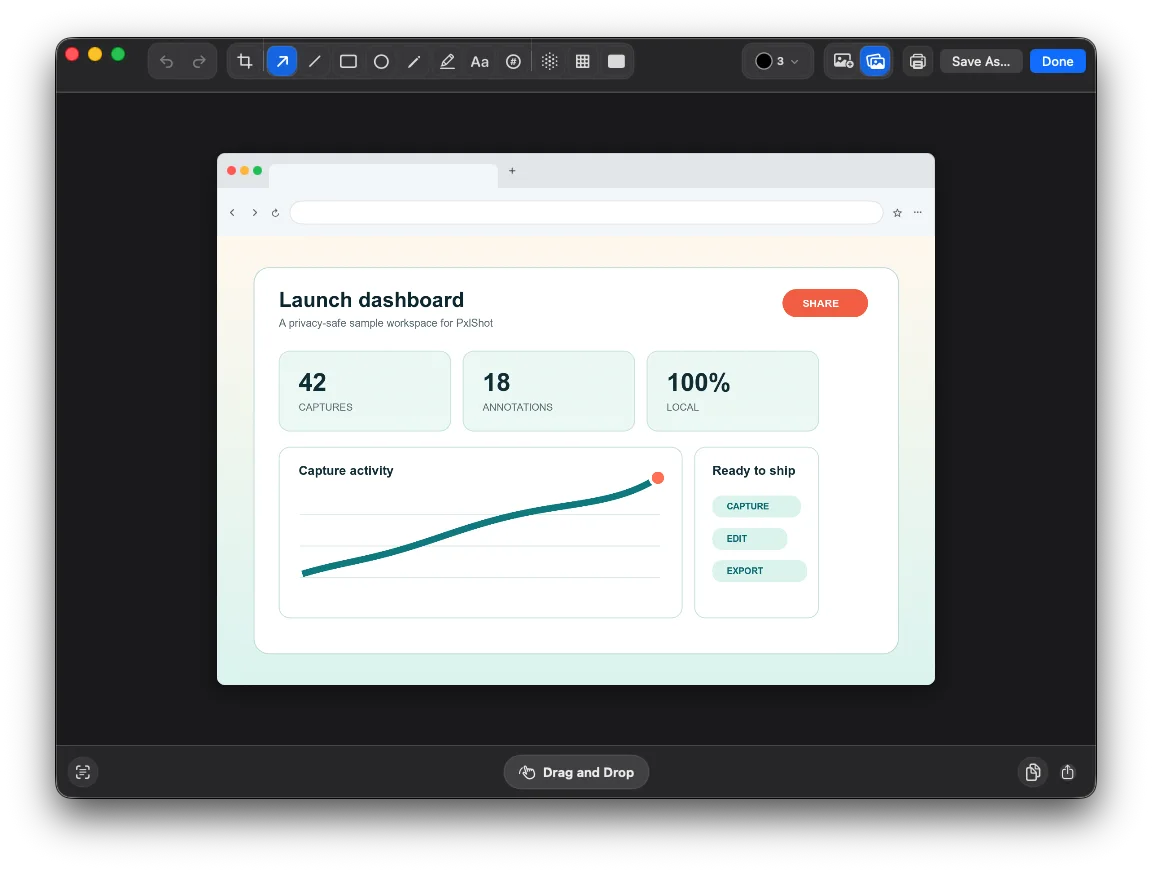
Browser frames are built into the editor, with a custom address and Mac or Windows styles.
Built for the everyday screenshot
The useful parts are already here.
PxlShot covers the workflow I use every day: grab the right pixels, mark up what matters, hide what should stay private, and get the result where it needs to go.
01
Capture without hunting through menus
Grab an area, window, or display from the menu bar. Each capture mode and recent history can have its own global shortcut.
02
Do the next thing right away
Quick Access keeps copy, save, edit, delete, drag, and recent captures one click away.
03
Explain the screenshot
Add arrows, lines, shapes, text, highlights, freehand notes, and numbered steps. Change the color, thickness, font, or text background whenever you need to.
04
Make the final image look finished
Crop it, add a solid or gradient background, adjust the corners and shadow, wrap it in a browser frame, or place more photos on top.
05
Remove the private stuff
Blur, pixelate, or permanently redact details. Privacy effects are flattened, and exported images leave source photo metadata behind.
06
Find the shot or copy its text
Search recent captures by words inside them, or extract text from the current crop and review it before copying. OCR runs locally on your Mac.
A closer look
Native Mac UI. No mystery cloud.

A focused editor with the tools that make screenshots useful.

Blur, pixelate, or cover private details before the image leaves your Mac.

A local history when you need to get back to a recent capture.

No account, uploads, analytics, telemetry, or server-side OCR.
Private by default
Your screenshots are not a data source.
PxlShot has no account system, server component, analytics, telemetry, advertising, or network entitlement. Captures, text recognition, and the searchable history index stay on your Mac. Shared and exported images are freshly encoded without source GPS, EXIF, or other descriptive photo metadata.
Read the PxlShot privacy policy
Still building
More is coming. Tell me what would make it better.
I want PxlShot to be a free but genuinely useful alternative to the paid screenshot apps. The latest update goes well beyond the first release, and I still have more on the list.
If a missing feature would make PxlShot your default screenshot tool, email me or use the contact page. Real requests will shape what I build next.
A few quick answers
Is PxlShot really free?
Yes. I am giving it away for free, at least for now. There is no subscription or account.
What version of macOS does it need?
PxlShot requires macOS 14 or newer.
Does OCR upload the screenshot?
No. Text recognition runs on the Mac for both editor extraction and recent-capture search. You can review extracted text before copying it.
PxlShot for macOS