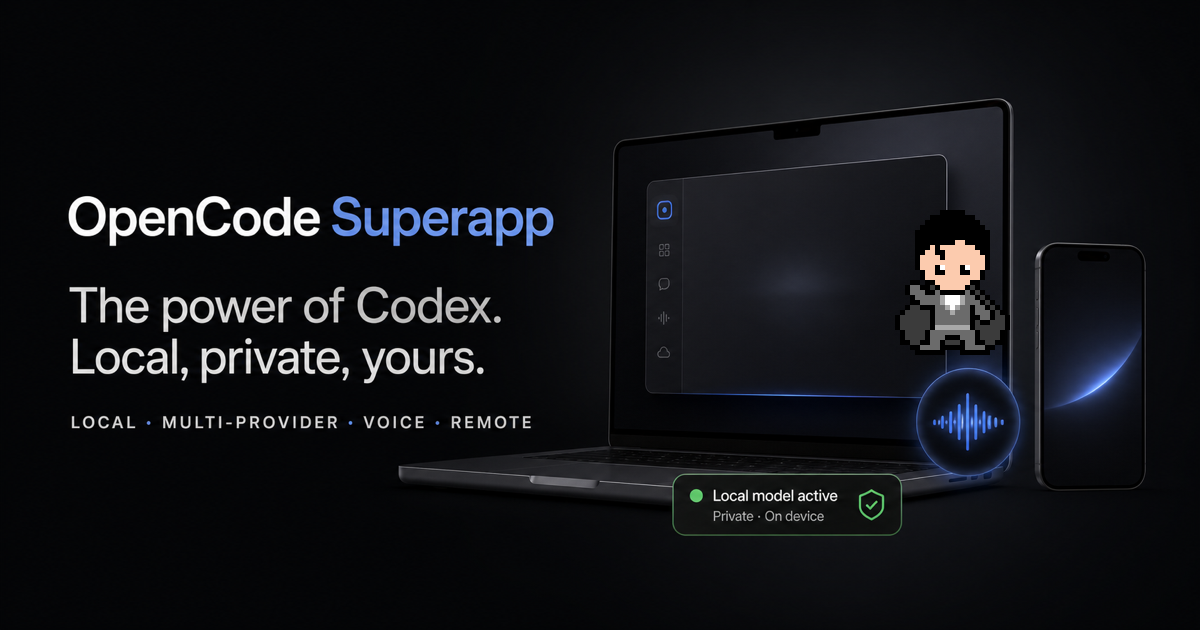
The power of Codex.Local, private, yours.
Native, local-first AI workspace for Mac
The power of Codex.
Local, private, yours.A Codex-inspired desktop workspace powered by OpenCode. Run cloud, self-hosted, or fully local models, speak to Supe in real time, and extend the app around the way you work.
Download FreeGet Lifetime Superpowers for $49
Core OpenCode use stays free. No Superapp account. No subscription.

OpenCode Superapp
superapp-local · qwen3
Build, test, and operate from one place
Run the tests and show me the result.
Running locally, then I’ll verify the experience in Browser…
REMOTEMac connected
Continue your real session securely from anywhere.
Ask OpenCode… ↑
Supe Voice


ListeningRealtime control · local dictation
Your model, your provider
OpenAIAnthropicGooglexAIOllamaSelf-hosted
The free application
More than a coding window.
OpenCode Superapp gives the local OpenCode runtime a complete native workspace, then lets you shape that workspace into your own.
01
Every OpenCode provider
Use the models and providers OpenCode supports, with your credentials and your billing.
02
Integrated Local AI
Install the app-managed Ollama engine and use models already stored in your local library.
03
Real desktop workflows
Projects, parallel sessions, Files, Git, worktrees, terminals, search, and configuration stay together.
04
Extensions and skills
Add commands, right-panel apps, Skills, MCP services, resources, and local extension packages.
05
Build your own widgets
Ask the agent to create a Home widget, test it in a live preview, and publish it when you are ready.
06
A workspace with personality
Choose from 21 app icons and make Supe your own with presets, colors, outfit details, and placement.
Local and multi-provider
Use the best model for the job. Including your own.
Keep OpenCode's provider freedom or install the integrated Ollama engine without running a separate server. Local AI uses a private loopback endpoint and discovers compatible models in your existing library.
- Switch between local, self-hosted, and cloud providers by task.
- Your provider credentials stay in your local OpenCode configuration.
- Removing the engine preserves your model library.
- The Mac runs OpenCode and owns the project.
- Phone and browser companions use no desktop activation slots.
- A renewable 30-day grant tolerates short service outages.
- ✓ Every OpenCode provider
- ✓ Integrated Local AI
- ✓ Real desktop workflows
- ✓ Extensions and skills
- ✓ Build your own widgets
- ✓ A workspace with personality Download FreeOne-time purchase
- ✓ Browser Automation
- ✓ Native Computer Use
- ✓ Local Dictation
- ✓ Remote + Mobile
- ✓ Supe Realtime Voice
- ✓ Offline local use indefinitely
- ✓ No subscription
Qwen 3superapp-local · On this Mac
Selected
GPT-5.6OpenAI · Cloud
Available
ClaudeAnthropic · Cloud
Available
Your endpointSelf-hosted · OpenAI-compatible
Connect
One workspace · provider choice per task
Superpowers
See, hear, and act across your Mac.
One purchase unlocks native capabilities that move beyond chat while keeping every consequential action visible and permission-gated.
◉
Browser Automation
Let OpenCode inspect and operate the exact web experience in the in-app Browser.
Superpower
⌁
Native Computer Use
Let OpenCode inspect and operate native macOS applications through guarded tools.
Superpower
◒
Local Dictation
Compose prompts with private, multilingual speech recognition running on your Mac.
Superpower
↗
Remote + Mobile
Reach the trusted Mac host from a paired phone or browser through the encrypted relay.
Superpower
◍
Supe Realtime Voice
Speak with Supe to create, message, monitor, and open durable OpenCode tasks.
Superpower
Make it yours
Build the workspace you wish existed.
OpenCode Superapp is designed to be extended by developers and everyday users, with the agent helping you create inside the product.
HOME WIDGETS
SHIP STATUSReady to launchTests 124 / 124
LOCAL AIQwen 3Running privately
REMOTEMac onlineEncrypted
Describe it. Test it live. Save it.
Create project-aware Home widgets with isolated storage and bounded file permissions.
EXTENSIONS
CommandsRight-panel appsSkillsMCP servicesLocal resources
Extend the whole workspace.
Install local packages or build your own tools against the public extension contract.
YOUR SUPE


CapeHairMask
Your AI workspace has a face.
Make Supe your own with presets, colors, outfit details, scale, and placement, then speak naturally to work in real time.
Local-first by default
Your projects stay where they belong.
There is no OpenCode Superapp account. The app runtime, projects, local model traffic, and workspace data remain on your Mac. Cloud-model requests go directly to the provider you selected in OpenCode.
01No profiles or passwords02No behavioral analytics03No cookie tracking04Offline, multilingual dictation
Your Mac
Local runtime · Local projects · Your credentials
OpenCode Remote
● End-to-end encrypted
OPEN ON YOUR MACopencode-superappVerifying the production experience…
Reply from anywhere ↑
Secure Remote
Leave your desk, not your session.
Pair your phone or browser companion to the desktop and continue the same running task. Your Mac remains the trusted host, and the relay cannot read the encrypted session content.
Simple pricing
Free forever. Superpowered once.
Free
$0
No account. No expiration.
Superpowers
$49 USD
Lifetime local unlock for five Macs.
The optional hosted Voice trial is limited to five total minutes and two connected sessions, subject to availability. It covers the Voice conversation only; coding-model charges remain separate. Local Superpowers continue offline. Remote renews a signed 30-day grant.
Questions, answered
Everything you need to know.
Is this an OpenAI or Codex product?
No. OpenCode Superapp is an independent, Codex-inspired product built on the open-source OpenCode runtime. It is not affiliated with or endorsed by OpenAI.
Do I need an OpenCode Superapp account?
No. The application has no profiles, passwords, or Supabase Auth. We use your purchase email only to deliver and recover your license.
Can I use local or self-hosted models?
Yes. Install the integrated Local AI extension for app-managed Ollama models, or configure any compatible provider supported by OpenCode. You can switch providers by task.
Which Macs are supported?
The initial release supports Apple-silicon Macs on macOS 13 or newer. Native Computer Use requires macOS 15 or newer.
How many devices can I activate?
Five desktop installations. Reinstalling on the same Keychain-backed installation does not consume another slot, and phone or browser companions consume none.
Do Superpowers work offline?
Browser Automation, Computer Use, and Dictation remain unlocked offline indefinitely. Realtime Voice uses its configured voice provider, and Remote requires a renewable 30-day entitlement grant.
How does the free Supe Voice trial work?
Eligible installations can opt into five total connected minutes across at most two sessions using a fixed xAI Voice configuration. Audio is transiently relayed through Cloudflare to xAI and is not stored by OpenCode Superapp. Tasks created by Voice still use your selected OpenCode coding model, provider, billing, and terms.
What if I lose my activation email?
Use the recovery page. We send a temporary magic link to the purchase email so you can free device slots or create a new one-time activation.
What is the refund policy?
Request a refund within 14 days of purchase. Refunds stop new activations and Remote renewal, but cannot revoke lifetime local tokens already issued to an offline device.
Your models. Your tools. Your Mac.
Build with fewer boundaries.
Start free. Supe will be there when you need a hand.
Download FreeGet Lifetime Superpowers for $49