Your Mac, at a glance.

mectrics.app · 2026-07-31 · by Long Nguyen ·generic
Free, open source system monitor for the macOS menu bar. CPU, memory, battery, network, disk, GPU, temperature and fans at a glance. Nothing leaves your Mac.

Your Mac, at a glance.

Mectrics app icon

Your Mac, at a glance.

A lightweight system monitor that lives in your macOS menu bar.

Download for macOSv1.3.0 · 3.8 MB · macOS 15+Free and open source

Nothing leaves your Mac

English · Türkçe · Русский · Español · Français · Português

[](https://mectrics.app/?ref=producthunt#product)

Mectrics in your menu barLive metrics

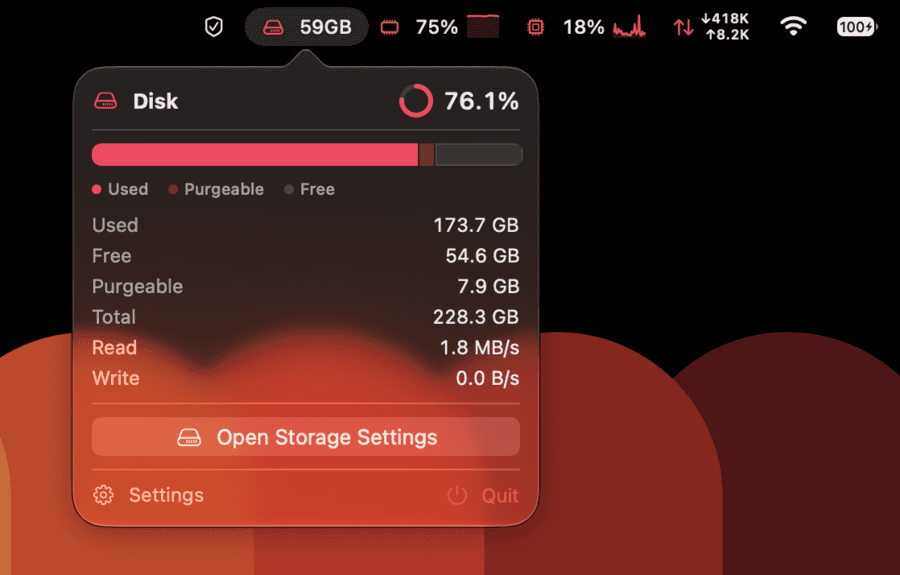
Mectrics showing disk, memory, CPU, network, Wi-Fi, and battery information in the macOS menu bar

Set it once

Make the menu bar yours.

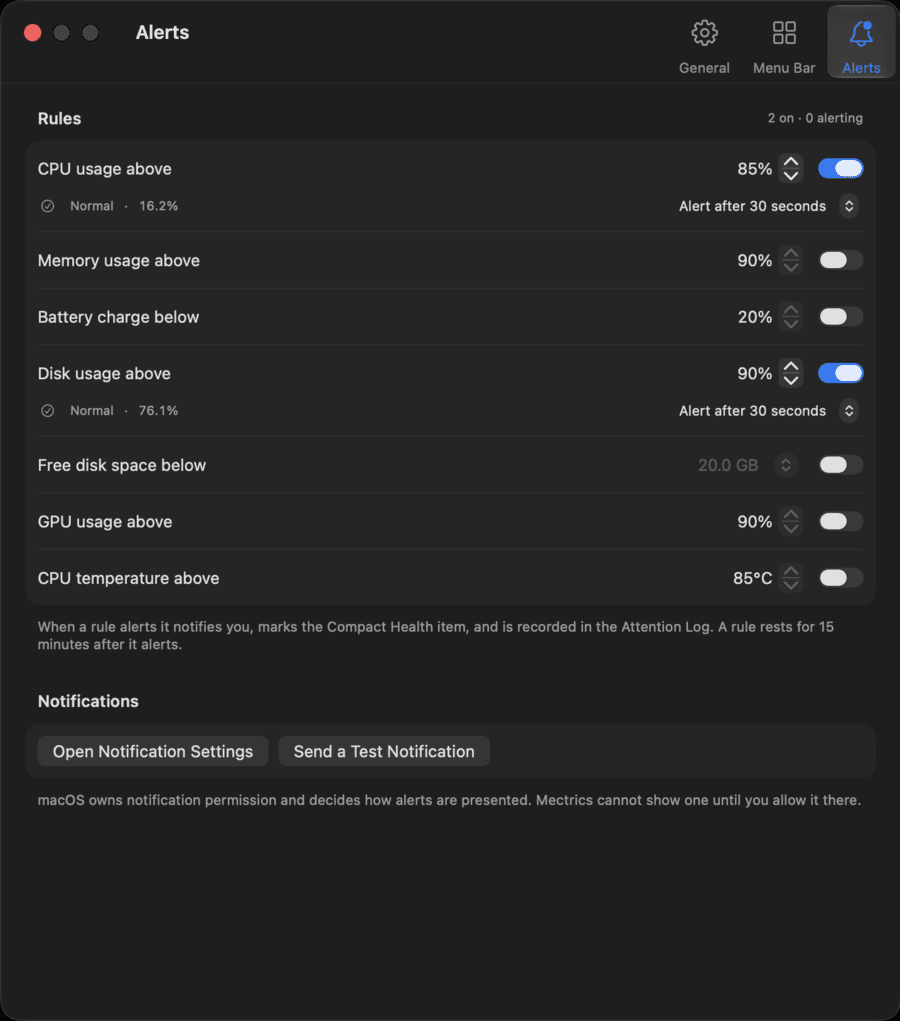
Pick the numbers you care about. Everything else stays out of the way. Set a threshold and Mectrics speaks up when something is off.

CPUMemoryBatteryNetworkDiskGPU
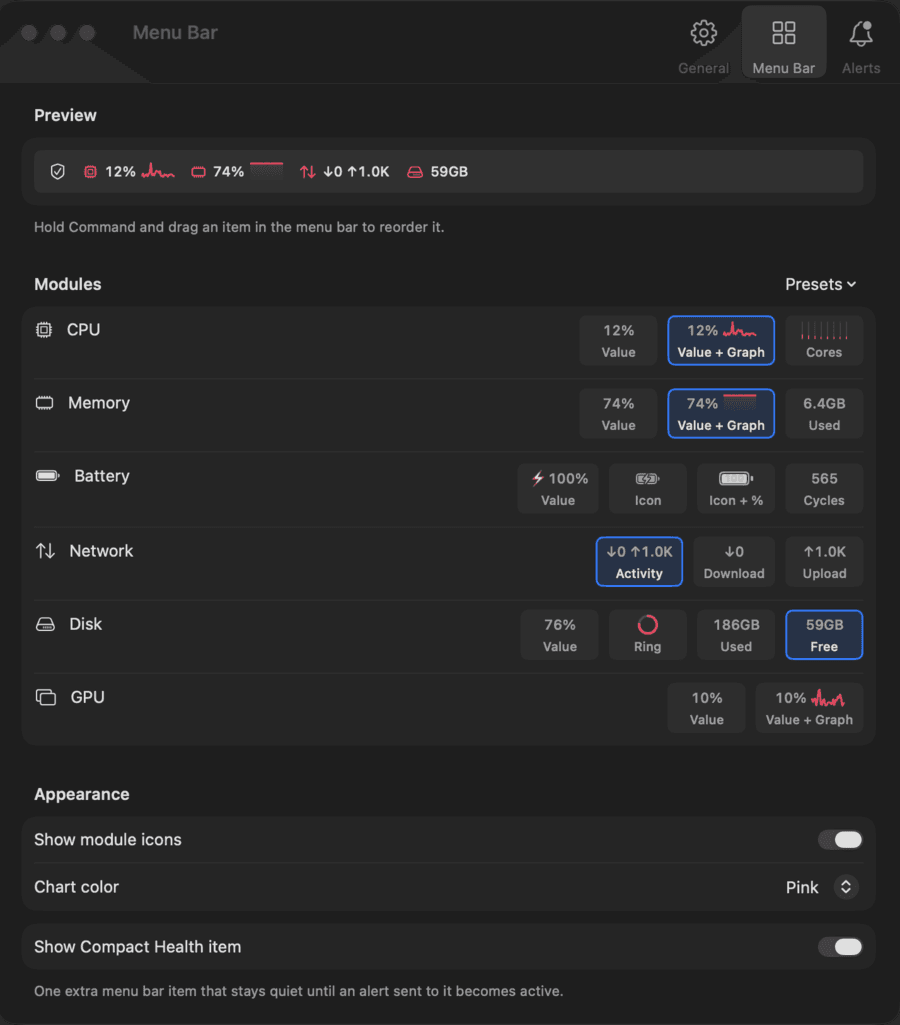
Mectrics menu bar builder

Mectrics alert settings

Click for more

The detail behind the number.

Every item opens a popover with what is actually going on.

CPU: a bar per core
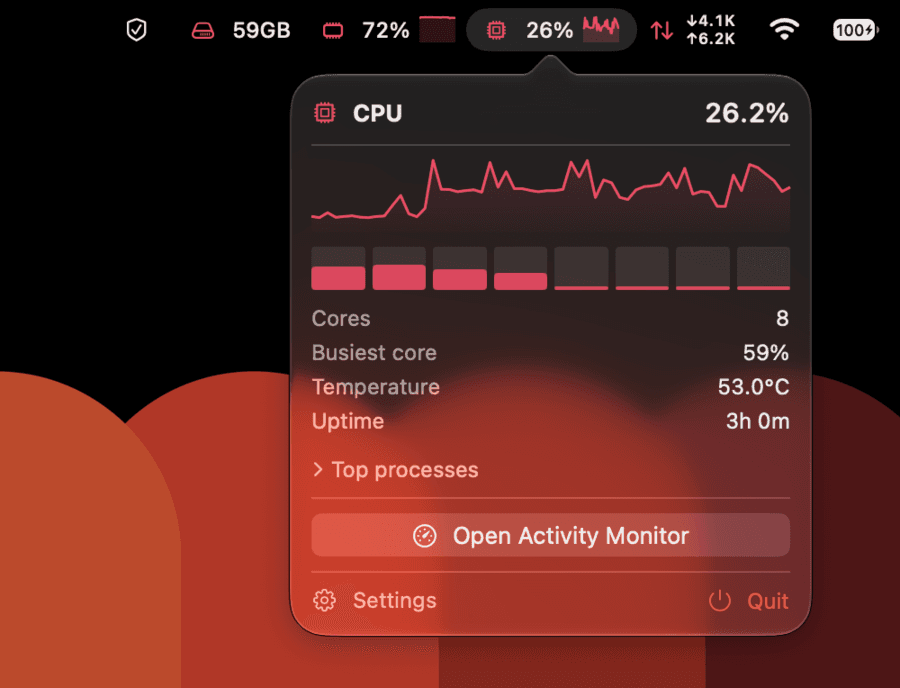
The Mectrics CPU popover: a load sparkline, a bar per core, core count, busiest core, temperature, and uptime

Disk: capacity and live throughput

The Mectrics disk popover: a usage ring, a used, purgeable and free bar, capacity figures, and live read and write throughput

mectrics.app · 7 images · 5 links

Comments (0)

No comments yet