

Turn every conversation into revenue.
Live chat + AI assistant
Turn every conversation into revenue.
Embeddable live chat with an AI assistant, flow builder, and team inbox. Install owni.chat on your website in minutes and convert more visitors.
- Free plan
- No credit card
- Setup in 2 minutes
- Train it on your content: paste text, add FAQ, import URLs, or upload files (PDF, MD, CSV, TXT)
- Streaming answers — visitors see the reply being typed in real time
- Three chat modes: AI-only, live agents, or hybrid with smart handoff
- Custom system prompt and tone of voice, honest fallback when unsure
- Bring your own OpenAI API key and pick the model per project
- Every AI answer is logged so you can review and improve quality
- Drag-and-drop canvas: messages, button choices, lead-capture forms, human handoff
- Smart triggers: widget open, scroll depth, page URL, quick-start buttons, keywords and regex
- Collect names, emails, and phone numbers right in the chat
- Funnel analytics per flow: views, clicks, submits, completions
- Your brand colors, logo, fonts (including Google Fonts), and border radius
- Floating bubble, inline embed, or scroll-triggered appearance
- Welcome and offline messages, quick-question chips
- Size presets plus custom CSS for pixel-perfect control
- Looks native on mobile — separate mobile settings included
- All conversations from every site in one shared inbox
- Assign chats to teammates, track open / pending / closed statuses
- Send images, video, and PDF attachments up to 25 MB
- Browser push and email notifications — never miss a message
- Full conversation history with search and audit log
- Async loading — never blocks your page
- No iframe layout shifts, no console errors
- Widget API is locked to your registered domain
to install the widget2 min
AI answers, even offline24/7
works on any website1 script
to start — free plan$0
See it in action
Click a feature, watch it in the chat
These are example conversations of what your visitors actually see — try the real thing above.
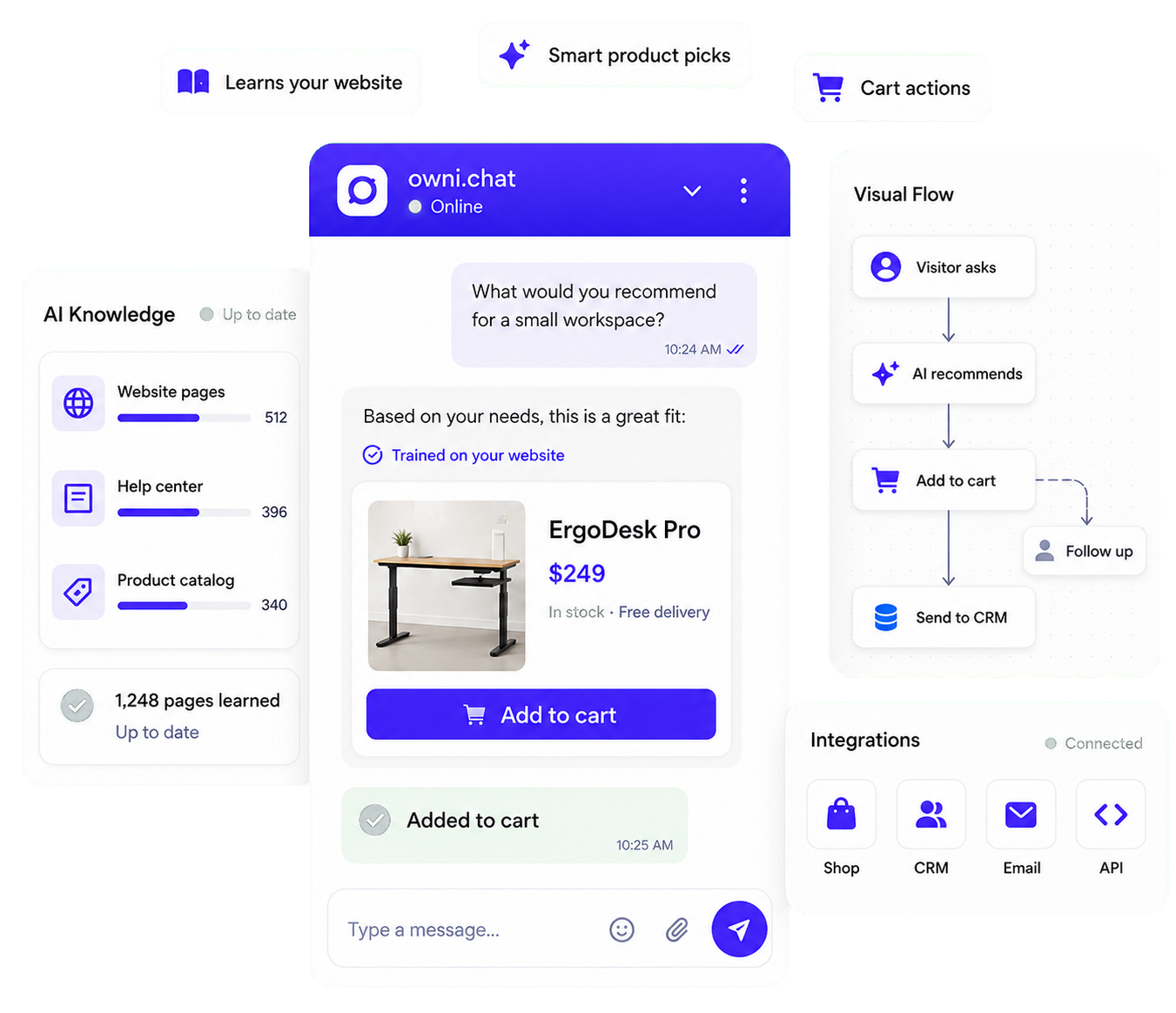
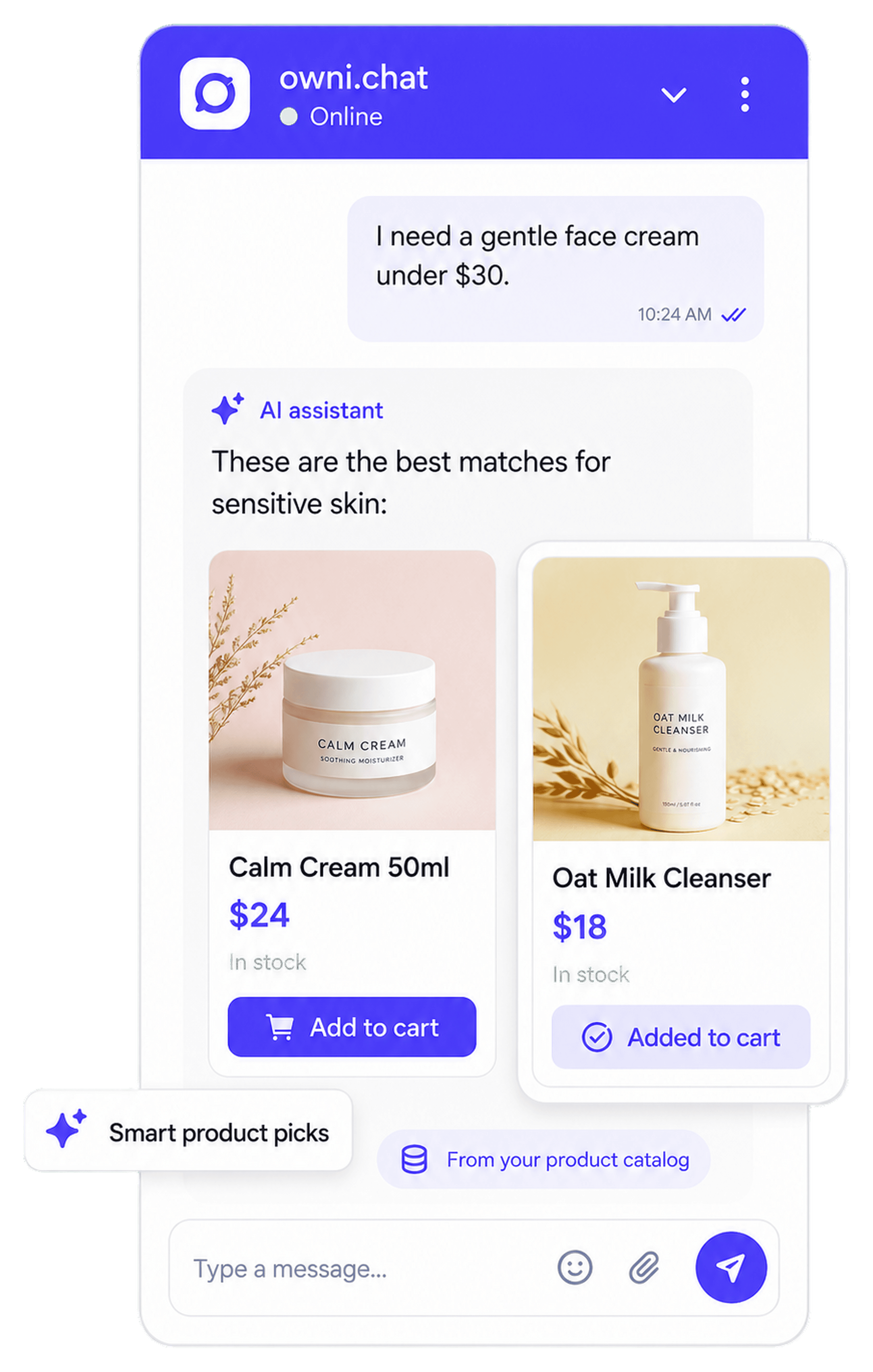
Recommends your products
Connect your catalog and the AI shows real product cards mid-conversation — image, price, and an add-to-cart button that fires your own JS.
Trained on your own website
Paste your domain — a fast crawler reads every page, and the AI always answers with a link back to the exact page it used.
Speaks your visitors' language
No language setup needed — the assistant answers in whatever language a visitor writes in.
Everything included
One widget. A complete conversation platform.
No add-ons, no plugins to glue together — AI, flows, inbox, and analytics ship in every account.
AI assistant trained on your content
Not a generic chatbot. Your assistant answers from your own knowledge base and streams replies in real time — while every answer stays reviewable.
No-code flow builder
Design guided conversations that qualify visitors and capture leads — on a visual canvas, without writing a line of code.
TriggerMessageButtonsCollect formHandoff
A widget that looks like your brand
Every visual detail is configurable from the dashboard — no deploys, changes go live instantly.
A team inbox built for speed
When a human touch is needed, your whole team works together in one realtime inbox.
Analytics that matter
Page views, widget opens, chats started, AI performance, and flow conversion — per workspace and per site.
Roles & permissions
Owner, admin, operator, viewer — plus fine-grained per-member overrides and per-project access.
Multiple sites, one account
Run several websites as separate projects inside one workspace, each with its own widget, AI, and flows.
5 dashboard languages
English, Ukrainian, German, Polish, and Russian — your operators work in the language they prefer.
Realtime everything
Socket-powered chat: instant delivery, typing indicators, and live updates in the inbox.
Install check built in
One click verifies the widget is live on your site — no guessing, no debugging.
Developer friendly
One script tag. That is the whole integration.
The widget loads asynchronously after your page renders — zero impact on your Core Web Vitals. It works on any stack and an installation checker confirms it is live.
index.html
<!-- Paste before </body> -->
<script async
  src="https://app.owni.chat/widget/embed.js"
  data-project-key="your-project-key"></script>
Quick start
Live in three steps
1. 1
Add one script tag
Copy the embed code from your dashboard and paste it into your site. Works with WordPress, Shopify, React, or plain HTML. 2. 2Teach the AI
Add FAQ, paste docs, import pages by URL, or upload files. The assistant indexes everything in minutes. 3. 3Convert visitors
AI answers instantly, flows capture leads, and your team steps in exactly when it matters.Who it is for
Built for teams that live on their website
E-commerce
Answer product and shipping questions instantly, recover hesitant buyers with scroll-triggered flows, and capture emails before visitors leave.
SaaS & services
Let AI handle documentation questions from your knowledge base while your team focuses on demos, onboarding, and complex support.
Agencies
Manage chat for multiple client sites as separate projects in one workspace — with per-project teams, branding, and analytics.
Turn visitors into customers
owni.chat is an embeddable live chat widget with an AI assistant, visual flow builder, and a shared team inbox. Install it on your website in minutes and never miss a customer question again.
Why owni.chat
FAQ
Frequently asked questions
How do I install owni.chat on my website?Copy a single async script tag from your dashboard and paste it before the closing body tag. It works with any website, CMS, or framework — WordPress, Shopify, React, plain HTML. A built-in checker confirms the installation.
How does the AI assistant learn about my business?You build a knowledge base from text snippets, FAQ entries, imported URLs, or uploaded files (PDF, Markdown, CSV, TXT). Content is indexed with vector embeddings, so the AI answers from your real content and honestly says when it does not know.
Can the AI hand the conversation to a human?Yes. In hybrid mode the AI answers first and hands off to your team based on rules you define — or whenever a visitor asks for a person. Your operators get a push notification and continue in the shared inbox.
What can I build with the flow builder?Guided conversations on a visual canvas: welcome messages, button menus, lead-capture forms, and human handoff. Flows start on widget open, scroll depth, specific page URLs, or keywords in a visitor message.
Is there a free plan?Yes. The Always Free plan includes live chat for one site with a basic flow. Paid plans start at $19/month, add the AI assistant, more sites, team seats, and white-label branding — try the first month of any paid plan for $1.
Will the widget slow down my website?No. The widget loads asynchronously after your page renders, so it never blocks content or hurts your Core Web Vitals.
Ready to answer every visitor?
Set up owni.chat today. Always Free included — upgrade only when you grow.
2-minute setup · No credit card · Cancel anytime