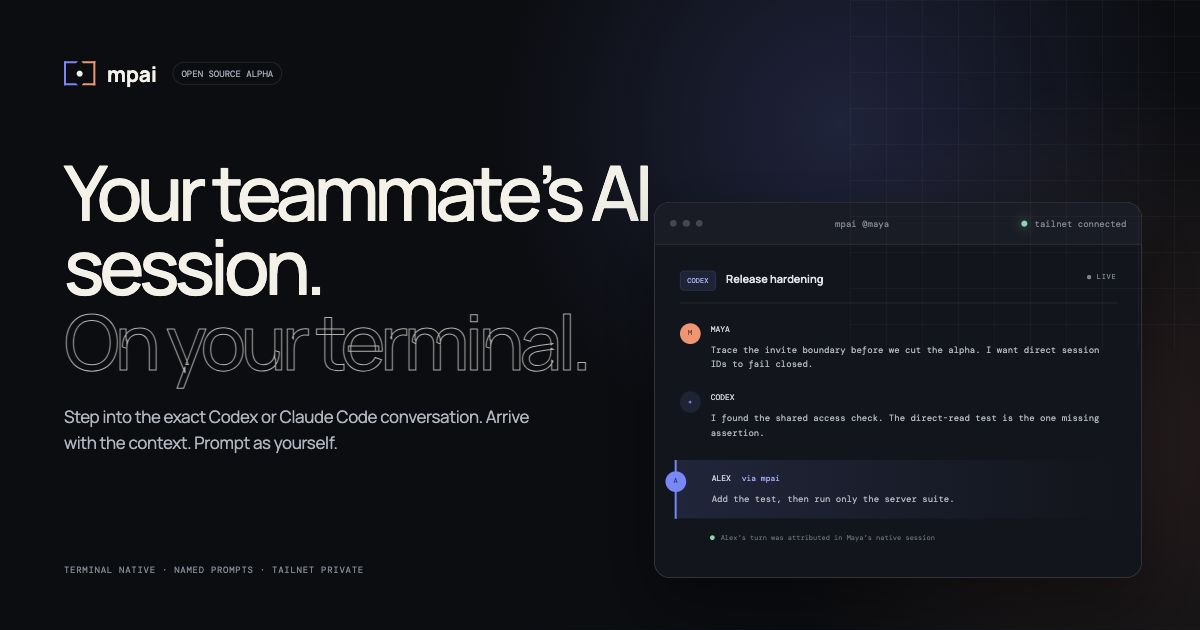
Your teammate’s AI session.On your terminal.
mpai launches August 3 on Product HuntFollow + support ↗
Open source · terminal native · tailnet private
Your teammate’s AI session.
On your terminal.Remote control lets you continue your own AI work. mpai lets a named teammate enter the exact Codex or Claude Code conversation already in motion—without changing tools. One host install. One teammate paste.
Start a 5-minute room↓ Join the first 10 teams↗
01
No new IDE
02
No mystery prompts
03
No public relay
\~/studiompai @maya
tailnet connected
Trace the invite boundary before we cut the alpha. I want direct session IDs to fail closed.
I found the access check shared by list, transcript, presence, audit, and prompt routes. The direct-read test is the one missing assertion.
+ assert.equal(directRead.status, 404)
+ assert.equal(prompt.status, 404)
Add the test, then run only the server suite. Don’t broaden the sharing default.
Alex’s turn was attributed in Maya’s native Codex transcript
ASending as Alex
Ask inside this exact session…return ↵
Product demo One terminal command opens a teammate’s explicitly shared native session—with authorship intact.
LIVE / TWO-MAC RECEIPT
One prompt. Two Macs.
Name intact.Reagan’s MacHudson’s MacTAILSCALE · EXISTING CLAUDE CODE SESSION
Recorded August 2, 2026
A real attributed prompt enters Hudson’s already-existing session. No transcript mock. No hosted workspace.
REAGAN → CLAUDE
00 / QUICKSTART
Two Macs.
One invite.Copy one command on the host. It installs mpai, verifies the machine, asks for both names, lets the host choose one existing session, and creates an invite scoped only to it. A teammate with Node.js 20+ pastes the printed command and enters immediately—no global install, separate account, or new IDE.
1`brew install godfaddaai/tap/mpai && mpai start`copy
or`npm install --global https://github.com/godfaddaai/multiplayer-ai/releases/download/v0.4.19/multiplayer-ai-0.4.19.tgz && mpai start`copy
2`teammate pastes the private npx command printed by mpai`
Public alpha · macOS · Tailscale · Homebrew or Node.js 20+ on the host · Node.js 20+ for the no-global-install guest · Codex and/or Claude Code
01 / THE MISSING LAYER
AI got fast.
Context stayed lonely.Your cofounder is three hours deep in a Claude Code session. They can already reopen it from their own phone. You still cannot enter as yourself. The useful context is alive in the conversation.
mpai lets you enter that exact conversation from your own terminal—without screen sharing, transcript paste, or asking them to re-explain the last 40 turns.
4.7M+paid GitHub Copilot subscribers Microsoft FY26 Q2 ↗ 90%of surveyed tech professionals use AI at work DORA 2025 ↗
1 → 2the product shift: AI sessions become a shared team surface
02 / STAY WHERE THE WORK IS
01
Maya`claude`
Work normally.
Keep using Codex or Claude Code in the terminal or surface you already chose. mpai discovers the native sessions on your Mac.
02
`$ mpai @maya_`
M A
Join the context.
See each shared session separately. Open one and follow the real transcript as new native turns are persisted.
03
Alex
Check the retry boundary.
✓ attributed
Prompt as you.
Your turn lands in that exact agent session with your identity attached. Everyone knows who asked for what.
03 / OWNER-CONTROLLED
The context moves.
Control does not.mpai is a small coordination layer above the agents—not a transcript cloud and not a remote shell. Your machine stays the host. Sharing is explicit. Tailscale supplies the private device network.
Using it with clients? Commercial use is allowed under MIT. For this alpha, keep the host and tailnet client-controlled, require a named invite plus exact-session sharing, and begin with a non-sensitive pilot.
AAlexyour terminal
named turn
mpaiidentity · access · presence
Tailscale
MMaya’s Macowner + host
Codex
Claude Code
no public listener shared sessions only
↗
Explicit sharing
New invites see only sessions the host intentionally shares. List, read, prompt, presence, and audit use the same rule.
◎
Human identity
Invites bind to the first Tailscale identity that uses them. Remote turns keep the teammate’s chosen name.
⌁
Narrow authority
No arbitrary shell execution, deletion, archival, or remote approval delegation. A denied approval stays denied.
04 / HONEST ALPHA
Useful now.
Clear about the edge.● Works today
- Separate Codex and Claude Code session discovery
- Live terminal transcript and session switching
- Named teammate prompts and presence
- Viewer / participant roles and revocation
- Private-by-default session sharing
- Append-only prompt audit trail
- Keychain credentials and redacted support bundles
- macOS and an existing Tailscale network
- Managed Codex mode for safe remote prompting
- Standalone Codex sessions are view-only by default
- Claude support targets the local Claude Code CLI store
- Physical sleep/wake and three-person certification are next
- Not yet certified for large organizations
◐ Current boundary
See every public-alpha gatePUBLIC-ALPHA.md ↗
05 / BUILT IN THE OPEN
Make AI
multiplayer.Star the project, install it on two Macs, and tell us exactly where the shared session breaks. The fastest path to a great product is a real teammate on the other end.
Star on GitHub↗ Join the first 10 teams+
`brew install godfaddaai/tap/mpai && mpai start` 