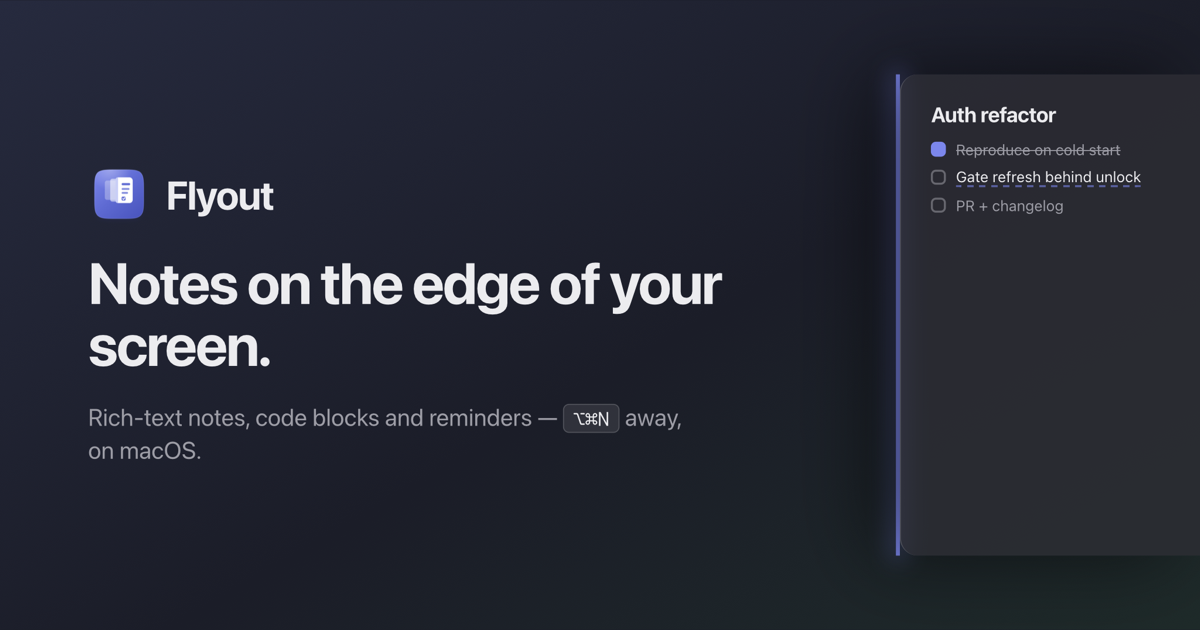

Notes on the edge of your screen.
Notes on the edge of your screen.
Nudge the right edge — or press ⌥⌘N — and a full rich-text editor flies out over your work. Step away, and it slides back out of sight.
Download free 7-day trialBuy lifetime$24 $18
For macOS 14 Sonoma and later. No account, no subscription.
EditorFileEditSelectionViewGo Mon 9:41 AM
HotEdgeController.swift
// Slide out on edge dwell.
func pointerDidDwell(on e: ScreenEdge) {
    guard !panel.isVisible else { return }
    panel.slide(to: frame(for: e),
        duration: 0.32,
        timing: .bezier(0.32, 0.72, 0, 1))
    panel.makeKey()
}func pointerDidLeave() {
    guard !panel.isPinned else { return }
    dismiss(after: grace)  // back out
}
QuickNotesReminders2
scratchauth notesstandup
Auth refactor
Move token refresh out of `AppDelegate` — it races the keychain unlock on cold start.
Reproduce on cold start
Gate refresh behind keychain unlock
PR + changelog
func refresh() async {
  guard unlocked else { return }
  let t = await auth.refresh()
  session.apply(t)  // after unlock
}
Ping @deniz before merging.
⌥⌘Nor nudge the edge
Instant access, anywhere
Rest your pointer on the screen edge or hit the global shortcut. The panel is over your work before you finish the thought — no window management, no app switch.
Fix idea → /co
Code blockMonospaced, syntax-aware
To-do listTrack tasks with checkboxes
ImageInsert from your Mac
A real editor, not a scratchpad
Slash commands, headings, task lists, syntax-highlighted code blocks, inline images, color and highlight. Your notes keep the structure your work has.
QuickNotesReminders2
Overdue
Reply to the notarization ticket9:40 AM
Today
Cut 1.0.1 with the keychain fix6:00 PM
Standup notesTue 9:00 AM
Completed
Ship the edge triggerYesterday
Auth refactor
Move token refresh out of `AppDelegate` — it races the keychain unlock on cold start.
Gate refresh behind keychain unlock
ReminderGate refresh behind keychain unlock
10 minutes1 hourTomorrow
Reminders that live inside the note
Set a reminder on a note — or on the exact sentence you selected. Overdue, today, upcoming and completed group into their own tab. Repeat daily or weekly, snooze straight from the notification, and click through to land back on the highlighted line.
Search
client
Acme kickoffScope, timeline, who owns what2 hours agoclientdemo
Demo scriptOpen with the screen edgeYesterdayclient
Filter by tag
client2
demo1
idea0
Tags that cut across folders
Tag a note as you write, with autocomplete against the tags you already use so “meeting” doesn’t quietly become three. Filter by one tag or several at once — the list flattens across every folder, and each tag can carry a color.
QuickNotesReminders
Pinned
Sprint planQ3 goals and milestones2d
Folders
Work2
API redesignREST to gRPC migration notes1h
Standup notesNo blockers, waiting on review3h
Personal5
Archive12
Other notes
Auth flowJWT rotation1d
Folders you can actually drag into
Group notes into folders that fold open right in the list — no sidebar, no second window. Drag a note onto a folder to file it, drag it back out to unfile it. Right-click any note to pin, copy or delete it.
This Mac
Auth refactor
Gate refresh behind keychain unlock
Reproduce on cold start
Up to date
MacBook Air
Auth refactor
Gate refresh behind keychain unlock
Reproduce on cold start
The same notes on every Mac
iCloud keeps every note, folder and reminder in sync across your Macs — through your own iCloud account. Nothing passes through our servers, and it all still works offline.
| Task | Owner | Status | | ---------------- | ----- | --------- | | Book the venue | Alex | Done | | Send the invites | Sam | This week |
++
Tables that survive the paste
Paste a table from a page or a document and it stays a table. Edit any cell, add rows and columns from the edge handles, delete them with a right-click, and drag the whole table somewhere else in the note. It is stored as plain Markdown.
Great news :part
🥳:partying\_face:
🎉:party\_popper:
Emoji without leaving the keyboard
Start typing :fire and pick from the suggestions, or open the /emoji picker and search. It works in headings and anywhere else you are typing.
Mon 9:41 AM
Pinned
Release checklist
Notarize build · bump cask
Edge cases
Multiple displays, spaces
AppKit + SwiftUInot an Electron window
Native and light
A menu-bar app with a true vibrancy surface that follows system appearance. It feels like part of macOS because it is — no browser engine idling in your dock.
In Flyout
Standup
Ship edge trigger
Review `PanelBridge`
On disk
## Standup
- [x] Ship edge trigger
- [ ] Review `PanelBridge`
Markdown underneath
Every note is stored as plain markdown. Copy it into a pull request, pipe it through a script, take it with you — nothing is locked in a proprietary format.
Release checklist
Bump the version, run migrations on staging, smoke-test checkout, then tag v1.2.0
2 hours ago
Standup
Shipped the widget cache fix, reviewing Sam's PR next, blocked on staging DB creds
1 minute ago
A note on your desktop
Put a note in Notification Center and read it without opening anything. Pick the pinned note, the most recent one, a specific note or a quick-notes page — then click the widget and Flyout opens right there.
An ordinary notes app
Rich enough — in another app, behind your editor, in a window you have to go find. By the time you dig it out, the thought's gone.
A scratchpad
Instant — and flat. The code loses its highlighting, the checklist is just dashes, the screenshot never fit in the first place.
Flyout
As fast as a scratchpad, with an editor that holds real code blocks, task lists, images and reminders — one gesture away from any app.
Lifetime license
$24$18launch price
Launch pricing ends 30 September 2026 — the list price is $24.
Buy lifetime$24 $18or start the free 7-day trial
Questions
Does it sync between Macs?Yes. iCloud sync keeps your notes current across your Macs. It runs on your own iCloud account — nothing passes through our servers, and everything still works offline.
Can I organise notes into folders?Yes. Folders fold open right inside the notes list — drag a note onto one to file it, drag it back out to unfile it. They are flat by design: a note lives in exactly one folder, or none. Nesting is not supported. Tags cut across them: tag a note and filter the library by one tag or several at once.
Which macOS versions are supported?macOS 14 Sonoma and later, on both Apple Silicon and Intel.
Is it a subscription?No. You pay once and the Mac app is yours, including every future update to it. There is no renewal fee and no card is kept on file.
Do reminders need an account?No. Reminders are scheduled through the macOS notification centre on your own Mac. Nothing about a note or its reminder ever leaves the device.
How many Macs can I use it on?Five at a time. If you replace a machine, release its seat from Settings and activate the new one — the license stays yours.
What kind of app is Flyout?Flyout is a native macOS menu-bar app: an always-available rich-text note panel that slides out from the edge of your screen. It is built for developers and anyone who writes — with code blocks, task lists, reminders and Markdown, one gesture from any app.
Is there a notes app that slides out from the screen edge on Mac?Yes — that is exactly what Flyout does. Nudge the right edge or press ⌥⌘N and a full editor flies out over your work, then slides away when you step back.
I already use Raycast — do I need Flyout?They do different jobs. Raycast Notes is a scratchpad built for capture: one text-only note at a time, in a window you dismiss. Flyout is built for the note that stays open beside your work — tabs and folders, images, code blocks, and reminders you can pin to a single line, syncing through your own iCloud. If you only jot and move on, Raycast Notes is enough and you have already paid for it. If notes live next to your work, that is the job Flyout does — there is a full, honest comparison on our compare page.