
Keep work moving
Loading image...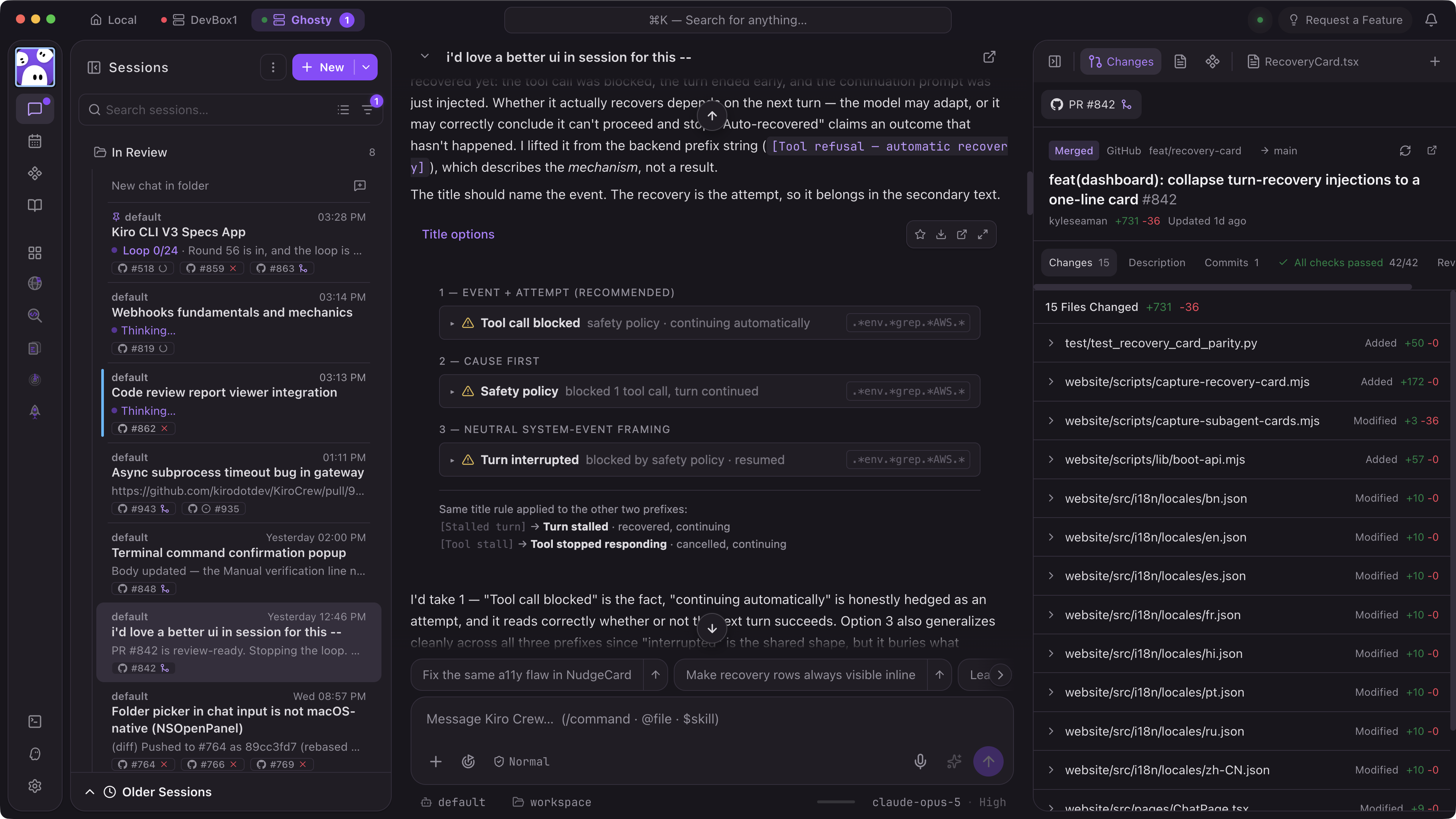
Persistent and self-improving
Memory, lessons, and skills carry across sessions, so your crew evolves to fit your work. Inspect, edit, or remove what your crew carries forward.
Works while you’re away
Cron schedules, webhook triggers, and heartbeat monitors keep your agent crews productive online or off. Long-running tasks move through checkpoints, validation, and retries automatically. Fold in your unique workflows and tools with Apps.
7 layers of defense
OS sandboxing, denied command patterns, bash blocking, input/output validation, sensitive path protection, credential redaction, and signed audit logs. Verify every layer: it’s open source.
Learns how you work
Kiro Crew remembers context across sessions, turns corrections into lasting lessons, and evolves from your work patterns so it just keeps getting better.
Loading image...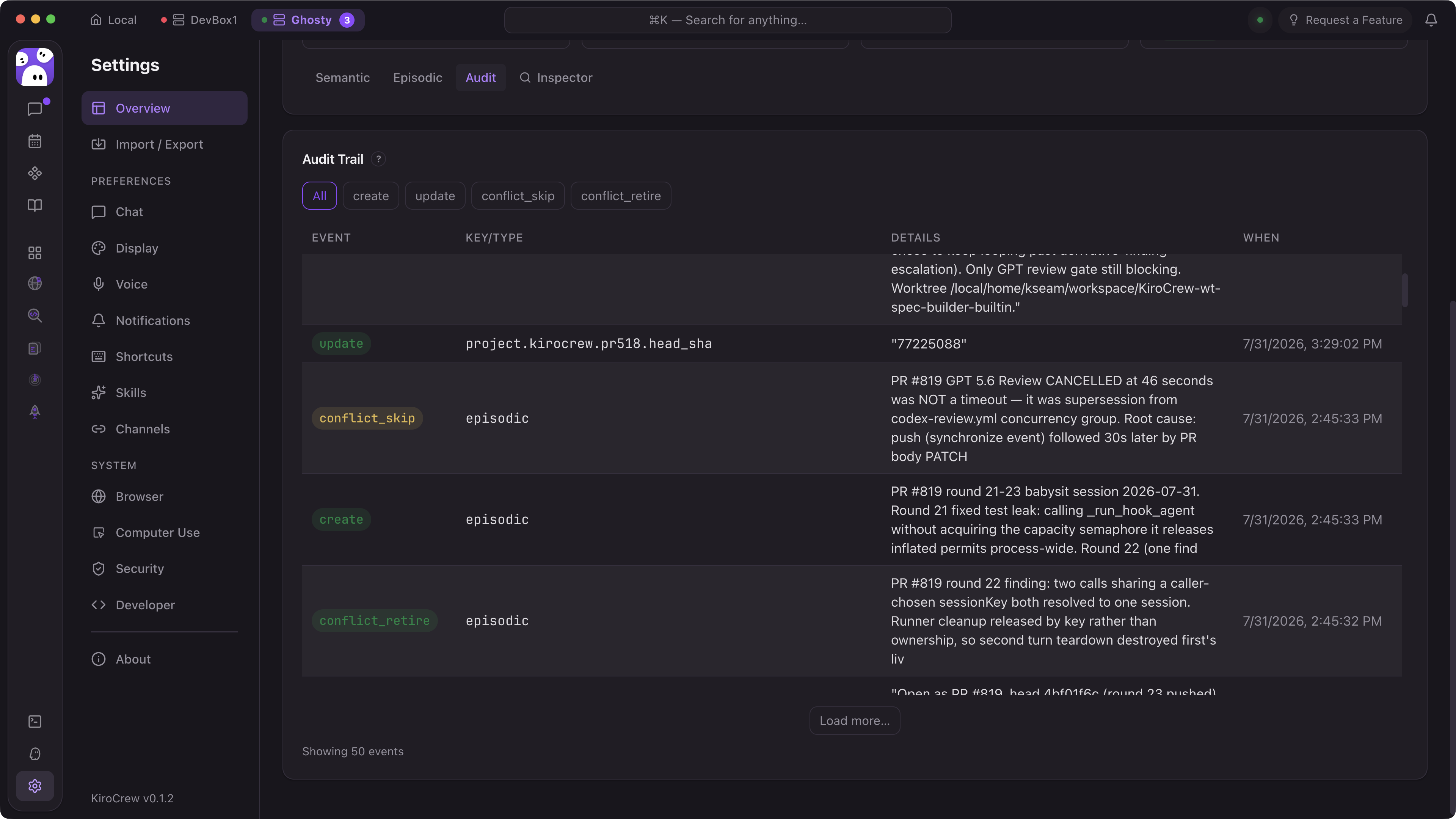
Loading image...
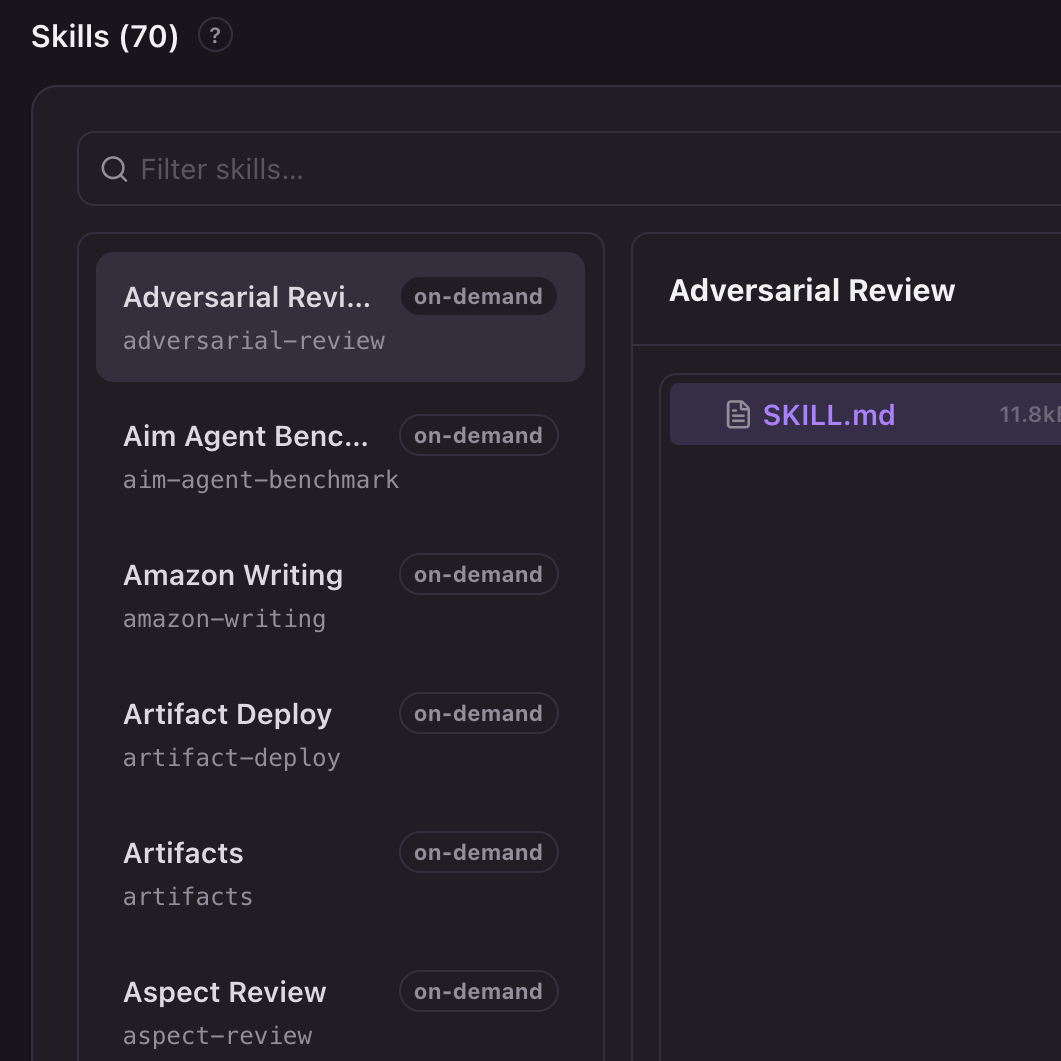
Control what your crew learns
Corrections become durable lessons, and repeated workflows get synthesized into named skills. Lessons and skills are Markdown files you can inspect, edit, scope to a workspace, or delete — and they use the same steering file format as the IDE and CLI.
Loading image...
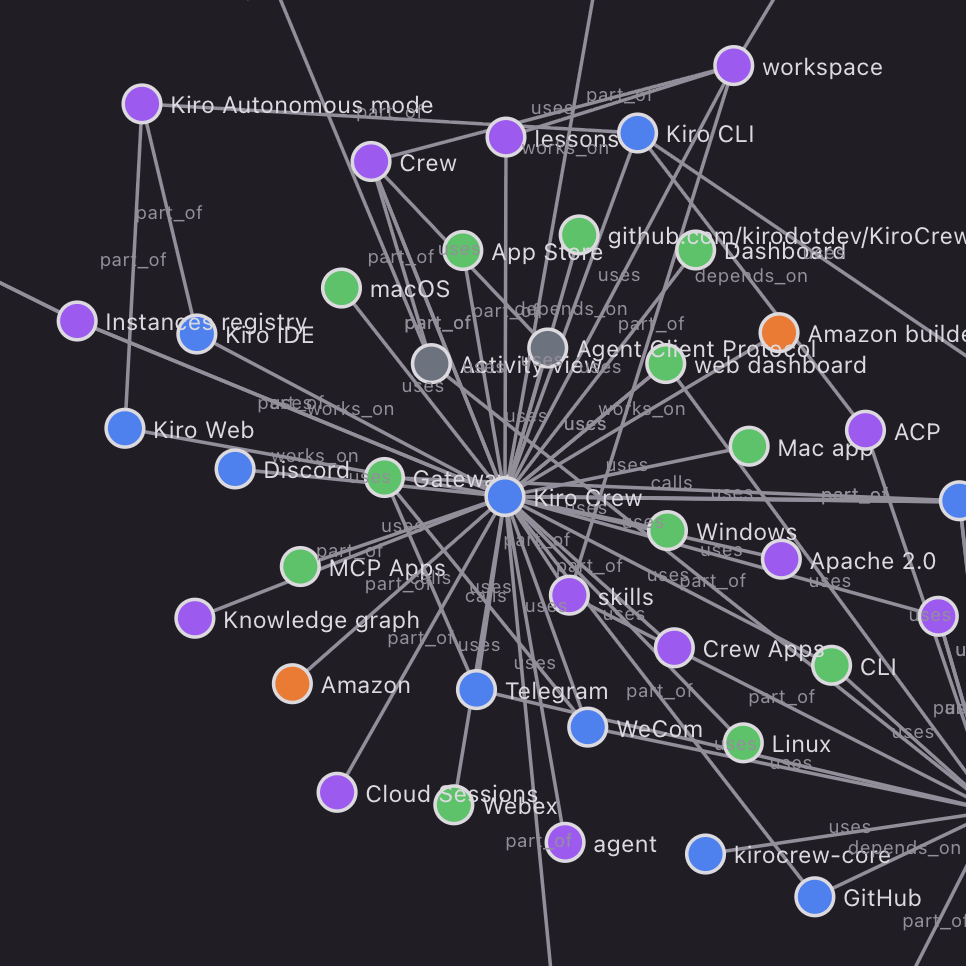
Knowledge graph with search
Architectural decisions, coding preferences, and project context land in a knowledge graph backed by vector embeddings and full-text search, so the agent retrieves what's relevant instead of re-reading everything.
Loading image...

Memory that survives restarts
Active projects and working context persist across sessions and restarts. Long-running work checkpoints and resumes, so you're not re-prompting your way back to where you left off.
Keeps working while you’re away
Agents work in parallel with scheduled jobs, webhooks, and heartbeats, so your crew runs tasks end to end and discovers work worth doing even when you step away.
Loading image...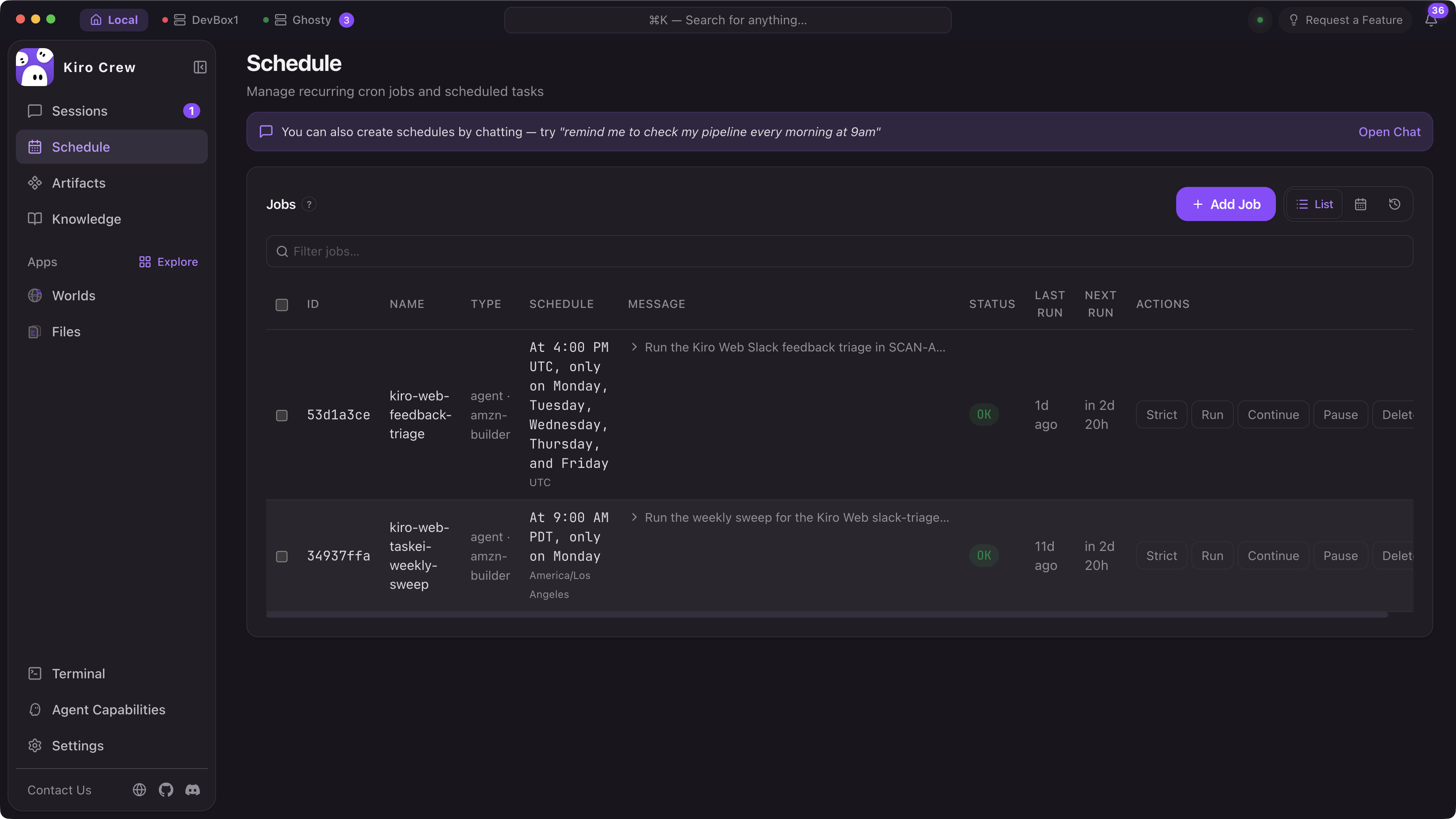
Issues
Scans your backlog for work that's actionable now (reproducible bugs, stale issues, missing tests) and picks up what it can finish without waiting to be asked.
Codebase
Watches for drift: dependencies falling behind, dead branches, failing test suites, docs that no longer match the code.
CI/CD
Reacts to pipeline and deployment events. A failed build or a broken deploy becomes a session with the logs already in context.
Schedules
Timezone-aware cron jobs for recurring work. Per-job timeouts, jitter to avoid thundering herds, and skip dates for maintenance windows. Every run is logged and checkpointed.
Webhooks
Point external events at your agent over authenticated endpoints and it starts working on arrival.
Heartbeat
Watches state changes in your PRs, deployments, and pipelines, triggering work when conditions are met, so the agent stays in the loop without polling.
Apps and extensibility
Purpose-built interfaces for work that doesn't belong in chat. Wrap agents, skills, schedules, and integrations in a custom UI to automate your day without chatting every instruction.
Loading image...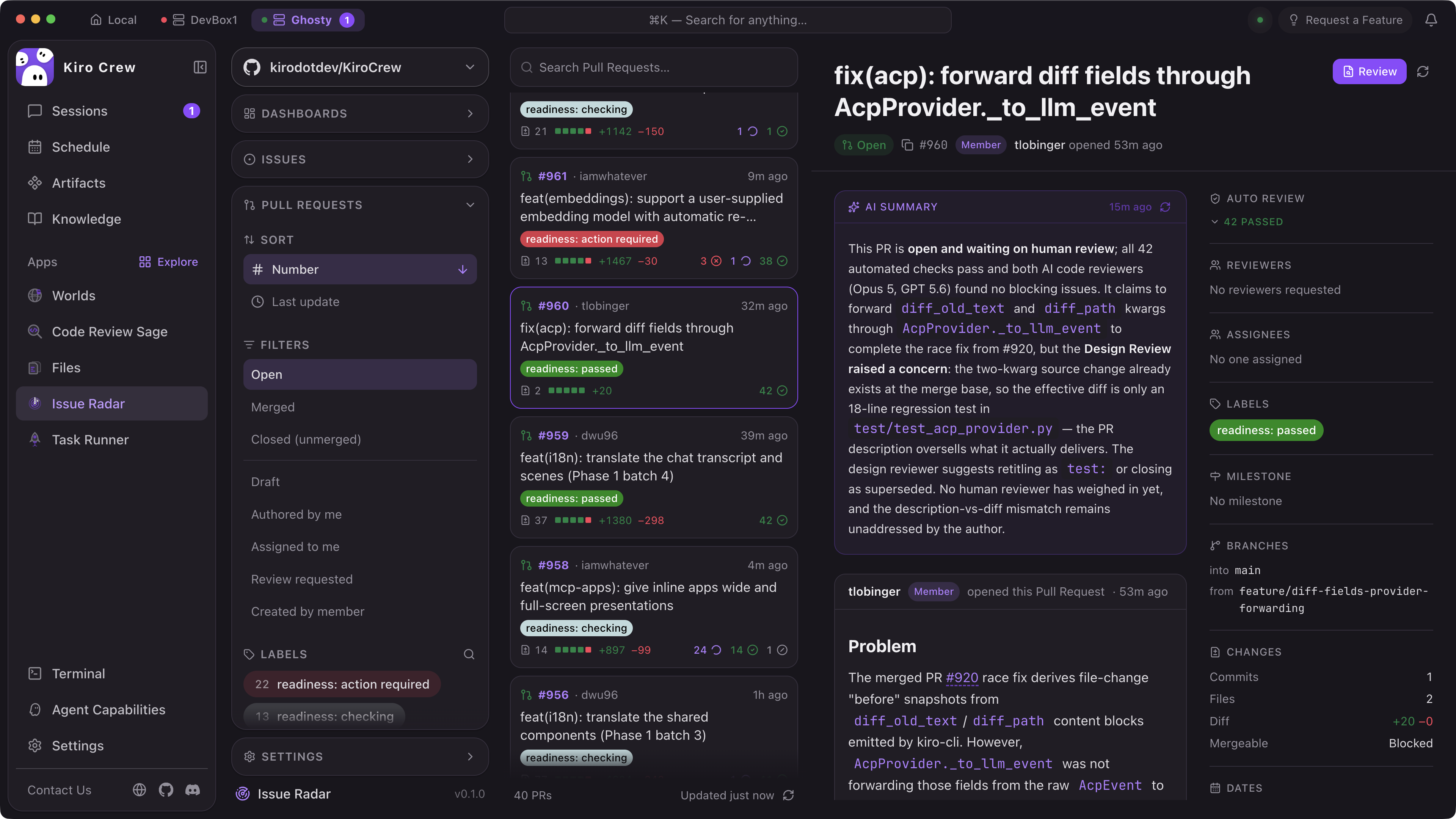
##
Loading image... Agent WorldsYour running agents viewable as characters in various themed worlds, so a glance tells you how busy your crew is. Pop it out to a second screen.Loading image...
 Research LabGive it a question and it fans out into narrower sub-questions, sends agents after each one, and streams findings in as they land.Loading image...
 Code Review SageReviews each changed file in its own agent session, weights them by blast radius, and stages a draft GitHub review that stays unpublished until you submit.
typescriptdeploy-monitor/index.tsx
`import { defineApp, useAgent } from '@kirocrew/app-sdk'
export default defineApp({ name: 'deploy-monitor', skills: ['./skills/deployment-check.md'], schedule: '/15 *', ui: () => <DeploymentDashboard />, })`
Build Apps in TypeScript or Python with the SDK
The App SDK gives you typed bindings for the agent runtime, skill system, and event bus. Define your App’s UI in React (rendered in the dashboard) or expose it headlessly via the CLI. Apps can register their own MCP tools, subscribe to agent events, and persist state between sessions.
Trust and transparency
A workspace with access to your code and tools needs to be inspectable and adaptable. Because Kiro Crew is open source, you can verify every layer rather than take it on faith.
Loading image...
Process sandbox
Tool approval
Sensitive path blocking
Write-protected paths
Denied commands
Suspicious bash patterns
MCP input validation
Output redaction
Credential patterns
URL exfiltration detection
SEL audit logging
Dashboard token auth
Process sandbox
Tool approval
Sensitive path blocking
Write-protected paths
Denied commands
Suspicious bash patterns
MCP input validation
Output redaction
Credential patterns
URL exfiltration detection
SEL audit logging
Dashboard token auth
We spend less time chasing tickets and more time making engineering decisions.
Akim Akimov
Runs anywhere
Mac. Linux. Windows. Run locally or deploy remotely.
Loading image...
Web dashboard
Multi-session chat, memory explorer, cron manager, app store, and 14 color themes. Responsive on mobile.
Full CLI
`kirocrew chat`, `run`, `cron`, `spawn` — everything from your terminal. Pipe-friendly and scriptable for CI/CD integration.
Desktop app
Electron wrapper: no Python or npm installation required. Download and run.
Loading image...
Slack integration
Each Slack thread becomes an isolated AI session with full tool access. Your team can interact with Kiro Crew directly in existing channels.
Loading image...
Loading image...
Telegram and Discord
Additional messaging surfaces for teams that live in Discord or Telegram. Same agent crews, same memory, different interface.
Remote instances
Manage Kiro Crew instances running on remote machines over SSH tunnels. Centralize or distribute — your choice.
Built in the open, shaped by the community
Kiro Crew started as an internal side project and grew to 39,000+ builders in less than 6 months with nearly 500 contributors shipping 567 updates at an average pace of 143 weekly commits. We’re governed by a steering committee with public discussions and decision making.
Fully open source
Read the code, audit the security layers, fork it, extend it. No proprietary black boxes. Your agent crew, your rules.
Additive, not a replacement
Compatible with anything built for other open-standards platforms without modification, so you can bring what you have rather than start over. Interoperates with your existing skills, MCP servers, IDE plugins, and CI pipelines.
Built on Kiro
Runs on the Kiro CLI. Shares the same agent protocol (ACP), model support, and .kiro configuration. Invest once, use everywhere.
Kiro Crew does the assembling and the checking so I can do the deciding.
Patrick Stark
Common questions
What is Kiro Crew?
What is Kiro Crew?
Kiro Crew is an open source workspace for development that runs on your own machine and keeps working across sessions. It remembers your projects and preferences, turns corrections into lasting lessons, runs scheduled and long-running tasks unattended, and coordinates multiple agents in parallel. You can work with it from the desktop app, the web dashboard, the CLI, or chat tools like Slack and Discord.
How is Kiro Crew different than Kiro on the web, the IDE, and the CLI?
How is Kiro Crew different than Kiro on the web, the IDE, and the CLI?
Kiro on \the web\, in \the IDE\, and in \the CLI\ handles tasks inside a single session while you drive. Kiro Crew extends that foundation across sessions: it keeps its own memory, runs recurring jobs on schedules, picks up work on its own through webhooks and CI heartbeats, and orchestrates multiple agents in parallel. It runs on the Kiro CLI using ACP, and reads your existing .kiro configuration, so it extends Kiro rather than replacing it.
How is Kiro Crew different from OpenClaw, Hermes, or Codex?
How is Kiro Crew different from OpenClaw, Hermes, or Codex?
Kiro Crew is built for development work with real access to code and CI, and it is inspectable end to end. Every orchestration decision is visible: agent reasoning, tool calls, and approvals stream live in the Activity view, and a signed audit log records every action. It ships with 7-layer defense-in-depth security, including an OS-level sandbox, denied-by-default commands, and credential redaction. Skills built for OpenClaw, Hermes, and other open standards-based platforms work in Kiro Crew without modification.
Which open source license is used for Kiro Crew?
Which open source license is used for Kiro Crew?
Kiro Crew is licensed under the Apache License 2.0. The full text is in the \LICENSE\ file in the \GitHub repository\.
How can I contribute?
How can I contribute?
Open an \issue\ or a pull request on the \GitHub repository\. Proposals are filed as pull requests and debated in the open, decisions are documented in the repo, and the maintainers are listed publicly in \MAINTAINERS.md\. Contributions that do not align with Kiro's own product strategy are welcome too, including integrations with other AI tools. Start with \CONTRIBUTING.md\, \GitHub Discussions\, or \Kiro’s Discord\.
Is a Kiro account required to use Kiro Crew?
Is a Kiro account required to use Kiro Crew?
Yes. At launch, Kiro Crew runs on the \Kiro CLI\, which requires a one-time sign-in with a Kiro account. Your existing .kiro configuration carries over automatically, including steering files, skills, and custom agents. Kiro Crew orchestrates agents over the open Agent Client Protocol (ACP), and the project is fully open source, so developers can build support for other ACP-compatible agents and runtimes.
How much does Kiro Crew cost?
How much does Kiro Crew cost?
Kiro Crew is free software, but it needs a Kiro plan to run. The application itself is open source under the Apache License 2.0 with no separate subscription or fee. The agents it orchestrates are powered by inference through your Kiro account, so you need a Kiro plan to use it. You also provide the hardware it runs on, whether that is your laptop, a home server, or a cloud instance. See \Pricing\ for current plans and included usage.
How is agent usage billed?
How is agent usage billed?
Kiro Crew runs on the Kiro CLI and uses your existing Kiro account, so model requests it makes count against your Kiro plan, the same way requests from the \Kiro IDE\ or \CLI\ do. There is no separate metering for Kiro Crew. See \Pricing\ for current plans and included usage.
Do scheduled and background tasks use my Kiro plan?
Do scheduled and background tasks use my Kiro plan?
Yes, any work that involves agent reasoning counts against your Kiro plan, whether you started it in a chat or a schedule triggered it overnight. You control the schedules, concurrency, and timeouts, and usage is visible in the dashboard. Scheduled jobs that run plain scripts or commands without a model call use no requests at all.
Start with work that already extends beyond one session
Install Kiro Crew and put your agents to work.