




How a GitHub App Saved Us Hours of Manual Effort
Key takeaways
- Use a GitHub App instead of a GitHub Action once your automation needs to run across multiple repos with its own bot identity, since Actions require a workflow copy per repo while an App installs once and authenticates itself.
- The unglamorous infrastructure, meaning signature verification with `crypto.timingSafeEqual`, installation-scoped JWT auth, and per-repo config with sane defaults, is what actually determines whether a GitHub App survives production.
- Always check for an existing open PR before creating one to handle duplicate webhook deliveries, and build a retry loop around GitHub's `mergeable: null` state, since both failures are silent if you skip them.
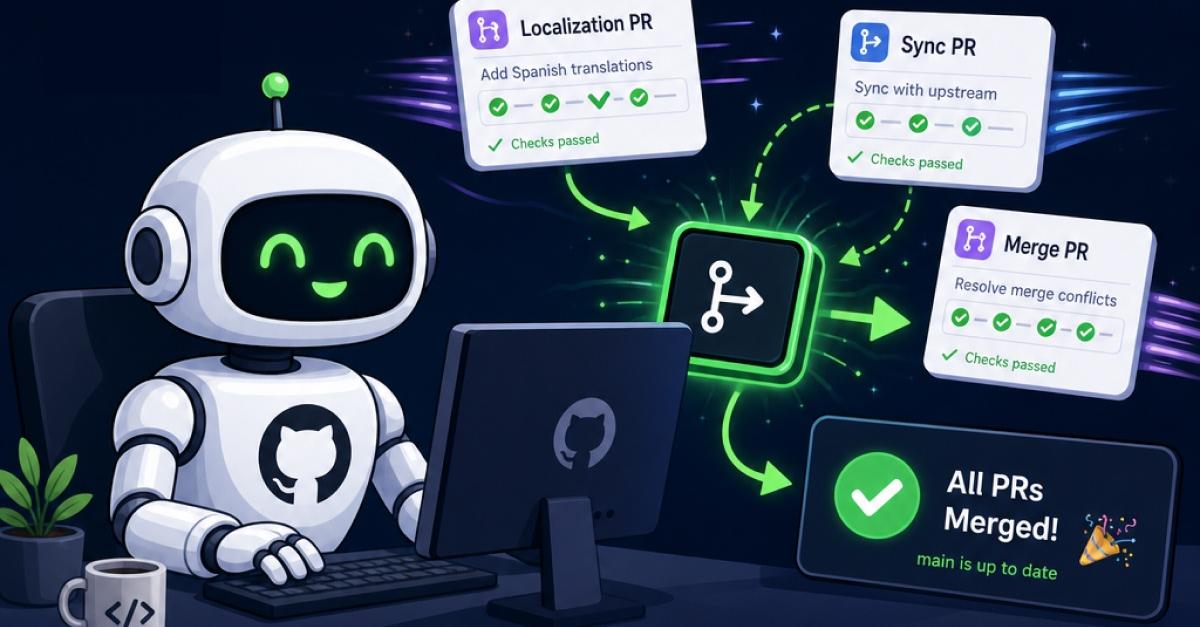
Our localization workflow had a PR problem. Every time a developer touched a translation file on a feature branch, someone had to manually open a PR to the team's localization branch. When the localization tool handed back translated strings, someone had to open another PR to merge those into main. And every time main moved forward, someone had to sync those changes back to the localization branch so it wouldn't drift.
Three to four features with localization changes land per week on our team. Each one triggers all three of those PR types. That's roughly 16 mechanical PRs a week that no one wanted to make, that occasionally got forgotten, and that blocked releases when they did.
We built a GitHub App during an internal hackathon to automate the entire cycle. It won for cycle time reduction. The whole thing is under 900 lines of JavaScript with no HTTP framework. Just Node's built-in `http` module and Octokit for the GitHub API. It's now rolling out to other teams. Here's how it works, what we learned, and enough code for you to build your own.
Why a GitHub App, not a GitHub Action
When we started, the first question was whether to use GitHub Actions. We'd already automated other things with workflows, and the `push` trigger seemed like a natural fit.
It wasn't. The problem is multi-repo scope. We needed one piece of automation installed across many repositories, responding to pushes on any of them, creating PRs as a bot identity, and reading per-repo configuration without copying a workflow file into every repo. GitHub Actions don't work that way. A workflow lives inside the repo it runs in. If you want the same automation across 20 repos, you're maintaining 20 copies of the workflow file, or building a reusable action that still needs a workflow wrapper in every repo.
A GitHub App solves all of this. You install it once on an organization (or selectively on specific repos), and it receives webhooks from every installed repo through a single endpoint. It authenticates as itself with scoped tokens. It can read per-repo config files at runtime.
Here's the decision matrix we used:
| Concern | GitHub Action | GitHub App | | ---------------------------- | ---------------------------- | -------------------------------- | | Multi-repo from one codebase | Copy workflow to every repo | Install once | | Bot identity on PRs | Needs a PAT | Built-in app identity | | Per-repo config | Needs workflow file per repo | Read config from repo at runtime | | React to events across repos | Separate workflow per repo | Single webhook endpoint | | Auth management | PAT rotation or OIDC setup | Automatic installation tokens |
If your automation operates across repos and participates in the PR workflow, you want a GitHub App.
One push event, three workflows
The entire bot triggers off a single GitHub event: `push`. Based on which branch was pushed to, it routes into one of three independent workflows:
push event arrives
                          │
                ┌─────────┼──────────┐
                ▼         ▼          ▼
           branch ==  branch ==  branch matches
             main?    target?    feature pattern?
                │         │          │
                ▼         ▼          ▼
          Sync PR:   GoLF PR:   Translation PR:
        main → target  target → main  feature → target
Workflow 1: Feature branch → Target. A developer pushes a commit that modifies a translation file (like `en.js`). The bot creates a PR from that feature branch to the team's localization target branch.
Workflow 2: Target → Main. The localization tool commits translated strings back to the target branch. The bot detects the handback commit message, creates a PR to main, and optionally auto-merges it.
Workflow 3: Main → Target sync. When main moves forward (from other merges), the bot creates a PR to sync those changes into the target branch, preventing drift. Here's the routing logic. It's the clearest 25 lines in the codebase:
async function handlePush(context, log) {
  const branch = context.payload.ref.replace('refs/heads/', '');
  const commits = context.payload.commits || [];  if (commits.length === 0) {
    return;
  }  const config = await getConfig(context);  if (branch === config.mainBranch) {
    await syncMainToTarget(context, log, config);
    return;
  }  if (branch === config.targetBranch) {
    await handleGolfCommit(context, log, config, commits);
    return;
  }  if (!shouldProcessBranch(branch, config)) {
    log.info(`Skipping branch: ${branch}`);
    return;
  }  await handleTranslationChange(context, log, config, branch, commits);
}
Early returns instead of if-else chains. Config-driven, not hardcoded. Each workflow is an independent function, so a bug in one can't cascade into another. Every workflow is also idempotent. Before creating a PR, each one checks if an open PR already exists for that head/base combination:
const { data: openPRs } = await context.octokit.rest.pulls.list({
  ...context.repo(),
  head: `${owner}:${branch}`,
  base: config.targetBranch,
  state: 'open'
});if (openPRs.length > 0) {
  log.info(`PR already exists: ${branch} → ${config.targetBranch}`);
  return;
}
This matters because GitHub can deliver the same webhook more than once. Retries, duplicate deliveries, and concurrent pushes to the same branch all become safe. The bot either creates a PR or recognizes one already exists. Never duplicates.
The boring parts that actually matter
Tutorials for GitHub Apps tend to skip the infrastructure and jump to the fun API calls. In practice, the infrastructure is where production apps break. The following sections discuss the three pieces that every GitHub App needs.
Webhook signature validation
Every GitHub webhook includes an `X-Hub-Signature-256` header containing an HMAC-SHA256 hash of the request body, signed with your webhook secret. You verify it like this:
const crypto = require('crypto');const signature = headers['x-hub-signature-256'];
if (!signature) {
return response(401, { error: 'Missing signature' });
}
const expected = 'sha256=' + crypto
.createHmac('sha256', process.env.WEBHOOK_SECRET)
.update(body)
.digest('hex');
const sigBuf = Buffer.from(signature);
const expBuf = Buffer.from(expected);
if (sigBuf.length !== expBuf.length || !crypto.timingSafeEqual(sigBuf, expBuf)) {
return response(401, { error: 'Invalid signature' });
}
The important detail is `crypto.timingSafeEqual`. A regular `===` comparison short-circuits on the first mismatched character, which leaks information about the expected value through response timing. `timingSafeEqual` always compares every byte. The buffer length check before it prevents a `RangeError` if the lengths differ.
This is 14 lines. Copy them into every GitHub App you build.
Installation-scoped authentication
GitHub Apps use a two-step auth flow. First, the app generates a JWT from its private key. Then, for each webhook, it exchanges that JWT for an installation-specific token scoped to only the repos where that installation has access.
Octokit handles this transparently:
const { Octokit } = require('@octokit/rest');
const { createAppAuth } = require('@octokit/auth-app');const octokit = new Octokit({
  authStrategy: createAppAuth,
  auth: {
    appId: parseInt(process.env.APP_ID, 10),
    privateKey: process.env.PRIVATE_KEY.replace(/\\n/g, '\n'),
    installationId,  // from the webhook payload
  },
});
The `installationId` comes from every webhook payload at `payload.installation.id`. This means each API call is automatically scoped to the org/repos that triggered the event. No PATs to rotate, no risk of accidentally accessing repos outside the installation's scope.
Per-repo config with fallback defaults
We wanted each team to customize the bot for their repository (different target branch names, different translation files, different reviewer lists) without needing to redeploy the bot. The solution: read a `.github/golf-bot.yml` file from each repo at runtime.
async function getConfig(context) {
  try {
    const { data } = await context.octokit.rest.repos.getContent({
      ...context.repo(),
      path: '.github/golf-bot.yml'
    });    const content = Buffer.from(data.content, 'base64').toString();
    const userConfig = yaml.load(content) || {};    return normalizeConfig({ ...DEFAULTS, ...userConfig });
  } catch (error) {
    if (error.status === 404) {
      context.log.info('No config file found, using defaults');
    }
    return { ...DEFAULTS };
  }
}
A 404 is not an error, it means "use defaults." This lets teams adopt the bot instantly with zero configuration and customize later.
One gotcha we hit: YAML parses empty keys (like `targetBranch:` with nothing after the colon) as `null`, which overrides the default via the spread operator. Our `normalizeConfig` function catches this by falling back to defaults for any `null` or empty value. Worth knowing if you use this pattern.
Patterns worth stealing
The following sections discuss the two patterns from this bot that apply to any webhook-driven automation.
Retry logic for GitHub's async mergeability
When we auto-merge translation PRs, we hit a non-obvious GitHub API behavior: after creating a PR, the `mergeable` field is `null`. Not `true`, not `false`. GitHub computes mergeability asynchronously, and it's not ready immediately.
If you check once and see `null`, you might skip the merge or throw an error. Our solution is a simple retry loop:
const AUTO_MERGE_DELAY_MS = 3000;
const AUTO_MERGE_MAX_ATTEMPTS = 3;async function attemptAutoMerge(context, log, pullNumber) {
  for (let attempt = 1; attempt <= AUTO_MERGE_MAX_ATTEMPTS; attempt++) {
    await delay(AUTO_MERGE_DELAY_MS);    const { data: pr } = await context.octokit.rest.pulls.get({
      ...context.repo(),
      pull_number: pullNumber
    });    if (pr.mergeable === false) {
      log.warn(`PR #${pullNumber} has conflicts, skipping auto-merge`);
      return;
    }    if (pr.mergeable === null && attempt < AUTO_MERGE_MAX_ATTEMPTS) {
      log.info(`Mergeability pending, retry ${attempt}/${AUTO_MERGE_MAX_ATTEMPTS}`);
      continue;
    }    try {
      await context.octokit.rest.pulls.merge({
        ...context.repo(),
        pull_number: pullNumber,
        merge_method: 'merge'
      });
      log.info(`Auto-merged PR #${pullNumber}`);
      return;
    } catch (error) {
      if (attempt === AUTO_MERGE_MAX_ATTEMPTS) {
        log.error(`Auto-merge failed for PR #${pullNumber}: ${error.message}`);
      }
    }
  }
}
Three states, three responses: `true` means merge, `false` means conflicts (bail), `null` means "try again in 3 seconds." This is a common source of silent failures in GitHub automation, and it's barely mentioned in the API docs.
Safe wildcard matching from user config
Teams can configure branch patterns like `feature/` or `release-` in their YAML config. Turning these into regex naively is dangerous because user input might contain regex special characters that cause catastrophic backtracking (ReDoS).
We escape all special regex characters before converting `` to `.`:
function matchesWildcard(value, pattern) {
  if (!pattern.includes('*')) {
    return value === pattern || value.startsWith(pattern);
  }  try {
    const escaped = pattern
      .replace(/[.+^${}()|[\]\\]/g, '\\$&')  // escape regex specials
      .replace(/\/g, '.');                   // convert  to .
    return new RegExp(`^${escaped}$`).test(value);
  } catch {
    return value.startsWith(pattern.replace(/\*/g, ''));
  }
}
The `try/catch` fallback means a malformed pattern degrades to a simple prefix match instead of crashing the bot.
Build your first GitHub App: an auto-labeler in 30 minutes
Everything discussed in this post uses the same skeleton: receive a webhook, verify the signature, authenticate, call the GitHub API. To show how reusable that skeleton is, here's a complete GitHub App that auto-labels PRs based on files changed. The whole thing is about 80 lines. The following sections describe the entire process in five steps.
Register the app
First, you need to register the app.
1. In the GitHub UI, go to GitHub Settings > Developer settings > GitHub Apps > New GitHub App and set: \- Webhook URL: Your server's public URL (use smee.io for local development) \- Webhook secret: A random string you'll also set as `WEBHOOK_SECRET` in your environment \- Permissions: `Pull requests: Read & Write`, `Contents: Read`, `Metadata: Read` \- Subscribe to events: `Pull request`
2. Generate a private key (download the `.pem` file) and note the App ID.
3. Initialize your project and install dependencies:
npm init -y
npm install @octokit/rest @octokit/auth-app dotenv
4. Create a .env file with the values from the app you just registered:
APP_ID=123456
WEBHOOK_SECRET=your_random_secret
PRIVATE_KEY="-----BEGIN RSA PRIVATE KEY-----\n...\n-----END RSA PRIVATE KEY-----"
The PRIVATE\_KEY value is the full contents of the .pem file you downloaded, with literal newlines `/\n/g` replaced by `n`.
Create the server
This procedure is the entire HTTP server. No Express, no HTTP framework. Just Node's built-in `http` module. Octokit handles GitHub API calls and app authentication.
require('dotenv').config();
const http = require('http');const server = http.createServer(async (req, res) => {
if (req.method === 'POST' && req.url === '/webhook') {
const chunks = [];
for await (const chunk of req) chunks.push(chunk);
const body = Buffer.concat(chunks).toString();
const result = await handleWebhook(body, req.headers);
res.writeHead(result.status, { 'Content-Type': 'application/json' });
res.end(JSON.stringify(result.body));
} else {
res.writeHead(200);
res.end('OK');
}
});
server.listen(3000, () => console.log('Listening on :3000'));
Label pull requests based on changed files
1. Set up the required imports and label rules:
const crypto = require('crypto');
const { Octokit } = require('@octokit/rest');
const { createAppAuth } = require('@octokit/auth-app');// Map file path prefixes to labels
const LABEL_RULES = [
  { path: 'src/components/', label: 'frontend' },
  { path: 'src/api/',        label: 'backend' },
  { path: 'docs/',           label: 'documentation' },
  { path: '.github/',        label: 'ci/cd' },
  { path: 'test/',           label: 'tests' },
];
2. Verify the webhook signature:
async function handleWebhook(body, headers) {
  // 1. Verify signature (same code as before)
  const signature = headers['x-hub-signature-256'];
  const expected = 'sha256=' + crypto
    .createHmac('sha256', process.env.WEBHOOK_SECRET)
    .update(body)
    .digest('hex');
  const sigBuf = Buffer.from(signature || '');
  const expBuf = Buffer.from(expected);
  if (!signature || sigBuf.length !== expBuf.length
      || !crypto.timingSafeEqual(sigBuf, expBuf)) {
    return { status: 401, body: { error: 'Invalid signature' } };
  }  const payload = JSON.parse(body);
  const event = headers['x-github-event'];  // Only handle opened/synchronize PR events
  if (event !== 'pull_request'
      || !['opened', 'synchronize'].includes(payload.action)) {
    return { status: 200, body: { message: 'Skipped' } };
  }  // 2. Authenticate as the installation
  const octokit = new Octokit({
    authStrategy: createAppAuth,
    auth: {
      appId: parseInt(process.env.APP_ID, 10),
      privateKey: process.env.PRIVATE_KEY.replace(/\\n/g, '\n'),
      installationId: payload.installation.id,
    },
  });
3. Get changed files and determine labels:
const { owner, repo } = {
    owner: payload.repository.owner.login,
    repo: payload.repository.name,
  };
  const prNumber = payload.pull_request.number;  const { data: files } = await octokit.rest.pulls.listFiles({
    owner, repo, pull_number: prNumber,
  });  const labels = new Set();
  for (const file of files) {
    for (const rule of LABEL_RULES) {
      if (file.filename.startsWith(rule.path)) {
        labels.add(rule.label);
      }
    }
  }
4. Apply labels:
if (labels.size > 0) {
    await octokit.rest.issues.addLabels({
      owner, repo, issue_number: prNumber,
      labels: [...labels],
    });
  }  return { status: 200, body: { labels: [...labels] } };
}
Wire it up to smee.io for local testing: install `smee-client` globally (`npm install -g smee-client`), run `smee --url https://smee.io/your-channel --target http://localhost:3000/webhook`, then open a PR that touches a file in `docs/` and watch the `documentation` label appear. The full round-trip is: GitHub sends the event to your smee channel, smee forwards it to your local server, your server verifies the signature, authenticates as the app installation, fetches the changed files, and calls the labels API.
Deploy the app in a container
Same 13-line Dockerfile works here:
1. Build the container image:
FROM node:20-slim
WORKDIR /app
COPY package*.json ./
RUN npm ci --omit=dev
COPY . .
EXPOSE 3000
USER node
CMD ["node", "index.js"]
2. Deploy the image to any platform that runs containers.
`npm ci --omit=dev` skips dev dependencies. `USER node` runs the container as a non-root user. Deploy to any platform that runs containers.
The translation bot that won our hackathon is this same skeleton plus business logic for three PR workflows and a config system. The core infrastructure (server, auth, webhook verification) is identical.
What we shipped vs. what we'd change
What works well: The config-per-repo model scales without redeployment. When we rolled this out to a second team, they dropped a `.github/golf-bot.yml` into their repo with their branch name and it just worked. No PR to the bot's repo, no environment variable changes, no restarting the service.
The bot commands turned out to be surprisingly important for adoption. `/golf-config` dumps the loaded configuration, `/golf-test` verifies the target branch exists, and `/golf-test-branch feature/xyz` tells you whether a branch would be processed. Teams used these to self-diagnose configuration issues without pinging us.
What we'd improve: There are no tests. The `package.json` literally says `echo "No tests yet"`. This was a hackathon project, and we shipped it knowing we'd add tests before wider rollout. The auto-merge retry is simplistic, a fixed three-second delay with three attempts. Exponential backoff or GitHub's native auto-merge API would be more resilient. And we should handle `pull_request` events (not just `push`) for richer lifecycle management, like re-running checks when a target branch changes.
Shipping something imperfect that solves a real problem is a legitimate engineering choice, especially when the alternative is 16 manual PRs a week.
The skeleton is 80 lines. Your automation is what's left.
The auto-labeler has four moving parts: a Node HTTP server, webhook signature verification, Octokit app authentication, and one API call. That's the complete foundation for any GitHub App.
The translation bot that cleared our 16-PR-a-week backlog uses the exact same skeleton. The only additions are per-repo YAML config, idempotent PR creation, and branch-based routing. None of those are GitHub-specific. They're software patterns applied to webhooks.
If someone on your team manually opens a PR every time X happens, you have enough to automate it. The GitHub Apps documentation covers registration and permissions. smee.io proxies webhook events to your local machine during development. The code we discussed handles everything else.

Aug 20, 2026
GoDaddy Node.js Hosting is here: Get your app live today, free to startLearn more
Aug 20, 2026
How We Scaled Platform Support 10x Without Scaling the TeamLearn more
Aug 10, 2026
How does OpenClaw work? The technical guide for agencies and developersLearn more
Jun 17, 2026
What are AI coding agents and how do they automatically build sites and apps?Learn more
Jun 5, 2026
Veritas: Catching Silent AI Regressions Before They ShipLearn more

August 20, 2026
GoDaddy Node.js Hosting is here: Get your app live today, free to startLearn more

Aug 20, 2026
How We Scaled Platform Support 10x Without Scaling the TeamLearn more

Aug 10, 2026
How does OpenClaw work? The technical guide for agencies and developersLearn more

Jun 17, 2026
What are AI coding agents and how do they automatically build sites and apps?Learn more

Jun 5, 2026
Veritas: Catching Silent AI Regressions Before They ShipLearn more