The Ultimate Local Backup for your Notion Workspace
Your data, your control
The Ultimate Local Backup for your Notion Workspace
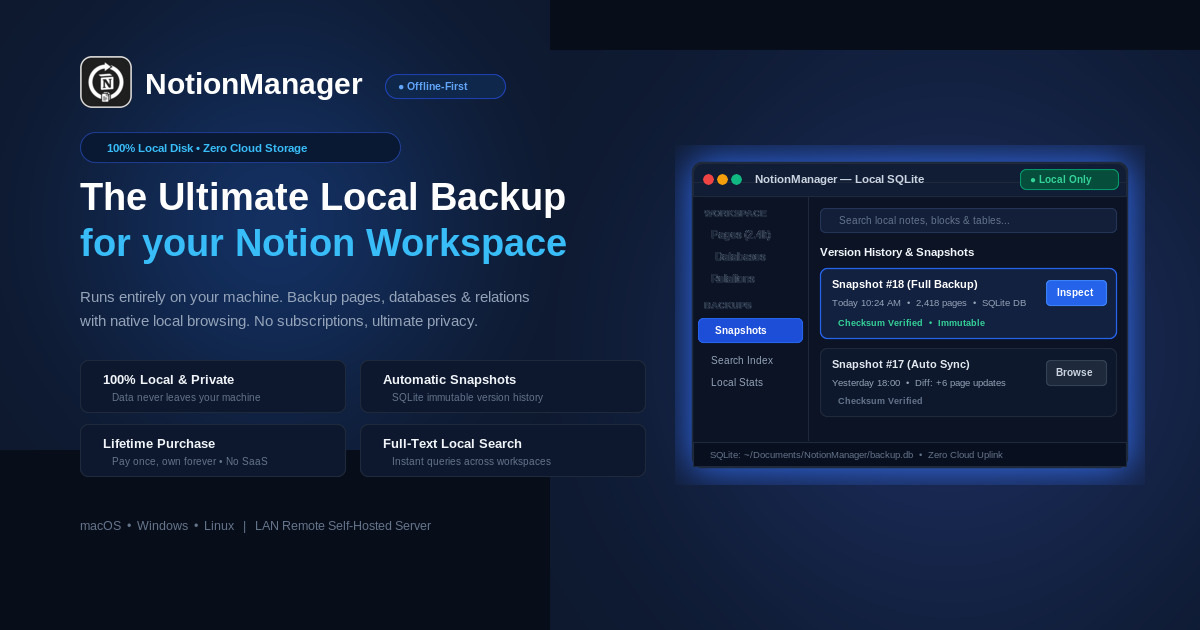
NotionManager runs entirely locally. Backup pages, databases, relations and rollups with native-like browsing. No SaaS, no subscriptions, ultimate privacy.
Download NotionManagerExplore Features
100% Local Data
One-time Payment
Why Your Notion Data Needs Local Protection
Your workspace is your second brain. Depending solely on the cloud is a critical single point of failure.
Incomplete Native Exports
Notion's built-in export tools often strip away complex database relations, formulas, and deeply nested structures. Furthermore, Notion lacks a true offline mode, leaving your workflow entirely dependent on their server availability.
Vulnerability to Silent Data Loss
Accidental block deletions, workspace sync conflicts, and human error are common. While Notion offers page history, recovering from cascading relational database deletions is notoriously difficult without a complete, independent snapshot.
The Flaw in Cloud-to-Cloud Backups
SaaS backup solutions simply move your data to another cloud. If your internet drops or the backup provider goes down, you remain locked out. A self-hosted, local read-only backup guarantees absolute access to your knowledge, anywhere, anytime.
End the Maintenance Nightmare
Open-source CLI scripts require constant babysitting, cron job management, and API key updates. NotionManager offers a robust 'set and forget' architecture—silently maintaining your backups without draining your time or attention.
Industry Standards & Security Authority
"Organizations and individuals should employ a 3-2-1 backup strategy: maintain three copies of critical data on two separate media types, with at least one independent offline copy to safeguard against service disruption and ransomware."
Cybersecurity & Infrastructure Security Agency (CISA)
U.S. Department of Homeland Security
Official Data Backup Options & Guidance
"Cloud platforms ensure uptime and infrastructure resilience, but individual data recovery, protection against accidental deletions, and offline access remain the responsibility of the data owner."
Shared Responsibility Model for Cloud Data
Industry Security Best Practice & Notion Data Guidelines
Notion Security & Data Management
Professional Grade Architecture
Designed for data integrity and peace of mind. NotionManager brings enterprise-level backup capabilities to your personal or team workspace.
Native-like Local BrowsingUltimate Privacy & SecurityOne-Time PaymentCross-Platform SupportAutomated Backups & RetentionFull-Text SearchRemote Browsing SupportRepository Import/Export
Native-like Local Browsing
Backup Notion data locally including database relations and rollups. Browse your backups with a near-native Notion experience.
Ultimate Privacy & Security
Not a SaaS service. Everything runs completely locally on your machine. Your data never touches our servers.
One-Time Payment
Free to use for basic needs. Premium features require just a single, lifetime payment. No recurring subscriptions.
Cross-Platform Support
Whether you use Windows, macOS, or Linux, NotionManager is fully supported and optimized for your OS.
Automated Backups & Retention
Set and forget. Automatically backup your workspace on a schedule and manage how long historical backups are retained.
Full-Text Search
Instantly find anything across your entire backup history with powerful, offline full-text search capabilities.
Remote Browsing Support
Securely browse your local backups remotely when you need access on the go.
Repository Import/Export
Easily import or export your entire backup repository for migrations or secondary offline storage.
How a Notion backup worksWhat a backup keeps — and what it cannot
Start free. Upgrade once, own it forever.
No subscription and no recurring fee: download and use NotionManager for free, and pay once — personal or team — when you want the full feature set.
Free to download and use
Backups and profiles without a limit. The only limit is the size of a single job — up to 100 blocks per backup — which is enough for most people to get started.
Everything, with a one-time licence
Personal and team licences add scheduled backups, retention, remote browsing and full-text search. One payment, not a subscription.
Every paid licence includes one year of free software updates.
Ready to secure your Notion workspace?
Stop relying solely on the cloud. Take ownership of your data today with our fully local, privacy-first backup engine.
One-time payment. Lifetime access. 1 year of free updates.