One workspace for your papers,notes, videos and writing.
One workspace for your papers,
notes, videos and writing.ParkourNote imports what you read — papers, books, web pages, videos, feeds and recordings — transcribes and translates it, and keeps your notes and questions next to the page. It runs in the browser, in Chrome's side panel and on your phone, and Claude, ChatGPT or Codex can read your library through it.
Use it inWeb app·Chrome extension·iPhone & iPadIn testing·Claude · ChatGPT · Codex
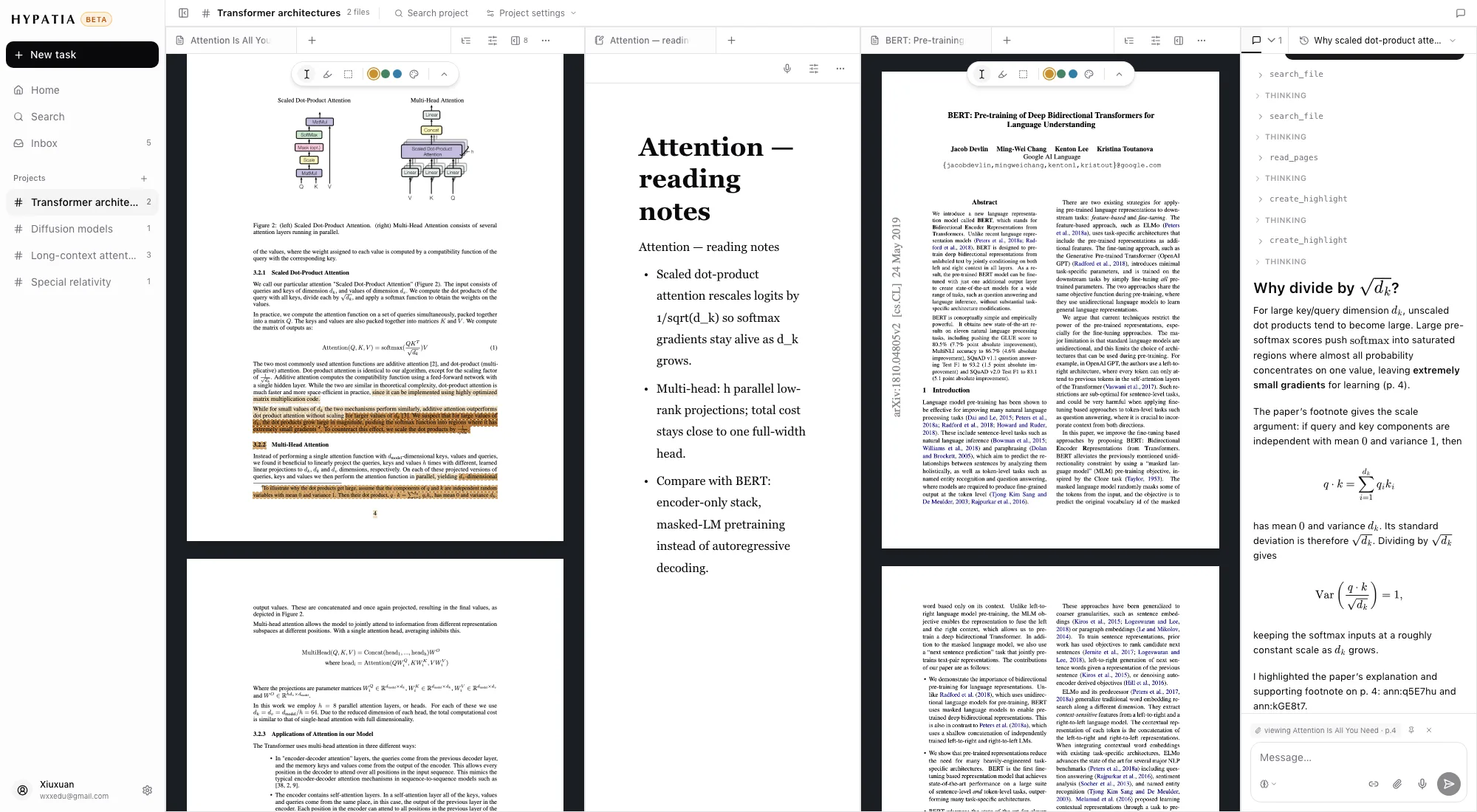
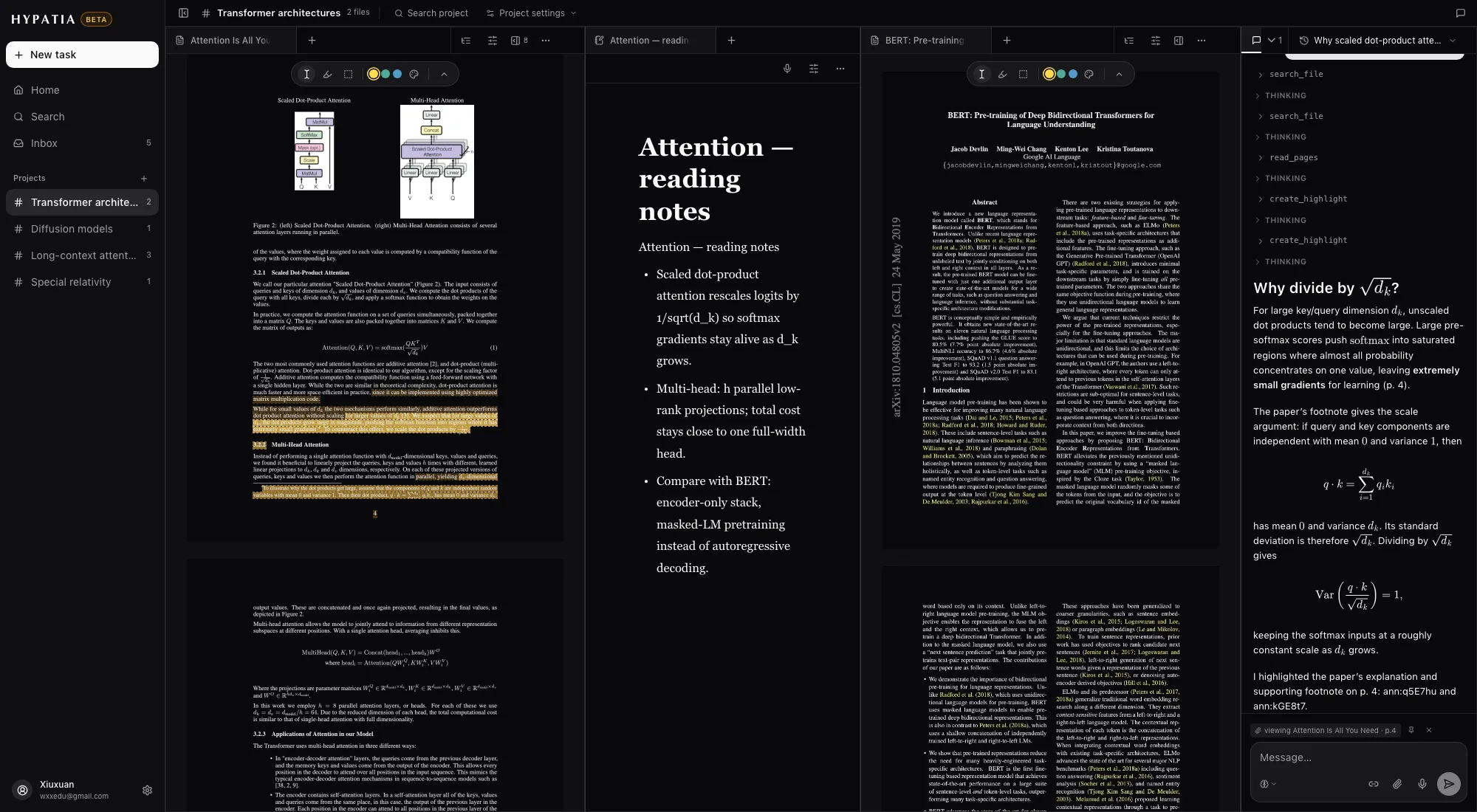
Fig. 1A project in the browser — a paper, your notes and the chat in one window.
01Collect
Everything you read comes into one library
Library & Inbox
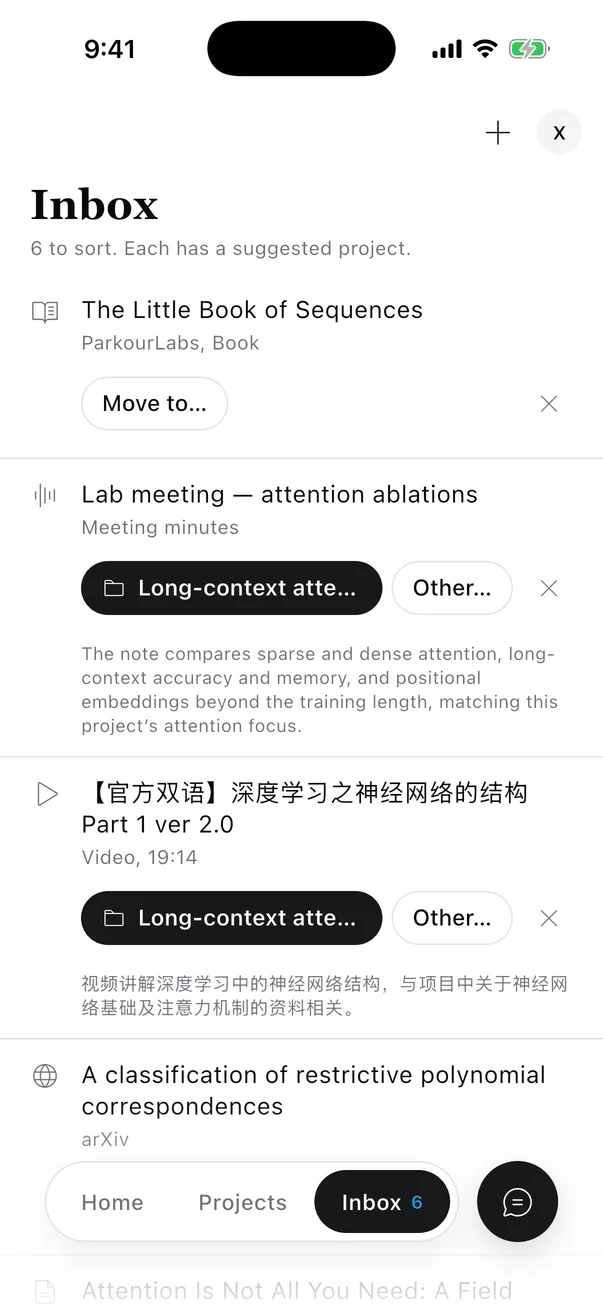
Imports wait in an Inbox with a suggested project
Paste an arXiv id or a link, drop in a file, or clip a page from Chrome. New items land in the Inbox, and ParkourNote suggests where each one belongs and says why.
- Papers from arXiv or any PDF, with title, authors and abstract attached. EPUB books, Markdown, web pages, YouTube and Bilibili videos, MP4 files, recordings, and Typst or LaTeX projects.
- For each item the Inbox suggests a project, or a new project when nothing fits. Accept with Enter, pick another with 1–9, snooze it until tomorrow or next week, or archive it. The suggestion is only a suggestion; nothing moves until you say so.
- Projects instead of folders. One item can sit in several projects, and deleting a project never deletes what's in it.
- Duplicates are recognised across the library, and a PDF's own highlights and notes can come along on import.
- Entries are listed newest first, with excerpts; open one and the full text reads in the tile.
- A feed lives in a project, next to the papers it leads to.
- Convert an entry into a document when it deserves highlights, translation or a question. Nothing is converted until you ask.
- OPML import and export.
- The layout belongs to the project and is still there tomorrow, on any computer you sign in from.
- Project Home lists what's in progress, unopened, annotated or long, with reading progress and pins.
- ⌘O opens any file, note, feed or project by name; ⌘⇧F searches the text, highlights and notes of a whole project.
- Five themes from Paper to Dark, and separate text sizes for the interface, documents and chat.
- Transcription keeps headings, formulas, tables and figures. Long books split into one document per chapter.
- Translation into eleven languages, shown under each block or in a second column beside the original, with maths and figures intact.
- A contents dock built from the paper's own structure steers both the PDF and the document.
- Select a word for a dictionary card — a built-in set plus MDX dictionaries you upload. Hover a link or citation on a PDF to see where it goes, and add a cited paper to the project in one click.
- It reads other pages, searches your library, the web and arXiv, and opens a related paper for you.
- Ask it to highlight something and the highlight is yours — anchored in the page and editable. Its answers cite pages you can click back to.
- Attach a selection, box a figure or formula, paste a screenshot, or dictate your question.
- Threads are kept per paper and per project, and all of them are in one list to pick back up.
- Sign in with OAuth — no API keys. You choose what it may do and can revoke it in Settings at any time.
- Link a page with a one-time instruction: the AI sees the paper you're reading and can turn to another page or file for you.
- It can search, read transcriptions and translations, list highlights, export citations, create notes and file papers into projects.
- Every call it makes shows up in the chat tile as it happens, and you can pause the link at any time.
- Start typing and the time is pinned; a frame from the player comes with the note.
- Each note carries a time chip that seeks the player back to that second.
- Ask the chat about the video and it knows where you are and what is on screen.
- The recording uploads as you talk. Pause and continue as often as you like.
- Every point in the minutes links to the moment it was said, playable in place.
- Notes you type while recording are tied to the time you typed them.
- Click a line on the page and the source opens at that line; edit the source and the page recompiles.
- Ask the chat for a change and it edits the source. Each change is a chip you can open to see the diff or revert.
- Select a passage and press ⌘K to rewrite it in place, or say the change out loud. Tag versions and download the PDF.
- On arXiv or a publisher's page, import the paper. On any other page, clip it as an article, with a full snapshot if you want one.
- On YouTube and Bilibili, take notes pinned to the time with a frame from the player, and ask about what's on screen.
- Select text on any page and ask about it from the small ParkourNote pill.
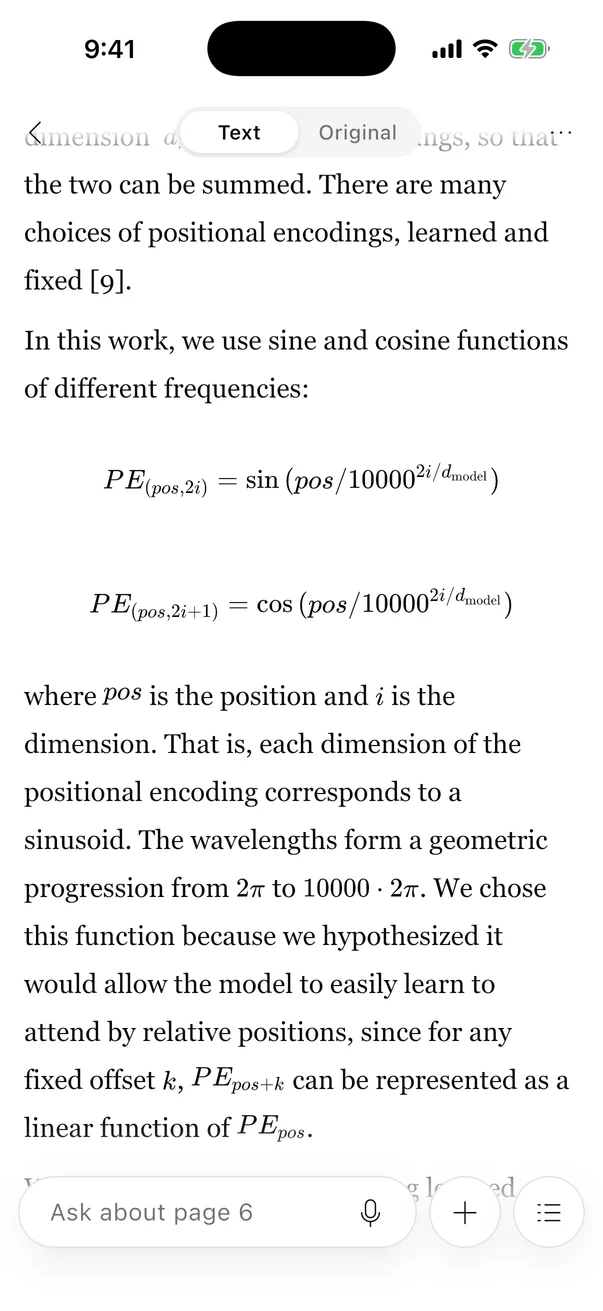
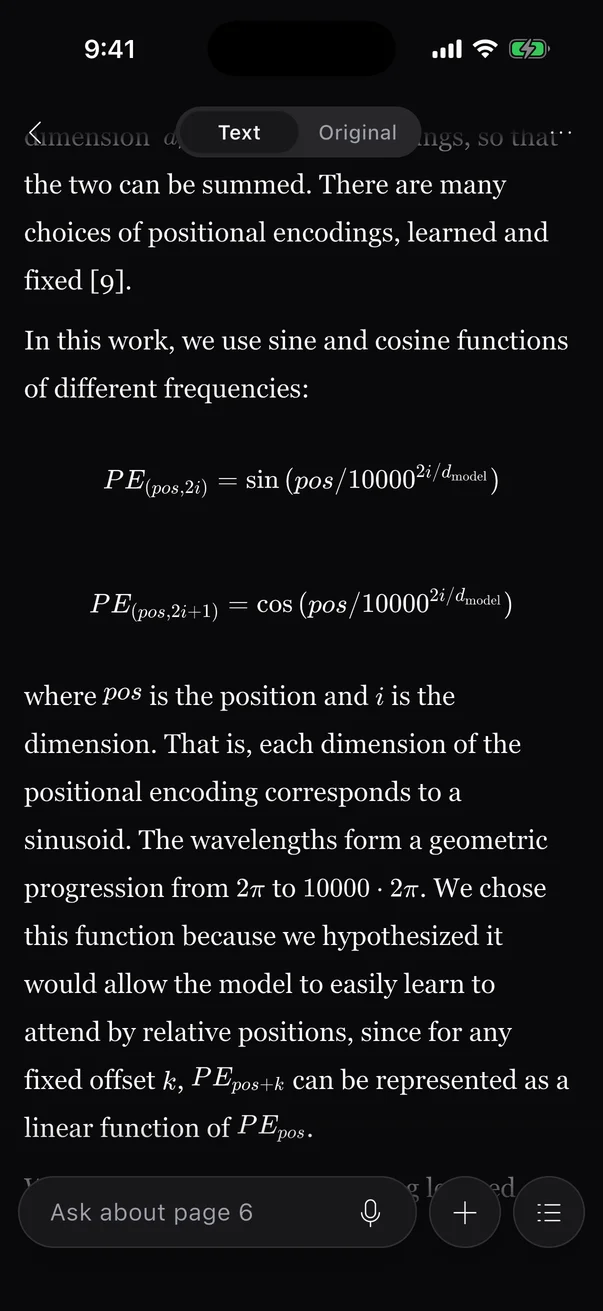
- Read transcriptions with formulas rendered, and switch to the original pages when you need them.
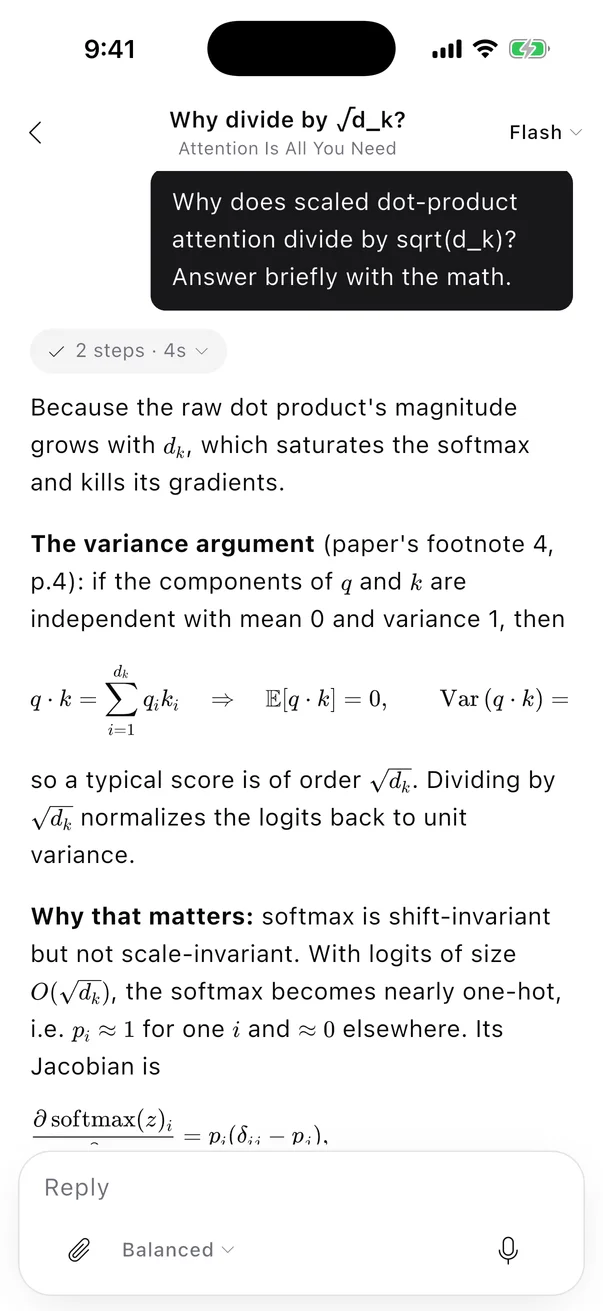
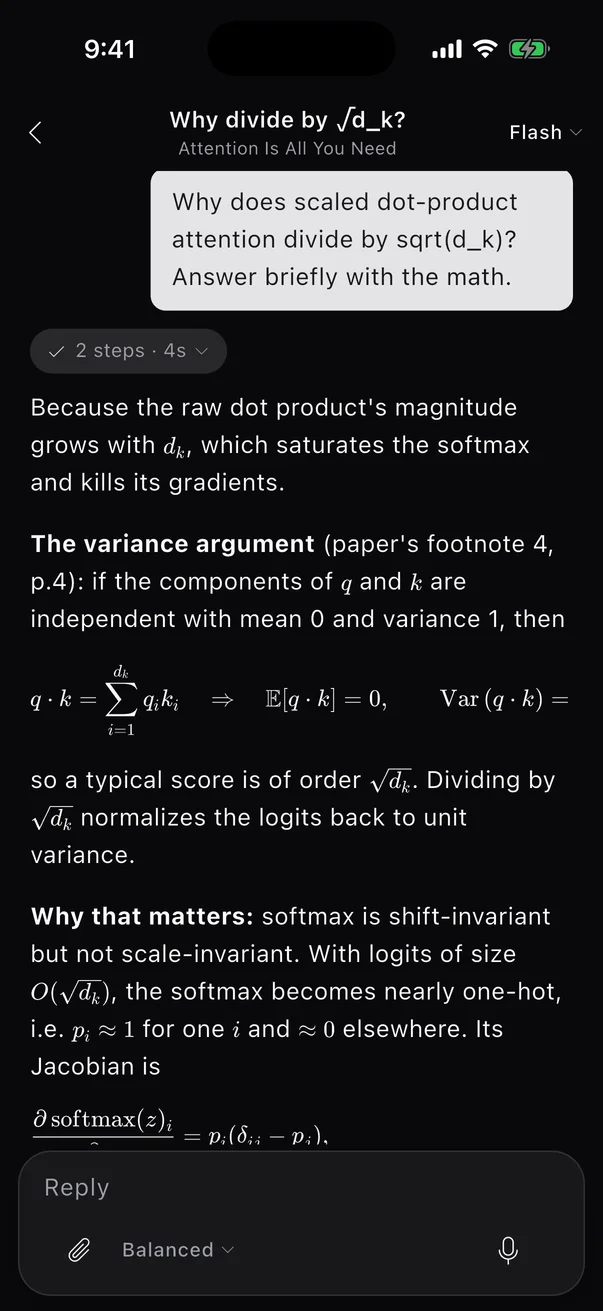
- Ask about the page from the bar at the bottom, by typing or by voice.
- Edit notes in a native editor. Select text to ask, rewrite or translate it.
- Record a meeting with the phone locked; the recording shows on the Lock Screen and the minutes are waiting when you stop.
- ### Citations APA, MLA, Chicago, Harvard and IEEE. Cite a selection in one click; export BibTeX, BibLaTeX, RIS or CSL JSON.
- ### Export Documents as Markdown with maths kept, rich text for Word, Pages or Notion, or the source as a zip — with translations if you like.
- ### Search ⌘F inside a document, ⌘⇧F across a project, ⌘O to jump anywhere. Chinese, Japanese and Korean text is searchable too.
- ### Dictionaries A built-in default set, plus MDX/MDD dictionaries you upload, shown with their original styling.
- ### Eleven translation languages Chinese (simplified and traditional), English, Japanese, Korean, French, German, Spanish, Russian, Brazilian Portuguese and Indonesian.
- ### Eleven interface languages English, 简体中文, 繁體中文, 日本語, 한국어, Español, Français, Deutsch, Português, Русский and Bahasa Indonesia — in the app, the extension and this site.
- ### Themes and text size Light, Paper, Sepia, Dusk and Dark, or follow the system. Documents can keep a theme of their own.
- ### Feedback that gets answered
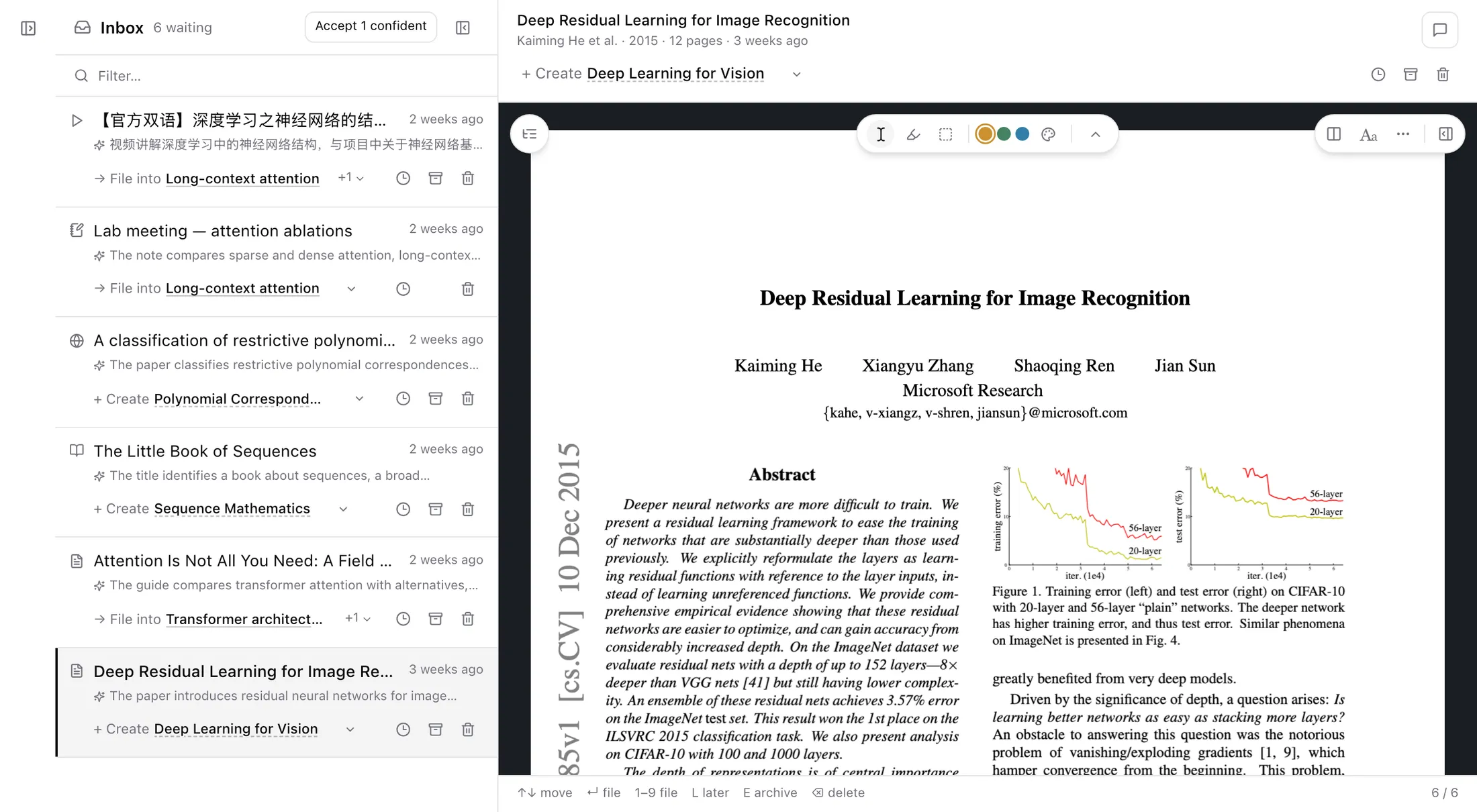
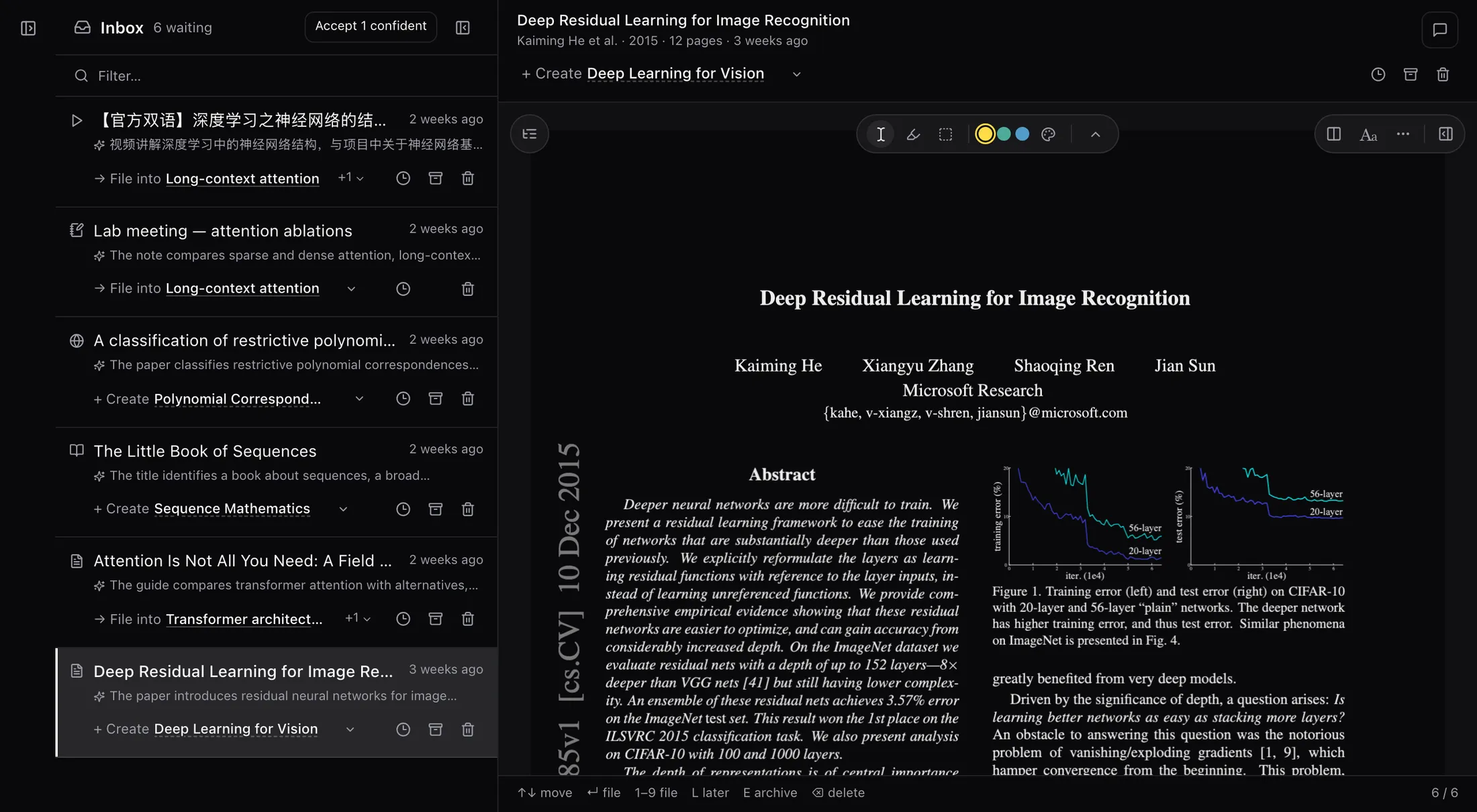
Fig. 2The Inbox — each import comes with a suggested project and a one-line reason.
Feeds
RSS, Atom and JSON feeds beside your papers
Subscribe to a journal, an arXiv category or a blog. Entries arrive in a feed tile and read in place.
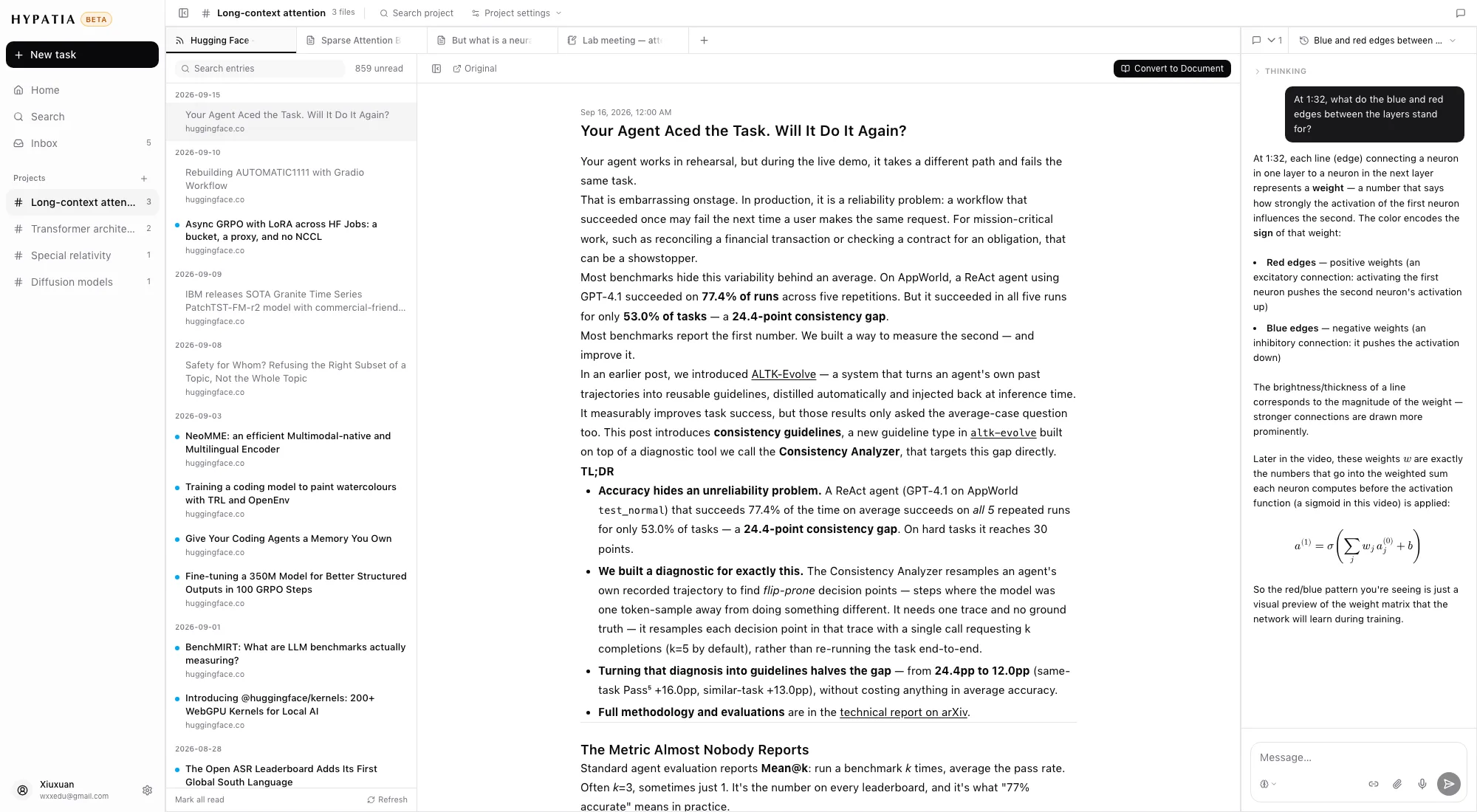
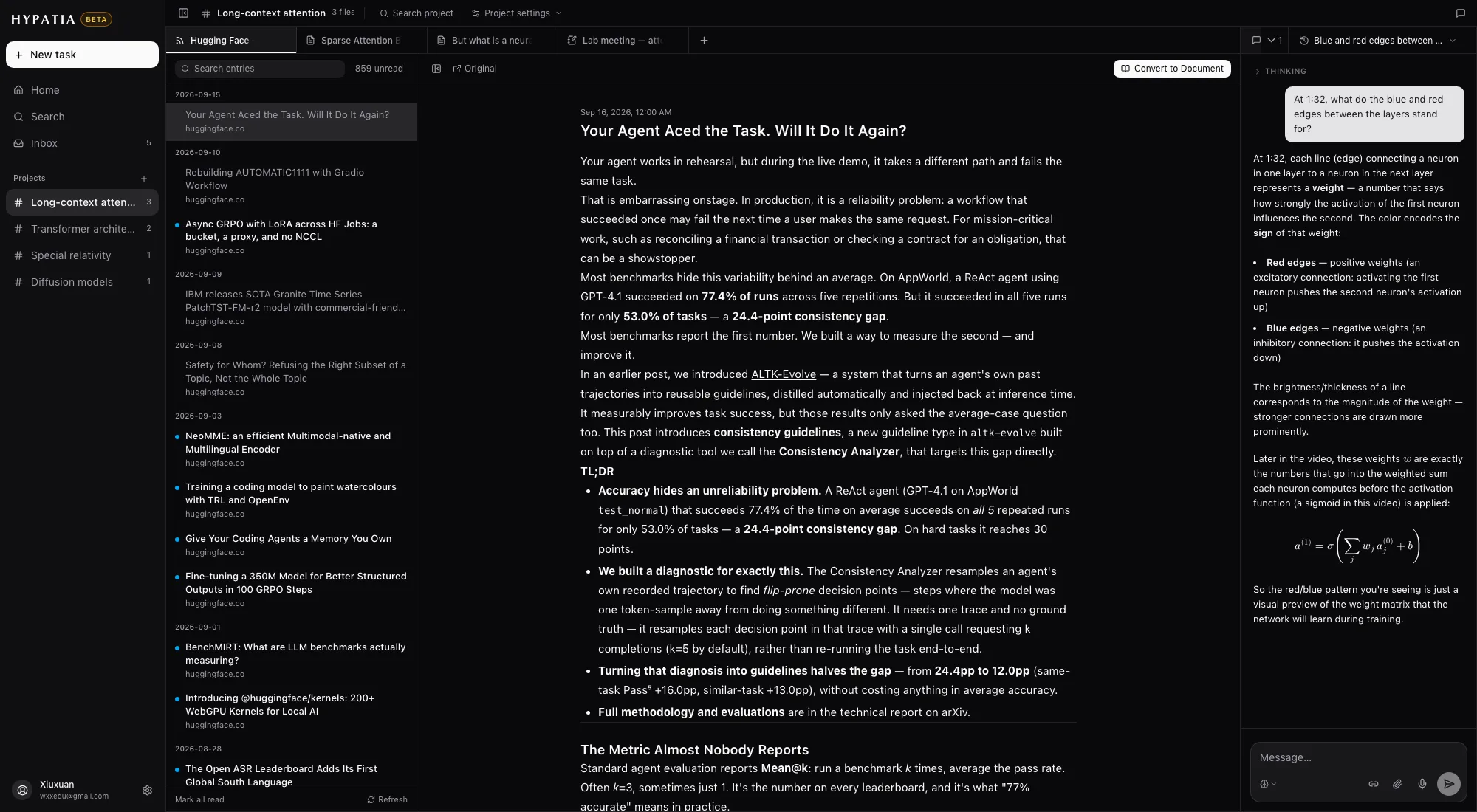
Fig. 3An arXiv feed inside a project — entries read in place, converted only on request.
02Read
Read the original, the text and the translation side by side
The workspace
Papers, notes and chat tiled in one window
Everything in a project opens as a tile: readers, notes, feeds and the chat. Split them, stack them and drag them where you want them.
Fig. 4One project, tiled — a paper, a reading note and the chat.
The reader
Transcription and translation, block by block
Transcribe the pages you choose into an editable document, then translate it. Each block of text stays linked to its place on the page.
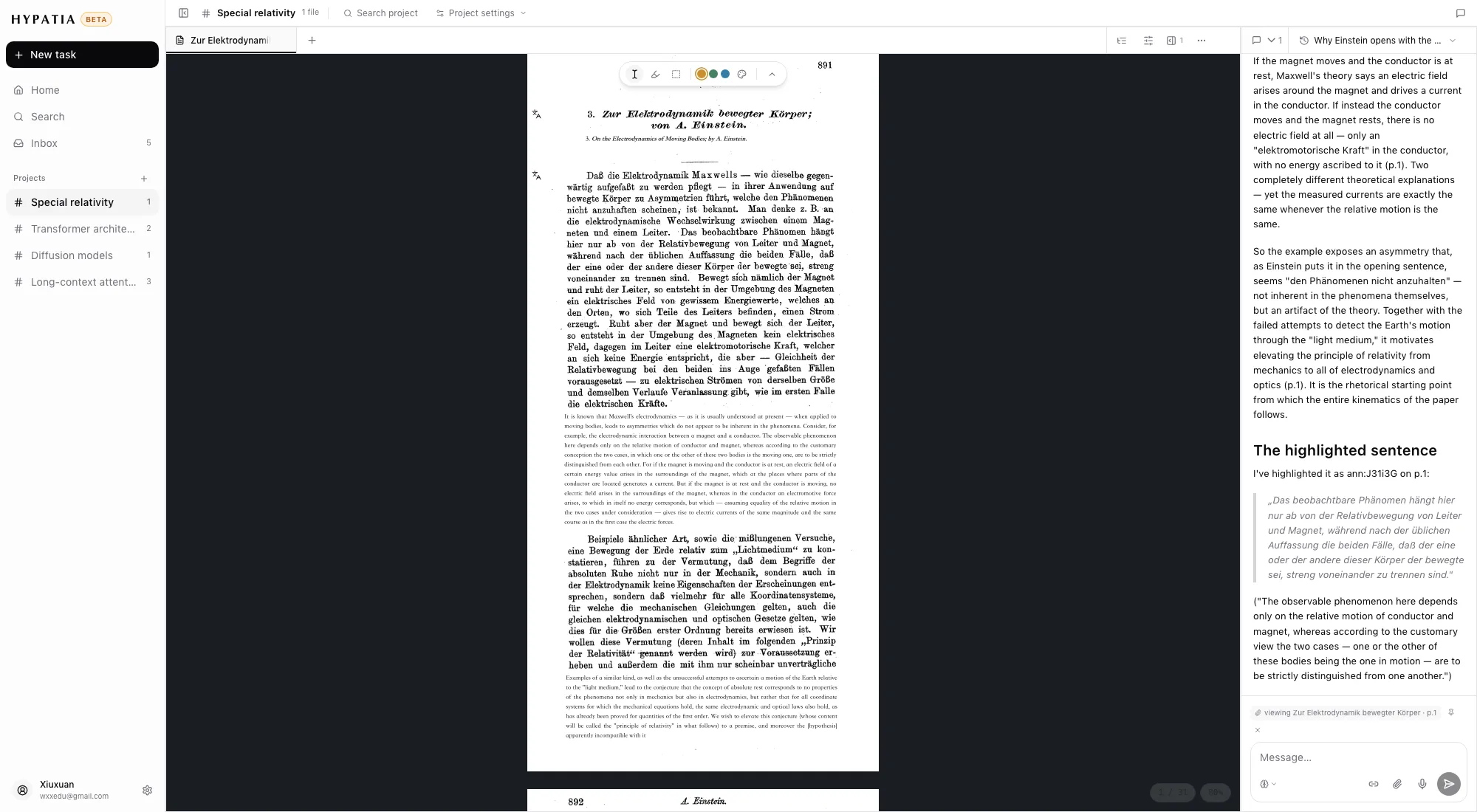
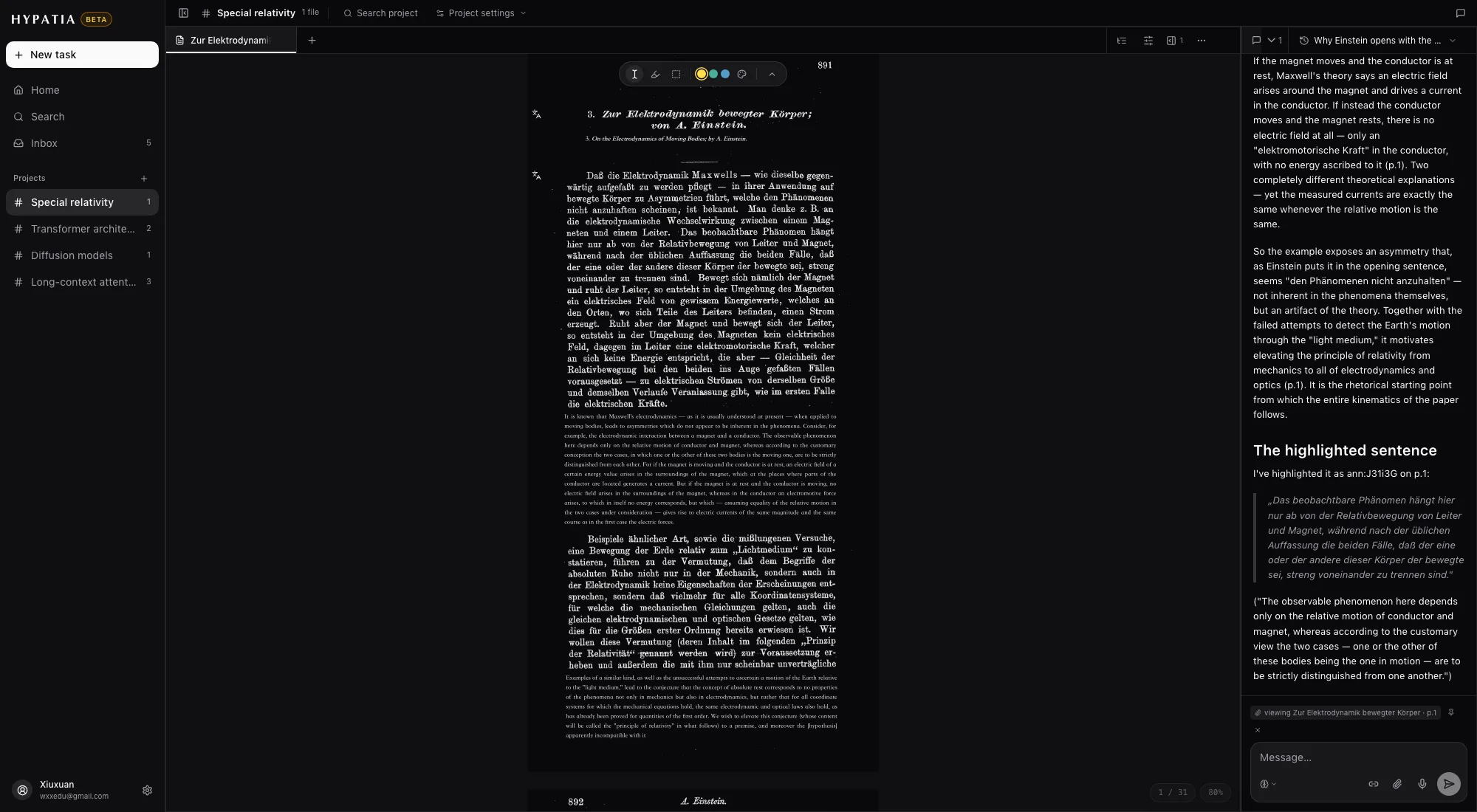
Fig. 5The transcription beside its translation, block by block.
03Ask
Ask about the page you're on
The chat
A chat that has read the page with you
Every message carries what you can see: the visible pages, the passages you attached and the note in focus.
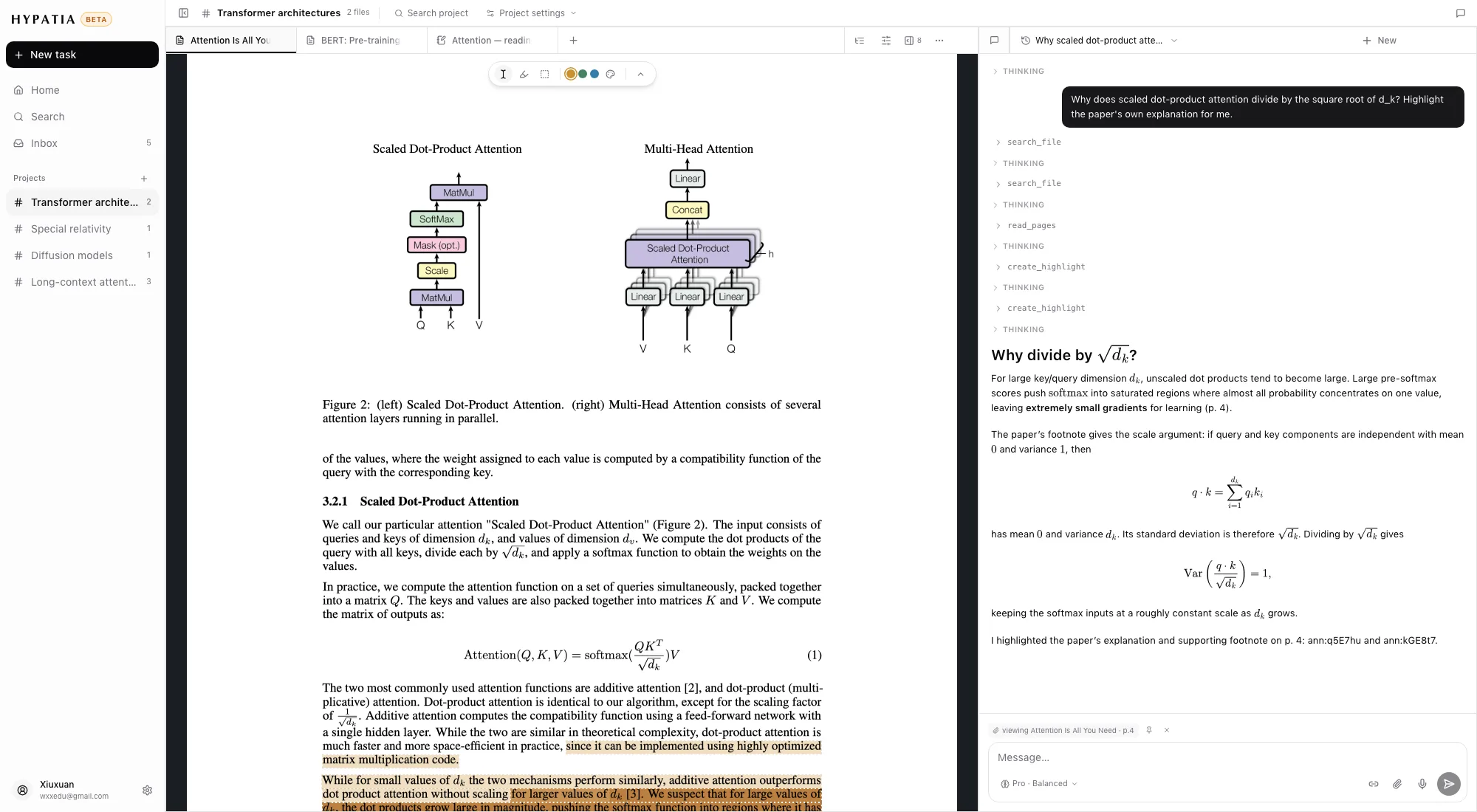
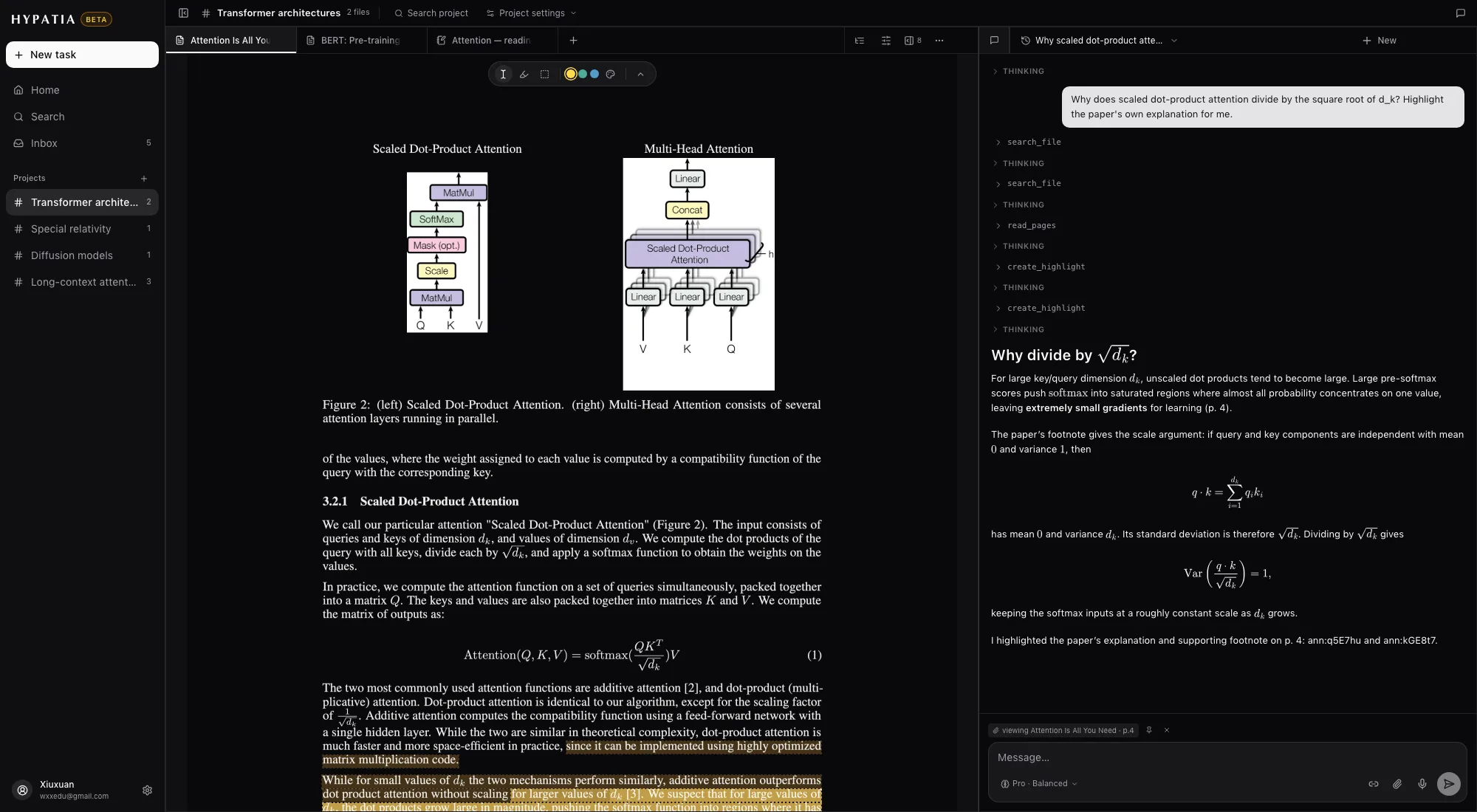
Fig. 6Ask about the page you're on — the answer can leave highlights behind.
Your own AI
Claude, ChatGPT and Codex can read your library
ParkourNote is also an MCP server. Connect Claude, Claude Code, ChatGPT or Codex once, and a conversation there can search your library, read papers and notes, and follow the page you have open.
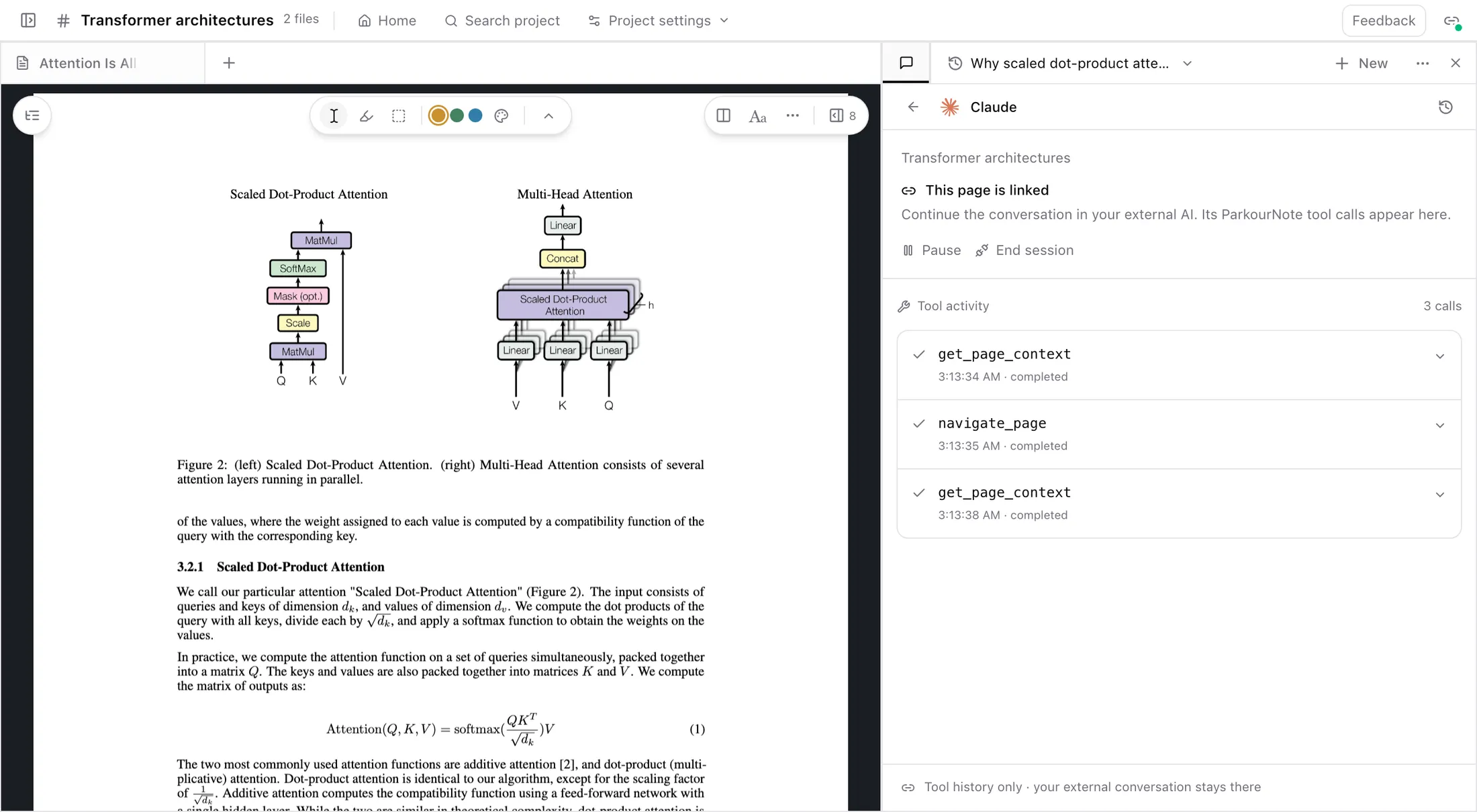
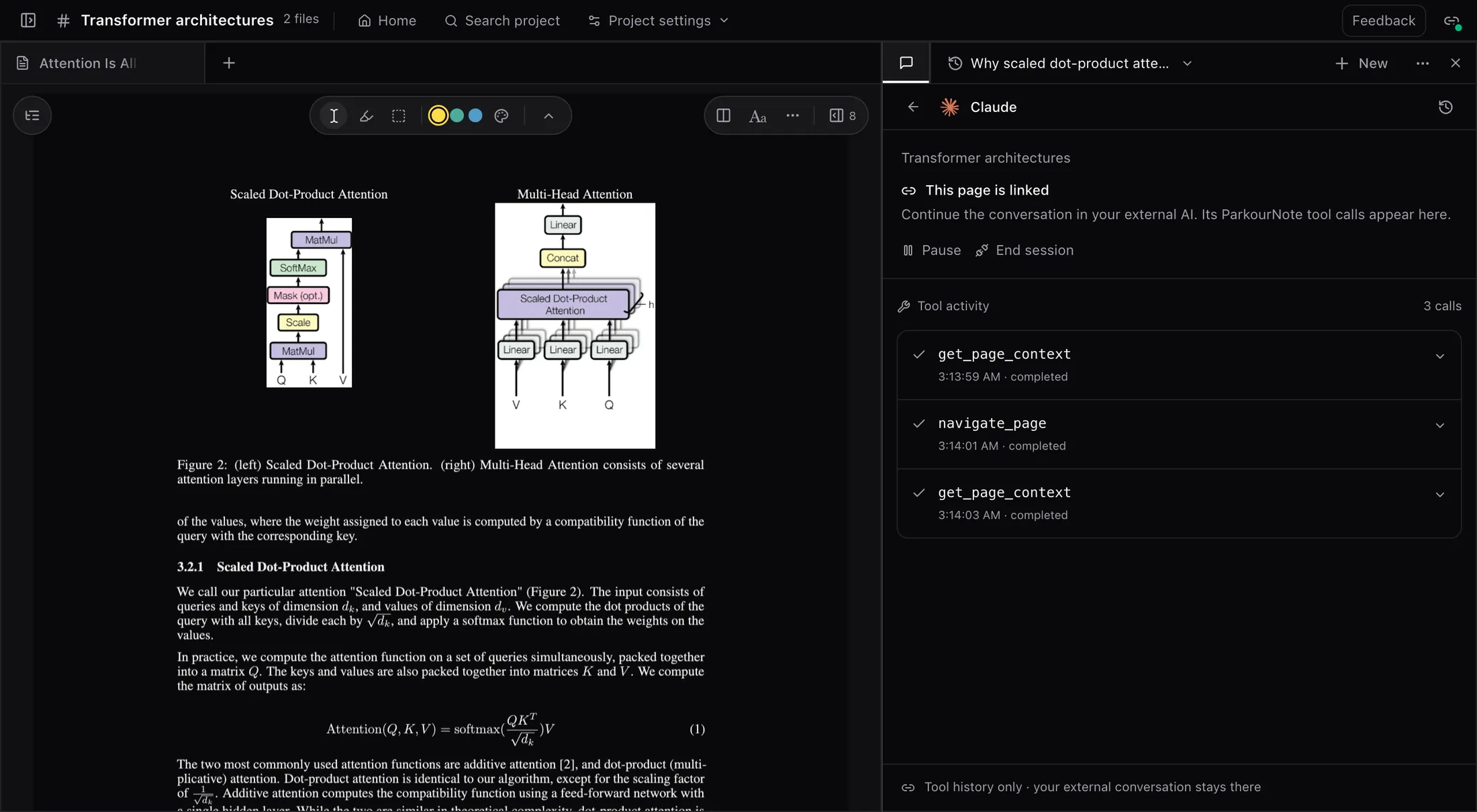
Fig. 7Claude linked to the open paper — each tool call it makes appears in the chat tile.
04Notes & writing
Take notes on anything, and write in the same place
Video notes
Notes pinned to the moment in a video
Paste a YouTube or Bilibili link or upload an MP4. The video opens as a tile, next to the papers it goes with.
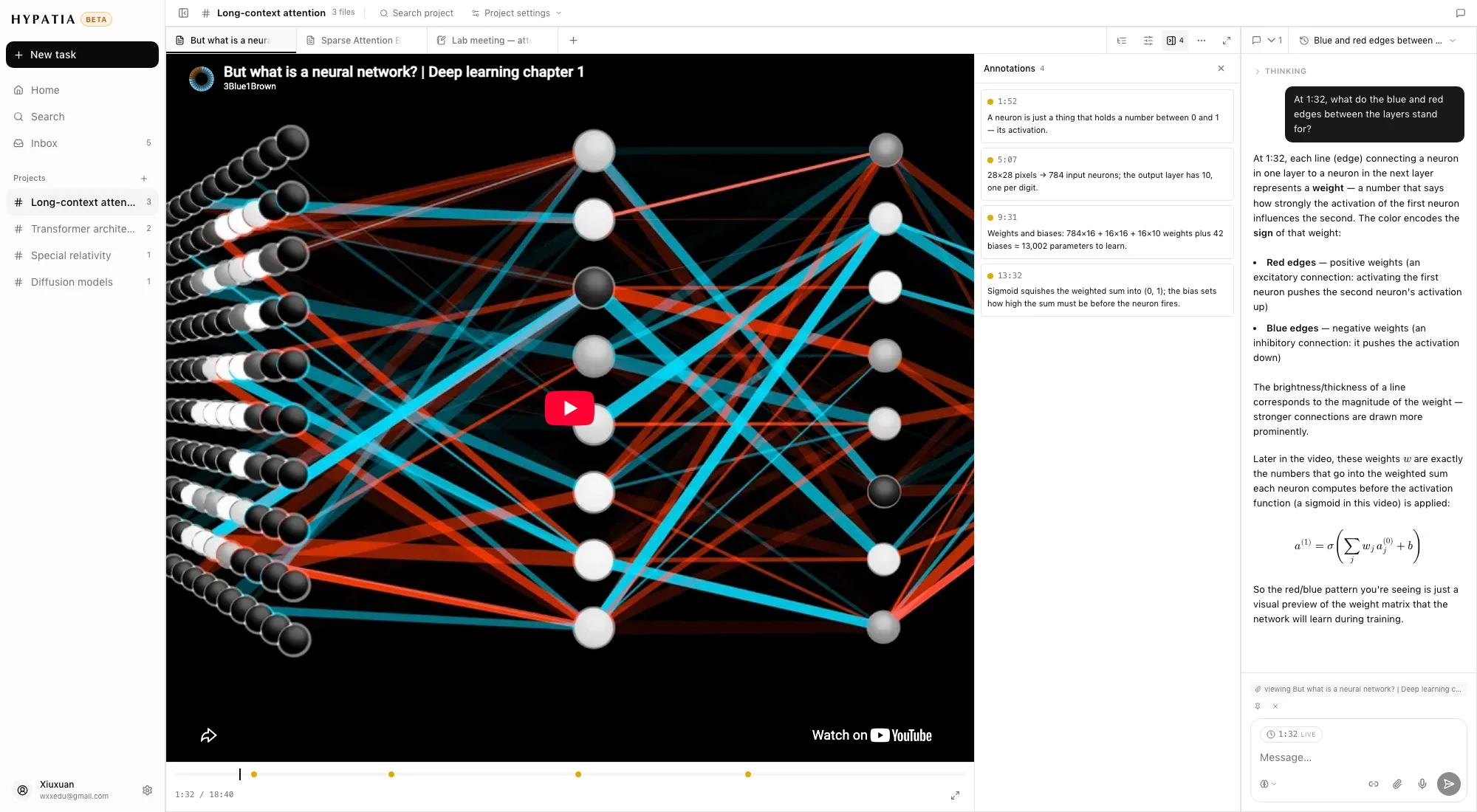
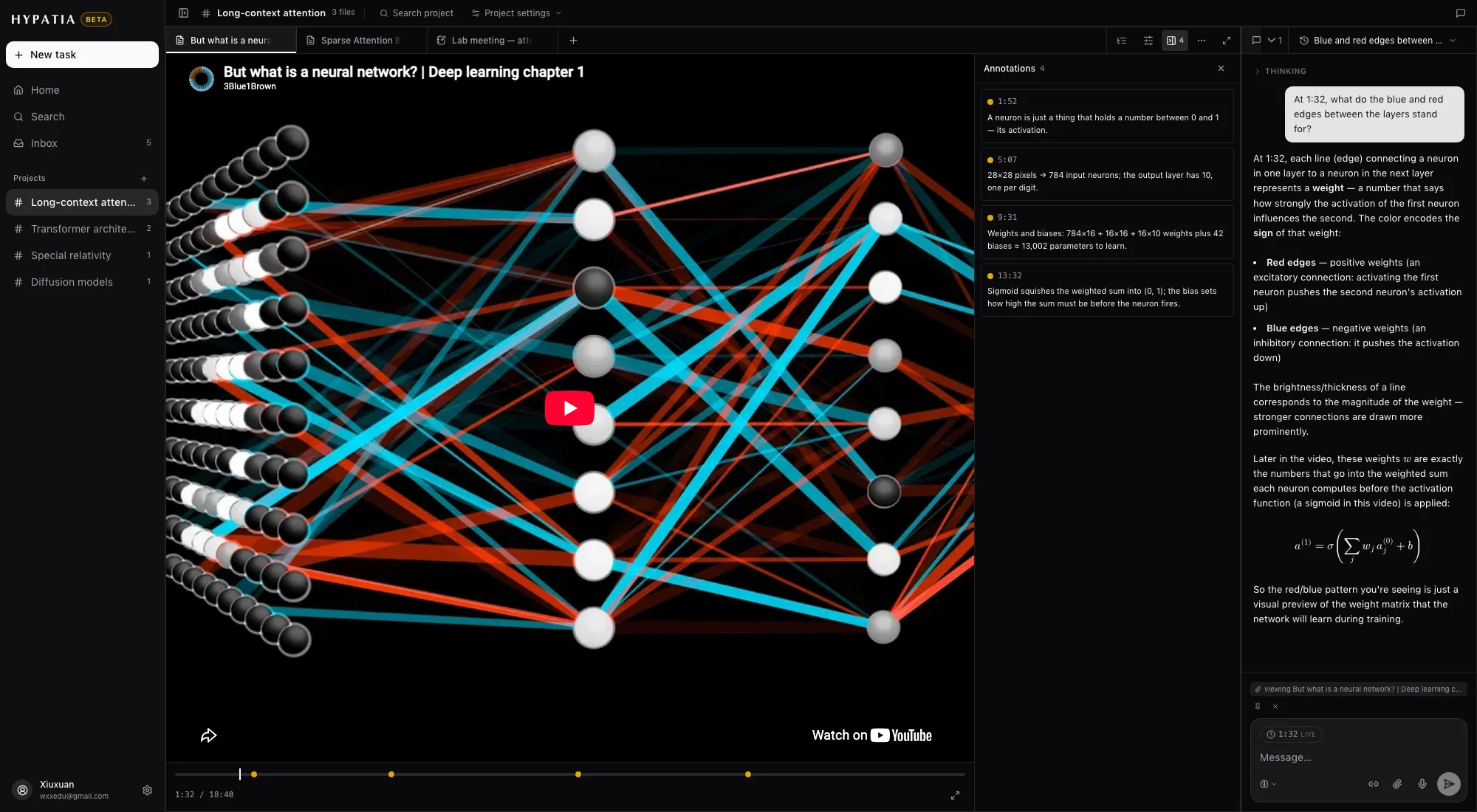
Fig. 8A lecture in the reader — notes on the side, each anchored to the second it was written at.
Recordings
Record a meeting and get the minutes
Record from the browser or the phone. When you stop, the recording is transcribed and the minutes are written for you.
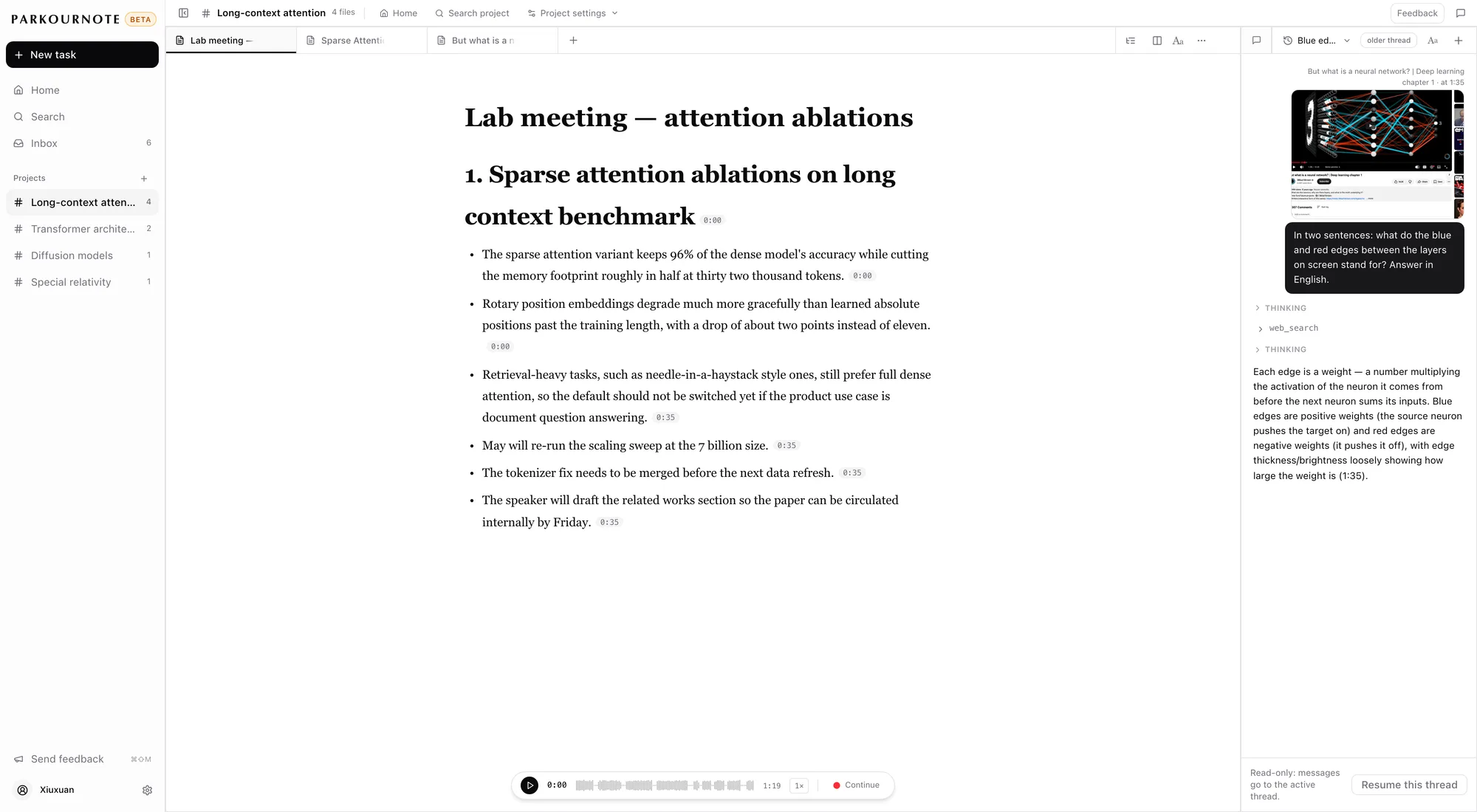
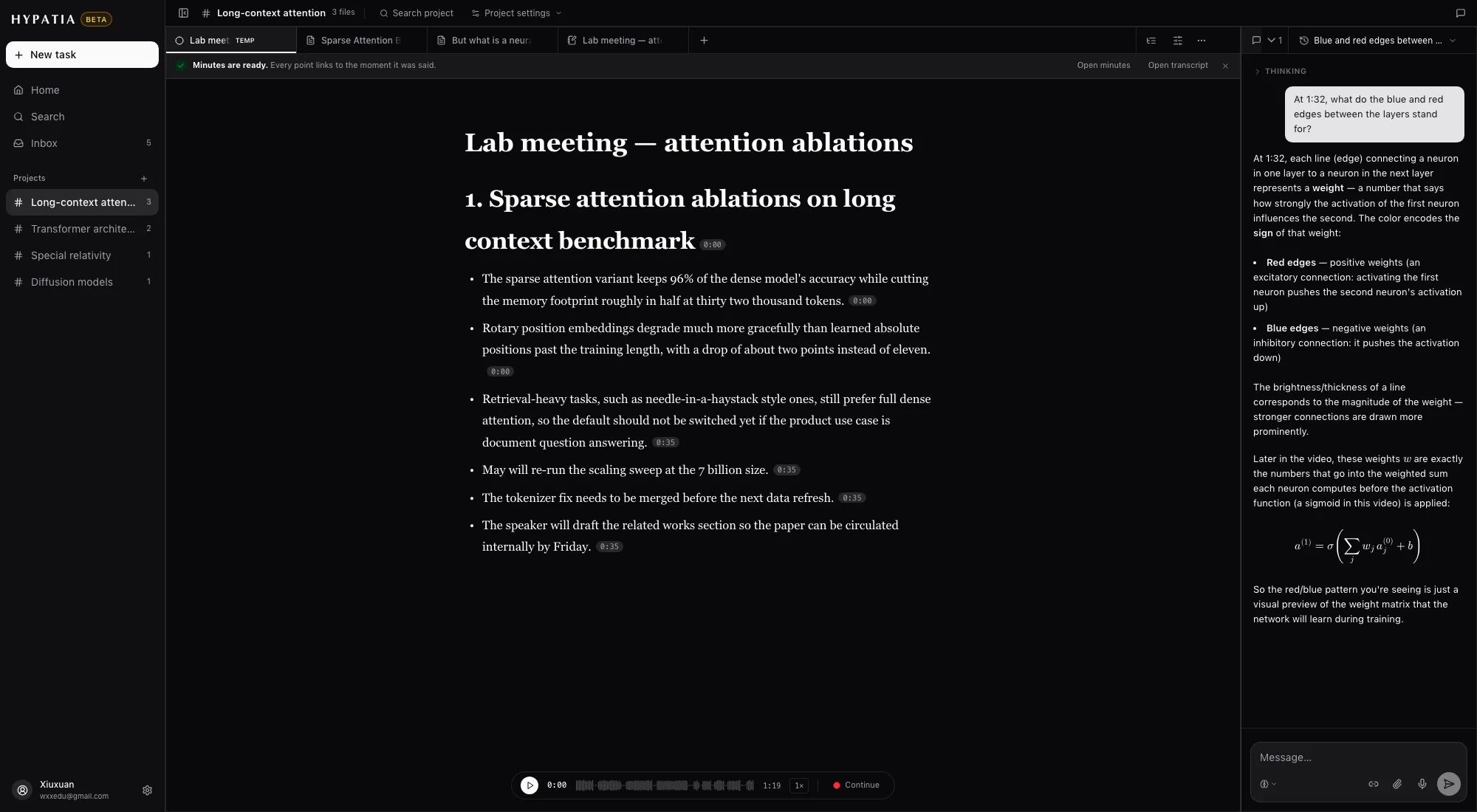
Fig. 9A recorded lab meeting — minutes with time chips, next to the paper it was about.
Writing
Typst and LaTeX documents, compiled as you write
Start from a template or upload a .typ, a .tex or a whole project. The compiled pages open in the reader like any paper.
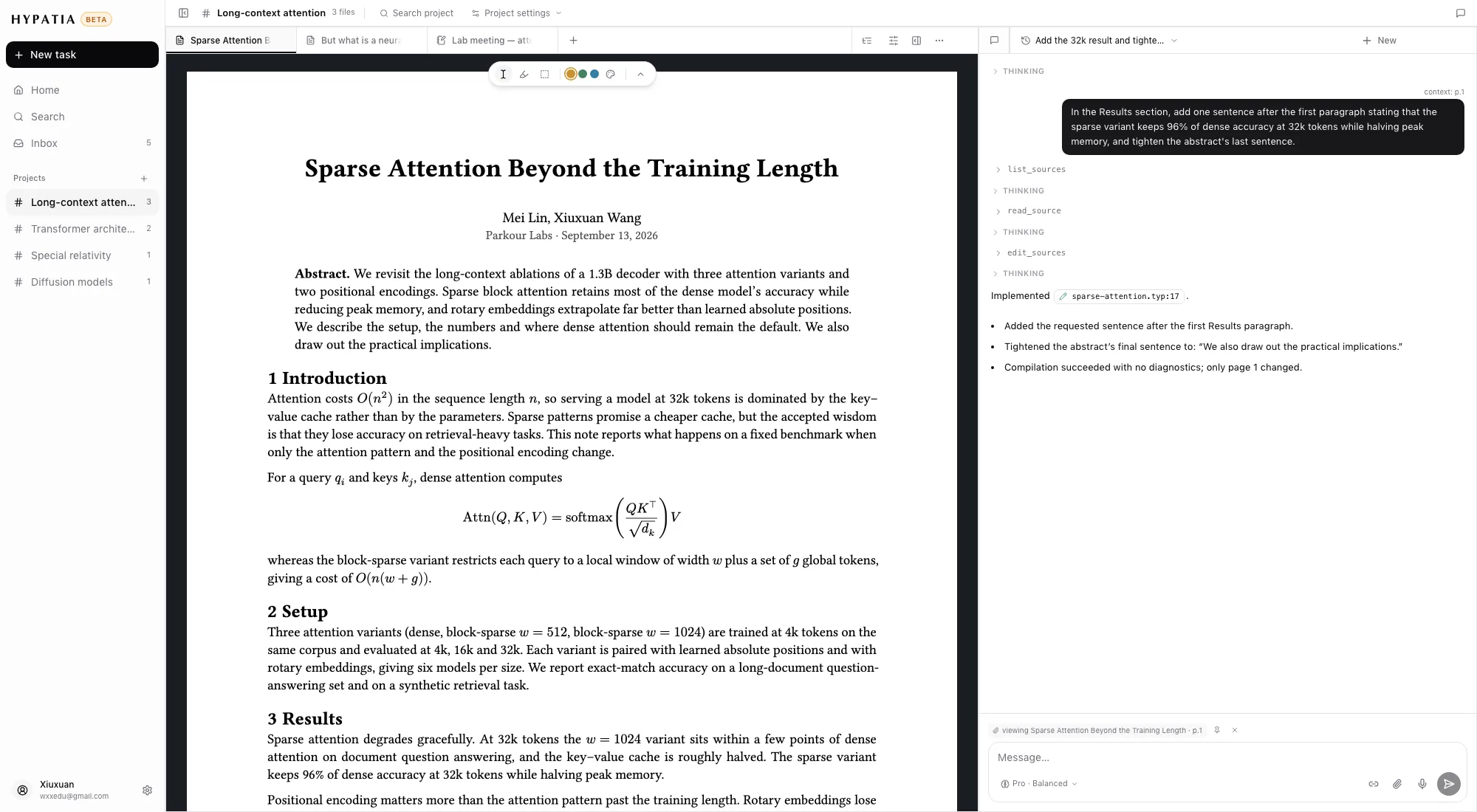
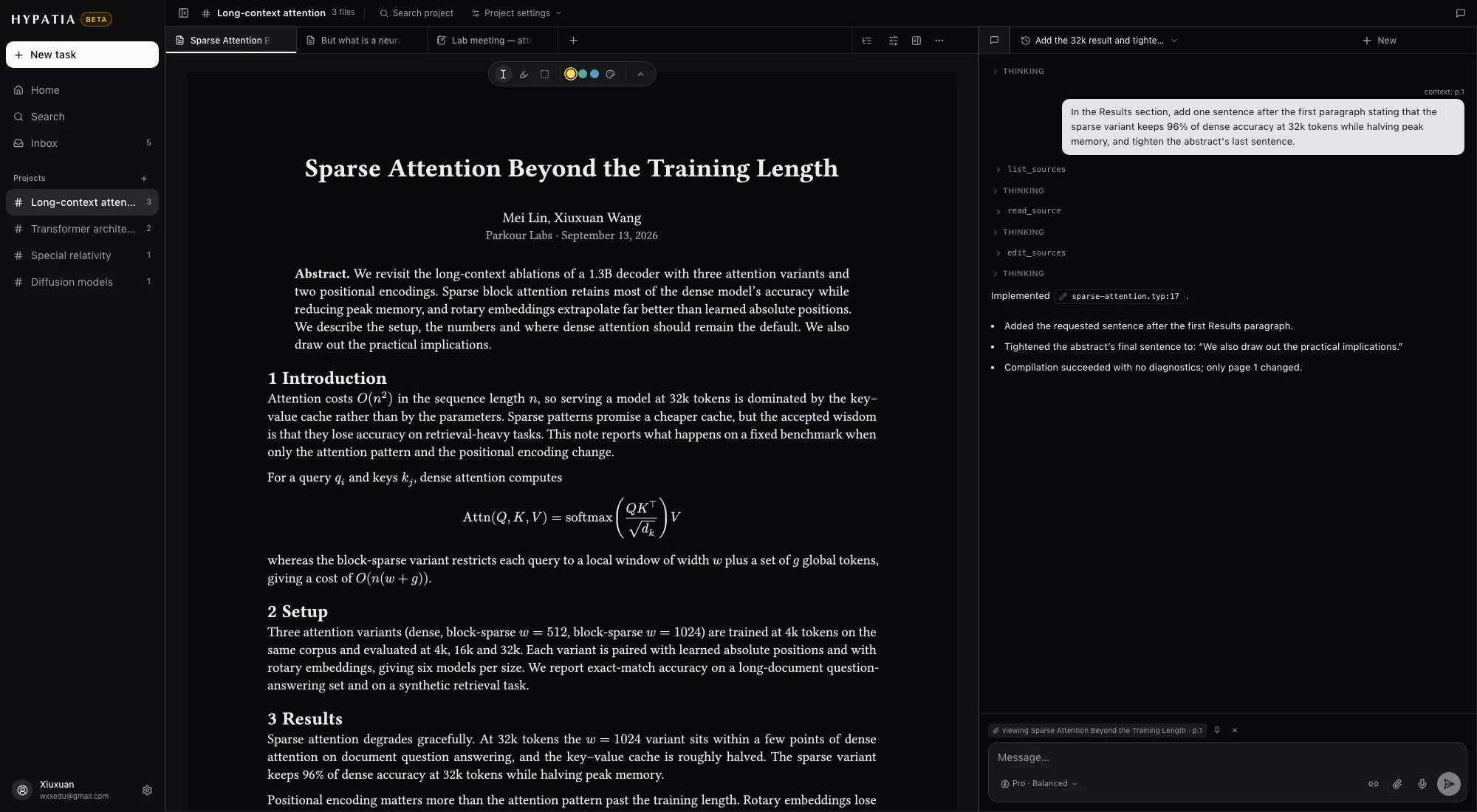
Fig. 10A Typst paper — the chat edited its source and the page recompiled.
05Everywhere
In Chrome and on your phone
Chrome extension
ParkourNote in Chrome's side panel
Open the side panel on any page to ask about it, clip it or import it. It uses the same account and library.
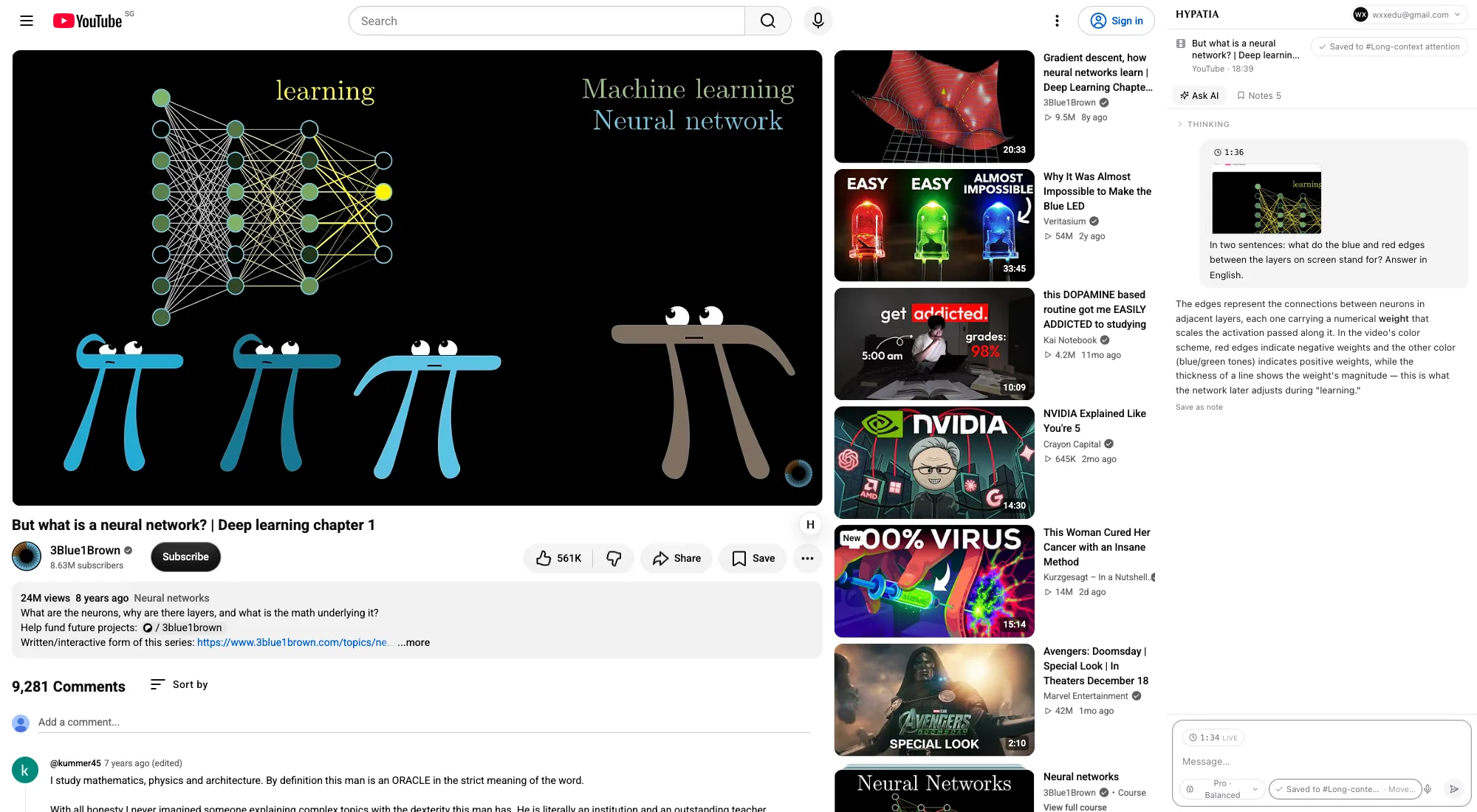
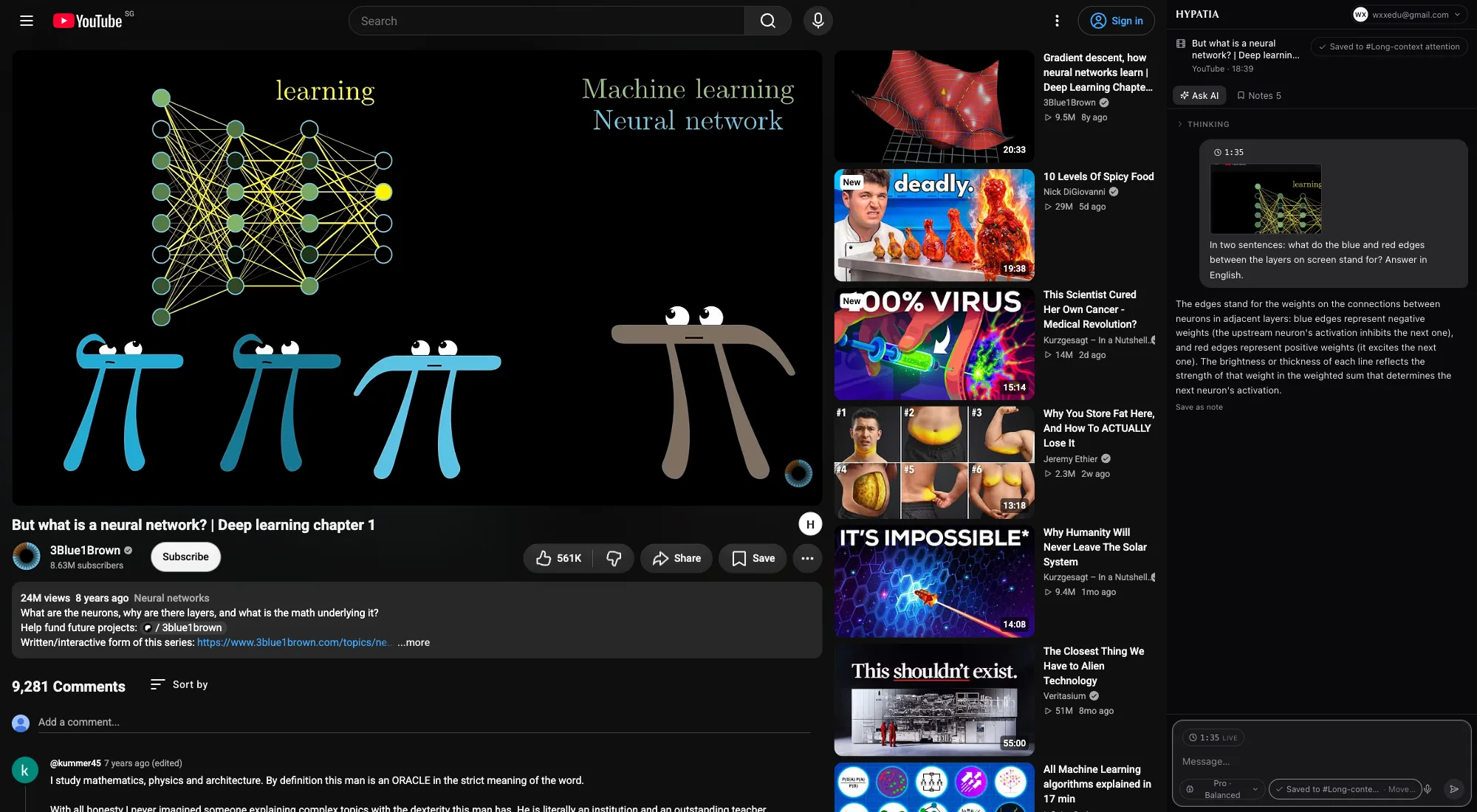
Fig. 11A lecture with the side panel open — a note saved with a frame from the player, and a question answered about that moment.
iPhone & iPad
Your library on the phone
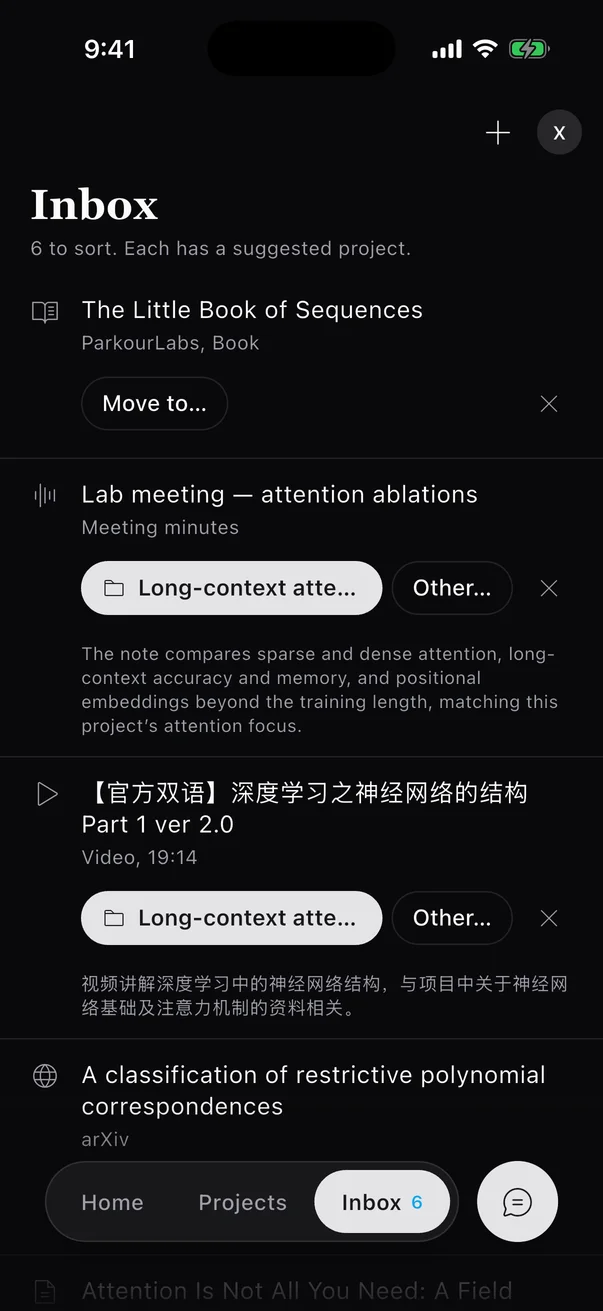
A native app for iPhone and iPad, currently in testing. It reads and edits the same library, and notes sync live with the browser.
Reading
Asking
Filing
Fig. 12A native app for iPhone and iPad, currently in testing. It reads and edits the same library, and notes sync live with the browser.
Also included
Smaller things that matter when you read for a living.
Start with the paper you're reading now
Make an account, paste an arXiv id or a link, and open it — transcription, translation, notes and questions included.