Slide the edge.
Set the level.Slide the edge. Set the level.
Haptiker turns the sides of your Mac trackpad into sliders for volume, brightness and keyboard light.
Buy for $4.99Try free for 7 days
Three edges. Three sliders.
Volume, on the right
Slide up for louder, down for quieter. Double-tap the edge to mute.
The on-screen level shows where sound is going: MacBook speakers, headphones, a display, or muted.
Brightness, on the left
Changes whichever screen your cursor is on, external monitors included.
Keyboard light, along the top
Slide sideways across the top edge to light the keys.
It stays out of the way.
Edge gestures only fire when you mean them. Scrolling, dragging and pointing stay exactly as they were.
Ignored
Starts on the edge
A finger that slides in from the middle is ignored.
Just scrolls
One finger only
Two-finger scrolls are ignored, even at the edge.
Along the edge
The slide has to run along the edge, not across it.

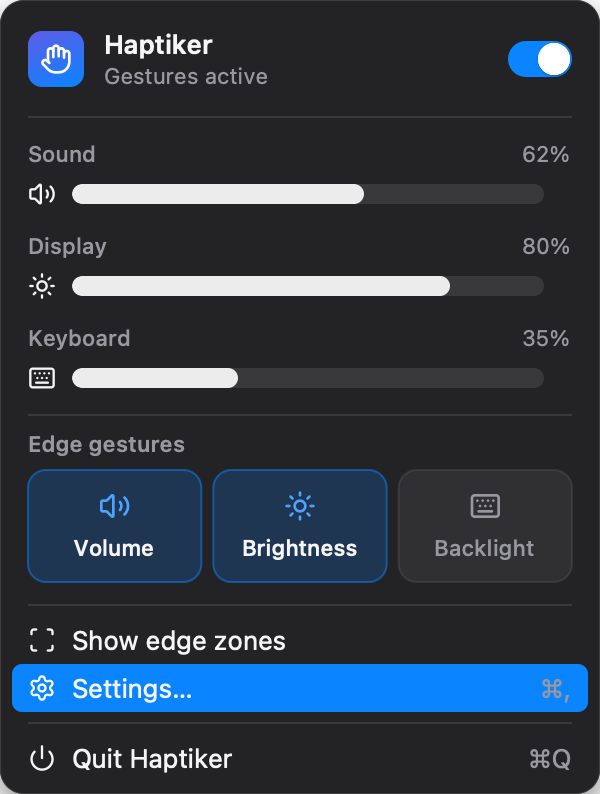
Tune it from the menu bar.
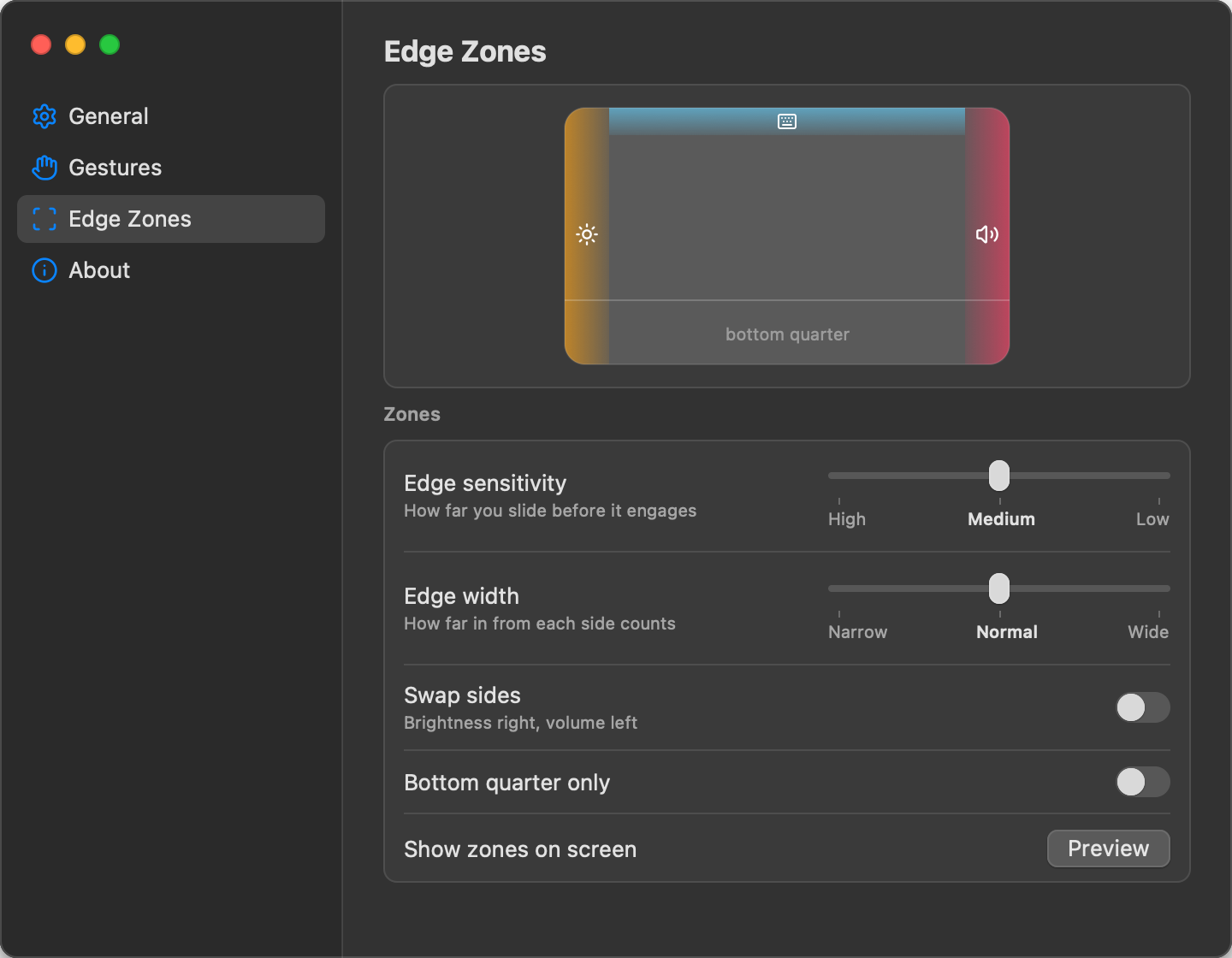
Pick how wide the edges are, how far a slide travels before it engages, and which side does what. The zones light up on screen while you adjust them.
- Edge width
- Sensitivity
- Swap sides
- Bottom quarter only
- Double-tap actions
- Launch at login
- macOS 12 or later
- Apple Silicon and Intel
- Built-in and Magic Trackpad
HAPTIKERLaunch price
$4.99
$7.99after launch week
One-time purchase. 7-day free trial.
Try free. Pay once.
Use every feature for 7 days. If it earns its place, buy it once and use it on every Mac you own. No subscription, no account.
Buy for $4.99Try free for 7 days
Before you buy
Can I try it before I buy?Yes. Every feature works for 7 days with no account and no card. After that, a one-time purchase unlocks it for good.
Will it get in the way when I scroll?No. A gesture only starts when one finger lands on the edge and slides along it. Two-finger scrolls and normal pointing are ignored.
Does it work with external monitors?Yes. Brightness follows the display under your cursor, including external monitors on Apple Silicon Macs. Some monitors and adapters don't support brightness control.
Does it work with a Magic Trackpad?Yes, and with the built-in trackpad on any MacBook with a Force Touch trackpad.