An API-as-code workbench for the terminal.
GET200
An API-as-code workbench for the terminal.
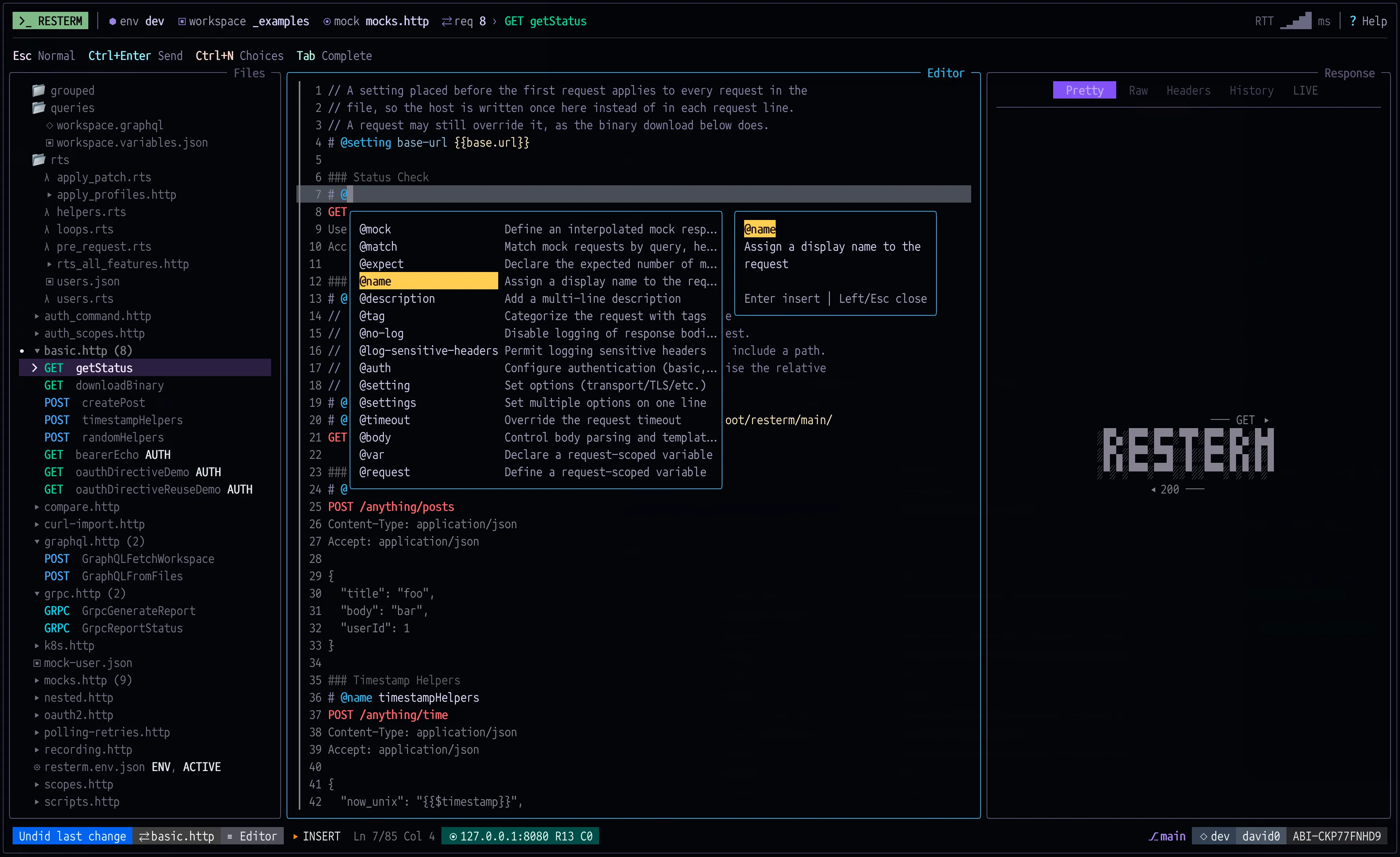
Resterm is an API client that keeps requests in plain `.http` files next to your code. Send them from a keyboard-driven TUI, or run the same files in CI with `resterm run`.
`$ brew install resterm`copy
HTTPGraphQLgRPCWebSocketSSEmacOS, Linux, WindowsApache-2.0
Screens
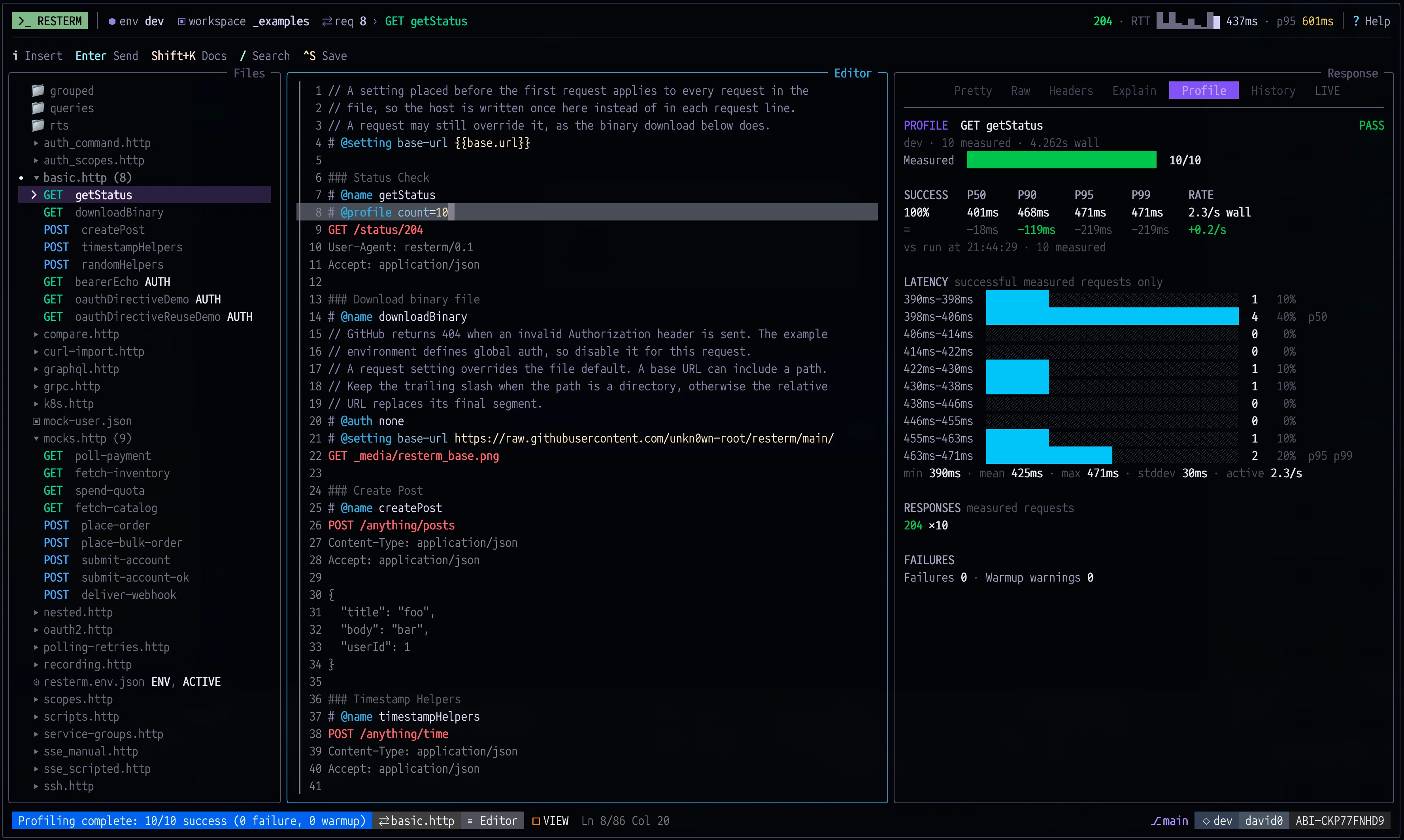
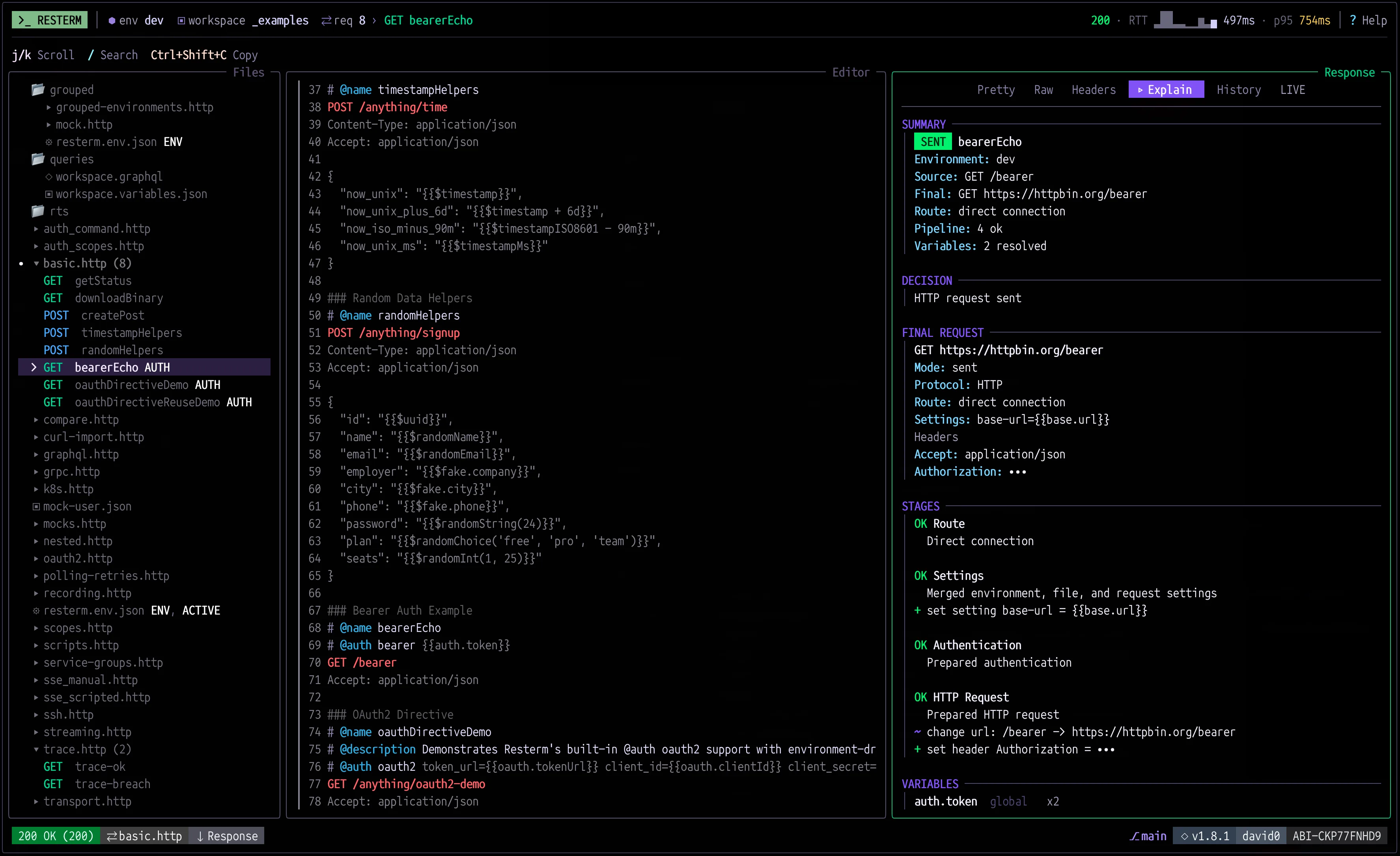
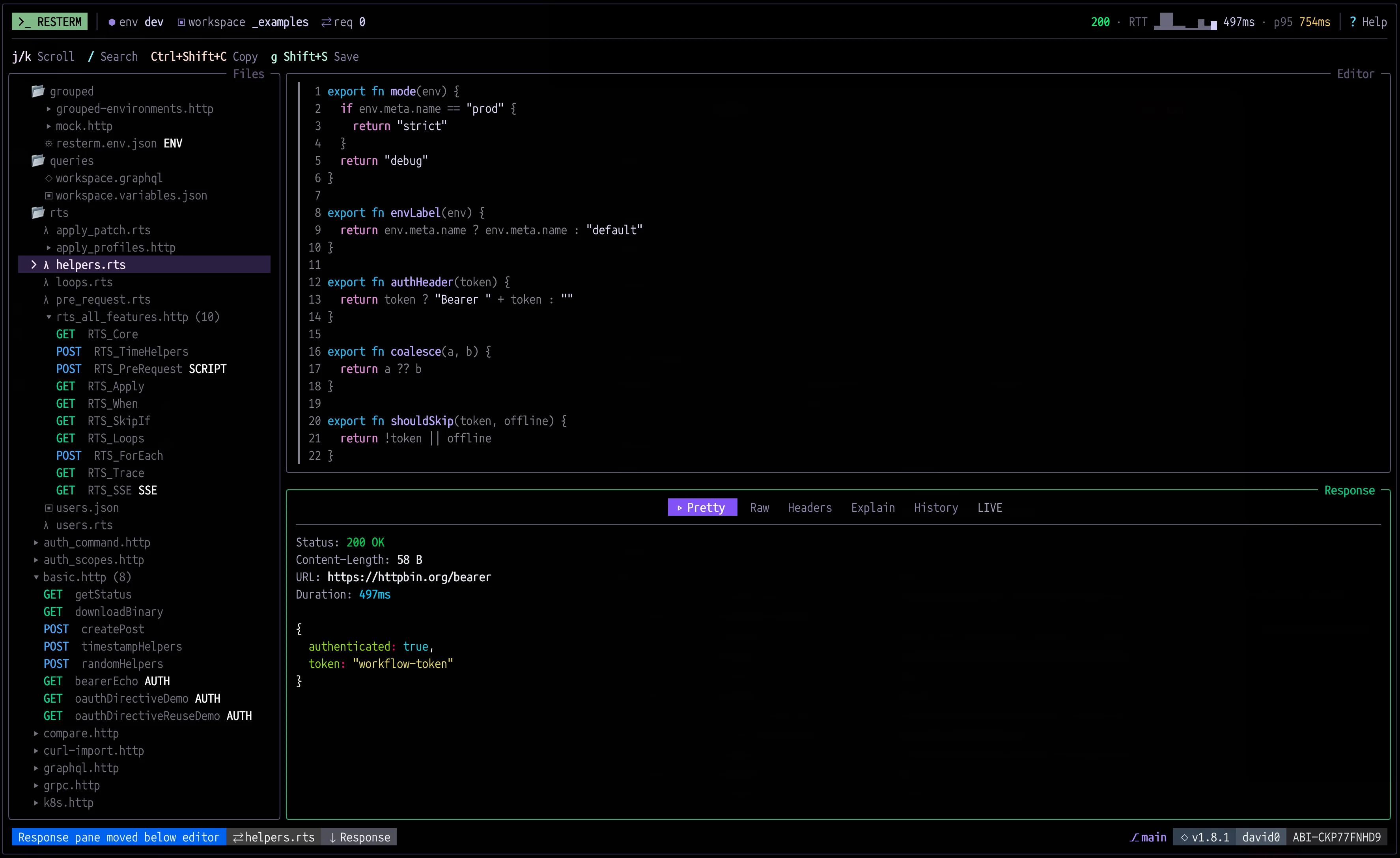
EditorWorkflowTimelineProfilerExplainRestermScript


requests.http
### Mock: say hello
@mock method=POST path=/hello
@match json={"kind":"greeting"}
HTTP/1.1 200 OK
Content-Type: application/json{"message":"hello from the mock","name":{{json.body.name}}}
Mock: create a member
@mock method=POST path=/users
@match headers={"Authorization":{"prefix":"Bearer "}} json={"role":"member"}
HTTP/1.1 201 Created
Content-Type: application/json{"id":{{json.body.id}},"name":{{json.body.name}}}
Say hello
@name Hello
@assert response.statusCode == 200
@assert response.json("name") == "Resterm"
POST {{base.url}}/hello
Content-Type: application/json{"kind":"greeting","name":"Resterm"}
Create users from a list of names
@name CreateUsers
@for-each ["ada","linus","grace"] as name
@auth bearer {{auth.token}}
@assert response.statusCode == 201
@assert response.json("name") == name
POST {{base.url}}/users
Content-Type: application/json{"id":"user-{{= name }}","name":"{{= name }}","role":"member"}
Terminal
$ resterm mock requests.http & Mock server listening on http://127.0.0.1:8080 (2 routes, 2 scenarios) $ resterm run --env dev --all requests.http Running 2 target(s) from requests.http with env dev PASS POST Hello [200 OK in 12.5625ms] Source Target: {{base.url}}/hello Effective Target: http://127.0.0.1:8080/hello PASS FOR-EACH POST CreateUsers [3 passed, 0 failed, 0 skipped in 2.807625ms] 1. PASS POST CreateUsers (1/3) [201 Created in 958.5µs] 2. PASS POST CreateUsers (2/3) [201 Created in 789.708µs] 3. PASS POST CreateUsers (3/3) [201 Created in 928.375µs] Summary: total=2 passed=2 failed=0 skipped=0
$ resterm mock requests.http &Mock server listening on http://127.0.0.1:8080 (2 routes, 2 scenarios)$ resterm run --env dev --all requests.httpRunning 2 target(s) from requests.http with env devPASS POST Hello [200 OK in 12.5625ms] Source Target: {{base.url}}/hello Effective Target: http://127.0.0.1:8080/helloPASS FOR-EACH POST CreateUsers [3 passed, 0 failed, 0 skipped in 2.807625ms] 1. PASS POST CreateUsers (1/3) [201 Created in 958.5µs] 2. PASS POST CreateUsers (2/3) [201 Created in 789.708µs] 3. PASS POST CreateUsers (3/3) [201 Created in 928.375µs]Summary: total=2 passed=2 failed=0 skipped=0$
features.http (10)
- HTTPrequest-filesPlain .http and .rest files. Directives in # @ comments add names, captures, asserts and settings.
- GRPCprotocolsHTTP, GraphQL, gRPC, WebSocket and SSE, all from the same editor.
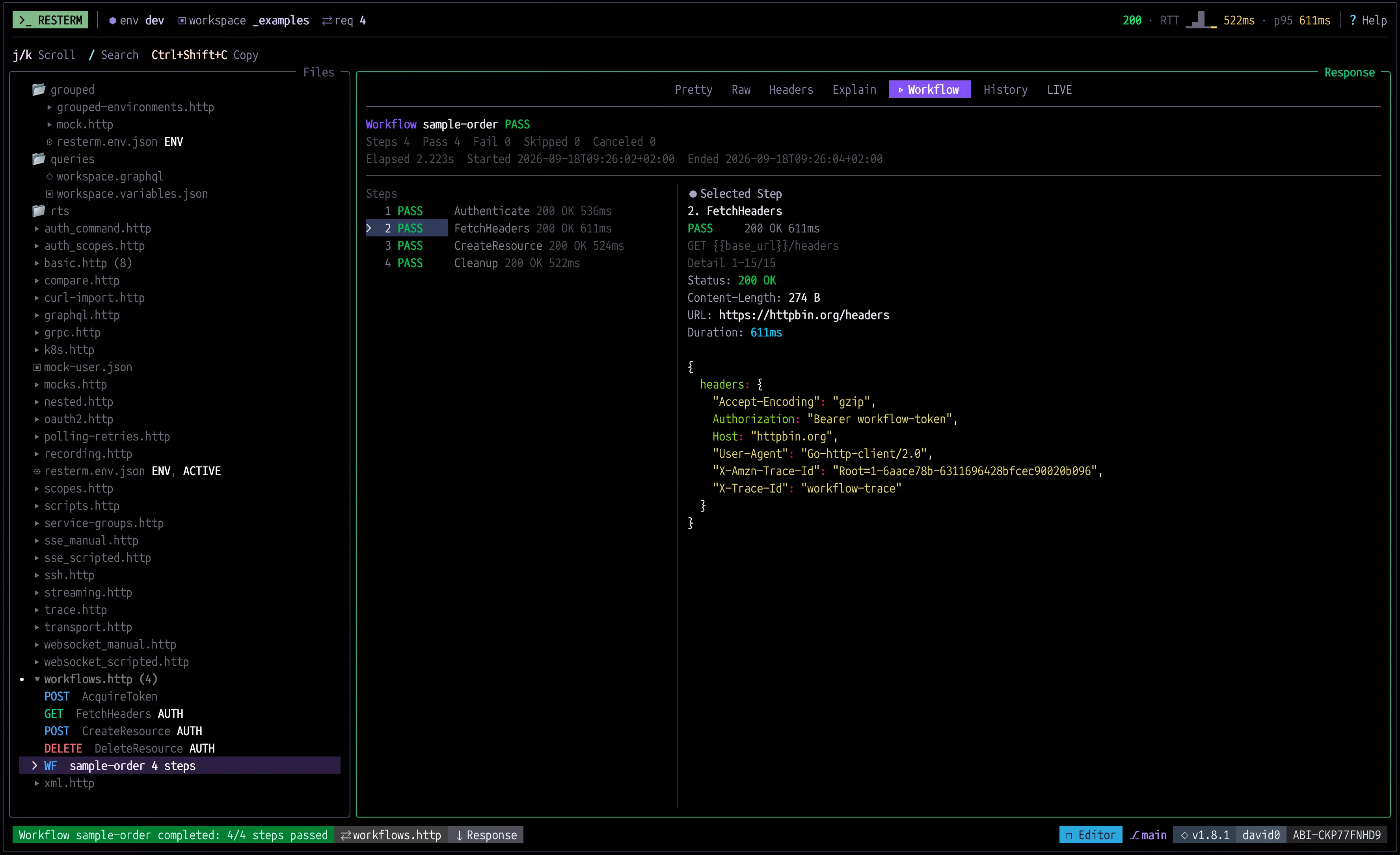
- WFworkflowsChain requests into steps. Capture values, assert on responses, branch with @if and loop with @for-each.
- MOCKmock-serversMock responses live next to the requests they stand in for, with matching rules and sequences.
- RECrecordingPoint your app at the Resterm proxy and save its traffic as requests, mocks or both.
- AUTHauthenticationOAuth 2.0 with PKCE, or reuse tokens from CLIs you already have, like gh auth token.
- SSHtunnels@ssh and @k8s send a request through a bastion or a port-forward that Resterm opens and closes.
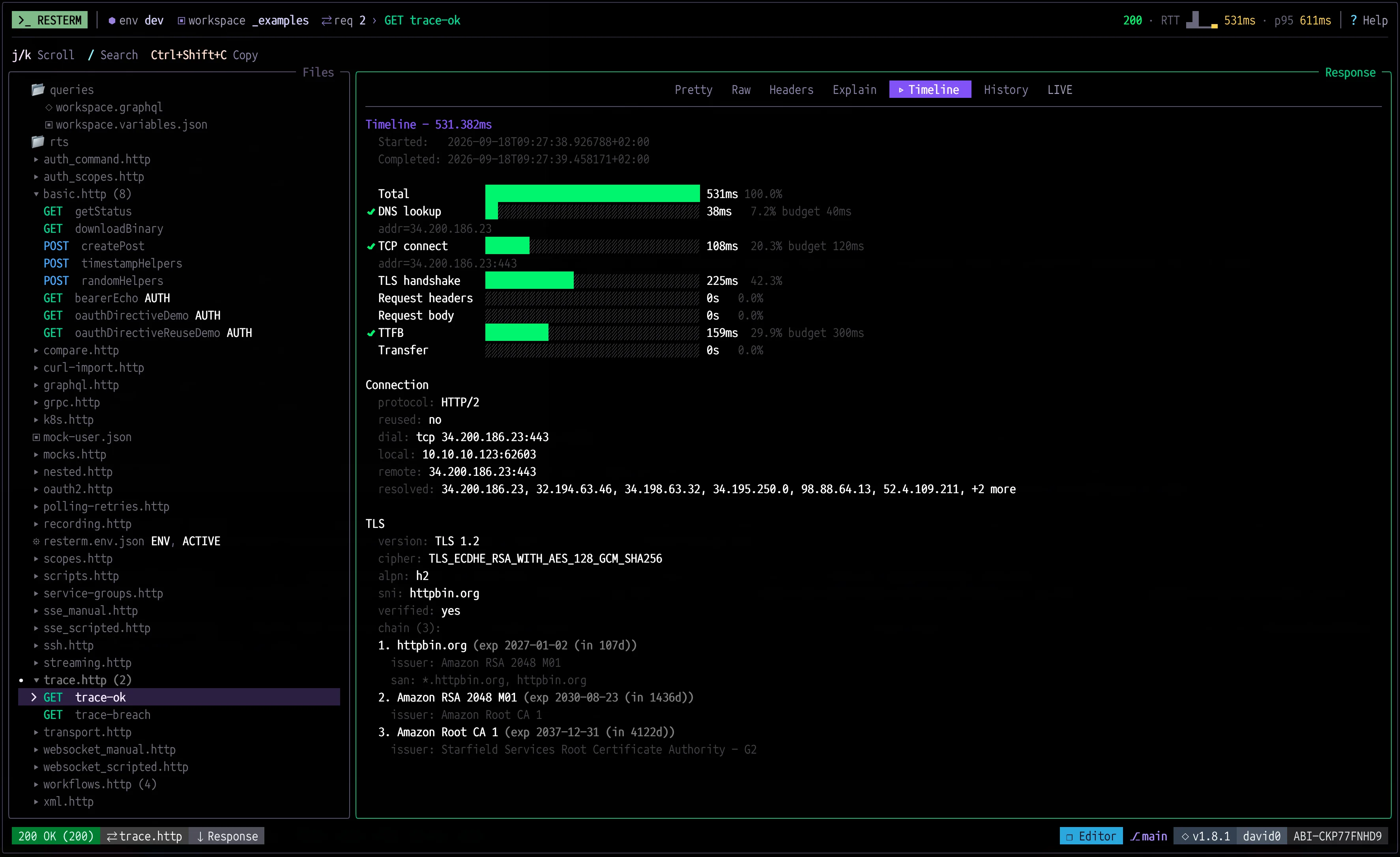
- TRACEtracingTimeline tracing, profiling and compare runs across environments.
- RTSrestermscriptA small expression language made for requests. JavaScript hooks when you want them.
- RUNresterm-runRun the same files headless in CI, with JSON and JUnit output.
Install
HomebrewScriptWindowsGo
`$ brew install resterm`copy
macOS and Linux
`$ curl -fsSL https://raw.githubusercontent.com/unkn0wn-root/resterm/main/install.sh | bash`copy
macOS and Linux
`$ iwr -useb https://raw.githubusercontent.com/unkn0wn-root/resterm/main/install.ps1 | iex`copy
PowerShell
`$ go install github.com/unkn0wn-root/resterm/cmd/resterm@latest`copy
Go 1.25 or newer
Release binaries for macOS, Linux and Windows are on the releases page. Installed without Homebrew? `resterm --update` updates in place.
Quick start
$ mkdir my-api && cd my-api$ resterm init$ resterm
`resterm init` writes a small project with local mocks. Press g Shift+M to start the mock server, then Ctrl+Enter to send the request under the cursor.
Response
HTTP/1.1 200 OK
Content-Type: text/plain
No telemetry. No account. Your requests stay in files you own. Resterm is free and open source under the Apache 2.0 license.