
Your notch, put to work.
NewMusic on your lock screen
Your notch, put to work.
A Dynamic Island for your Mac. Halo turns the notch — or the top of any screen without one — into a live island for music, volume, brightness, timers, files and more.
Buy Halo $9.99 $4.99 Watch the film
Launch weekOne-time purchase · macOS 15 or later · Apple silicon and Intel

↑ That's Halo, up there. Hover it.
Sound off
One island, 12 tools.
Every one of them waits out of sight until something happens.
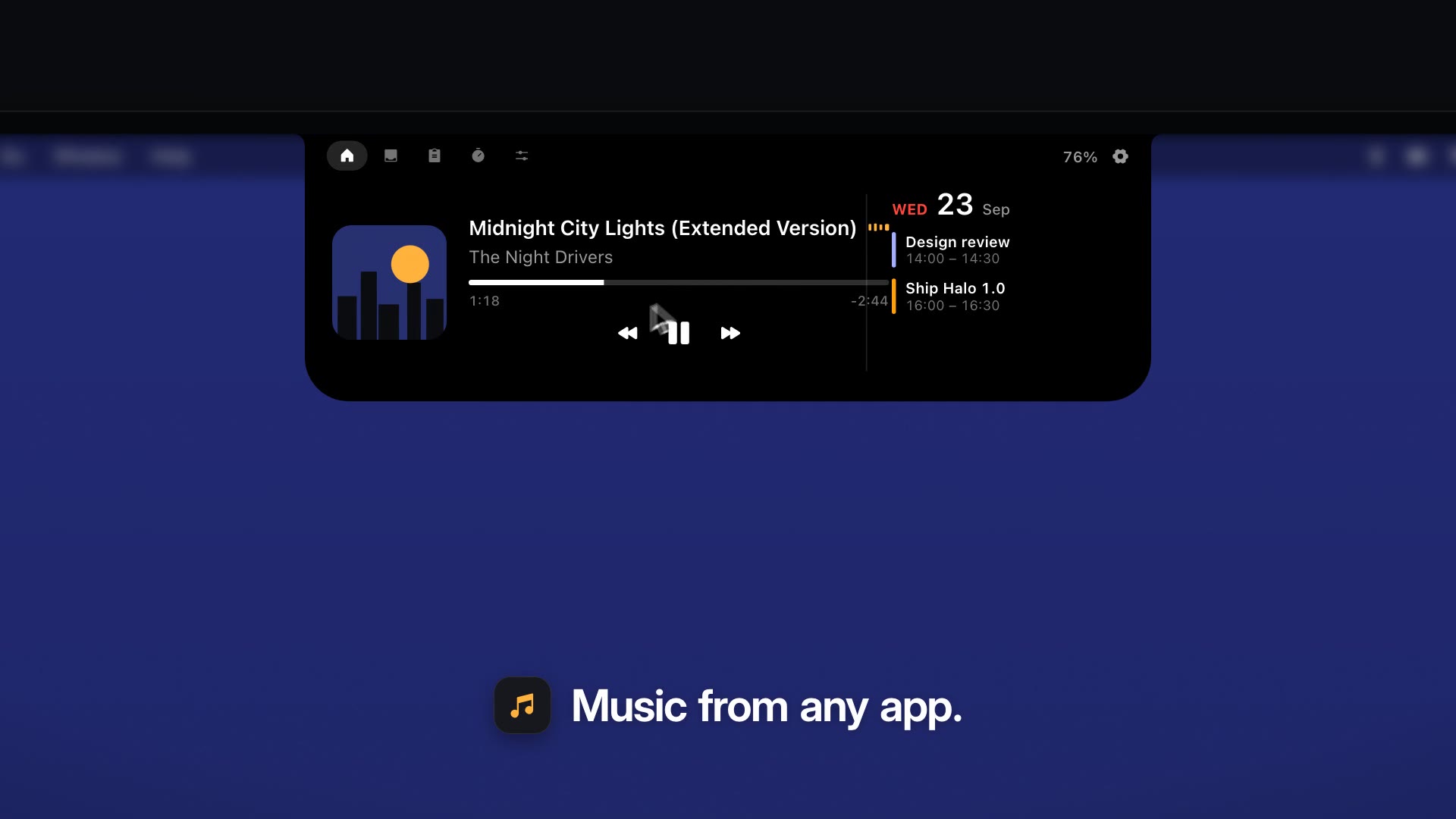
Now Playing, from any app
Spotify, Music, YouTube in any browser. Artwork, scrubber and controls, right where you look. Click the pause.
F12
Volume and brightness
The keys you already press, with a HUD that stays out of your way.
5:00Set
00h
05m
00s
Timers, to the second
Presets or any hours, minutes and seconds. A chime you'll actually hear.
Design Review.pdf
A shelf for files
Drop files on the island. Drag them out later, or AirDrop them.
Clipboard history
Your last 30 copies — text, links, images, files. One click to copy again.
Charging, at a glance
Plug in and the island tells you where you stand. Then it gets out of the way.
TopLeftRight
Top, left or right
Put the island on any edge, at any height. Drag it; it snaps to the edge you let go near.
Sends nothing about you.
- No account
- No analytics
- Updates only if you allow them
- Permissions only when a feature needs one
New in 1.0
Your music, on the lock screen.
Play, pause, skip, or drag to any second — without unlocking. The card sits just above your picture, sized for every screen from a MacBook to an ultrawide.
Go on, drag the bar.
Off until you turn it on in Settings. Beta.
Wednesday 23 September9:41
Midnight City Lights (Extended Version)The Night Drivers
1:28\-2:35
AAlexTouch ID or Enter Password
F1 F2
Press them — or use ← →.
Monitor control needs Apple silicon and a monitor that speaks DDC/CI — most do, over HDMI, DisplayPort or USB-C.
Do I need a MacBook with a notch?
No. On screens without one — external monitors, older Macs — Halo draws a slim island at the top, or on the left or right edge if you prefer.
Is Halo an alternative to Alcove or NotchNook?
Yes. It covers the same ground (now playing, volume and brightness, a file shelf) and adds control of your external monitor: brightness, contrast and input switching over DDC/CI. It also runs on screens that have no notch.
Which Macs does it run on?
macOS 15 Sequoia or later, on Apple silicon and Intel. Controlling an external monitor's brightness, contrast and input needs Apple silicon.
Does Halo collect any data?
No. The app has no account and no analytics. It connects to the internet for two things: checking for updates, only if you allow it, and looking up lyrics for the playing song on LRCLIB (title and artist only; turn Lyrics off in Settings and it never does). This website counts visits with Umami, which uses no cookies and doesn't identify you.
macOS says it can't verify Halo. Is that normal?
For now, yes — Halo isn't notarized by Apple yet. The first time, open Halo, then go to System Settings → Privacy & Security and click Open Anyway. You only do this once.
Is it a subscription?
No. You pay once. $4.99 during launch week, $9.99 after.
Will it get in the way of fullscreen apps?
No. The island hides itself in fullscreen video and games, and stays out of the menu bar's way.
Halo
A living island for every Mac screen.
Launch week$9.99$4.99
One-time purchase · macOS 15 or later · Apple silicon and Intel