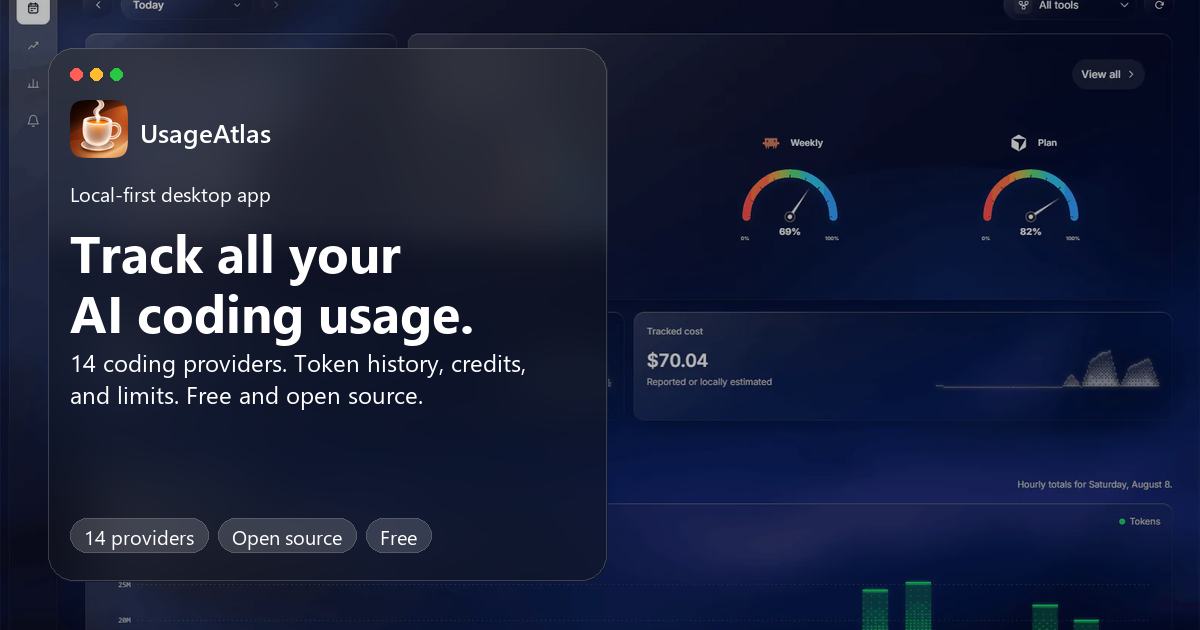
All your AI coding usage insights.One beautiful view.
Free. Open source. Made for your desktop.
All your AI coding usage insights.
One beautiful view.Track AI coding usage across 14 providers. Token history, available cost estimates, credits, and usage limits in one free, open-source desktop app.
macOS, Windows & LinuxNo account needed
A closer look
TodayHistoryInsightsAlerts
UsageAtlas · Today
UsageAtlas · History
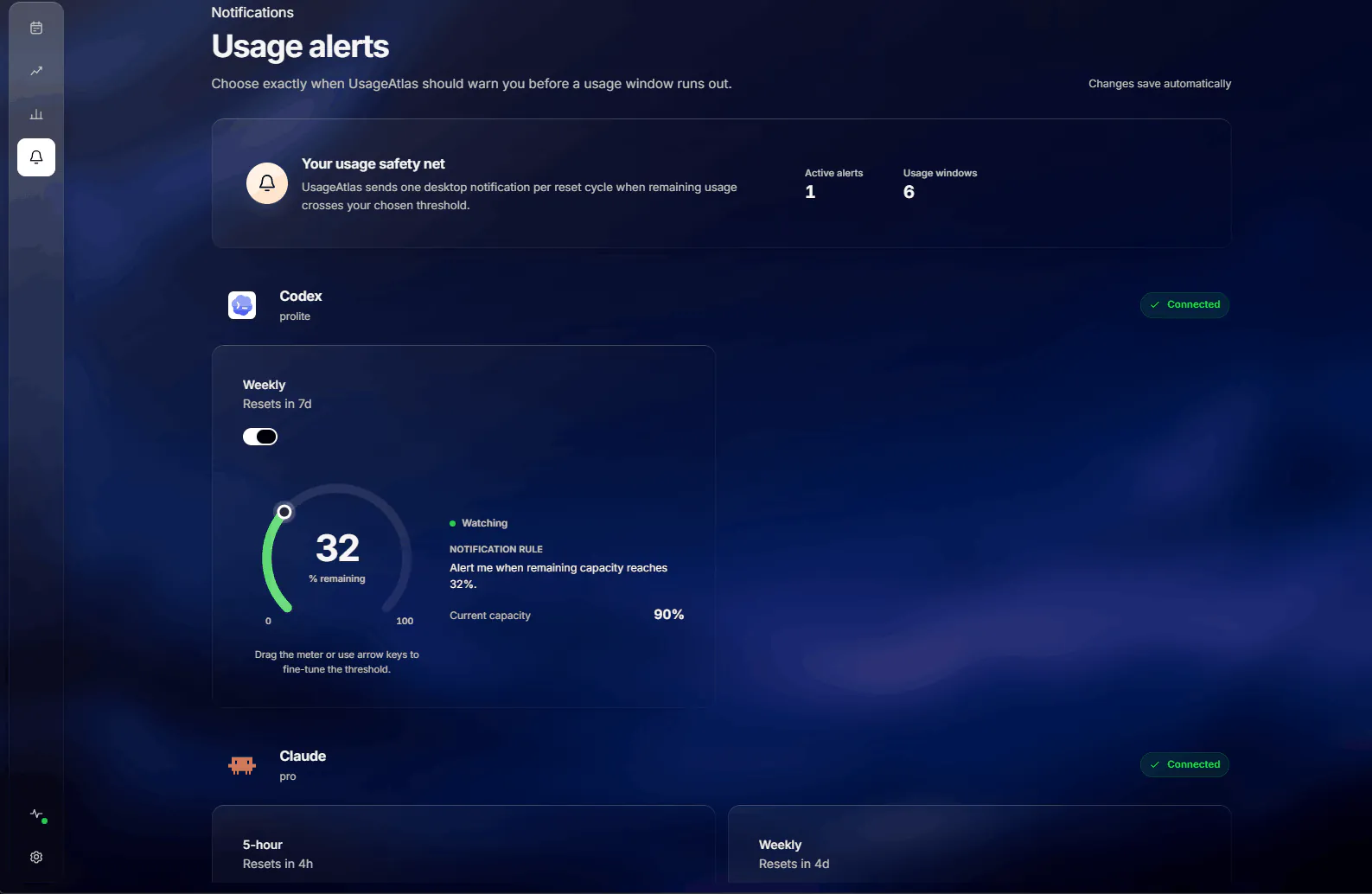
UsageAtlas · Alerts
01 / 04
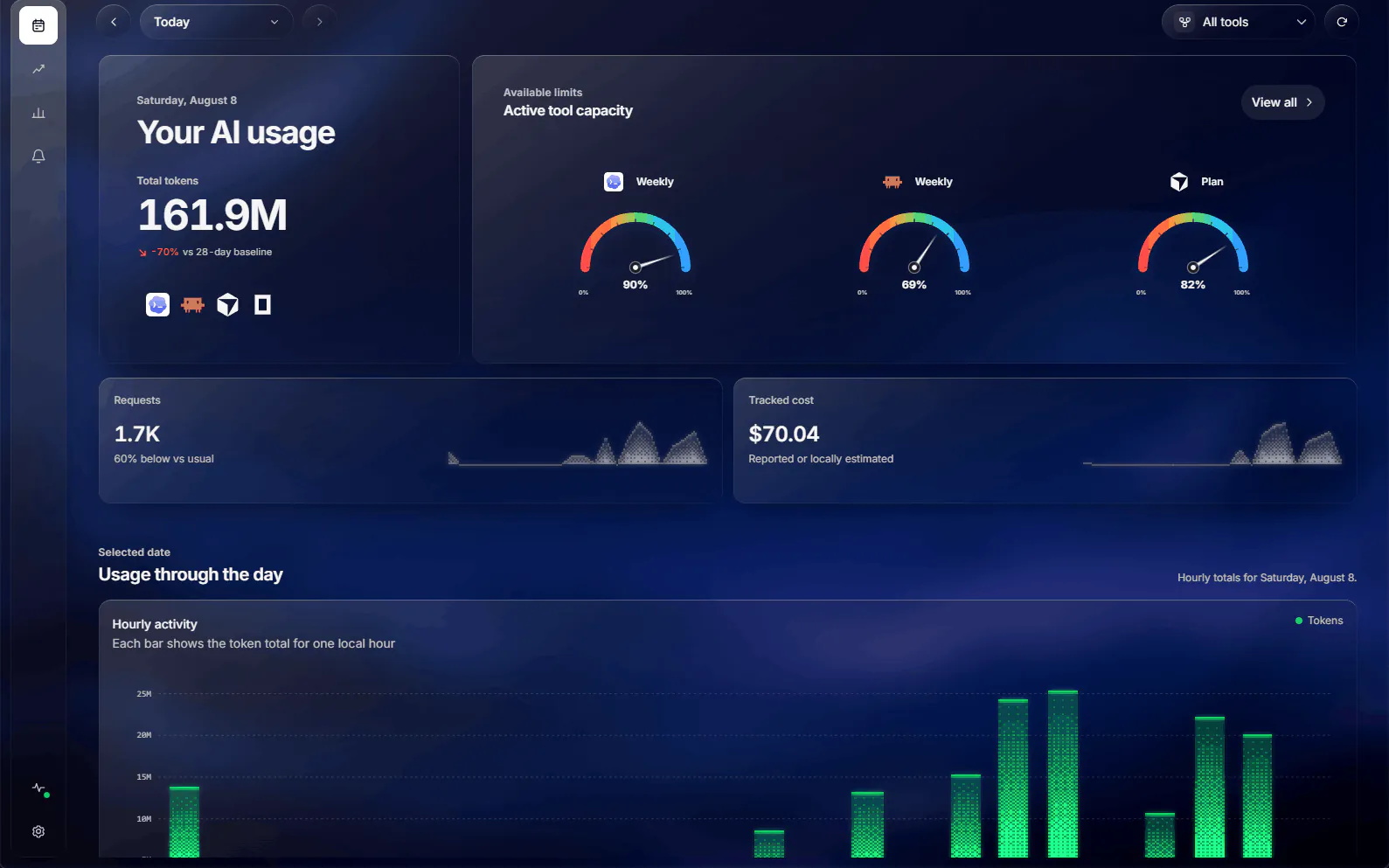
Your day, across every tool. Usage, cost, and room to keep going.
Actual app screenshots
UsageAtlas / Today
Your day, across every tool. Usage, cost, and room to keep going.
14 providers. One home for the tools you build with.
- CodexHistory & usage limits
- Claude CodeHistory & usage limits
- CursorPlan & API usage
- OpenCodeLocal session history

- CodexHistory & usage limits
- Claude CodeHistory & usage limits
- CursorPlan & API usage
- OpenCodeLocal session history





- A threshold for each usage window
- One alert per reset cycle
- Keeps checking from your tray
Antigravity CLILocal tokens & history
Pi / OMPLocal tokens & history
Muse CodeLocal tokens & history
Antigravity CLILocal tokens & history
Pi / OMPLocal tokens & history
Muse CodeLocal tokens & history
GitHub CopilotReported quotas & credits
WarpMonthly & add-on credits
Kimi CodeUsage windows & resets
Kilo CodeCredit balance & Kilo Pass
Factory / DroidAllowances & balances
AmpAgent credits & Orb hours
QoderPersonal & shared credits
GitHub CopilotReported quotas & credits
WarpMonthly & add-on credits
Kimi CodeUsage windows & resets
Kilo CodeCredit balance & Kilo Pass
Factory / DroidAllowances & balances
AmpAgent credits & Orb hours
QoderPersonal & shared credits
Pause motion
Local history where your tools record it. Credits and limits where your providers report them. Find your provider and get started
THE BIG PICTURE. THE LITTLE DETAILS.
Less checking.
More building.A quick glance before your next task. A little more detail when you need it.
USAGE HISTORY
Today makes more sense
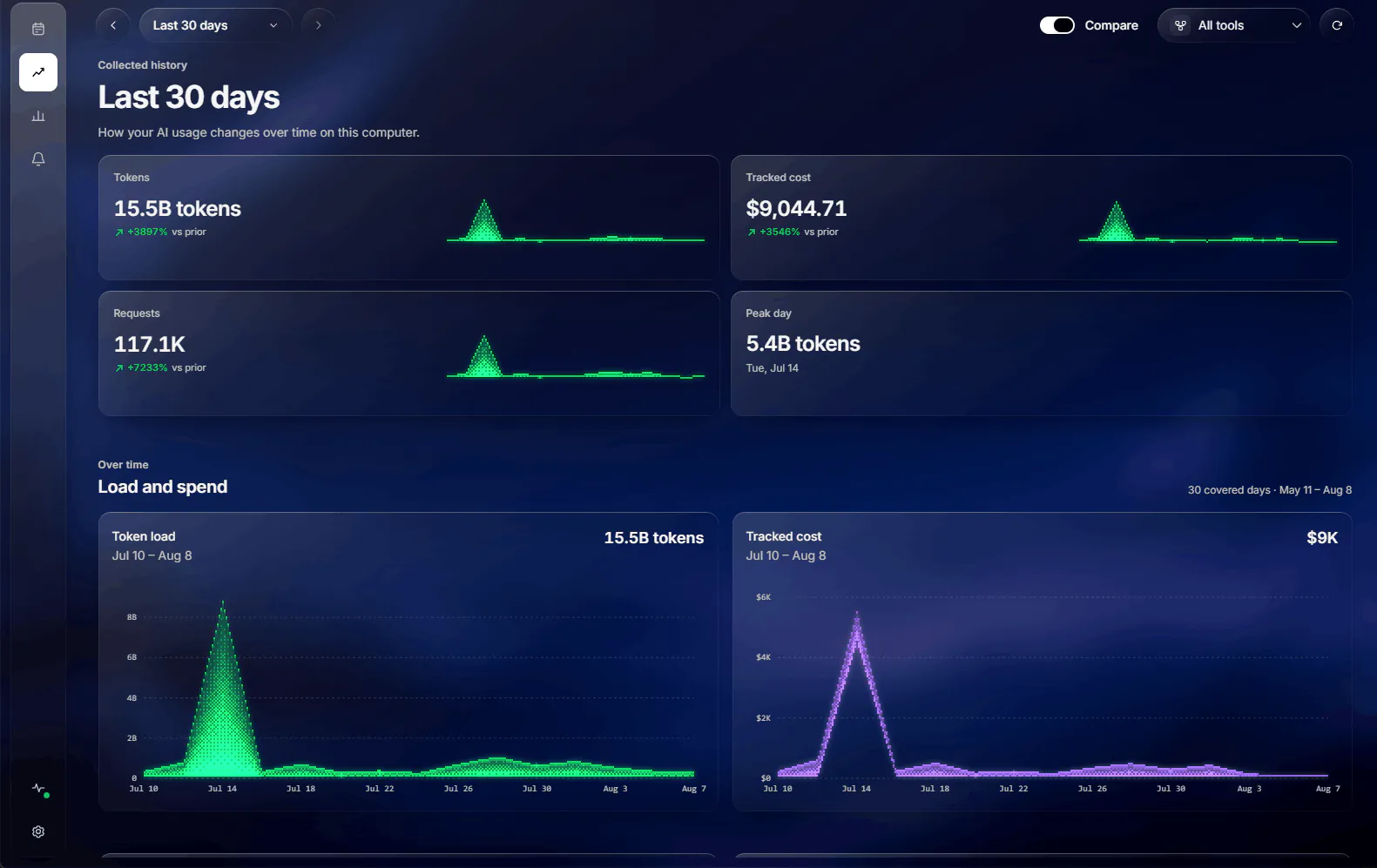
with a little history.See your tokens, requests, and estimated cost over time. Compare with the previous period to spot what changed.
7, 30, or 90 daysYour full history
UsageAtlas · History
MODEL MIX
Meet your most-used models.
See which models do the heavy lifting, and how your tokens are split between them.
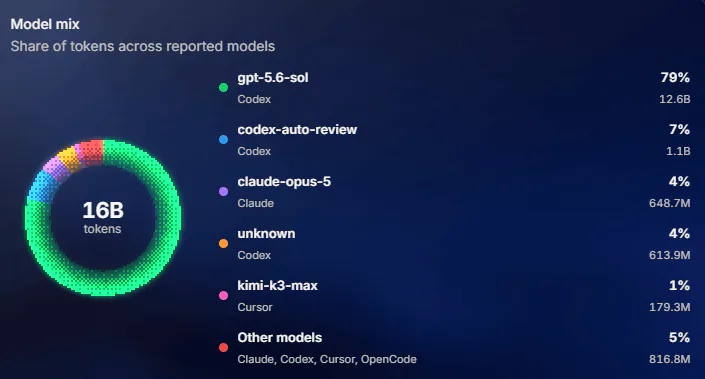
Every model your tools report
YOUR WORKING RHYTHM
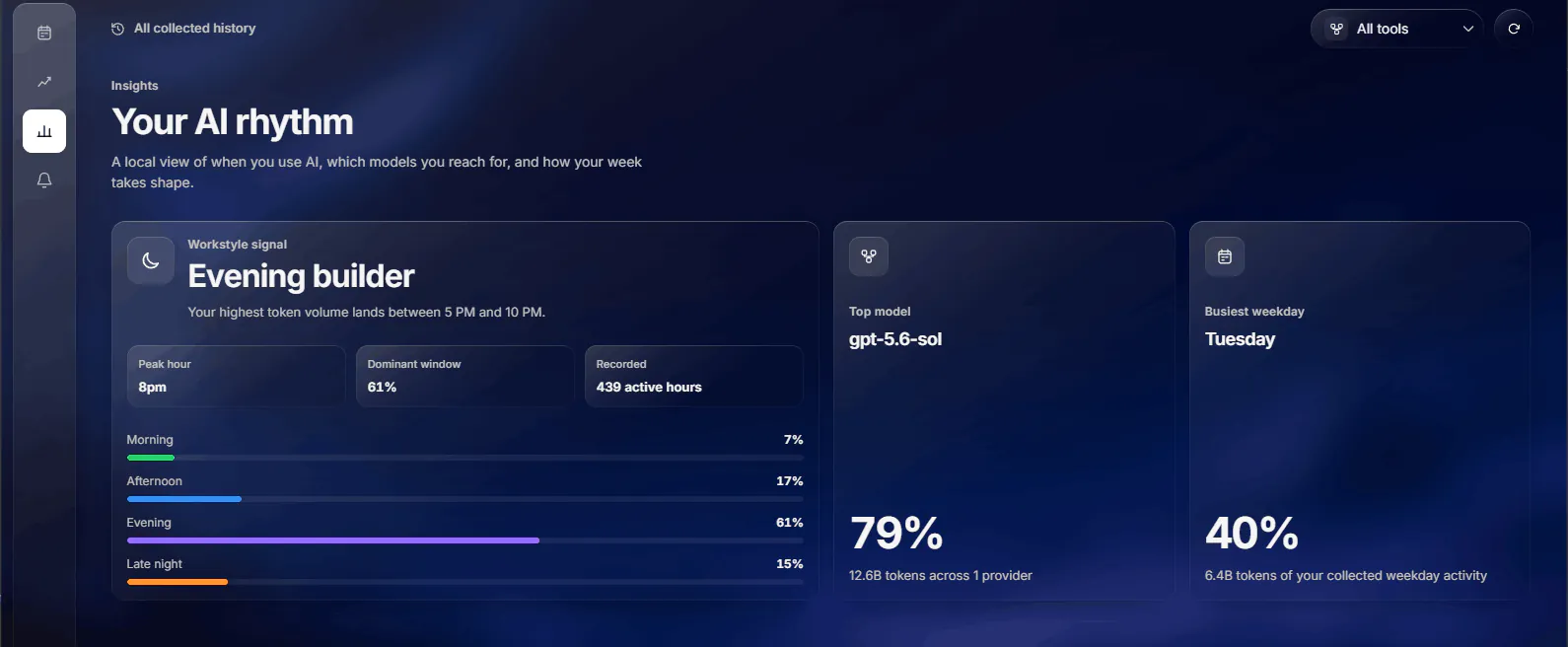
Find your flow, in the data.
Early starts or late-night sessions? Your activity adds up to a picture of how you work.
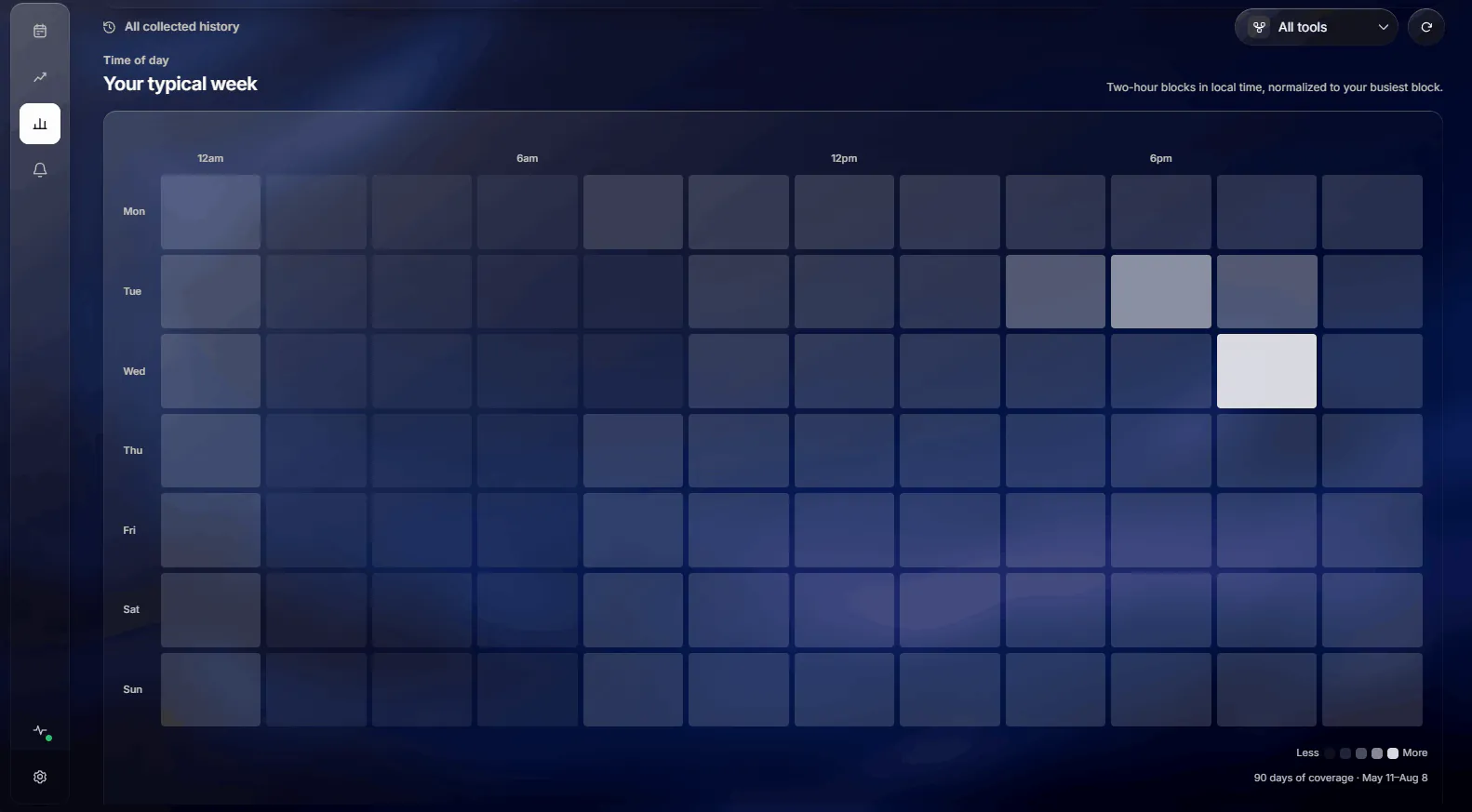
Your week, in your local time
A LITTLE HEADS-UP
Keep the flow.
Know your limits.See your remaining capacity and reset times before you start. Get a quiet notification when it's time to pace yourself.
UsageAtlas · Alerts

UsageAtlasExample notification
Room for a few more good ideas.
Codex weekly capacity is down to 32%.
Local by defaultYours to controlON YOUR COMPUTER
YOUR USAGE. YOUR BUSINESS.
Right on your desktop.
Right where it belongs.Start tracking without creating an account. Your prompts, responses, and coding-tool credentials stay out of the picture.
A backup, if you want one.
Create a free account to save your usage history and restore it on another computer. Sharing it on a public profile is a separate choice.
Public profilesOptional
Your AI work.
Worth sharing.Give your AI coding activity a home, just like your contributions on GitHub.
1. 01
Keep your history.
Sign in to the desktop app and save your usage to your free account. 2. 02Make it yours.
Choose a handle, add a bio, and link your GitHub or website. 3. 03Share when you're ready.
Publish your stats, activity, tools, and models. Hide your page anytime.View demo profileCreate your profile
Your profile stays private until you publish.
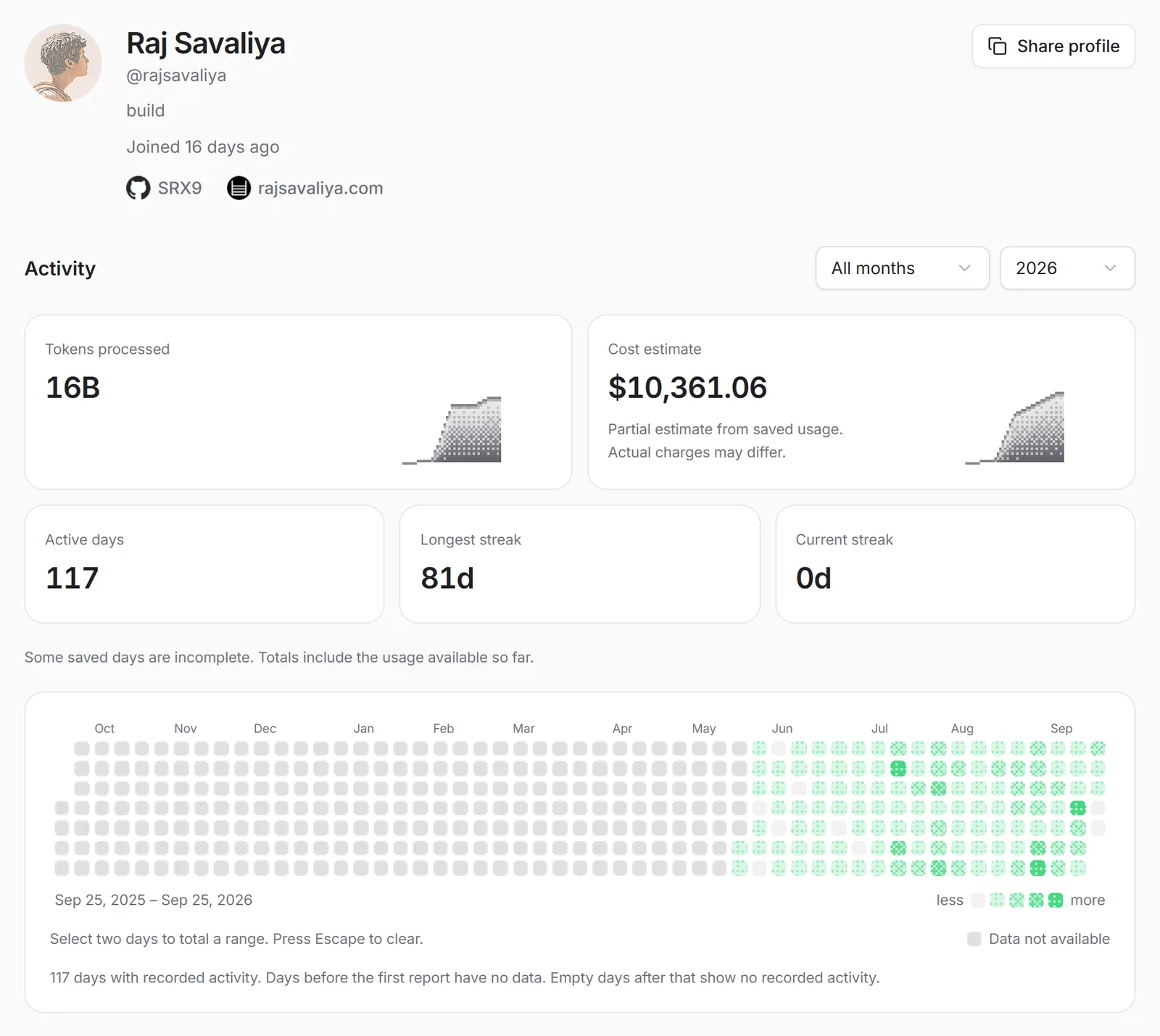
Activity, streaks, and saved stats.@rajsavaliya
YOUR TOOLKIT
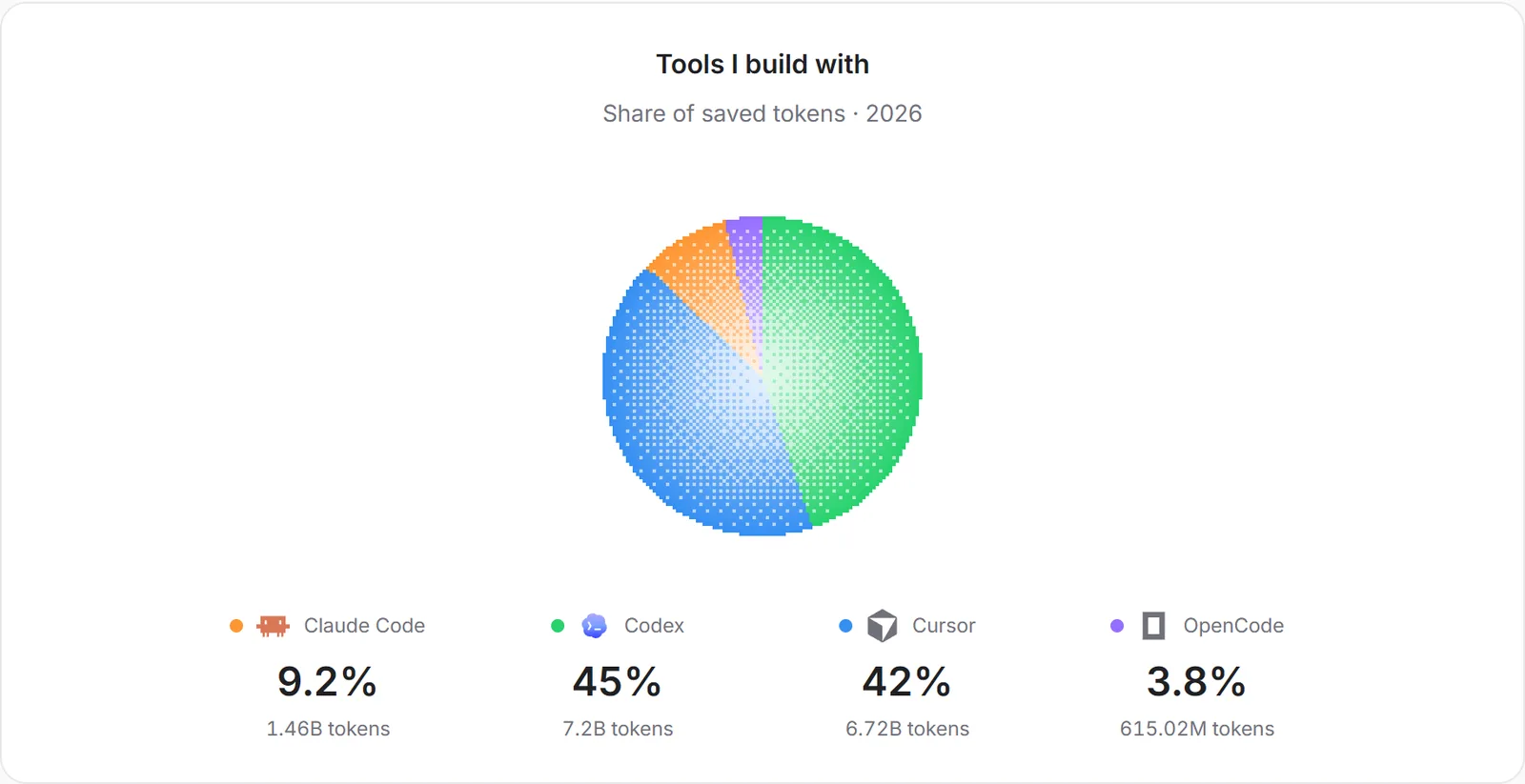
Show what you build with.
Your go-to tools and the share of tokens each one handles.
YOUR FAVORITES
Give your models some credit.
A look at the models behind your AI coding activity.
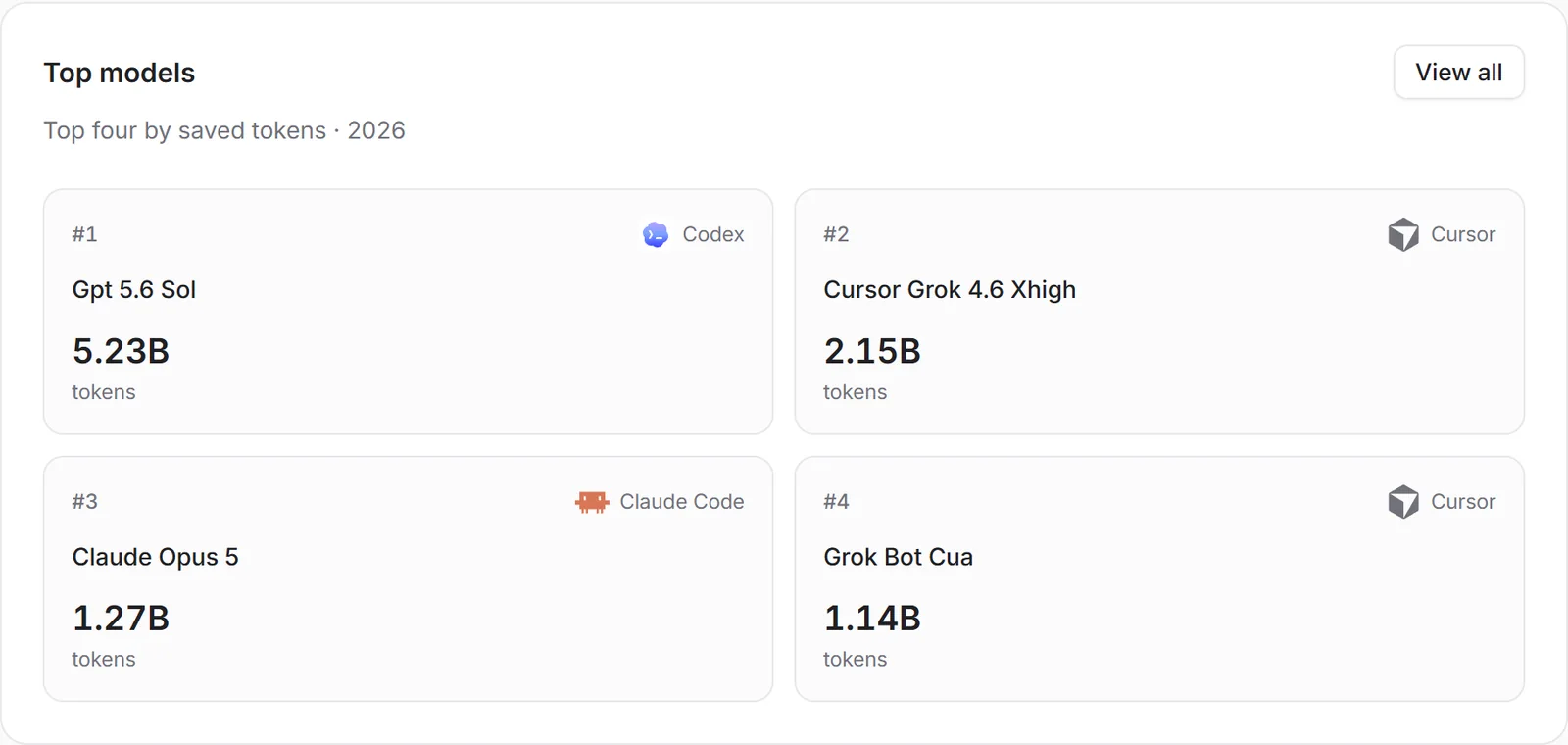
Screenshots from the demo profile. Public stats reflect saved usage.
GOOD TO KNOW
A few things
you might wonder.Looking for something specific?
Is UsageAtlas free?
Yes. UsageAtlas is free and open source. Local tracking needs no account, and optional cloud save is free too.
Which tools can I track?
Codex, Claude Code, Cursor, OpenCode, Antigravity CLI, Pi / OMP, Muse Code, GitHub Copilot, Warp, Kimi Code, Kilo Code, Factory / Droid, Amp, Qoder. UsageAtlas supports 14 providers. Available stats vary: some tools supply token history, while others report current credits and limits. Antigravity support is CLI-only.
Do all providers show token history?
No. Codex, Claude Code, Cursor, OpenCode, Antigravity CLI, Pi / OMP, and Muse Code provide supported usage history. GitHub Copilot, Warp, Kimi Code, Kilo Code, Factory / Droid, Amp, and Qoder report current allowances or balances, without per-request token or cost history. Missing limits and costs stay unknown.
Does it read my prompts or code?
No. UsageAtlas processes usage summaries such as tokens, requests, models, and cost. It never reads your prompts or responses. Coding-tool credentials stay on your computer.
Are the costs my actual bill?
Costs are reported by the tool or estimated from local usage. They help you understand how you use AI, but may differ from your provider's invoice or subscription price.
How do limit alerts work?
Choose a remaining-capacity threshold for each supported usage window. UsageAtlas sends one desktop notification per reset cycle. Keep the app running in the tray to continue checking limits.
Can I share my AI coding stats?
Yes. Save usage history from the desktop app to your free account, then create a public profile with your own handle. Publishing shares your saved usage totals, activity dates, tools, and models. Cloud save does not make your profile public. You choose when to publish and can hide your page anytime.
Can I keep my history when I change computers?
Yes. Sign in with a free account to save and restore usage history. After desktop sign-in, hourly saving is on while the app runs unless you previously turned it off. You can manage automatic saves, save manually, or restore in Settings.
A SMALL APP. A CLEARER PICTURE.
Make room for clarity.
All your AI usage, one download away. Free and open source, on the desktop you already use.
Windows 10 or later
Squirrel installer with automatic updates for 64-bit Windows.
macOS, Apple silicon or Intel
Signed and notarized disk images with automatic updates.
Linux, portable AppImage
Runs on common 64-bit x86 and ARM Linux distributions.
macOS builds are signed and notarized. Windows installers are not yet code-signed and may show a SmartScreen prompt. SHA-256 checksums are included with every release.