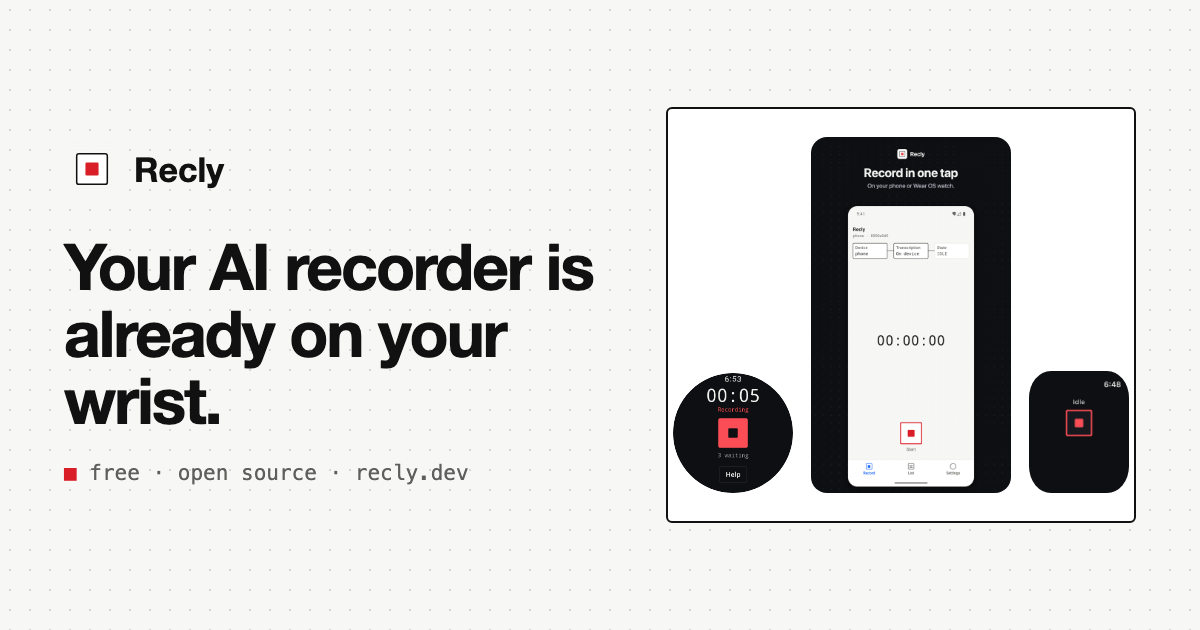
Your AI recorder is already on your wrist.
Free · Open source · AGPL-3.0-or-later · Now on the App Store and Google Play
Your AI recorder is already on your wrist.
A Plaud costs $159 or more, plus a plan once the free 300 minutes a month run out. Recly turns the Galaxy Watch or Apple Watch you already wear into that recorder with one shortcut, transcribes on the device for free, and leaves the notes to the AI you already pay for.
- Galaxy Watch
- Android
- Apple Watch
- iPhone
- macOS
- Windows
- AssemblyAI
- Azure AI Speech
- CLOVA Speech
- Daglo
- Deepgram
- ElevenLabs
- Gladia
- Groq
- Mistral AI
- OpenAI
- Rev AI
- RTZR
- Speechmatics
- Together AI
- "Make minutes from the latest recording and put them in Notion."
- "What did we decide about pricing last week?"
- Source coderokrokss/recly on GitHub
- IssuesBugs, questions and ideas
- ContributingConventions for changes
- SecurityReport vulnerabilities privately
- DevelopmentBuild and test every client
- SpecJSON Schemas every client honors
- Design documentThe source of truth
- AGENTS.mdOrientation for coding agents
- Galaxy WatchWear Compose
- AndroidCompose
- Apple WatchSwiftUI
- iPhoneSwiftUI
- macOSSwiftUI
- WindowsCompose + Rust
01 The idea
You already own two of the three parts.
A Plaud sells you three things: a recorder, transcription and AI notes. You already wear the recorder, and you already pay for the AI. Recly supplies the missing piece, for free, and keeps the original audio in your own Google Drive.
| Part | Plaud | Recly | | --------------- | ------------------------------------------------------------------ | --------------------------------------------------------------------------------------------------------- | | Recorder | Plaud Note or NotePin: $159–$189 | The Galaxy Watch or Apple Watch you already wear: $0 | | Start recording | The recorder's button | Galaxy Watch: double press the home key. Apple Watch: the Action button on an Ultra, or one tap. | | Transcription | 300 minutes a month free, then $8.33–$19.99 a month, billed yearly | On the device: $0, no minute cap. Or your own API key, at the provider's rate. | | AI notes | In the Plaud app | The AI you already pay for (Claude, ChatGPT, Codex), with your own skills, starting from Recly's examples |
Plaud prices are US list prices on plaud.ai, checked September 2026.
02 How it works
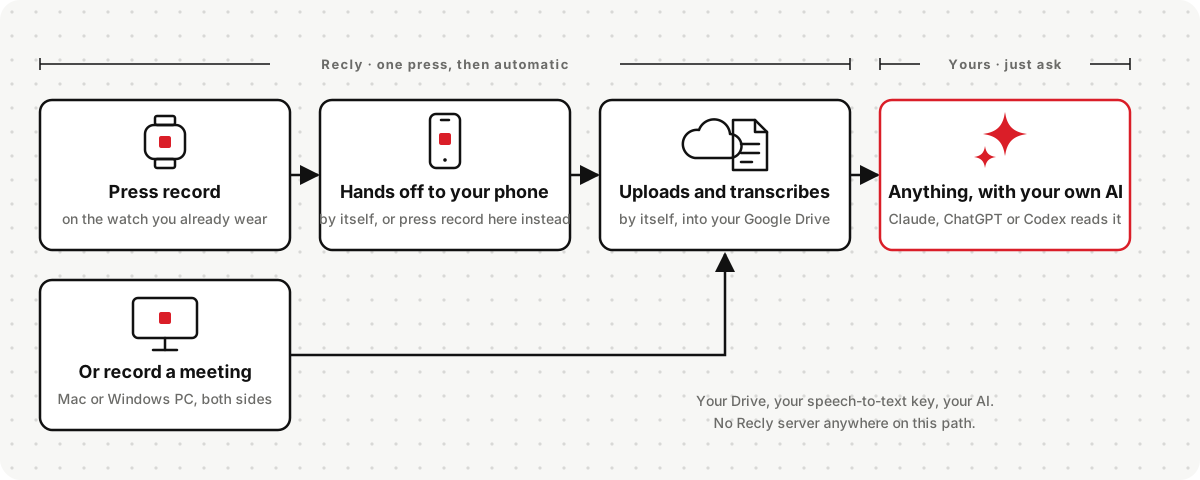
From a press to your own AI, with nothing in between.
All six clients run the same fixed recording flow. Nothing waits on a Recly server, because there isn't one.
1. 01 · Record
Watch, phone, Mac or PC
Tap record, bind it to the Galaxy Watch home key, or let the desktop notice a meeting and ask. `00:12:34` 2. 02 · StoreYour Google Drive
The phone or PC uploads the original as it is. Watches hand off to the phone first. Offline, it waits and retries. `recly/2026/2026-09/` 3. 03 · TranscribeOn device, or your key
After the original is safe, the transcript is written back next to it. Speakers are separated when the provider supports it. `transcript.json` 4. 04 · NotesYour own AI agent
Your agent reads the transcript from Drive and writes the notes you want. The example skills write minutes, decisions or lecture notes into Notion. `recly-notes · recly-notion`03 Why Recly
Record anywhere. Keep everything. Owe no one.
The recorder you already wear
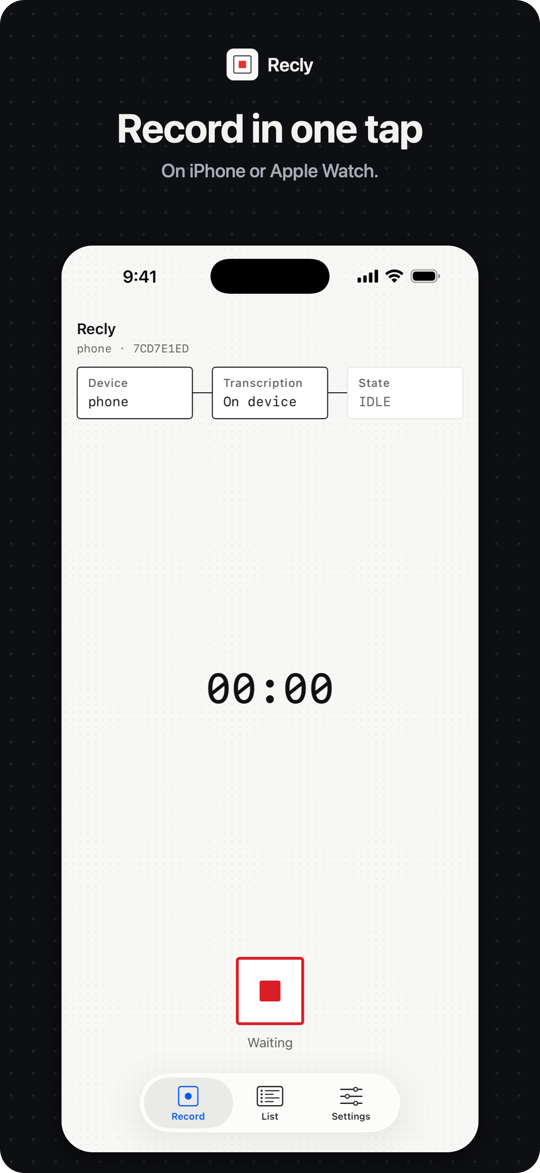
A double press of the Galaxy Watch's home key starts recording; the watch hands the audio to your phone, and the phone does the rest. Apple Watch records in one tap, or from the Action button on an Ultra.
Meetings on your desktop
The Mac menu-bar app and the Windows tray app capture your mic and the other side of a Zoom, Teams or Meet call as separate tracks. They notice the meeting and ask first.
Your Drive is the only storage
Recordings go to a folder like `recly/2026/2026-09/` in your own Google Drive, through `drive.file`, the narrowest permission Google offers.
Nothing gets lost
No network? Recordings wait and retry. The original is never deleted before Drive has confirmed the upload.
Files are the interface
Transcripts are plain files next to the recording, in a documented format. Any agent, script or app can read them.
Nothing covert
Recording is always visible, and there is no bot joining your call. No analytics, no crash reporting, no update pings.
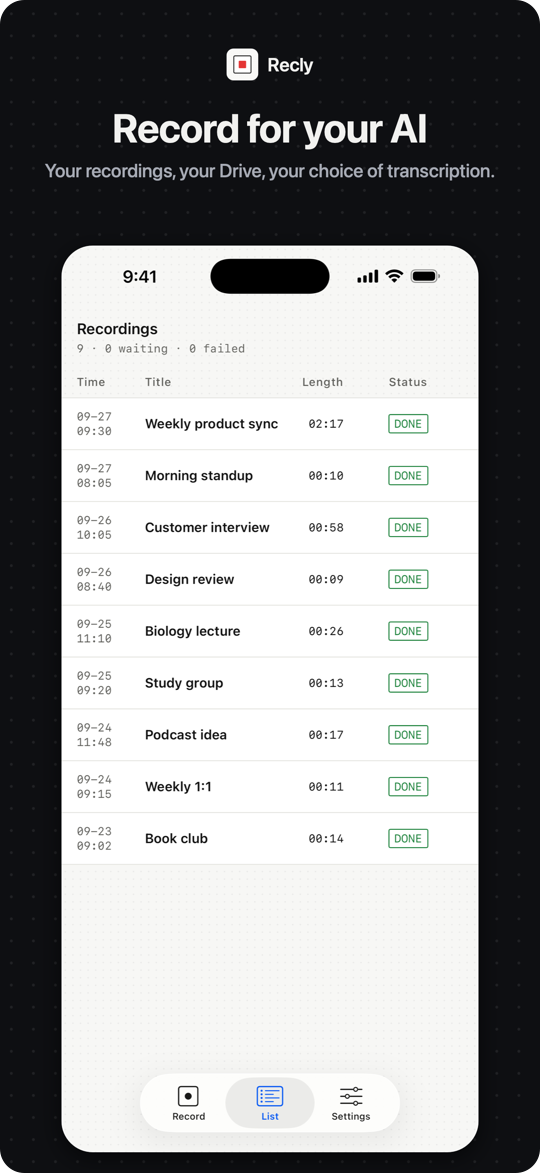
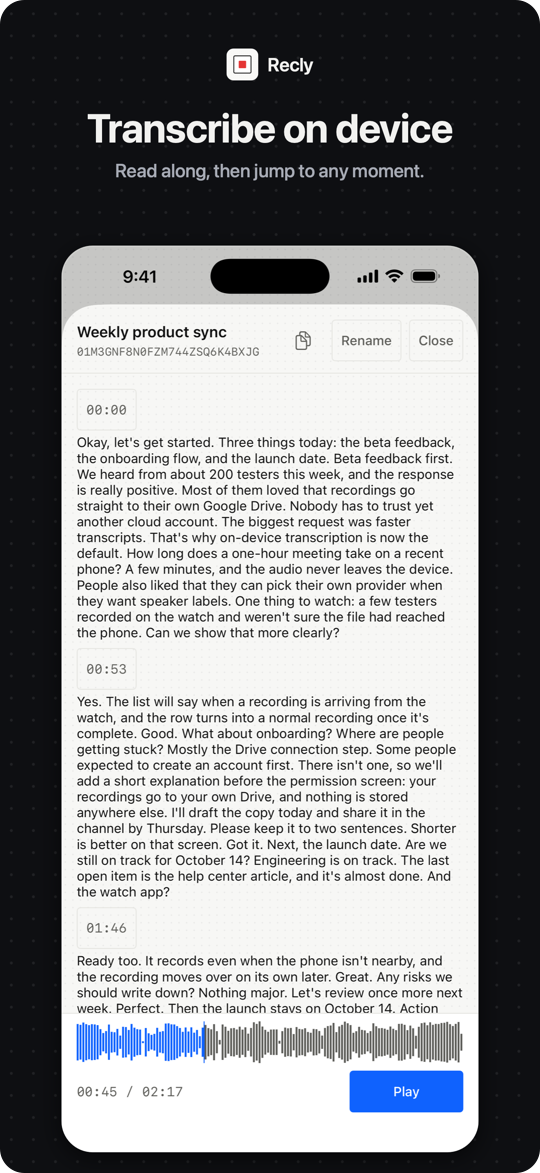
04 Screens
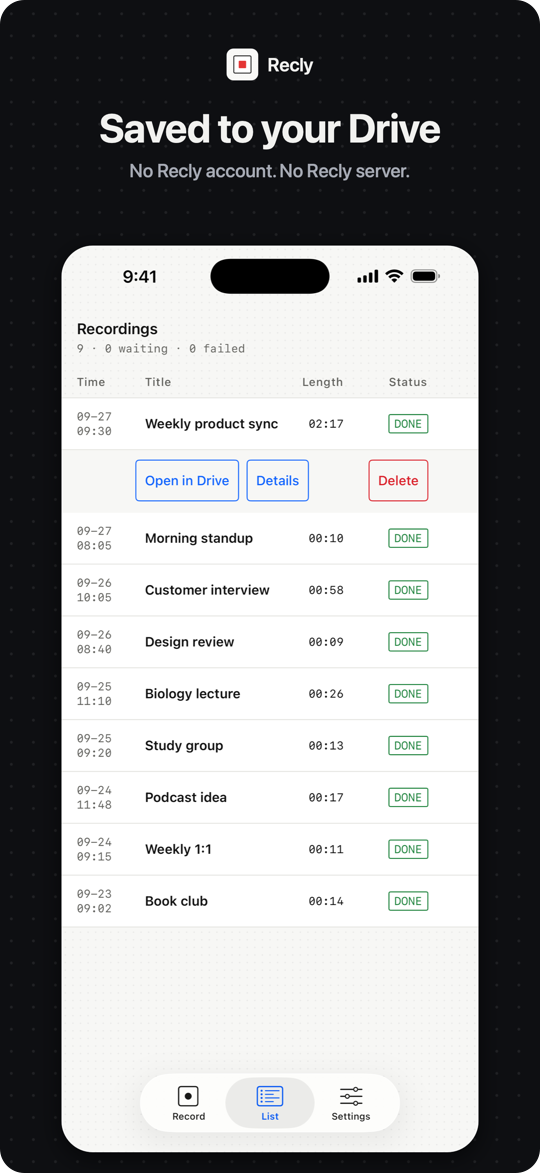
One design language, from the wrist to the desktop.
Monospace for the data, square nodes for state, a single blue accent. Light and dark follow your system.
05 Transcription
On the device, or with your own key.
Choose per device in Settings. On-device transcription never falls back to a cloud service you did not pick.
On device Default
New installs start here wherever the device has an engine. No audio goes to a speech service. It does not separate speakers.
External API Your key
Pick one of 14 providers (8 on iPhone) and enter your own API key on the device. The joined audio goes to that provider only, and speakers are separated when it supports it.
Off Upload only
Keep the original upload to Drive and skip transcription entirely.
On-device engines
| Device | Engine | Needs | | ----------------- | --------------------------- | --------------------------------------------------------------------------------------- | | iPhone · Mac | Apple's speech recognizer | iOS or macOS 26, supported hardware and language assets | | Android · Windows | Qwen3-ASR 0.6B, open source | 64-bit, 6 GiB+ memory (an 8 GB phone in practice), a one-time \~1 GB download you start | | Watches | — | Record and hand off; the paired phone transcribes |
14 providers, your key
20 transcription languages, filtered by what the provider or the device's engine supports. The apps speak English, Korean, Japanese, Simplified and Traditional Chinese, Spanish, French, German, Portuguese, Arabic, Hindi and Russian.
06 Privacy
There is no Recly server to trust.
The only places data can go are your Google Drive, the transcription provider you chose, and your own paired watch or phone.
0Recly servers, databases or accounts
drive.fileThe narrowest Drive permission Google offers
0Analytics, crash reports or update pings
| Step | Where it happens | What leaves your device | | ------------------ | ---------------------------------------------------- | ------------------------------------------------------------------------------------------------------------------------------------------------------- | | Recording | Your watch, phone or desktop | Nothing. A watch hands the audio to your paired phone, and only there. | | Storage | Your Google Drive | The audio parts and a small metadata file, to your own account. | | Transcription | On device, or a provider you chose with your own key | On device: no audio to any speech service. External: the joined audio to the provider you selected. Results are written next to the recording in Drive. | | Notes | Your own AI agent | The agent reads the transcript from your Drive and writes wherever you keep notes (Notion, in the example skills). Recly is not involved. | | Settings, API keys | Your device | Nothing is synced. Export moves configuration only; keys are entered separately on each device. |
Every network path, with nothing left out, is in the privacy policy. Any change that adds a network call has to update that list first.
07 Notes
Notes are your agent's job, not a paid tier.
Recly's pipeline ends at the transcript on purpose. Instead of a notes feature, it ships two example skills for the AI you already use: use them as they are, change them, or write your own for your format and your notes app. Drive stays the archive the app writes; in the examples, the notes and every later edit live in your Notion.
`recly-notes`
Finds a recording, the latest or the one you name, reads its transcript and writes minutes, a decision log, interview or lecture notes, or a memo.
`recly-notion`
Keeps those notes in a "Recly Recordings" database in your Notion, one page per recording, and finds them again later.
Install
Any agent with Agent Skills
npx skills add rokrokss/recly
Copy
Claude Code
/plugin marketplace add rokrokss/recly /plugin install recly@recly
Copy
Using the Claude or ChatGPT app? Upload recly-notes.zip and recly-notion.zip. Setup for each app is in skills/README.md.
Want another format, or notes outside Notion? Each skill is one Markdown file: edit it, or copy it and write your own. How to write your own.
08 Download
Get Recly.
The phone and watch apps are on the App Store and Google Play. The Mac and Windows apps are on GitHub Releases, and the install guide walks through each platform.
The phone records, signs in to Google, uploads and transcribes. The watch records and hands off to the phone. Both install from Google Play, or sideload the APKs with the install guide.
The iPhone records, signs in to Google, uploads and transcribes. The Apple Watch app comes with it and records in one tap.
Menu-bar app for meetings: your mic and the call's audio as separate tracks.
Tray app for meetings. SmartScreen will warn until the MSI is code-signed; the install guide shows how to get past it.
Latest: see Releases · every release carries `SHA256SUMS` and `BUILDINFO.md` All releases →
09 Open source
Open down to the design document.
Every client is on GitHub under AGPL-3.0-or-later, with the design source of truth, the data contracts and the release process in the same repository.
Two additional permissions in LICENSE-EXCEPTIONS.md let the apps ship through app stores. There is no CLA.
fig. 1 — six clients, one core
Kotlin Multiplatform core recording flow · resumable Drive upload · transcription adapters · job queue