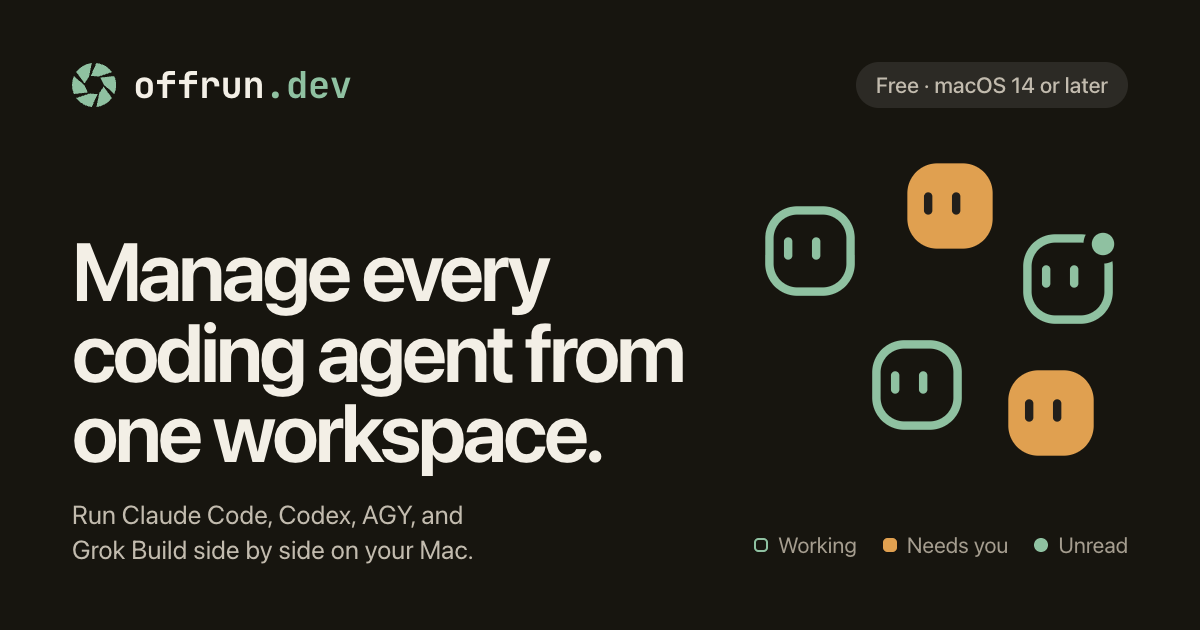
Manage every coding agent from one workspace.
Get started
Bring the coding harness that you already use.
Offrun runs the CLIs on your Mac, signed in as you. No new account, no API key, and it never sees your password.
1. Install Offrun. Drag it to Applications. 2. Connect your coding harness account. Settings, then Agents. Add a second account if you have one. 3. Start an agent. Pick a project and give it a task.
Agents
Each agent runs in its own folder. Offrun never sees your password.
Claude CodeAdd account
Defaultsam@studio.dev
Worksam@acme.co
CodexAdd account
DefaultSigned in with ChatGPT
AGYAdd account
DefaultSigned in with Google
Grok BuildAdd account
DefaultSigned in with X
Pi and OpenCode are coming soon.
Side by sidePeer reviewLimits
01 · Parallel agents, one git worktree each
Agents that never step on each other.
Every agent in a project gets its own git worktree, so two agents working the same repo never touch the same files. Run a refactor and a bug fix at once and merge them on your own schedule.
Projects
billing-svc
api-gateway
offrun-site
---
Agents
Fix flaky upload test_now_
Retry backoff_1m_
Refactor the parser_2m_
Token refresh_18m_
billing-svc fix-flaky-upload
Fix flaky upload testRetry backoffRefactor the parserToken refresh
The upload test fails about one run in ten. Find out why and fix it.
The test checked the file before the upload had finished, so it raced the network. It now waits for the upload itself instead of a fixed timer.
Changed `test/upload.test.js` only, on this chat's own branch. It passed 50 runs in a row.
Ask to make changes
✳︎ Opus 5.5 (1M)Build
02 · Code review by a second agent
A second agent reads the diff before you do.
Pick a reviewer, and its findings land in the chat while the work is still uncommitted. Ask for the fixes and they land in your message box, for you to read before anything is sent. Nothing merges on its own.
Runs on your own agent accounts. No second subscription, no bot on your pull requests.
Projects
billing-svc
api-gateway
offrun-site
---
Agents
Fix flaky upload test_3m_
Retry backoff_now_
Refactor the parser_4m_
Token refresh_20m_
billing-svc api-retries
Fix flaky upload testRetry backoffRefactor the parserToken refresh
Cap the retry backoff at 30 seconds and add jitter.
Done. Retries now wait at most 30 seconds, plus up to 20% jitter so they spread out.
js
async function retry(req, n) { const wait = Math.min(2 * n 100, 30_000) const jitter = wait 0.2 Math.random() await sleep(wait + jitter)}
Review by Codex · changes requested
1. Warning in `src/retry.js:2` The 30 second cap is longer than the gateway’s 25 second timeout, so the last retry is cut off.
Ask the agent to fix these
03 · Multiple accounts and usage limits
Hit a limit, keep working.
Point each agent at a different login. When one hits its limit, Offrun moves the chat to a login that still has room and says so. Send your message again and the new login picks up the whole conversation. Out of logins, it offers another agent.
Projects
billing-svc
api-gateway
offrun-site
---
Agents
Fix flaky upload test_6m_
Retry backoff_2m_
Refactor the parser_now_
Token refresh_23m_
billing-svc parser-split
Fix flaky upload testRetry backoffRefactor the parserToken refresh
Split the upload parser into a reader and a validator.
This login has hit its usage limit.
Keep going with another agent
Claude Code resets 3am. Codex can pick up this chat. It gets the whole conversation.
Continue with Codex
Ask to make changes
✳︎ Opus 5.5 (1M)Build
The workspace
What the workspace gives you.
Project memory
Your agents stop forgetting
Offrun keeps repo-wide conventions in one place and each agent's own goal, plan, and dead ends in another. Agents read that context at the start and write back to it as they go, so the fourth session knows what the first one already tried.
Stored as plain files in your project folder. Open them, edit them, commit them.
Memory · api-gateway
`conventions.md`Every agent reads it
`plan.md`This feature's approach
`dead-ends.md`Tried, failed, recorded
Read at the start of every session · written back as they work
Preview
Read the work without leaving the chat
Changed files, diffs with line numbers, rendered markdown and tables, images, PDFs, and a small browser with an address bar, all beside the conversation that produced them.
Fixed. The uploader reported done as soon as the first upload finished, so the second was sometimes still running.
#### What changed
- `src/uploader.js` now waits for every upload.
- The test checks which files arrived, not their order.
- Unlimited agents and projects
- Unlimited on-device dictation
- Unlimited connected coding agent accounts
- Free credits for 100+ connectors




 Your agents can find an email, file a GitHub issue, or post to Slack. You choose which chats use each account.
- Unlimited agent monitoring and reviews
2 rows
| Run | Passed | Failed | | -------------- | -------- | ------ | | Before the fix | 41 of 50 | 9 | | After the fix | 50 of 50 | 0 |
---
Dictation
Talk to your agents
Hold a key and speak your prompt. Offrun transcribes on-device, keeps your identifiers spelled the way your code spells them, and drops clean text wherever your cursor is.
Transcription runs entirely on your Mac. Nothing recorded, nothing uploaded.
Mac book MacBookVoice ready, hears “mac book”
jason JSONNo voice samples
Add voice sample
retry backoff helper retryBackoffHelper1 of 2 voice samples
KubernetesVocabularyNo voice samples
Add voice sample
Privacy and security
Your Mac is the boundary.
1. ### Your voice stays here. Dictation turns speech into text on this Mac. No recording is kept or sent. 2. ### So do your projects. Chats, memory and worktrees are folders in your repo, under `.offrun` and `.worktrees`. We keep no copy. 3. ### Prompts go straight to your provider. Each agent signs in as you, so your code goes from this Mac to Anthropic, OpenAI, Google or xAI. Offrun has no server in that path and never handles your keys.
This Mac
DictationSpeech to text, on device
Never leaves
billing-svc
Chats, memory, worktrees`.offrun` · `.worktrees`
In your repo
Claude
Prompts and codeSent on your own login
Leaves, direct
On your login
Your providerAnthropic · OpenAI · Google · xAI
Offrun serversNot in this path
Pricing
Free. All of it.
Bring your own agent subscriptions. Everything Offrun adds around them is free.
Free
Everything, unlimited
$0
Every feature, no limits, no seats to count, no card.
FAQ
Questions
Does Offrun replace Claude Code or Codex?
No. It runs them. You keep your own accounts and subscriptions, and Offrun gives them somewhere to live together.
Can I use more than one Claude Code account?
Yes. Add each login in Settings, then Agents. When one hits its usage limit, the chat moves to the next and says so, and you send your message again. How multiple accounts work
Can Claude Code and Codex work on the same repository?
Yes, at the same time. Each agent gets its own git worktree and branch, so they never edit the same files, and one can review the other's diff. Using them together
Does it work with Google's Antigravity CLI?
Yes. Offrun runs `agy`, the Antigravity CLI, signed in with your Google account, next to Claude Code and Codex. Running agents in parallel
How is Offrun different from Conductor?
Both run agents in git worktrees on your Mac, on your own subscriptions. Conductor builds in pull requests, checks and team features. Offrun is built around several logins per agent for usage limits, a reviewer you pick from your own agent accounts, and Antigravity next to Claude Code and Codex, and it is free. The full comparison
Do you see my code?
No. Your code goes from your Mac to whichever provider you are signed into, under your own account. Offrun has no server in that path and never handles your keys.
What does peer review actually run on?
One of your own agent accounts. Pick the model in the model picker.
Can peer review change my code?
No. It reads the diff and posts what it found. Every decision after that is yours.
Where does project memory live?
In your project folder, as files. Version them if you want.
Does dictation need a network connection?
Only to set up. After that it runs on your Mac.
What do I need to run this?
An Apple Silicon Mac running macOS 14 Sonoma or later, and at least one agent CLI you already use.
Run them all. Miss nothing.
Free and unlimited. No credit card.
Apple Silicon only (M1 or newer) · macOS 14 Sonoma or later