
Catch it beforeyou hit send.
Catch it before
you hit send.The last pass before you deliver: your client's style guide, the words your draft spells two ways, and typos — checked inside the browser editor you are already writing in.
Add it from the Chrome Web Store Read the guide
Works with WordPress (block and classic), Medium and most browser-based CMSes. Google Docs has an add-on of its own.
Your draft
Send the brief by e-mail, then file the reply on Github. Our email macro links to the GitHub board.
Spelling · 2
e-mail → email Apply here
Github → GitHub Apply here
Apply all suggestions (2 — every occurrence)
Findings are listed, and that is all. Your text changes only when you press a button.
What it does
The words a spellchecker cannot help you with
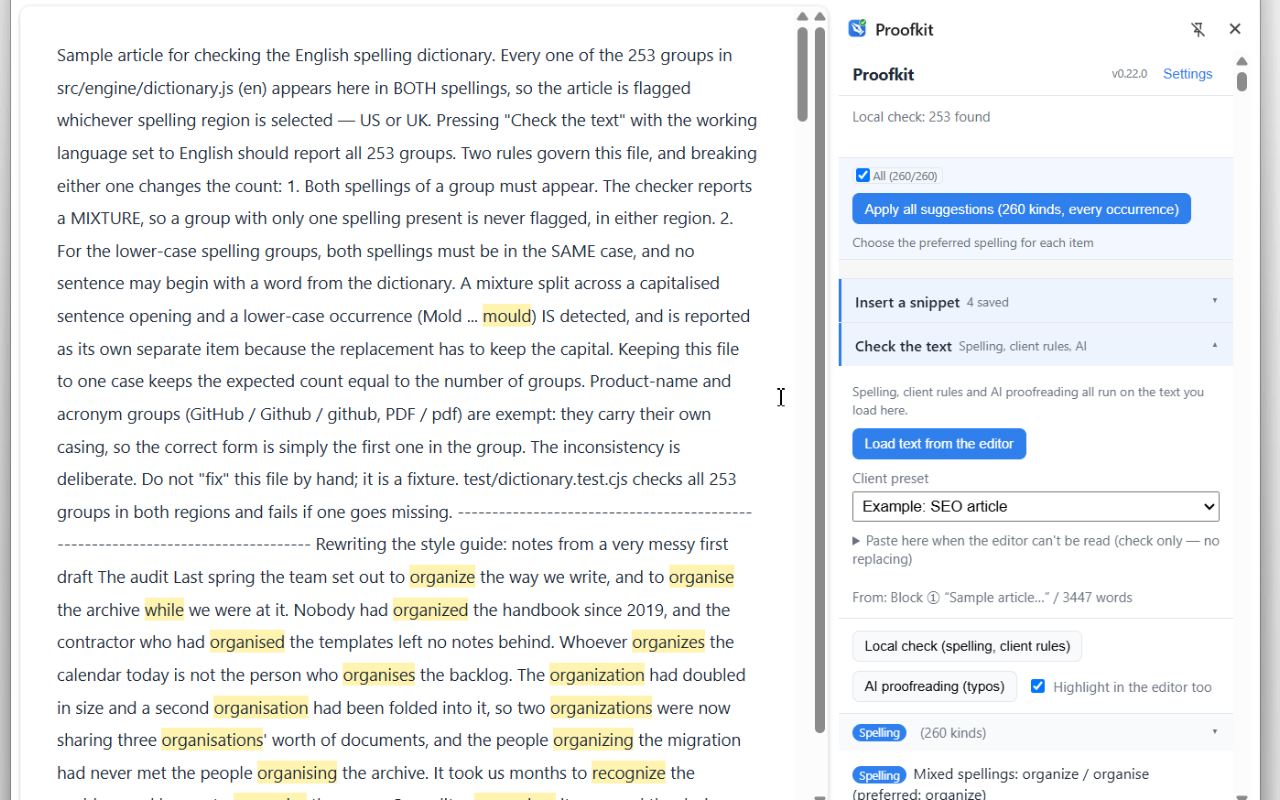
email / e-mail, login / log-in, homepage / home page, GitHub / Github, PDF / pdf. Both forms are correct, so nothing underlines them — they just end up mixed. 249 word groups and 530 spellings, US / UK included. Pick which one wins and replace every occurrence in one pass. No network requests — it runs entirely on your computer.
Links and code are never touched
URLs, file paths, email addresses, file names and anything inside backticks are left exactly as written, so a bulk apply over a finished article cannot break a link. Two-word verbs stay open too — "Please log in" is never rewritten to "Please login".
Client style guides
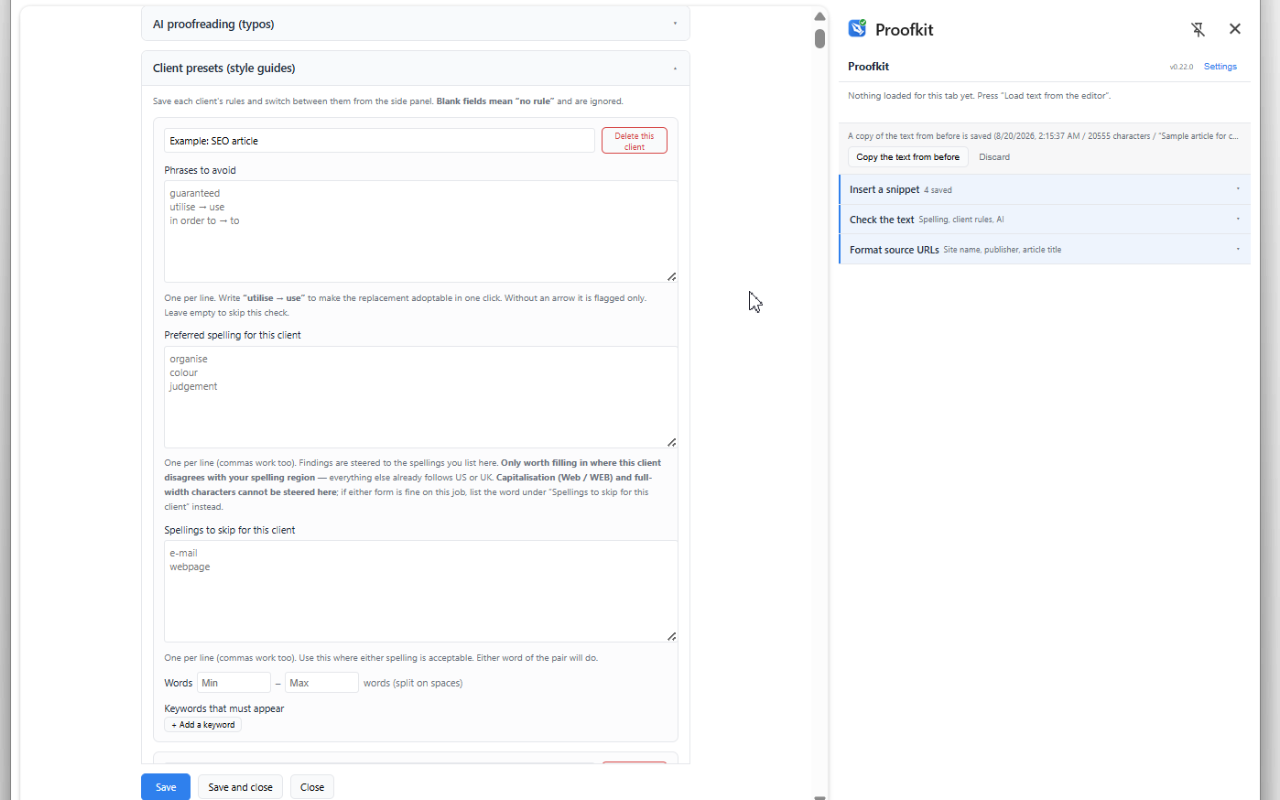
Register each client's banned words, word count and required keywords once, then switch presets when you start their article. You stop having to remember that this client never allows "very".
AI proofreading, with your own key
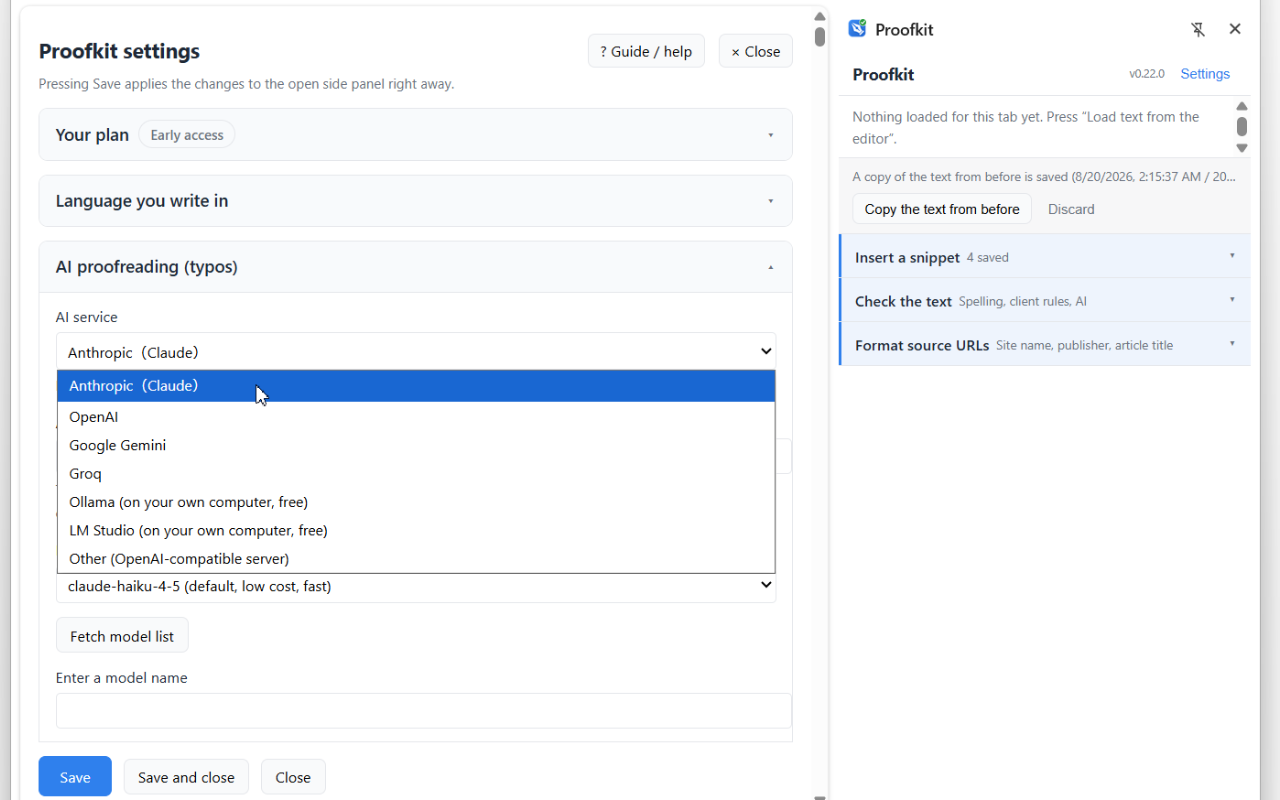
Anthropic, OpenAI, Google Gemini, Groq — or Ollama and LM Studio, which run on your own machine and cost nothing. Nothing goes through our servers, because there are none.
Snippets and source URLs
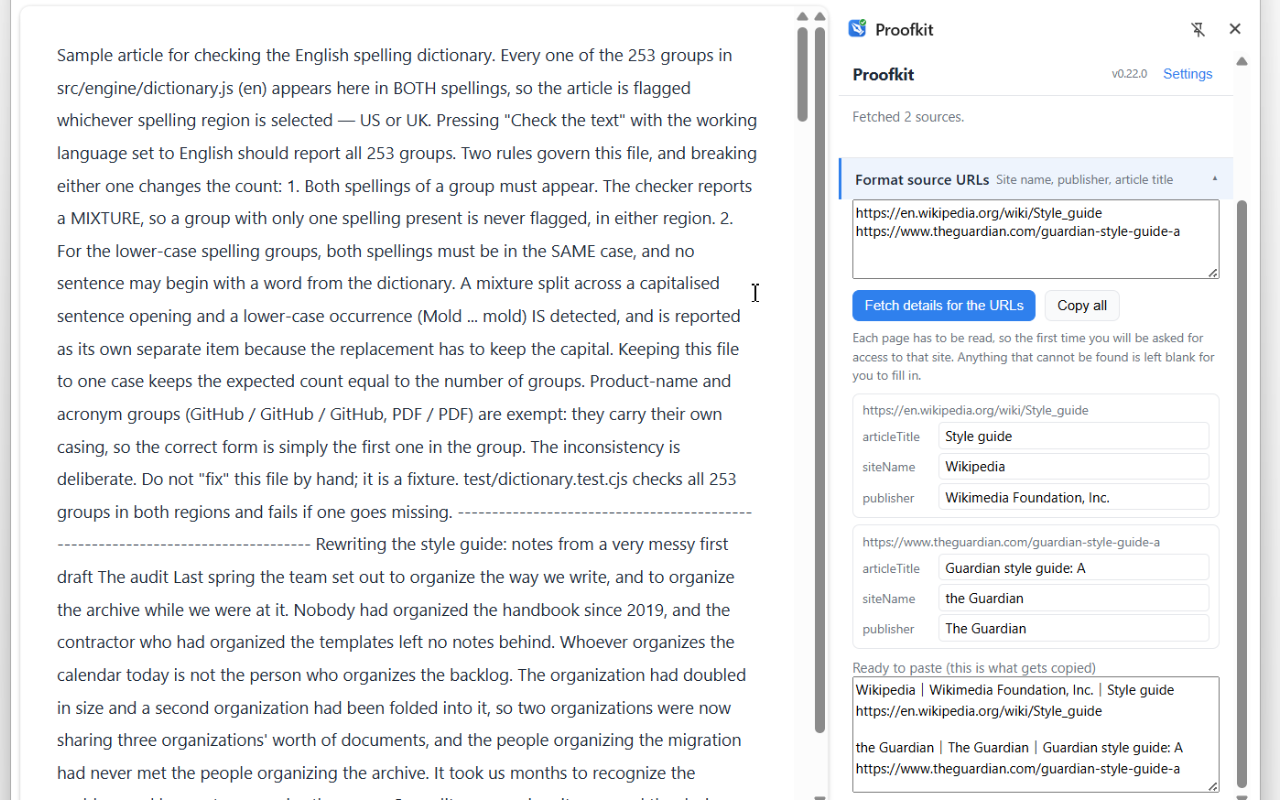
Insert the notes you retype every week in one click. Paste the URLs you used and get them back as "Site name | Publisher | Article title", ready to copy.
It never rewrites your text on its own
Findings are shown to you, and that is all. Your text changes only when you press "Apply here" or "Apply all suggestions".
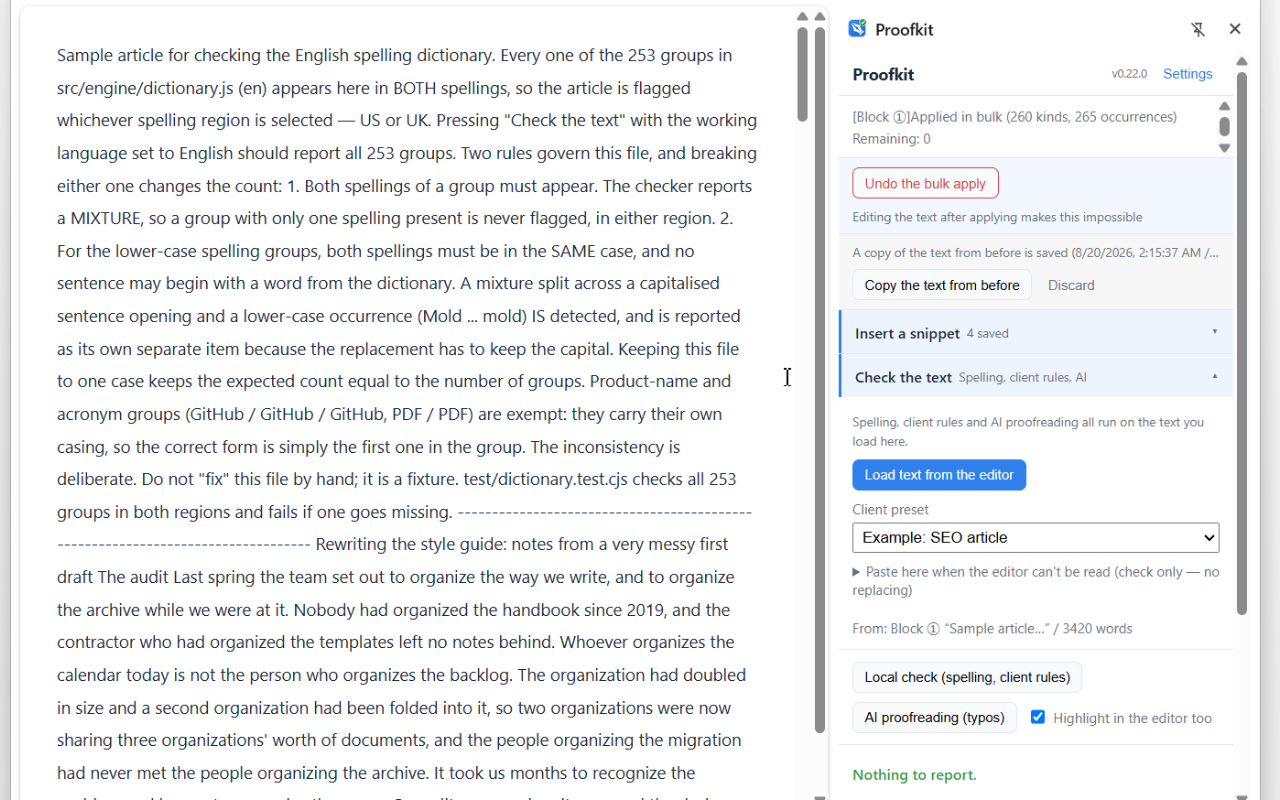
1. ### Nothing moves until you press it Every finding is highlighted where it occurs, so you can read it in context before deciding. 2. ### One click to undo Straight after a bulk apply, "Undo" in the panel takes all of it back. Your editor's own Ctrl+Z works too. 3. ### The text from before is kept The article as it was immediately before a bulk apply is saved as a copy — recoverable after closing the panel, or after restarting the browser.
Editors it can read
- WordPress (block and classic)
- Medium
- Most browser-based CMSes
- Any contenteditable or textarea editor
- It is not a grammar checker. It does not rewrite your sentences or judge your style
- It does not check facts
- There is no analytics or telemetry of any kind (there is no server to send it to)
Proofkit reads and edits the text in place in the editors above. Where the text cannot be read — Google Docs, Word Online, PDFs — there is a paste-in box that checks it without replacing anything.
Google Docs is covered by a separate add-on. The extension cannot read the text inside Docs, so add the Google Docs add-on from Google Workspace Marketplace.
Screens
Click an image to open it at full size.
Pricing
Proofkit is in early access, and every feature is free to use. If you install during this period, everything you have now stays free for you permanently — features already in your hands will not be taken away. When an end date is set, it will be announced on this page.
Free
$0
Spelling checks, bulk fixes and AI proofreading, unlimited. One client preset and three snippets. It takes one client's article all the way to delivery.
Paid (one-time purchase) / after early access ends
To be announcedOne-time purchase, not a subscription
Removes the limits on how many client presets, dictionary entries, snippets and source URLs you can save. It is for people running several clients at once. Nothing you have already saved stops working.
AI proofreading is billed by your own API key (a fraction of a cent per run — nothing at all with a local model).
Good fit / Not a fit
Proofkit is at its best for the work below.
| | Good fit | Not a fit | | ------------------- | ------------------------------------------------------- | ------------------------------------------------------ | | Purpose | Checking a finished draft before you hand it over | Improving the writing while you are still writing it | | What you want fixed | Inconsistent spelling, and breaches of a client's rules | Grammar mistakes, and how well a sentence reads | | Where you write | Browser editors (WordPress, Medium, most CMSes) | Word, or another application outside the browser | | Google Docs | Installing the separate Workspace add-on | Wanting one extension to cover everything | | Clients | Each client has different house rules | One set of rules, or writing only for yourself | | Language | English, Japanese or Portuguese | Any other language | | Payment | Paying once | Wanting generation and summarising in the same service |
What it does not do
Contact
support@proofkit.jp (Affect Inc.)
When reporting a problem, please include the contents of "Something is not working" → "Copy diagnostic information" from the settings screen. See the guide for details.