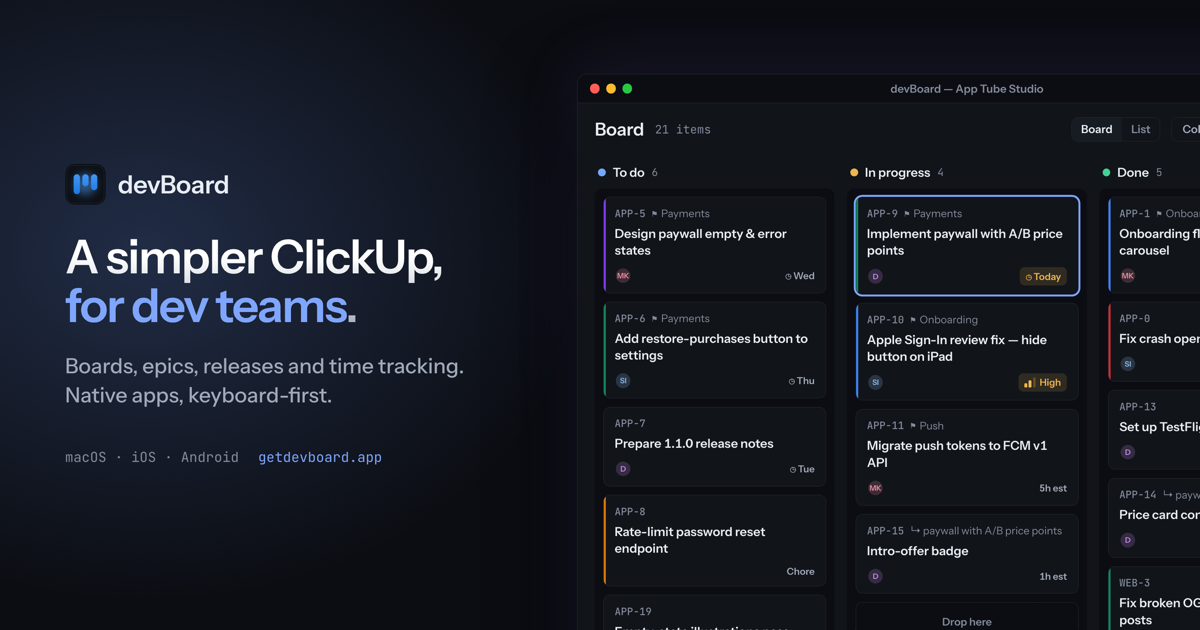
Everything a small team needs to ship.Nothing else.
Why another one
Your tracker was built for a 200-person org.
You are four people. You do not need portfolios, workload heatmaps, custom automations or six view types you switched on once. What you need is to know what you are doing today, what is blocking the release, and where the last three hours went — without the tool becoming a second job.
What's in it
Built for how small teams actually work
Boards that stay readable
A card shows four things: its key, its title, who is on it, and one contextual chip. Labels are a 2px colour bar, not a row of pills. Drag between columns is optimistic and survives a restart.
Epics, releases and labels
Three levels of work item — epic, task, subtask — plus releases and project-scoped labels, each with a screen of its own. The epic a card belongs to is visible on the board, not buried in a detail panel.
Time tracking that isn't a chore
Start and stop a timer on the item you are already looking at. Comments and an auto-logged activity feed sit beside it, so the record of what happened writes itself.
My Work, bucketed by when
Everything assigned to you as Overdue, Today, This week, Later and No date — plus a private scratch to-do list with reminders, for the errands that never deserved a ticket.
Saved views and filters
Build a filter once, save it, share it with the team. The same view drives the board and the list, so nobody has to rebuild a query to see what you were talking about.
Realtime, properly
Two people on the same board see each other's moves without refreshing — including work moving between columns and buckets, not just text changing in place. Drop the network and it catches up.
Keyboard-first
Drivable end to end without a mouse
The desktop app is built around a command palette and a set of bare-key shortcuts, with a reference sheet one keystroke away. Window size and position survive a restart. On macOS there is a real menu bar.
- ⌘K Command palette — jump to anything, run anything
- ? The full shortcut reference, generated from the bindings
- C New item, wherever you are
- ⌘1 My Work, Projects and Settings on the number row
- 1 Create a token in Settings → Developer
- 2 Add `api.getdevboard.app/mcp` to Claude Code, Cursor, VS Code or Claude Desktop
- 3 Ask it what is on your plate
\> rele
Go to Releases project
Create release… action
DEV-151 · DMG signing + notarisation item
Filter: unreleased items view
Toggle theme action
Works with your AI assistant
Your board, inside Claude Code and Cursor
devBoard is an MCP server. Connect it once and your assistant can read the ticket it is working on, open new ones, comment, move the card and track the time. It acts as you, in one workspace, with your role.
claude
what's on my plate today?
devboard · my\_work
overdue DEV-142 Fix push on unassign
today DEV-151 DMG signing + notarisation
start DEV-151
devboard · start\_work
assigned you · moved to In progress · timer on
branch dev-151-dmg-signing-notarisation
done, it's notarised. close it out
devboard · finish\_work
timer stopped at 47 min · commented · moved to Done
Native everywhere
Five real apps, not one web page in a wrapper
devBoard is a native Flutter app on every platform it ships to. The desktop build is tuned for a pointer and a keyboard; the phone build is not the desktop layout with the sidebar taken off — rows, sheets and tap targets are its own.
Windowscoming soon
Linuxcoming soon
iOSApp Store AndroidGoogle Play
Available now on the App Store and Google Play, including macOS. Windows and Linux are next. There is no web version and there is not going to be one — the app is built to open in a fraction of a second and work with the network off.
FAQ
Questions, answered straight
Can I use it yet?
Yes — on the App Store and Google Play. macOS is also available on the App Store; Windows and Linux are still packaging.
Is there a web version?
No, deliberately. devBoard is a native app on all five platforms. A tracker you check twenty times a day should open instantly and keep working when the connection drops, and a browser tab is the wrong shape for that.
How is it different from ClickUp, Jira or Linear?
It is smaller on purpose. There are no portfolios, no automation builder, no custom field designer. You get boards, three levels of work item, releases, labels, saved views, comments, attachments and time tracking — and then it stops.
Does it work for a team, or just one person?
Both. Workspaces, teams, members and invites were in from the first version, not bolted on later. Freelancers running several clients get a workspace each; a small team shares one.
Does it work with AI coding assistants?
Yes. devBoard is an MCP server, so Claude Code, Cursor, VS Code and Claude Desktop can search and read your items, create and edit them, comment, move cards and log time, acting as you. Here is the setup; it takes about a minute.
What does it cost?
Pricing is not set yet. It will be posted here before paid plans begin, and it will be a plain number rather than a grid of seat tiers.
Who makes it?
App Tube — a small studio. devBoard is a sibling to dev.log, which solves the other half of the same problem: remembering what you actually did.